
Vormooi P1
Buku Panduan Pengguna Perekam Suara Digital Vormooi 64GB
Model: P1 | Brand: Vormooi
1. Pendahuluan
Thank you for choosing the Vormooi 64GB Digital Voice Recorder. This device is designed for high-quality audio recording, featuring a durable metal casing, advanced noise reduction, and a user-friendly interface. With its large storage capacity and voice activation capabilities, it is ideal for personal study, meetings, interviews, and capturing important moments.

Image: The Vormooi 64GB Digital Voice Recorder, showcasinkarena desainnya yang ringkas dan ramping.

Image: Promotional banner highlighting the 64GB storage capacity of the Vormooi Digital Voice Recorder.
2. Apa yang ada di dalam kotak
Your Vormooi Digital Voice Recorder package includes the following items:
- 1 x 64GB Digital Voice Recorder (Model: P1)
- 1 x Earphone
- 1 x Kabel USB-C
- 1 x Panduan Pengguna (dokumen ini)
- 1 x Circle Ring (for keychain attachment)

Image: All components included in the product packaging: the voice recorder, USB-C cable, C-C cable, headphones, circle ring, and user manual.
3. Fitur Produk
3.1. High-Quality Recording
Equipped with the latest professional 2159 recording chip, the Vormooi recorder utilizes precise algorithms for superior DSP digital noise reduction. This ensures clearer and more natural recordings, making it an excellent choice for high-fidelity audio capture.

Image: Visual representation of the 1536Kbps clear recording capability, highlighting the 2159 professional chip and strong DSP noise cancellation.

Image: Detailed graphic explaining the 1536-32Kbps high-quality crystal clear recordings, emphasizing the 2159 Professional Chip, Strong DSP Noise Cancellation, and 360° Full Range Capture.
3.2. User-Friendly One-Touch Recording
The device features a simple ON/OFF switch to start or end recording. Files are automatically saved with a date and time stamp for easy organization. Its sturdy black zinc alloy metal casing provides both durability and a sleek design.

Image: Diagram showing the compact size of the voice recorder and the simple 'RECORD' and 'SAVE' slide switch for easy operation.

Image: Close-up of the voice recorder illustrating the simple ON/OFF slide switch for one-click recording.
3.3. Large Capacity and Battery Life
With 64GB of internal memory, the recorder can store up to 900 hours of 160Kbps recording files. A full charge, which takes approximately 1 hour, provides up to 17 hours of continuous recording.

Image: Icons representing 64GB large memory, 4600 hours of memory, Voice Activation (VOR), and durable metal housing (HARD).

Image: Graphics illustrating the low battery save function and the timestamp feature for recorded files, showing how files are named with year, month, day, and time.
3.4. Voice Activated Mode (VORM)
The Voice Activated Mode (VORM) is off by default. When enabled, this function allows the recorder to automatically start recording when sound is detected and pause during silence. This saves memory and streamlines the organization of your recordings by eliminating meaningless blank clips.

Image: Illustration of the Voice Activation feature, showing different sound levels (DB) and corresponding activation levels (1-7).
4. Pengaturan
4.1. Mengisi Daya Perangkat
Before first use, fully charge the voice recorder. Connect the included USB-C cable to the recorder's USB-C port and the other end to a power source (e.g., computer USB port, USB wall adapter). The indicator light will show charging status and turn off when fully charged.
4.2. Daya Awal Menyala
To power on the device, slide the record switch to the 'ON' position. A blue indicator light will briefly illuminate, indicating the device is active and ready for operation.
5. Petunjuk Pengoperasian
5.1. Merekam Audio
- To start recording, simply slide the record switch to the ON posisi. Perangkat akan secara otomatis mulai merekam.
- Untuk menghentikan perekaman dan menyimpan file, slide the record switch to the MATI position. The recording will be saved with a date and time stamp.
5.2. Pemutaran
To listen to your recordings, connect the included earphones to the control panel, and then connect the control panel to the voice recorder's USB-C port. Use the buttons on the control panel to navigate and play recordings.
- Putar/Jeda: Press the central button to play or pause the current recording.
- Volume Naik/Turun: Use the volume buttons to adjust playback volume.
- Trek Berikutnya / Sebelumnya: Use the skip buttons to move between recordings.
5.3. Enabling Voice Activated Mode (VORM)
Refer to the detailed instructions in the included paper manual to enable or disable the Voice Activated Mode (VORM). Once enabled, the recorder will only record when sound is detected, conserving memory and battery life.
6. Connecting to Other Devices (OTG Function)
The Vormooi Digital Voice Recorder supports OTG (On-The-Go) functionality, allowing direct connection to Android phones, Windows, and macOS computers for easy file pemindahan dan pengelolaan.
- Connect the voice recorder to your device using the appropriate USB-C cable (or adapter if needed).
- Your device should recognize the voice recorder as an external storage device.
- Navigate to the recorder's storage to access, transfer, or delete your recorded files.
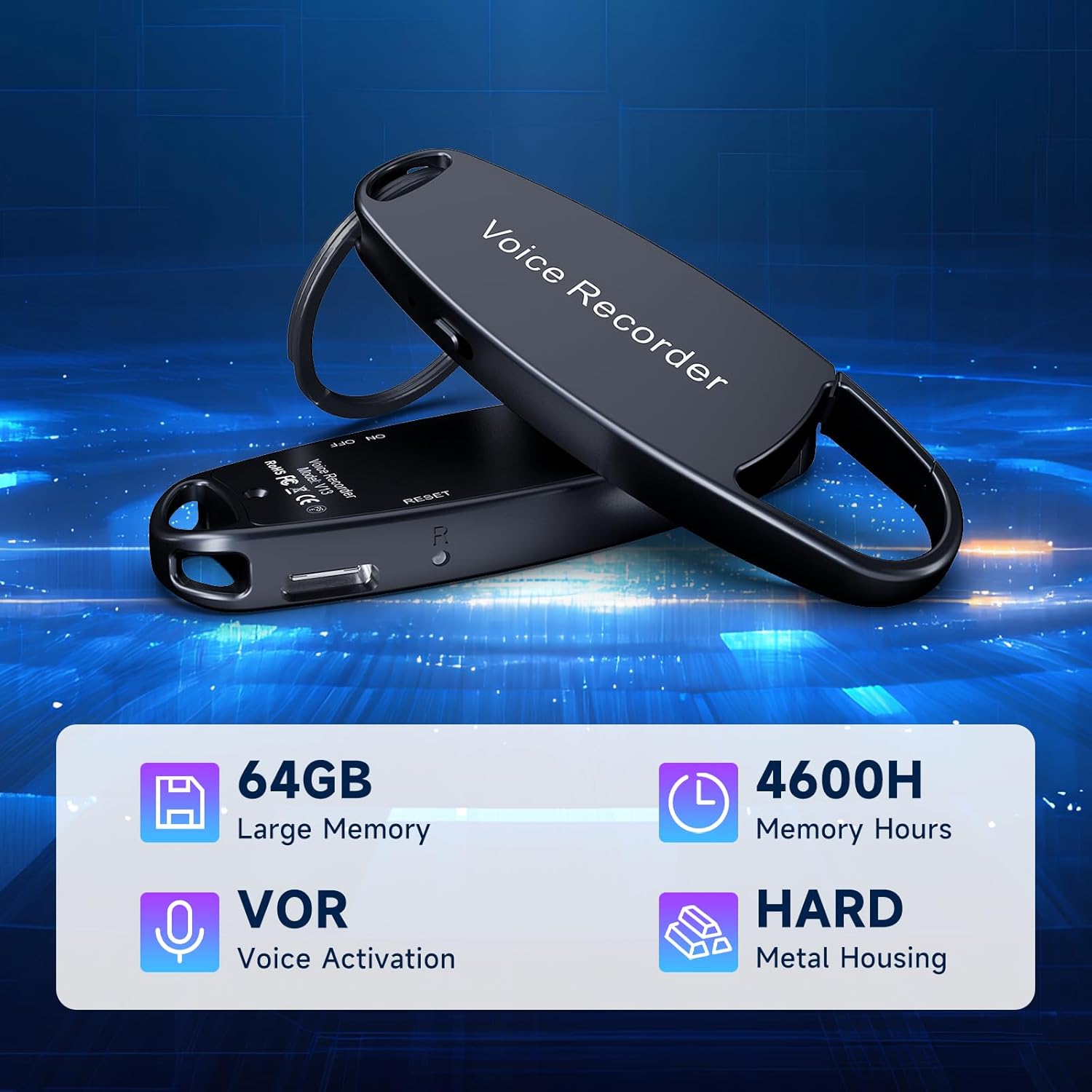
Image: The voice recorder connected to a smartphone, displaying recorded files on the phone's screen, demonstrating the OTG function.

Image: The voice recorder connected via USB-C to both a laptop and a smartphone, illustrating its versatile OTG connectivity for file management across different devices.
7. Pemeliharaan
- Pembersihan: Gunakan kain lembut dan kering untuk membersihkan perangkat. Hindari penggunaan cairan pembersih atau pelarut.
- Penyimpanan: Simpan perekam di tempat yang sejuk dan kering, jauhkan dari sinar matahari langsung dan suhu ekstrem.
- Perawatan Baterai: Untuk memperpanjang masa pakai baterai, hindari sering-sering mengosongkan daya perangkat. Isi daya secara teratur, meskipun tidak digunakan dalam waktu lama.
- Pencadangan Data: Lakukan pencadangan rekaman penting secara berkala ke komputer atau penyimpanan cloud Anda untuk mencegah kehilangan data.
8. Penyelesaian masalah
| Masalah | Kemungkinan Penyebab | Larutan |
|---|---|---|
| Perangkat tidak menyala. | Baterai lemah; perangkat macet. | Charge the device fully. If unresponsive, try resetting (refer to manual for reset pinhole location if available). |
| Cannot hear recordings during playback. | Headphones not properly connected; volume too low; corrupted file. | Ensure headphones and control panel are securely connected. Adjust volume. Try playing on a computer to check file integritas. |
| Recordings are unclear or noisy. | Environmental noise; microphone obstructed; incorrect settings. | Record in a quieter environment. Ensure microphone is unobstructed. Check recording quality settings (if adjustable). |
| Perangkat tidak dikenali oleh komputer/ponsel. | Faulty cable; incorrect connection; driver issue. | Try a different USB-C cable. Ensure the cable is fully inserted. Restart both the recorder and the computer/phone. |
| Voice Activated Mode (VORM) not working as expected. | VORM sensitivity setting too high/low; VORM not enabled. | Adjust VORM sensitivity settings. Ensure VORM is properly enabled via the manual's instructions. |
9. Spesifikasi
| Fitur | Detil |
|---|---|
| Nomor Model | P1 |
| Kapasitas Penyimpanan Memori | 64 GB |
| Kualitas Rekaman | Sampai 1536kbps |
| Recording Time (160Kbps) | Sekitar 900 jam |
| Battery Life (Continuous Recording) | Approx. 17 hours (after 1 hour full charge) |
| Dimensi Produk | 0.6 x 5.2 x 5.2 inci (0.6"P x 5.2"L x 5.2"T) |
| Berat Barang | 1.06 ons (30 gram) |
| Faktor Bentuk Mikrofon | Terintegrasi |
| Jack Headphone | 3.5 millimeters (via control panel) |
| Antarmuka Perangkat Keras | USB Tipe C |
| Perangkat yang Kompatibel | Windows/macOS Computer, Android Phones (via OTG) |
| Pabrikan | vormooi |
| Negara Asal | Cina |
10. Garansi dan Dukungan
Vormooi is committed to providing excellent customer service. If you encounter any problems during the use of your digital voice recorder, please do not hesitate to contact our after-sales support team.
- Support Response: Our support team will promptly respond and work to solve your problem within 24 hours on weekdays.
- Informasi Garansi: Please refer to the product packaging or contact Vormooi customer service for specific warranty details.

Image: A customer service representative, symbolizing Vormooi's commitment to responsible and reliable support, including lifetime technical support, 2-year replacement service, and 24-hour email response.
USE SITUATIONS: Please kindly comply with the relevant laws of the country of use and refrain from using this product for any unlawful purposes.