
1. Pendahuluan
This manual provides detailed instructions for the safe installation, operation, and maintenance of your Generic 52-inch Low Profile Ceiling Fan with Lights, Model W1367P185623. Please read all instructions carefully before beginning installation and retain this manual for future reference.
This modern black low-profile ceiling fan is designed to provide efficient air circulation and integrated lighting for residential or commercial spaces. It features a DC motor for energy efficiency and an integrated 24-watt LED light kit with adjustable color temperatures (3000K, 4000K, 6000K), all controllable via the included remote.

Image 1.1: The 52-inch low profile ceiling fan with lights, shown installed in a contemporary living space.
2. Informasi Keselamatan
PERINGATAN: Untuk mengurangi risiko kebakaran, sengatan listrik, atau cedera pribadi, selalu ikuti pedoman keselamatan berikut:
- Baca semua petunjuk dan informasi keselamatan sebelum memasang kipas baru Anda.view the accompanying diagrams thoroughly.
- Semua instalasi kabel harus sesuai dengan peraturan kelistrikan nasional dan lokal. Jika Anda tidak familiar dengan instalasi kabel, konsultasikan dengan teknisi listrik yang berkualifikasi.
- Sebelum pemasangan, putuskan aliran listrik dengan mematikan pemutus sirkuit di kotak sekering utama.
- Ensure the installation site can support the fan's weight (approximately 15-20 lbs).
- Jangan mengoperasikan kipas angin jika bilah atau casingnya rusak.
- Hindari menempatkan benda di jalur bilah kipas.
- This fan is ETL safety listed, indicating compliance with safety standards.
3. Fitur Produk
The Generic 52-inch Low Profile Ceiling Fan offers a range of features for enhanced comfort and convenience:
- Kontrol Jarak Jauh: Full function remote control for fan speed, light dimming, light color temperature, and fan direction.
- Motor Reversibel: Allows for both downdraft (summer mode) and updraft (winter mode) operation to optimize air circulation year-round.
- 3 Light Color Temperatures: Integrated LED light kit provides Warm White (3000K), Natural White (4000K), and Cool White (6000K) options.
- LED yang dapat diredupkan: Adjust the brightness of the integrated LED light.
- Fungsi Pengatur Waktu: Atur kipas agar mati otomatis setelah 1, 3, atau 6 jam.
- Enam Kecepatan Kipas: Choose from six distinct fan speeds for optimal airflow.
- Motor DC yang Tenang: Energy-efficient DC motor operates quietly.
- Pro rendahfile Desain: Ideal for rooms with lower ceilings.
- Selesai Hitam Matte: Modern aesthetic to complement various decor styles.
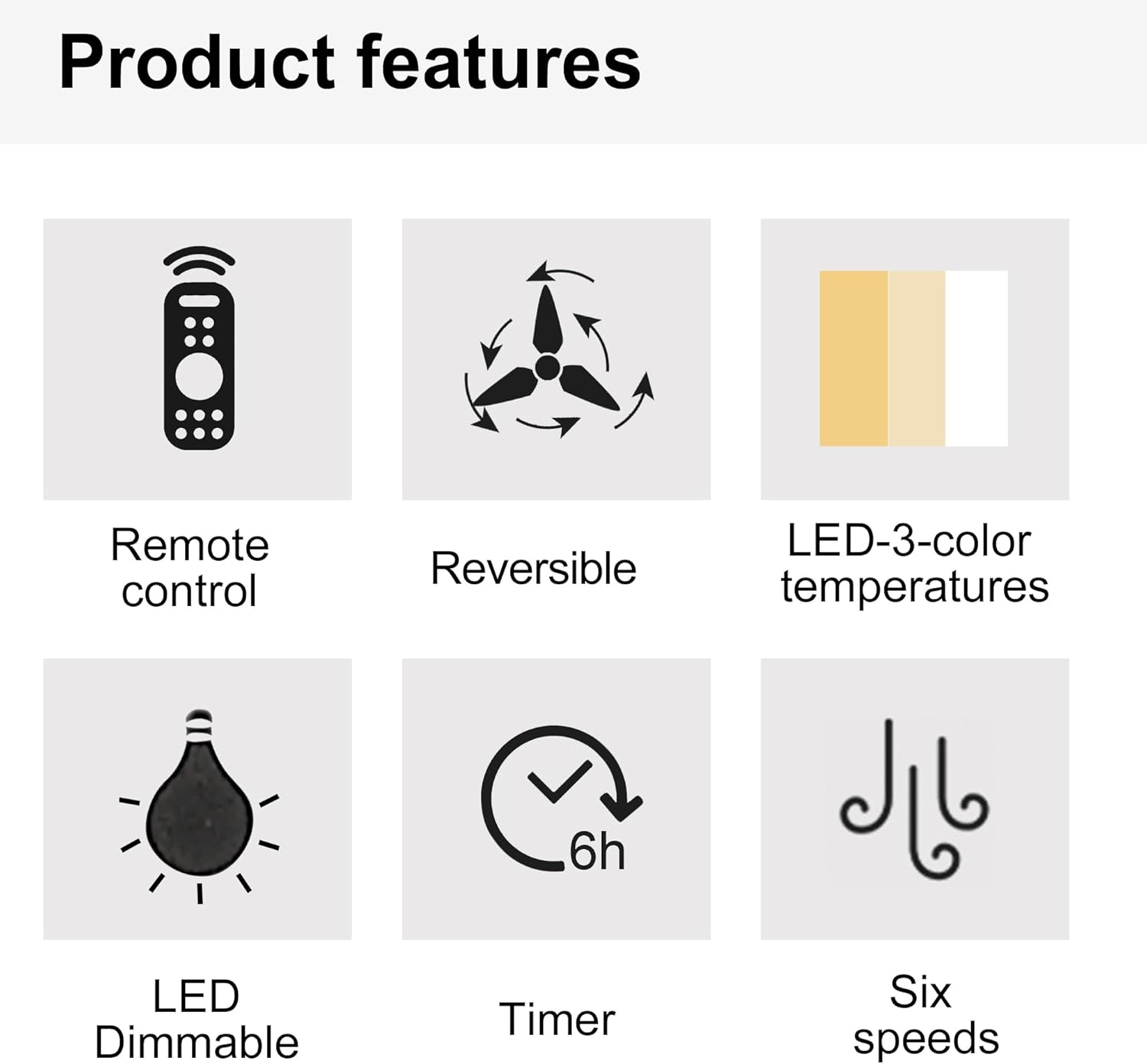
Image 3.1: Visual representation of key product features.

Image 3.2: Details of the fan's canopy and quiet DC motor.

Image 3.3: Details of the light cover and integrated 24W LED light kit.
4. Isi Paket
Before installation, verify that all components are present and undamaged. If any parts are missing or damaged, contact customer support.
- Perakitan Motor Kipas Langit-langit
- Bilah Kipas (5)
- Light Kit Assembly (Integrated LED)
- Kontrol Jarak Jauh
- Wall Cradle for Remote Control
- Baterai AAA untuk Kontrol Jarak Jauh
- Mounting Bracket
- Paket Perlengkapan (sekrup, mur kawat, ring, dll.)
- Manual Instruksi
5. Pengaturan dan Instalasi
Penting: Pastikan aliran listrik telah dimatikan di pemutus sirkuit sebelum memulai pemasangan.
- Siapkan Lokasi Pemasangan: Securely attach the mounting bracket to a ceiling joist or an outlet box rated for fan support.
- Hubungkan Kipas Angin: Connect the fan's electrical wires to the household wiring according to the wiring diagram provided in the full installation guide (not included here, but typically in a physical manual). Ensure all connections are secure with wire nuts.
- Attach the Fan Assembly: Angkat rakitan motor kipas dengan hati-hati dan pasang ke braket pemasangan.
- Pasang Bilah Kipas: Secure each fan blade to the motor housing using the provided screws.
- Pasang Kit Lampu: Connect the light kit wiring and attach the light kit assembly to the bottom of the fan motor housing.
- Pasang Penutup Lampu: Secure the light cover to the light kit.
For detailed wiring diagrams and step-by-step illustrations, refer to the complete installation guide included with your product.
6. Petunjuk Pengoperasian
Your ceiling fan is operated using the included remote control. Install the AAA batteries into the remote control before use.

Image 6.1: Remote control functions overview.
6.1 Pengoperasian Kipas
- Daya HIDUP/MATI: Press the power button (usually a circle with a vertical line) to turn the fan on or off.
- Kecepatan Kipas: Use buttons labeled 1-6 to select the desired fan speed. '1' is the lowest speed, '6' is the highest.
- Kipas MATI: Press the dedicated "Fan OFF" button to stop the fan.
- Mode Maju/Mundur: Press the forward/reverse button (often depicted with arrows circulating) to change the fan's direction.
- Mode Musim Panas (Downdraft): Bilah-bilahnya berputar berlawanan arah jarum jam, mendorong udara ke bawah untuk menciptakan angin sejuk.
- Mode Musim Dingin (Updraft): Bilah-bilah berputar searah jarum jam, menarik udara ke atas untuk mengedarkan udara hangat yang terperangkap di dekat langit-langit.
- Fungsi Pengatur Waktu: Press the "1H", "3H", or "6H" buttons to set the fan to turn off automatically after 1, 3, or 6 hours, respectively.

Image 6.2: Understanding Forward/Reverse (Summer/Winter) Modes.
6.2 Pengoperasian Lampu
- Lampu ON/OFF: Press the "LIGHT ON" or "LIGHT OFF" buttons to control the light.
- Adjust Light Color Temperature: Use the "WW" (Warm White), "NW" (Natural White), and "DW" (Cool White) buttons to cycle through the 3000K, 4000K, and 6000K color options.
- Dim the Light: Use the "+" and "-" buttons (often labeled "Dimmable +/-") to increase or decrease the light brightness.
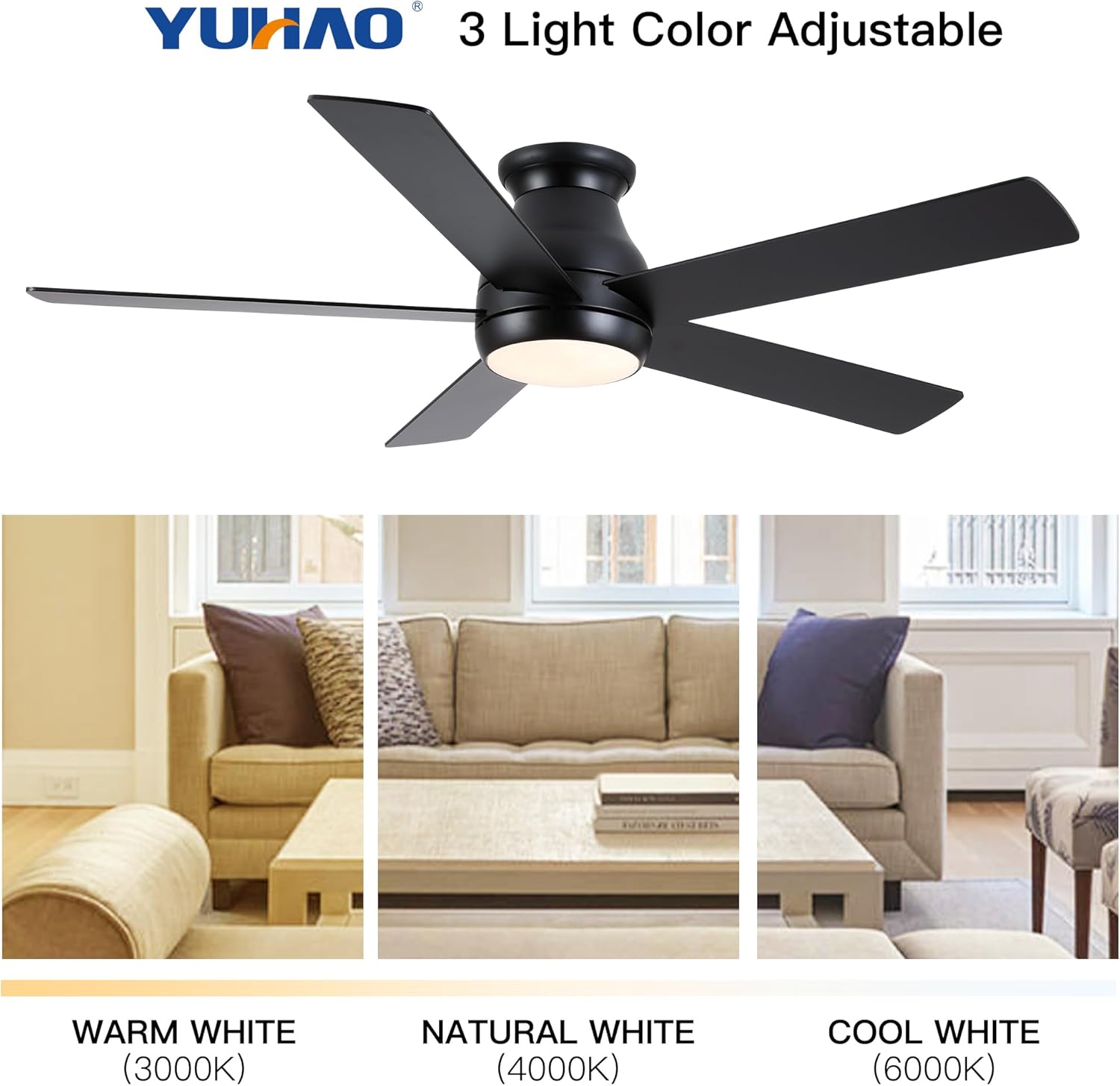
Image 6.3: Adjustable light color temperatures.
7. Pemeliharaan
Perawatan rutin memastikan kinerja optimal dan memperpanjang umur kipas langit-langit Anda.
- Pembersihan: Bersihkan bilah kipas dan rumah motor secara berkala dengan kain lembut.amp Gunakan kain. Jangan gunakan pembersih abrasif atau pelarut. Pastikan kipas dimatikan dan aliran listrik terputus sebelum membersihkan.
- Kencangkan Pengencang: Check all screws and fasteners annually to ensure they are secure. Loose connections can cause noise or wobble.
- Keseimbangan Bilah: If the fan wobbles, ensure all blades are securely attached and balanced. A balancing kit (not included) may be used if necessary.
- Peralatan Lampu: The integrated LED light kit does not require bulb replacement. If the light malfunctions, consult the troubleshooting section or contact customer support.
8. Penyelesaian masalah
Jika Anda mengalami masalah dengan kipas langit-langit Anda, lihat masalah dan solusi umum berikut:
| Masalah | Kemungkinan Penyebab | Larutan |
|---|---|---|
| Kipas tidak mulai | Kipas tidak mendapat daya; Sambungan kabel longgar; Baterai remote control habis. | Periksa pemutus sirkuit; Verifikasi semua sambungan kabel; Ganti baterai remote control. |
| Kipas bergetar | Loose blades or mounting bracket; Unbalanced blades. | Ensure all screws are tight; Check blade balance and adjust if necessary. |
| Lampu tidak bekerja | Loose wire connection to light kit; Remote control battery dead; Light kit malfunction. | Check light kit wiring; Replace remote control batteries; Contact customer support if LED is faulty. |
| Kontrol jarak jauh tidak berfungsi | Baterai habis; Remote belum dipasangkan (jika ada); Ada penghalang antara remote dan penerima. | Replace batteries; Refer to pairing instructions (if any); Ensure clear line of sight. |
Jika masalah berlanjut setelah mencoba solusi ini, silakan hubungi dukungan pelanggan.
9. Spesifikasi
| Fitur | Detil |
|---|---|
| Nomor Model | W1367P185623 |
| Ukuran Kipas | 52 inci |
| Dimensi Produk | 52"Panjang x 52"Lebar x 10.63"T |
| Warna | Matte Black (Antique Black) |
| Tipe Motor | Motor arus searah |
| Kit Cahaya | LED 24W terintegrasi |
| Suhu Warna Cahaya | 3000K (Putih Hangat), 4000K (Putih Alami), 6000K (Putih Dingin) |
| Jenis Kontrol | Dikendalikan dari Jarak Jauh |
| Jenis Pemasangan | Siram gunung |
| Ukuran Ruangan yang Direkomendasikan | 12 ft. x 12 ft. to 18 ft. x 18 ft. (Large Room) |
| Sertifikasi | Daftar Keamanan ETL |
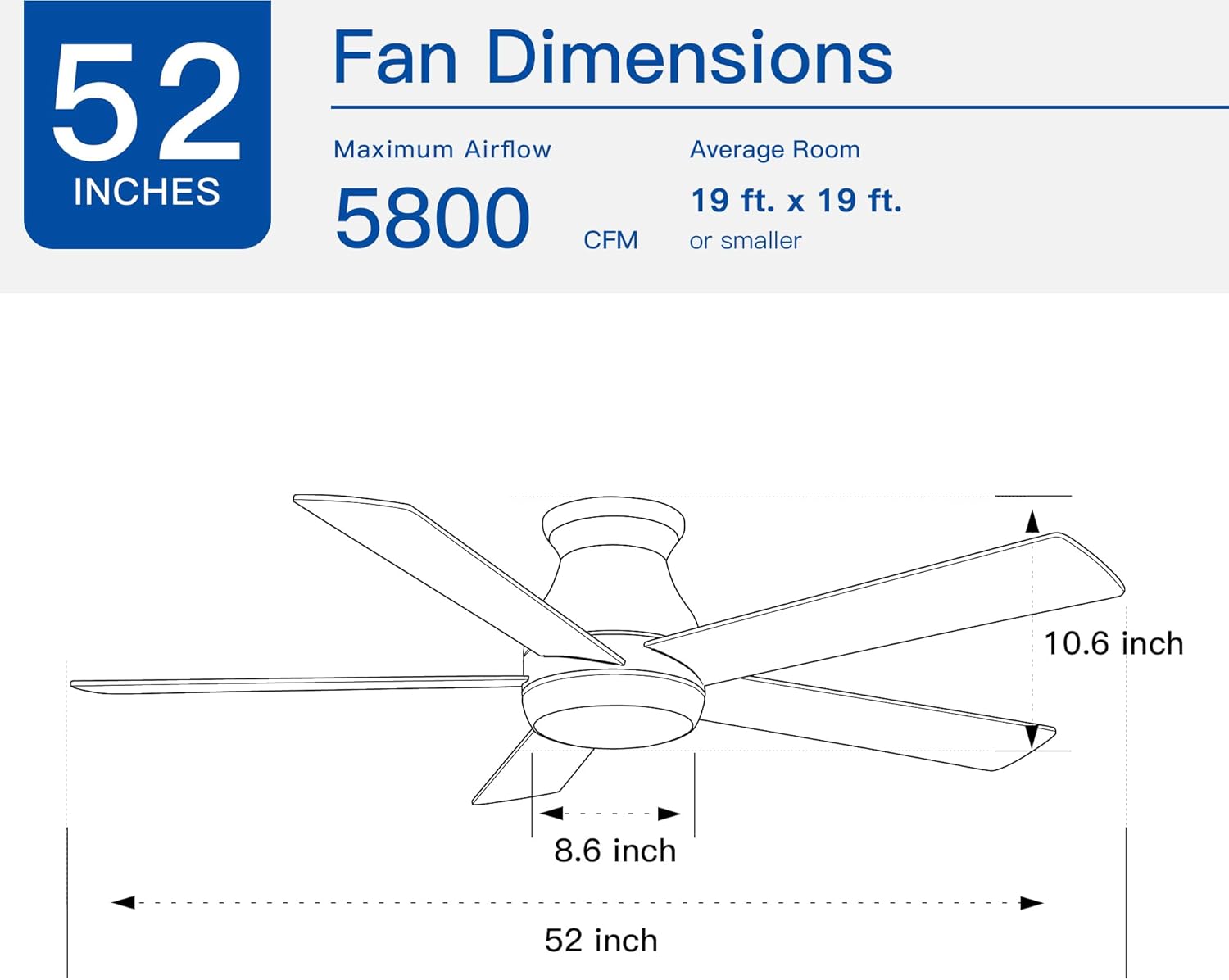
Image 9.1: Fan dimensions and airflow specifications.
10. Garansi dan Dukungan
This product comes with a standard manufacturer's warranty. For specific warranty details, including duration and coverage, please refer to the warranty card included in your product packaging or contact the retailer where the product was purchased.
For technical support, replacement parts, or any questions not covered in this manual, please contact Generic customer service through the retailer's support channels or the contact information provided in your product documentation.