
Perkenalan
This manual provides comprehensive instructions for the setup, operation, and maintenance of your HONOR Choice Watch 2i smartwatch. Please read this manual thoroughly to ensure proper use and to maximize the device's features.
Isi Paket
- HONOR Choice Watch 2i Smartwatch
- Kabel Pengisian Daya
- User Manual (dokumen ini)
Pengaturan
1. Mengisi Daya Perangkat
Before initial use, fully charge your HONOR Choice Watch 2i. Connect the charging cable to the watch's charging port and a compatible USB power adapter. The watch will display a charging indicator. A full charge typically takes approximately 2 hours.
2. Daya Hidup/Mati
- Nyalakan: Tekan dan tahan tombol samping hingga logo HONOR muncul.
- Matikan: Dari tampilan jam, geser ke bawah untuk mengakses pengaturan cepat, lalu ketuk ikon daya, atau buka Pengaturan > Sistem > Matikan.
3. Memasangkan dengan Ponsel Pintar Anda
- Unduh dan instal HONOR Health App dari toko aplikasi ponsel cerdas Anda (Google Play Store untuk Android, Apple App Store untuk iOS).
- Open the HONOR Health App and follow the on-screen instructions to create an account or log in.
- Pastikan Bluetooth diaktifkan di ponsel cerdas Anda.
- In the HONOR Health App, navigate to "Devices" and tap "Add Device" or the "+" icon.
- Pilih "HONOR Choice Watch 2i" dari daftar perangkat yang tersedia.
- Konfirmasikan permintaan pemasangan pada jam tangan dan telepon pintar Anda.
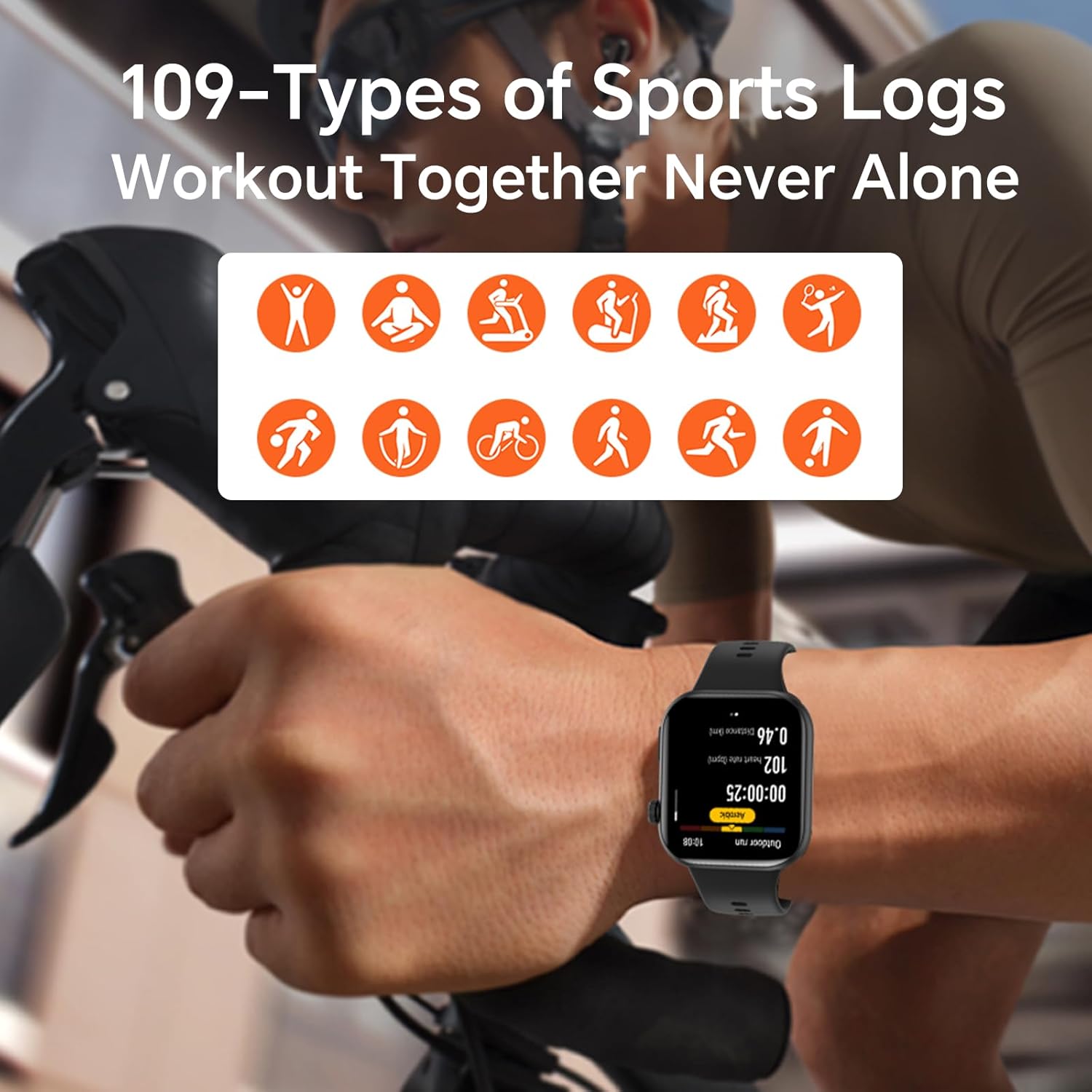
Image: The HONOR Health App interface displaying health data and device management options, essential for pairing and data synchronization.
4. Menyesuaikan Tali Jam Tangan
The HONOR Choice Watch 2i features a quick-release strap mechanism for easy replacement. To remove, slide the spring bar lever inwards and gently pull the strap away from the watch body. To attach, align the spring bar with the lug holes and release the lever.
Gambar: Detail view of the watch's quick-release strap, illustrating how to detach and attach the band.
Mengoperasikan Jam Tangan
1. Watch Navigation
- Layar sentuh: Swipe up, down, left, or right to navigate through menus, notifications, and widgets. Tap to select items.
- Tombol Samping: Press to return to the watch face or access the app list. Press and hold for power options or to activate voice assistant (if configured).

Image: The main watch face of the HONOR Choice Watch 2i, showing typical information displayed during daily use.
2. Panggilan dan Notifikasi Bluetooth
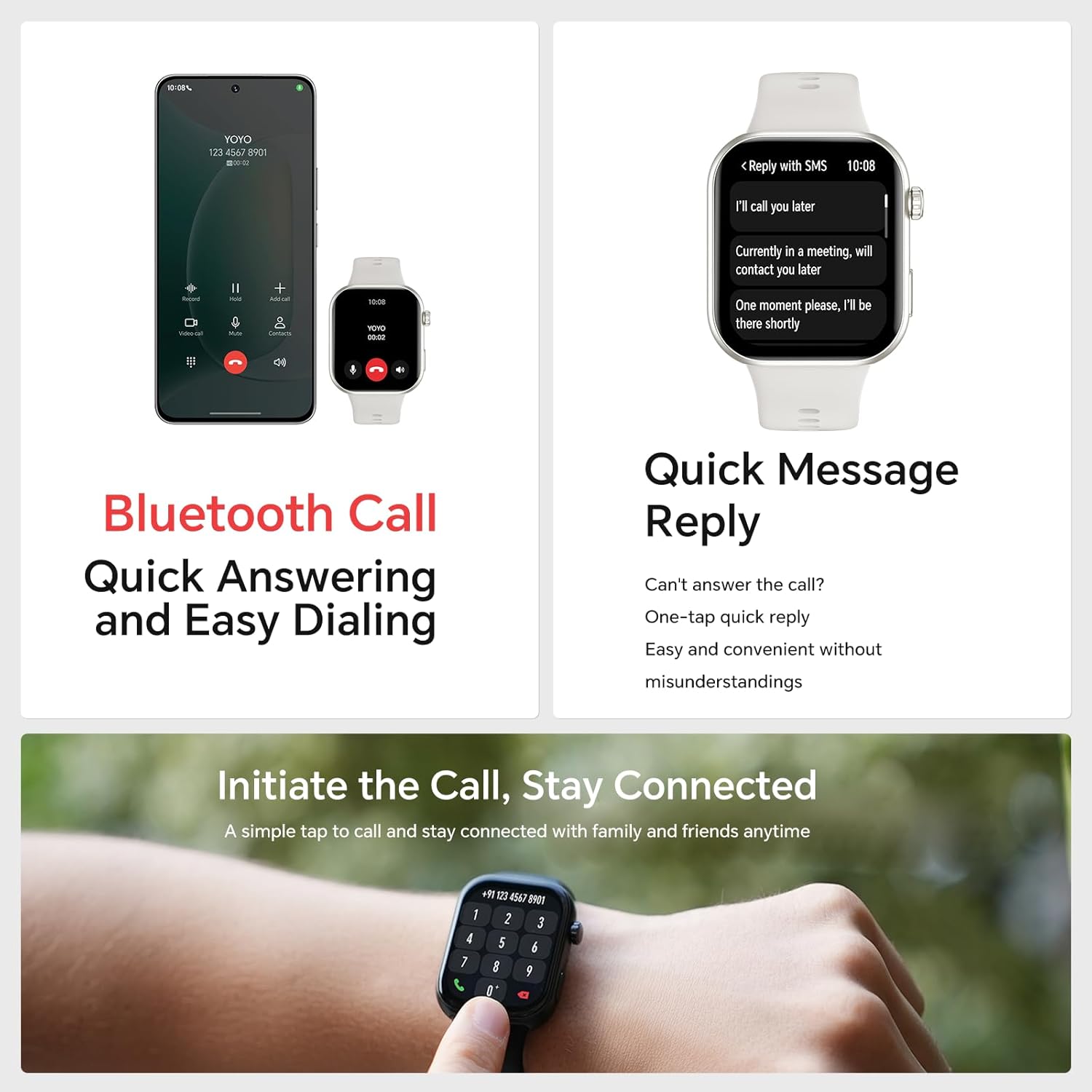
Once paired with your smartphone, the HONOR Choice Watch 2i allows you to make and receive calls directly from your wrist. You can also receive notifications for SMS, emails, and other applications.
- Menjawab Panggilan: Tap the green phone icon on the watch screen when an incoming call is displayed.
- Membuat panggilan: Access the dialer from the app list on your watch to initiate calls.
- Balasan Cepat: For incoming messages, use the quick reply feature to send predefined responses.
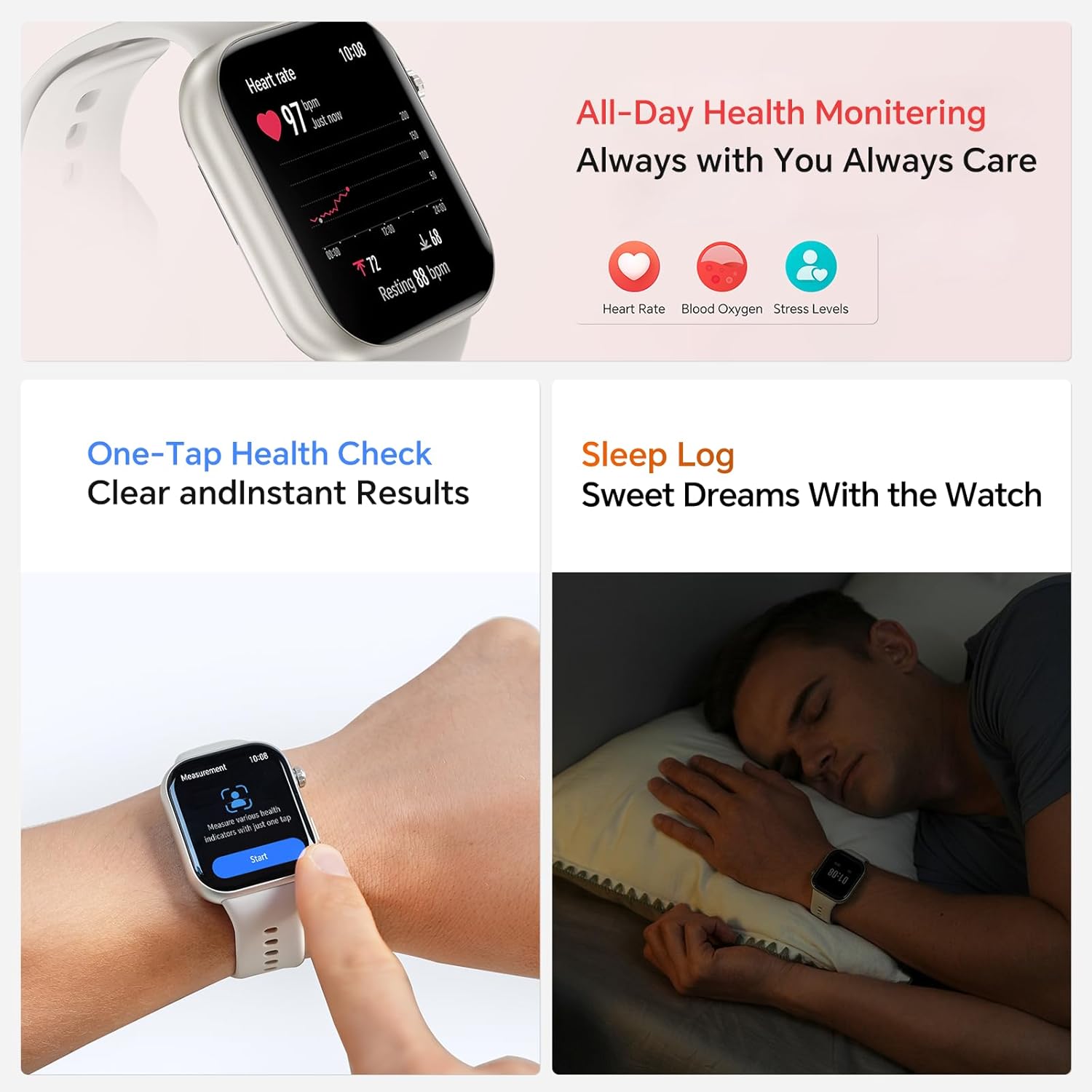
Image: The smartwatch showing both an incoming call interface and options for quick message replies, demonstrating its communication features.
3. Tampilan Jam yang Dapat Disesuaikan
Personalize your watch by changing the watch face. You can select from various pre-installed faces or download more through the HONOR Health App. To change directly on the watch, press and hold the watch face, then swipe left or right to browse and tap to select.

Image: A collection of HONOR Choice Watch 2i units showcasing various customizable watch faces, highlighting personalization options.
Fitur Pemantauan Kesehatan
The HONOR Choice Watch 2i is equipped with advanced sensors to track various health metrics continuously.
- Pemantauan Denyut Jantung: Provides 24/7 continuous heart rate tracking and alerts for abnormal readings.
- Pemantauan Oksigen Darah (SpO2): Mengukur kadar oksigen darah.
- Pemantauan Tingkat Stres: Memantau tingkat stres sepanjang hari.
- Pelacakan Tidur: Analyzes sleep quality by detecting light, deep, and REM sleep stagyaitu.
- Pelacakan Siklus Menstruasi: Helps women monitor and manage their menstrual cycles.
- Pemeriksaan Kesehatan Sekali Sentuh: Quickly measure multiple health metrics simultaneously.

Image: The smartwatch screen showing real-time heart rate data and a user interacting with the "Start" button for a health measurement.
Fitness Tracking and Exercise Modes
The watch supports 109 exercise modes, automatically detecting common activities and providing detailed performance metrics. All data is synchronized with the HONOR Health App for comprehensive analysis.
Image: A user wearing the HONOR Choice Watch 2i while cycling, with the watch screen showing active workout data like duration and distance.
Informasi Baterai
The HONOR Choice Watch 2i is equipped with a 330mAh battery. Under normal usage conditions, it provides up to 14 days of battery life. With heavy use, the battery can last up to 10 days.
Tahan Air
The watch has a 10-meter water resistance rating (IP68), making it suitable for everyday use, including splashes, rain, and sweat during exercise. It is not recommended for diving or high-pressure water activities.
Pemeliharaan dan Perawatan
- Pembersihan: Bersihkan jam tangan dan talinya secara teratur dengan kain lembut dan halus.amp kain. Hindari menggunakan bahan kimia keras atau bahan abrasif.
- Pengeringan: Ensure the watch is dry before charging to prevent damage.
- Penyimpanan: Simpan jam tangan di tempat yang sejuk dan kering saat tidak digunakan.
- Hindari Suhu Ekstrem: Jangan biarkan jam tangan terkena panas atau dingin yang ekstrem.
Penyelesaian Masalah
- Jam tangan tidak menyala: Pastikan jam tangan terisi penuh. Hubungkan ke pengisi daya minimal 10 menit.
- Tidak dapat dipasangkan dengan telepon:
- Pastikan Bluetooth diaktifkan pada ponsel dan jam tangan Anda.
- Make sure the HONOR Health App is updated to the latest version.
- Mulai ulang ponsel dan jam tangan Anda.
- Cobalah untuk melepaskan dan memasangkan kembali perangkat melalui aplikasi.
- Data kesehatan yang tidak akurat:
- Pastikan jam tangan dikenakan dengan pas di pergelangan tangan Anda, kira-kira selebar satu jari di atas tulang pergelangan tangan.
- Keep the sensor area clean and free from obstructions.
- Masa pakai baterai pendek:
- Kurangi kecerahan layar.
- Disable continuous heart rate monitoring or set it to a lower frequency if not needed 24/7.
- Batasi jumlah aplikasi yang mengirimkan notifikasi ke jam tangan.
- Close unused background applications on the watch.
Spesifikasi Produk
| Merek | MENGHORMATI |
| Nomor Model | 1f15f2d1-dda6-4d72-84f6-3dcbc74fa2bb |
| Ukuran Layar | 1.85 inci |
| Sistem Operasi | Kenakan OS |
| Teknologi Konektivitas | Bahasa Indonesia: Bluetooth |
| Kapasitas Baterai | 330 Miliamp Jam |
| Tahan Air | 10 meters (IP68 rating) |
| Fitur Khusus | Fitness Modes, Battery Life, Oximeter (SpO2), Heart Rate Monitor, Stress Monitor, Sleep Tracking, Menstrual Cycle Tracking, Bluetooth Call |
| Bentuk Barang | Persegi panjang |
| Dimensi Paket | Ukuran 17.7x11.9x5.2 cm |
| Berat Barang | 110 gram |
Garansi dan Dukungan
Untuk informasi garansi dan dukungan teknis, silakan merujuk ke situs resmi HONOR. websitus web atau hubungi layanan pelanggan mereka. Simpan struk pembelian Anda sebagai bukti pembelian.