
Perkenalan
This manual provides detailed instructions for the safe and efficient operation of your MONODEAL MD-102FM Portable CD Player. Please read this manual thoroughly before using the device and retain it for future reference.
Isi Paket
Verifikasi bahwa semua item ada dalam paket:
- Pemutar CD x 1
- Headphone x 1
- Kabel Pengisian USB x 1
- Kabel Aux x 1
- Panduan Pengguna x 1
Produk Selesaiview
The MONODEAL MD-102FM is a portable CD player designed for versatile use, featuring a built-in FM transmitter, anti-skip protection, and a rechargeable battery. It supports various CD formats and offers multiple playback modes.

Figure 1: Device Layout and Controls
- Power ON/OFF Switch/Hold
- DC In 5V (Charging Port)
- Tombol Mode
- Resume Button/Rearrange tracks
- FM Setting Button
- Tombol Berikutnya / Maju Cepat
- Tombol Matikan
- Tombol Berikutnya / Maju Cepat
- Previous/Backward Button
- Kenop Volume
- Open CD (Lid Release)
- Indikator LED Pengisian Daya
- Earphone Plug (3.5mm Jack)
This diagram illustrates the various buttons, ports, and features of the portable CD player, including the power switch, charging port, mode button, track controls, volume knob, CD lid release, charging indicator, and earphone jack.
Pengaturan
1. Mengisi Daya Perangkat
The CD player has a built-in 1400mAh rechargeable battery, providing up to 15 hours of playback. Before first use, fully charge the device.
- Connect the provided USB charging cable to the DC In 5V port (2) on the player.
- Connect the other end of the USB cable to a compatible USB power source (e.g., wall charger, power bank, car charger, or computer USB port).
- The Charging LED Indicator (12) will illuminate during charging. Charging typically takes 3-4 hours.
- Once fully charged, the LED indicator may change color or turn off (refer to specific LED behavior in the quick start guide if available).
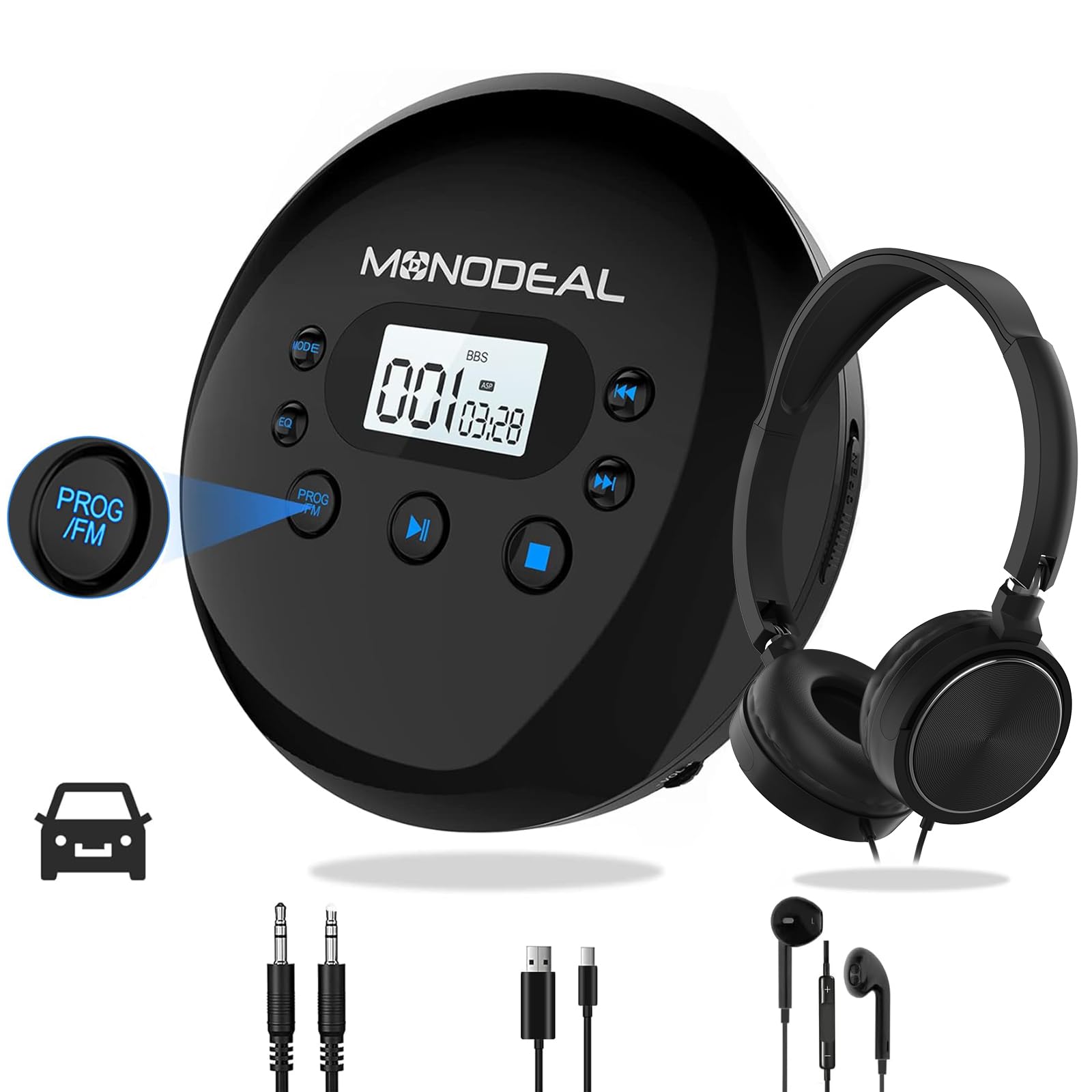
Figure 2: Charging Options
The image displays the portable CD player connected to a USB charging cable, with icons illustrating different charging sources: a wall charger, a power bank, a car charger, and a laptop. It also highlights the 15-hour playing time and 3-4 hour charging time.
2. Powering On/Off and Hold Function
- To power on the device, slide the Power ON/OFF Switch (1) to the "ON" position.
- To power off, slide the Power ON/OFF Switch (1) to the "OFF" position or press the Power Off Button (7).
- The "HOLD" function locks all buttons to prevent accidental operation. Ensure the "HOLD" switch is in the "OFF" position before attempting to power on or operate the player. If "HOLD" appears on the screen, check the switch.
Petunjuk Pengoperasian
1. Memasukkan CD
- Press the Open CD (11) button to open the CD compartment lid.
- Carefully place a CD (compatible formats: CD, MP3, CD-R, CD-RW, HDCD) onto the spindle with the label side facing up.
- Tutup penutup ruang CD rapat-rapat hingga berbunyi klik.
- If "DISC" appears on the screen, the disc format may be invalid or the disc is not seated correctly. Replace with a supported disc or re-insert.
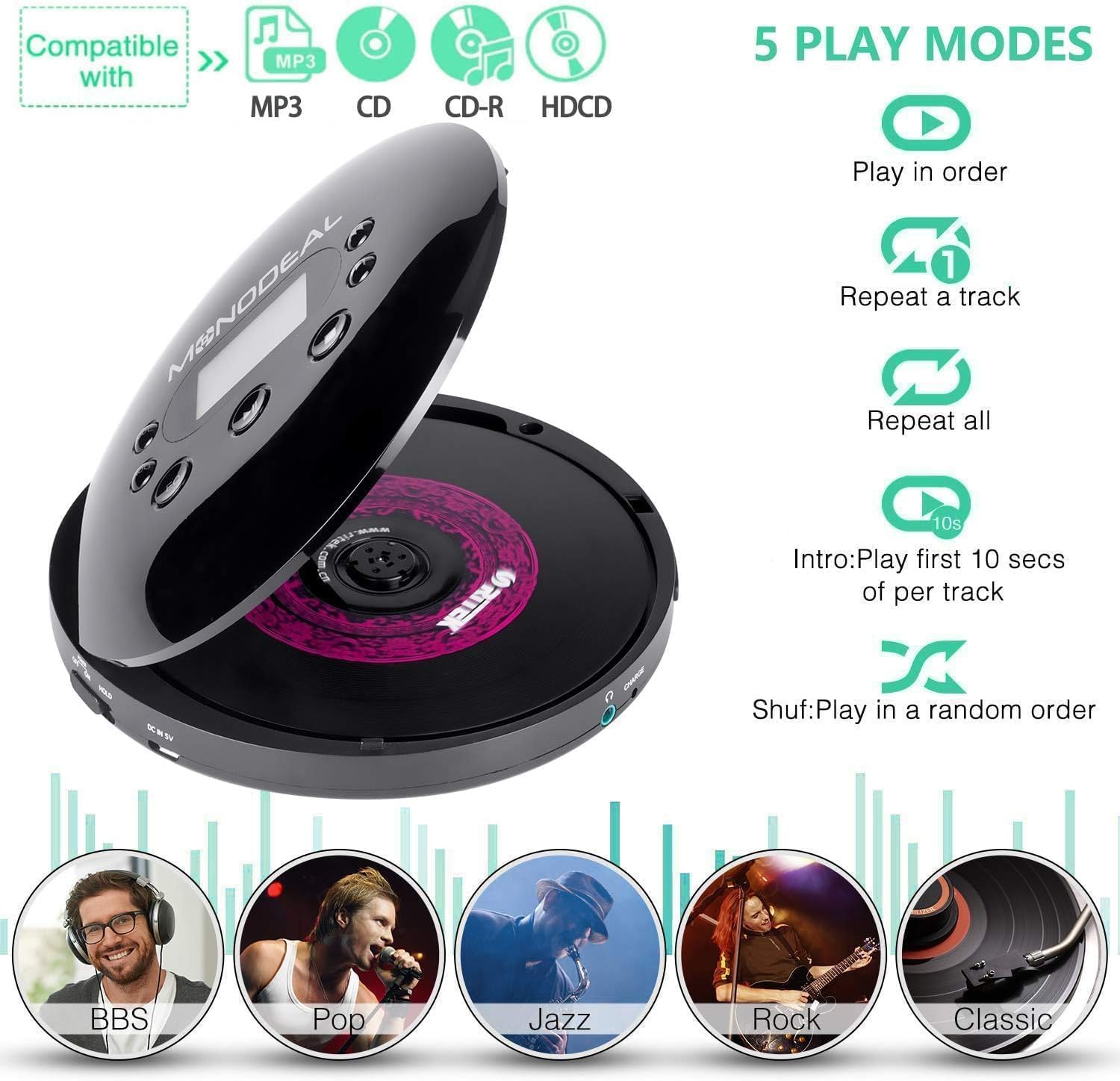
Figure 3: Compatible Disc Types and Play Modes
This image illustrates the types of discs compatible with the player (MP3, CD, CD-R, HDCD) and outlines the five available playback modes: Play in order, Repeat a track, Repeat all, Intro (plays the first 10 seconds of each track), and Shuffle (plays tracks in a random order).
2. Kontrol Pemutaran Dasar
- Putar/Jeda: Press the Play/Pause button (typically the central button or combined with a track control) to start or pause playback.
- Lagu Berikutnya: Press the Next/Fast Forward button (6 or 8) to skip to the next track.
- Lagu Sebelumnya: Press the Previous/Backward button (9) to go to the beginning of the current track or the previous track.
- Maju/Mundur Cepat: Press and hold the Next/Fast Forward button (6 or 8) or Previous/Backward button (9) to fast forward or rewind within a track.
- Penyesuaian Volume: Rotate the Volume Knob (10) to increase or decrease the volume.
3. Mode Permainan
Press the Mode Button (3) repeatedly to cycle through the available playback modes:
- Mainkan secara berurutan: Memutar lagu secara berurutan.
- Ulangi sebuah lagu: Mengulangi trek saat ini.
- Ulangi semua: Memutar ulang semua lagu di dalam cakram.
- Pendahuluan: Memutar 10 detik pertama dari setiap lagu.
- Acak (Shuf): Memutar trek dalam urutan acak.
4. Mode Equalizer (EQ)
The player offers various EQ modes to customize your audio experience. While not explicitly shown on the diagram, these are typically accessed via the Mode button or a dedicated EQ button (if present). Available modes include BBS, Pop, Jazz, Rock, and Classic.

Figure 4: Immersive Audio Experience with EQ Modes
This image depicts a user enjoying music with headphones and the MONODEAL CD player, highlighting the availability of five distinct music modes: BBS, Pop, Jazz, Rock, and Classic, for an enhanced listening experience.
5. FM Transmitter Function (For Car Use)
The built-in FM transmitter allows you to play CD audio through your car's FM radio. This feature is useful for cars without an AUX input.
- When a CD is playing, press the FM Setting Button (5). The FM transmitter frequency will appear on the display.
- Press the FM Setting Button (5) again to cycle through available frequencies (e.g., 78.1, 79.3, 87.5, 88.5, 93.6, 103, 107.1 MHz). Select a frequency that is clear and not in use by a local radio station.
- Turn on your car's radio and tune it to the exact same FM frequency selected on the CD player.
- You should now hear the CD audio through your car's speakers.
Catatan: Car Bluetooth and USB connections are not supported for audio output from the CD player. For cars with an AUX port, use the included 3.5mm AUX cable for a direct connection.

Figure 5: Car Connectivity Options
This image illustrates two methods for connecting the portable CD player to a car audio system: using the 3.5mm AUX cable for direct connection (A) and using the FM transmission feature (B). Step-by-step instructions for setting the FM frequency on both the CD player and the car radio are provided.
6. Anti-Skip and Resume Functions
- The player features anti-skip and anti-shock protection to ensure uninterrupted music playback, even during movement.
- The resume function allows the player to continue playback from where it was last stopped, even after being powered off.
Pemeliharaan
1. Membersihkan Perangkat
- Use a soft, dry cloth to clean the exterior of the CD player.
- For the optical lens inside the CD compartment, use a specialized CD lens cleaning kit. Do not touch the lens directly.
- Avoid using abrasive cleaners, solvents, or strong chemicals, as these can damage the surface.
2. Perawatan Baterai
- Untuk memperpanjang masa pakai baterai, hindari mengosongkan baterai sepenuhnya secara sering.
- Jika menyimpan perangkat untuk jangka waktu yang lama, isi daya hingga sekitar 50% setiap beberapa bulan sekali.
- Jangan biarkan perangkat terkena suhu ekstrem.
Penyelesaian Masalah
| Masalah | Kemungkinan Penyebab | Larutan |
|---|---|---|
| Perangkat tidak menyala. | Battery is depleted; "HOLD" switch is engaged. | Charge the battery; ensure the "HOLD" switch is in the "OFF" position. |
| Pesan kesalahan "DISC" ditampilkan. | Invalid disc format; disc not inserted correctly; disc is dirty or scratched. | Insert a compatible CD (CD, MP3, CD-R, CD-RW, HDCD); re-insert the disc properly; clean or replace the disc. |
| Tidak ada suara atau kualitas suara buruk. | Headphones not connected properly; volume too low; faulty headphones/AUX cable; incorrect FM frequency. | Ensure headphones are fully plugged into the 3.5mm jack (13); increase volume; try different headphones/AUX cable; verify FM frequency matches car radio. |
| CD skips frequently. | Disc is dirty or scratched; severe vibration. | Clean or replace the disc; ensure the player is on a stable surface or minimize movement during use. The anti-skip feature helps but extreme conditions can still cause skips. |
| FM transmitter not working with car radio. | FM frequencies do not match; car radio is digital scanning. | Ensure the CD player's FM frequency exactly matches the car radio's frequency. For digital scanning radios, manual tuning might be required if available, or use the AUX cable if your car has an AUX input. |
Spesifikasi
| Fitur | Detil |
|---|---|
| Merek | MONODEAL |
| Nomor Model | MD-102FM |
| Teknologi Konektivitas | Wired headphones (via 3.5mm jack) |
| Fitur Khusus | Anti-Skip Protection, FM Transmitter, Portable, Rechargeable |
| Format Audio yang Didukung | CD, MP3, CD-R, CD-RW, HDCD |
| Jumlah Cakram | 1 |
| Jenis Konektor | USB Type-C (for charging), 3.5mm Jack (for audio output) |
| Penggunaan Khusus | Car, Home, Portable |
| Baterai | Baterai isi ulang 1400mAh internal |
| Daya Tahan Baterai | Pemutaran hingga 15 jam |
| Waktu Pengisian Daya | 3-4 jam |
Garansi dan Dukungan
Informasi Garansi
The MONODEAL MD-102FM Portable CD Player comes with a Garansi Produsen 1 Tahun. Some users have reported the availability of a lifetime warranty upon product registration within 10 days of purchase. Please refer to the product packaging or the MONODEAL official website for the most current and detailed warranty terms and registration process.
Dukungan Pelanggan
For technical assistance, warranty claims, or any questions regarding your MONODEAL MD-102FM Portable CD Player, please contact MONODEAL customer support. Contact information can typically be found on the product packaging, the official MONODEAL websitus, atau melalui saluran dukungan pengecer Anda.