
1. Pendahuluan
The MEETION DirectorD-KB is a wireless ergonomic keyboard designed for comfortable and natural typing. It features a scientific wave key design and a built-in firm wrist rest to support your hands during extended use. This keyboard offers broad compatibility with Windows and macOS devices through a 2.4GHz wireless connection.

Image: The MEETION DirectorD-KB Wireless Ergonomic Keyboard positioned on a wooden desk, showcasing its wave-curved design and integrated wrist rest.
2. Isi Paket
Pastikan semua item ada dalam paket:
- 1 x MEETION DirectorD-KB Wireless Ergonomic Keyboard
- 1 x Panduan Pengguna
- 1 x USB-A 2.4GHz Wireless Receiver
- 1 x Adaptor USB-C
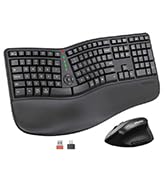
Image: Contents of the MEETION DirectorD-KB package, including the keyboard, user manual, USB-A receiver, and USB-C adapter.
3. Petunjuk Penyiapan
3.1. Pemasangan Baterai
- Temukan tempat baterai di bagian bawah keyboard.
- Buka penutup ruang baterai.
- Masukkan dua baterai AAA (tidak termasuk) ke dalam kompartemen, pastikan polaritasnya benar.
- Tutup penutup ruang baterai dengan rapat.

Image: The underside of the keyboard showing the battery compartment for two AAA batteries and details on power saving features.
3.2. Menghubungkan Penerima
- Locate the USB-A 2.4GHz wireless receiver, typically found in the slot inside the keyboard's battery compartment or in the accessory pouch.
- For devices with a USB-A port: Plug the USB-A receiver directly into an available USB-A port on your computer.
- For devices with a USB-C port: Attach the provided USB-C adapter to the USB-A receiver, then plug the combined unit into an available USB-C port on your computer.
- The keyboard is plug-and-play and should connect automatically.
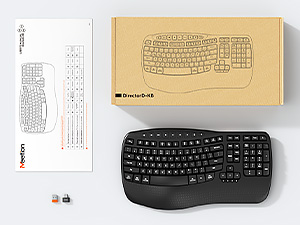
Image: Step-by-step guide on connecting the USB-A receiver with the USB-C adapter to a computer's USB-C port.
3.3. Menghidupkan
After installing batteries and connecting the receiver, slide the power switch on the keyboard to the 'ON' position. The keyboard is now ready for use.
4. Petunjuk Pengoperasian
4.1. Ergonomic Design and Wrist Rest
The keyboard features a wave-shaped key layout and a firm, integrated wrist rest. This design guides your hands and wrists into a natural, relaxed typing position, reducing strain during long typing sessions.

Image: A user's hands resting comfortably on the integrated wrist rest while typing on the ergonomic keyboard.
4.2. Kemiringan yang Dapat Diatur
Utilize the adjustable tilt legs on the underside of the keyboard to find your preferred typing angle. Different angles can further enhance comfort and reduce wrist fatigue.

Gambar: Sisi profiles of the keyboard demonstrating three different adjustable tilt angles for personalized comfort.
4.3. Dual System Layout (Windows/macOS)
The keyboard supports both Windows and macOS layouts. To switch between operating systems:
- Tekan FN+Q untuk tata letak Windows.
- Tekan FN + W untuk tata letak macOS.
4.4. Tombol Multimedia
The keyboard includes dedicated and combined multimedia keys for quick access to functions like volume control, media playback, and more.
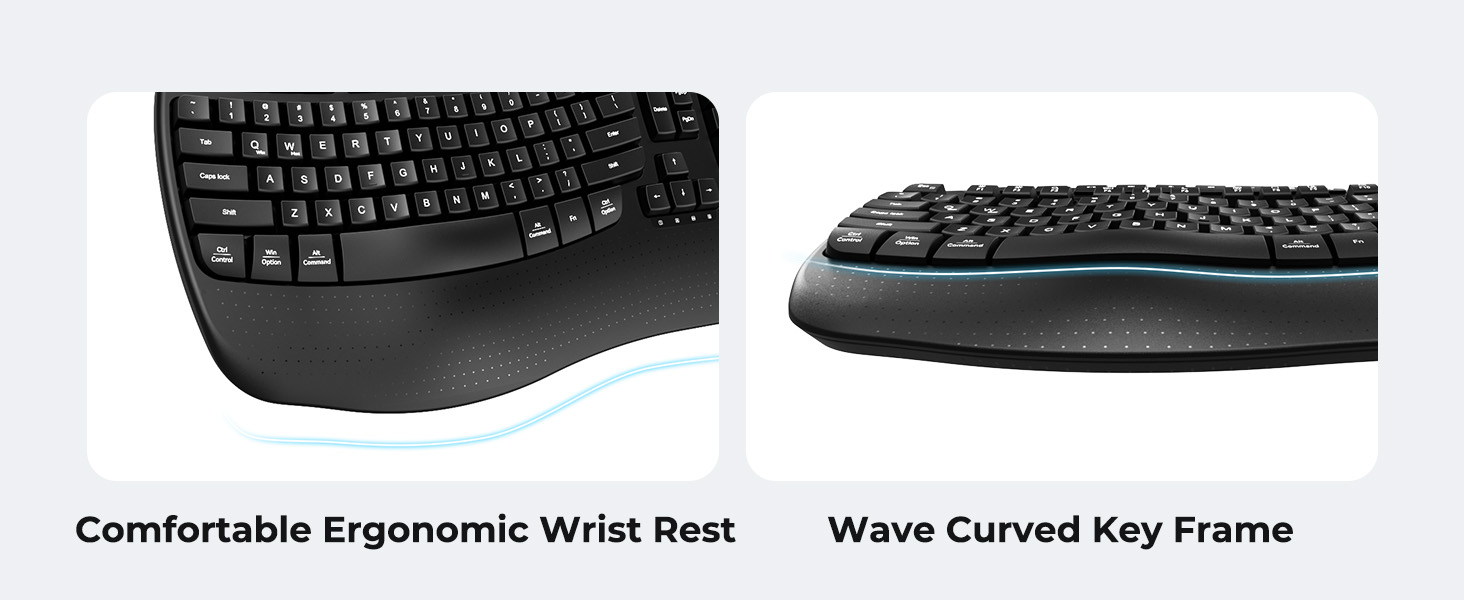
Image: A visual representation of the independent and combined multimedia keys available on the keyboard.
4.5. Intelligent Power Saving
The keyboard features an auto-sleep mode to conserve battery life. After 20 minutes of inactivity, it will enter hibernation. To wake it up, simply press any key.

Image: Close-up of the keyboard's indicator lights, showing status for Num Lock, Caps Lock, FN Lock, and low battery warning.
5. Pemeliharaan
Untuk memastikan umur panjang dan kinerja optimal keyboard Anda, ikuti panduan perawatan berikut:
- Pembersihan: Gunakan kain lembut dan kering untuk menyeka permukaan keyboard. Untuk pembersihan yang lebih menyeluruh, gunakan kain yang sedikit kering.amp Kain yang dibasahi sabun lembut dapat digunakan, pastikan tidak ada cairan yang masuk ke dalam tombol atau komponen internal.
- Hindari Cairan: Do not expose the keyboard to excessive moisture or spill liquids on it.
- Penyimpanan: Simpan keyboard di tempat yang sejuk dan kering, jauhkan dari sinar matahari langsung dan suhu ekstrem.
- Penggantian Baterai: Replace batteries promptly when the low battery indicator appears to maintain consistent performance.
6. Penyelesaian masalah
If you encounter issues with your MEETION DirectorD-KB keyboard, refer to the following common solutions:
- Papan ketik tidak merespons:
- Periksa apakah keyboard dalam keadaan menyala.
- Ensure the batteries are correctly installed and not depleted. Replace if necessary.
- Verify that the USB receiver is securely plugged into your computer's USB port (or via the USB-C adapter).
- Coba hubungkan penerima ke port USB yang berbeda.
- Hidupkan ulang komputer Anda.
- Koneksi terputus-putus atau tersendat:
- Ensure the keyboard is within the effective range of the receiver (typically up to 10 meters).
- Minimize interference from other wireless devices by moving them further away.
- Hindari meletakkan penerima di dekat benda logam besar.
- Tombol tidak berfungsi dengan benar:
- Periksa apakah ada penghalang fisik di bawah penutup tombol.
- Ensure the correct operating system layout (Windows/macOS) is selected using FN+Q or FN+W.
7. Spesifikasi
| Fitur | Detil |
|---|---|
| Merek | RAPAT |
| Nomor Model | DirectorD-KB |
| Teknologi Konektivitas | 2.4G Wireless (USB-A, USB-C Adapter) |
| Perangkat yang Kompatibel | Laptop, PC (Windows XP/7/8/10/11 & macOS X 10.6 or later) |
| Tata Letak Papan Ketik | Bahasa QWERTY |
| Jumlah Kunci | 113 |
| Fitur Khusus | Ergonomic, Hotkeys and Media Keys, Integrated Stand, Wave Keys, Wrist Rest |
| Dimensi Produk (P x L x T) | 17.39" x 9.43" x 1.81" |
| Bahan | Plastik |
| Sumber Daya | Ditenagai baterai (2 x AAA, tidak termasuk) |
8. Video Produk Resmi
Video: Pertunjukan video produk resmiasing the features and ergonomic design of the MEETION DirectorD-KB Wave Ergonomic Wireless Keyboard. (Duration: 0:39)
9. Garansi dan Dukungan
This MEETION DirectorD-KB Wireless Ergonomic Keyboard comes with a 1-year manufacturer's warranty.
For further assistance, troubleshooting, or warranty claims, please visit the official MEETION store or contact customer support.
Official MEETION Store: MEETION Store on Amazon