
Oilsky M303
Oilsky M303 Android 9.0 MP3 Player User Manual
Model: M303
1. Pendahuluan
The Oilsky M303 is a versatile digital audio and video player running on Android 9.0. It features a 4-inch full-touch screen, 8-core processor, 2GB RAM, 16GB internal storage (expandable with a 64GB microSD card included), Wi-Fi, and Bluetooth connectivity. This manual provides essential information for operating your device.
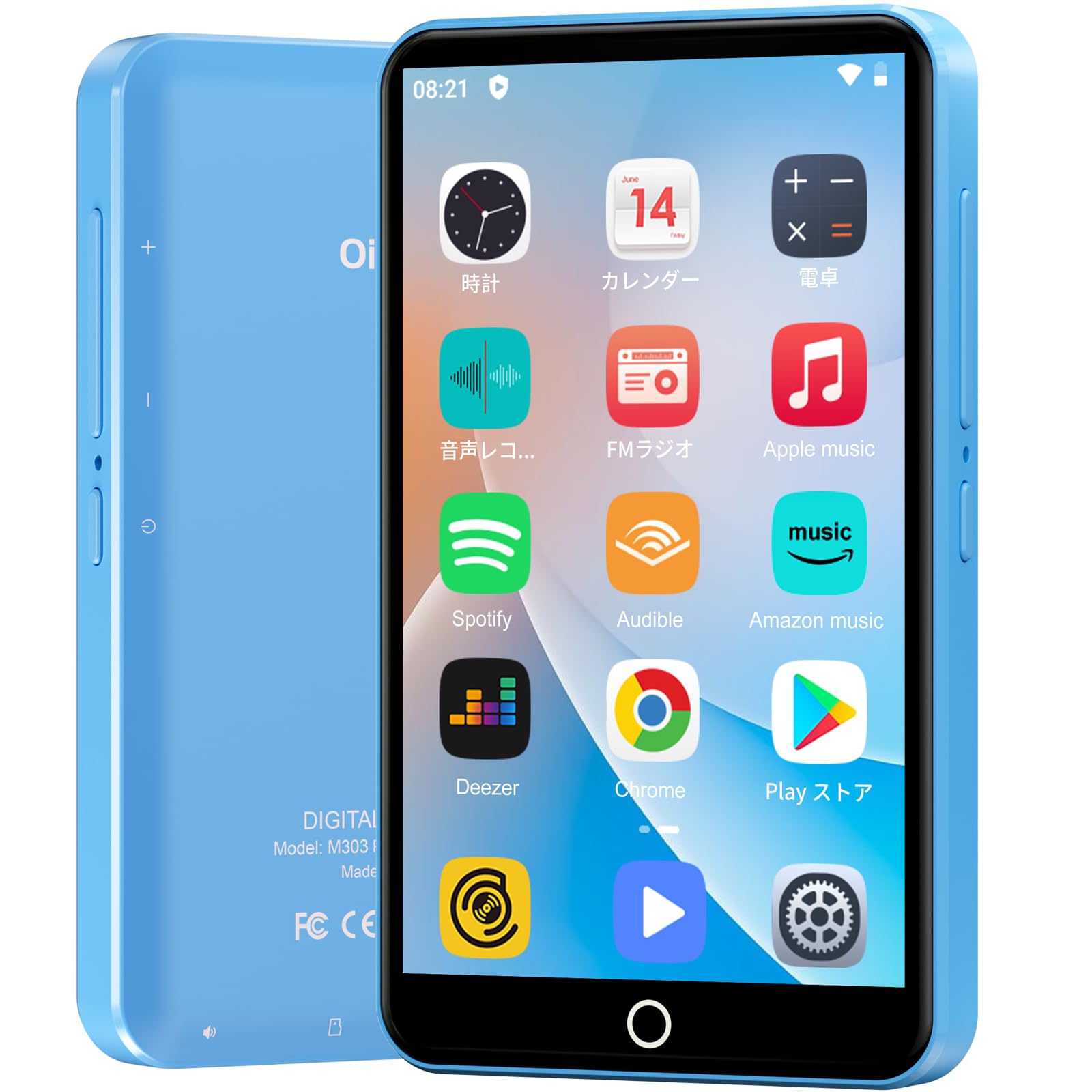
Gambar: Depan view of the Oilsky M303 MP3 Player, showcasing its compact design and touchscreen interface.
2. Apa yang ada di dalam kotak
Harap periksa apakah semua item berikut disertakan dalam paket Anda:
- Oilsky M303 Main Unit
- Earphone
- Kabel Data Tipe-C
- Protective Film (one pre-installed, one spare)
- Multi-language User Manual (including Japanese)
- Casing Pelindung Silikon
- Kartu Memori 64GB

Image: All included accessories for the Oilsky M303 MP3 Player, neatly arranged.
3. Produk Lebihview
Kenali fitur fisik dan kontrol perangkat tersebut.
3.1. Tata Letak Perangkat

Gambar: Samping view of the Oilsky M303, highlighting the volume buttons, power button, and USB-C port.
- Tombol Daya: Tekan dan tahan untuk menghidupkan/mematikan atau memulai ulang. Tekan sebentar untuk menghidupkan/mematikan layar.
- Tombol Volume: Sesuaikan volume audio.
- Port USB-C: Untuk pengisian dan transfer data.
- Jack Headphone 3.5mm: Connect wired earphones.
- Slot Kartu MicroSD: Insert a microSD card for expanded storage.
- Speaker internal: Untuk pemutaran audio tanpa headphone.
4. Pengaturan
4.1. Pengisian Awal
Before first use, fully charge the device. Connect the provided Type-C data cable to the player and a USB power adapter (not included). A full charge takes approximately 3 hours. The device has a 2000mAh battery for extended use.
4.2. Daya Hidup/Mati
- Untuk menghidupkan: Tekan dan tahan tombol Daya hingga layar menyala.
- Untuk mematikan: Tekan dan tahan tombol Daya, lalu pilih "Matikan daya" dari opsi yang tersedia.
- Layar Hidup/Mati: Short press the Power button to turn the screen on or off.
4.3. Pengaturan Bahasa
Upon first boot, you may need to set the language. Navigate to Settings > System > Languages & input > Languages to select your preferred language, such as English or Japanese.
4.4. Koneksi Wi-Fi
To access online features and download apps, connect to a Wi-Fi network:
- Pergi ke Pengaturan > Jaringan & internet > Wi-Fi.
- Beralih Wi-Fi On.
- Pilih jaringan yang Anda inginkan dari daftar dan masukkan kata sandi jika diminta.
4.5. Google Play Store
The Oilsky M303 supports Google Play Store, allowing you to download various applications.
- Pastikan Anda terhubung ke Wi-Fi.
- Buka Toko Play aplikasi dari layar beranda.
- Masuk dengan akun Google Anda.
- Pencarian untuk and install desired applications like YouTube, Spotify, or other streaming services.

Image: The Oilsky M303 screen showing the Google Play Store interface with various app icons.
5. Petunjuk Pengoperasian
5.1. Pemutaran Musik
The device supports various audio formats including MP3, WMA, WAV, FLAC, OGG, AAC, APE, and M4A.
- Musik Transfer: Connect the player to your computer using the Type-C cable and transfer audio files to the device's internal storage or the microSD card.
- Putar Musik: Open the Music app. You can browse by artist, album, song, or create custom playlists.
- Equalizer: Adjust sound settings using the built-in equalizer for a personalized audio experience.
- Online Lyrics: The player supports displaying online lyrics for songs.

Image: The Oilsky M303 displaying its music playback interface, showing options for song classification, search, playlist creation, and equalizer settings.
5.2. Pemutaran Video
Enjoy videos on the 4-inch IPS full-touch screen with 480x800px resolution, supporting up to 1080P Full HD video playback. Supported formats include RM, AVI, RMVB, FLV, MP4, DAT, MKV, MPG, MOV, TS.
- Transfer Videos: Mentransfer video files dari komputer Anda ke perangkat.
- Putar Video: Open the Video app and select your desired video.
- Opsi Pemutaran: Features include loop or random playback, variable speed playback, sleep timer, and gesture controls for zoom.

Image: The Oilsky M303 displaying a video on its 4-inch screen, illustrating its video playback capabilities.
5.3. Koneksi Bluetooth
Connect your player to Bluetooth headphones, speakers, or car audio systems.
- Pergi ke Pengaturan > Perangkat yang terhubung > Bluetooth.
- Aktifkan Bluetooth On.
- Make sure your Bluetooth accessory is in pairing mode.
- Pilih aksesori dari daftar perangkat yang tersedia untuk dipasangkan.

Image: The Oilsky M303 demonstrating its Bluetooth connectivity with various audio devices like speakers and headphones.
5.4. Radio FM
The device includes an FM radio function. Connect wired earphones to act as an antenna for optimal reception.
5.5. Perekam Suara
Use the built-in voice recorder for capturing audio notes or lectures. Open the Perekam Suara app to start recording.
5.6. File Pengelolaan
The player comes with 16GB of internal storage and a 64GB microSD card, providing a total of 80GB usable storage. This can be expanded further up to 512GB using a larger microSD card. Use the File Manager app to organize your media and documents.
6. Pemeliharaan
- Pembersihan: Gunakan kain lembut dan kering untuk membersihkan perangkat. Hindari cairan pembersih atau bahan abrasif.
- Penyimpanan: Simpan perangkat di tempat yang sejuk dan kering, jauhkan dari sinar matahari langsung dan suhu ekstrem.
- Perawatan Baterai: Untuk memperpanjang masa pakai baterai, hindari sering-sering menguras baterai sepenuhnya. Isi daya secara teratur.
- Pembaruan Perangkat Lunak: Periksa pembaruan sistem secara berkala di Pengaturan > Sistem > Lanjutan > Pembaruan sistem untuk memastikan kinerja dan keamanan yang optimal.
7. Penyelesaian masalah
| Masalah | Solusi yang mungkin |
|---|---|
| Perangkat tidak menyala. | Pastikan baterai terisi daya. Hubungkan ke pengisi daya minimal 30 menit sebelum mencoba menyalakannya kembali. |
| Tidak dapat terhubung ke Wi-Fi. | Check if Wi-Fi is enabled in settings. Ensure the password is correct. Restart the device and your Wi-Fi router. |
| Koneksi Bluetooth tidak stabil atau terputus. | Ensure the player and Bluetooth accessory are within close range. Avoid areas with strong electromagnetic interference. Try re-pairing the devices. |
| Aplikasi lambat atau tidak responsif. | Close unnecessary background applications. Clear app cache (Settings > Apps & notifications > See all apps > [App Name] > Storage & cache > Clear cache). Restart the device. |
| Perangkat menjadi hangat saat digunakan. | It is normal for the device to warm up during intensive use (e.g., video playback, gaming). If it becomes excessively hot, close applications and let it cool down. |
| Cannot charge with USB-C PD charger. | The device may not support USB-C Power Delivery (PD) protocols. Use a standard USB-A to USB-C cable with a compatible USB-A power adapter (5V, up to 900mA). |
8. Spesifikasi
| Merek | minyaksky |
| Model | Pesawat M303 |
| Sistem Operasi | Android 9.0 |
| Layar | 4-inch Full-touch IPS LCD (480x800px) |
| Prosesor | 8-core (MTK 8-Core) |
| RAM | 2 GB |
| Penyimpanan Internal | 16 GB |
| Penyimpanan yang Dapat Diperluas | MicroSD card up to 512GB (64GB card included) |
| Baterai | 2000 mAh |
| Konektivitas | Wi-Fi, Bluetooth |
| Format Audio yang Didukung | MP3, WMA, WAV, FLAC, OGG, AAC, APE, M4A |
| Format Video yang Didukung | RM, AVI, RMVB, FLV, MP4, DAT, MKV, MPG, MOV, TS (up to 1080P) |
| Dimensi (P x L x T) | Ukuran 1x6.1x10.3 cm |
| Fitur | Touchscreen, Voice Recorder, Built-in Speaker, Video Playback, FM Radio, Calculator, Calendar, Alarm |
| Asal | Cina |
9. Garansi dan Dukungan
The Oilsky M303 MP3 Player comes with a Garansi 1 tahun sejak tanggal pembelian. Harap simpan bukti pembelian Anda untuk klaim garansi.
For technical support or warranty inquiries, please contact the retailer or manufacturer directly. Refer to the contact information provided in the packaging or on the official Oilsky weblokasi.
Ask a question about this manual
Ask about setup, troubleshooting, compatibility, parts, safety, or missing instructions. Manuals+ will review the question and use this page’s manual context to help answer it.