Perkenalan
This manual provides detailed instructions for the setup, operation, and maintenance of your Generic 18.5-inch LED Touch Screen Karaoke Machine. Please read this manual thoroughly before using the product to ensure proper function and longevity.
Fitur Produk
- Layar Sentuh Kapasitif 18.5 inci: Offers a responsive and intuitive user interface.
- Dukungan Resolusi 4K: Displays content in 4X1080P ultra-clear 4K resolution for enhanced visual quality.
- U-segment Wireless Microphones: Includes two high-end wireless microphones with U-band smart chip for stable signal, anti-interference, howling suppression, dynamic microphone core, and dual antenna reception.
- Cloud Song Downloads: High-speed built-in hard disk with capability to download songs from the cloud.
- Perpustakaan Lagu yang Luas: Access to a large music library with weekly real-time updates.
- Dukungan Multibahasa: Supports 27 languages, allowing users to switch as needed.
- Multiple Song Ordering Methods: Order songs via touch screen, mobile app, WeChat, or voice assistant.
- Konektivitas: Supports both Bluetooth and Wi-Fi connections. Network cable option also available.
- Fitur Audio Tingkat Lanjut: Built-in Reverberation DSP sound effect adjustment, tone adjustment (high/low key), singing mode, and microphone settings.
- Dual Android System: Provides flexibility and supports online viewing (e.g., YouTube) and installation of office and game applications.
- Real-time Scoring Function: Evaluate singing performance.
- Opsi Penyimpanan: Available with various hard disk capacities (e.g., 500GB, 1TB, 2TB, 3TB, 4TB, 8TB) for storing thousands of songs.
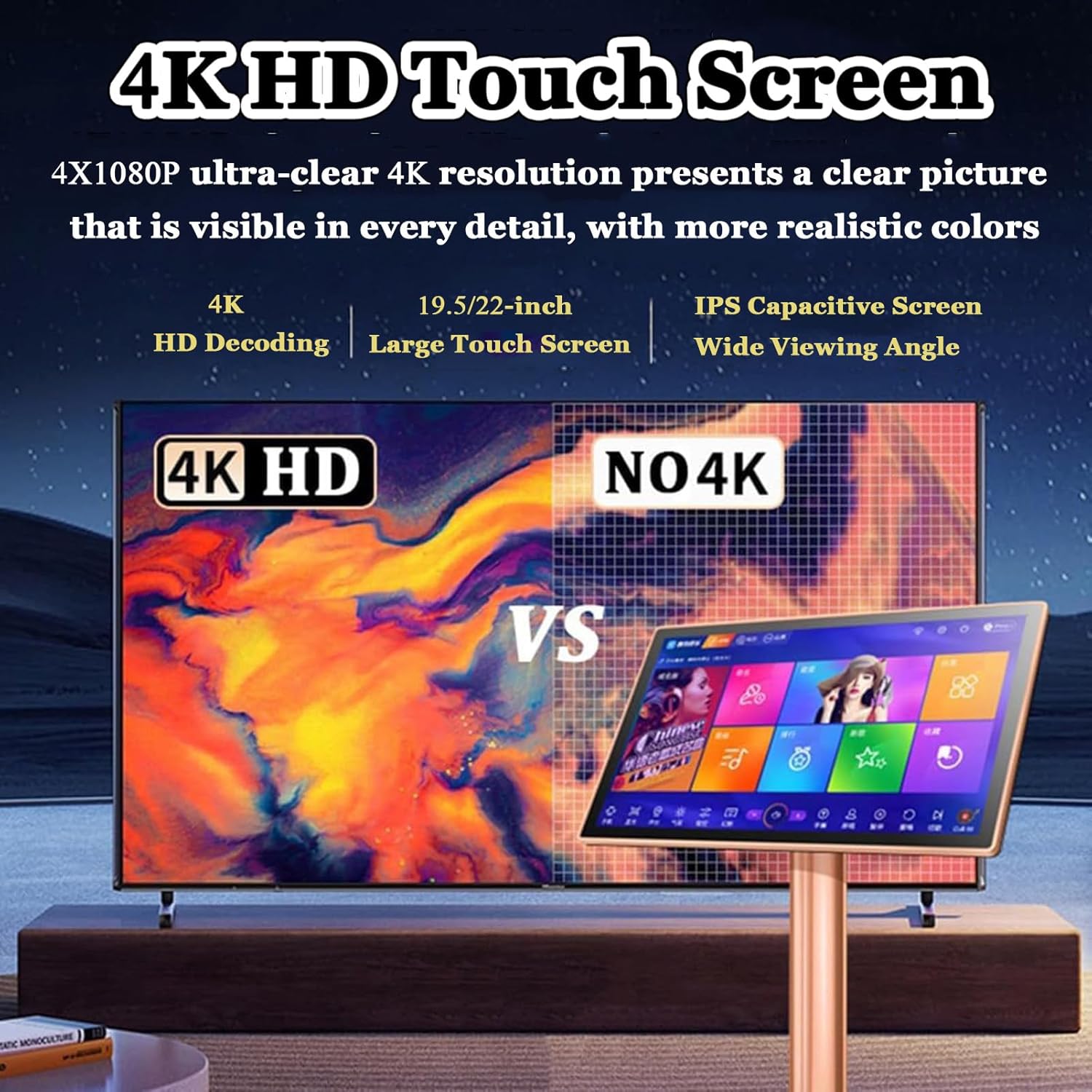
Image: Visual comparison highlighting the clarity of 4K HD display and the 18.5-inch touch screen.
Spesifikasi
| Nama Produk | Mesin Karaoke dengan Mikrofon |
| Jenis Layar | Layar sentuh kapasitif |
| Ukuran Layar | 18.5 inches (46.5cm x 28.5cm) |
| Tinggi | 20cm (7.9 inci) |
| Built-In Features | Reverberation DSP sound effect adjustment |
| Jenis Mikrofon | U-segment wireless high-end microphone |
| Konektivitas | Bluetooth, Wi-Fi, Network Cable |
| Resolusi | 4X1080P ultra-clear 4K |
| Opsi Penyimpanan | 500GB (20,000 songs), 1TB (30,000 songs), 2TB (60,000 songs), 3TB (80,000 songs), 4TB (100,000 songs), 8TB (200,000 songs) |
| Bahasa yang Didukung | 27 bahasa |
| Merek | Umum |
| ASIN | B0F26DMNY2 |
Isi Paket
- 1 × Karaoke Machine
- 2 × Microphones
Note: The karaoke machine requires external speakers for operation. Speakers are not included.
Petunjuk Pengaturan
- Hubungkan ke Layar: Connect the karaoke machine to a TV, projector, or other display device using an appropriate cable (e.g., HDMI, not included).
- Hubungkan ke Speaker: Connect the karaoke machine to external speakers (not included) for audio output. Ensure the speakers are powered on and properly connected.
- Nyalakan: Plug the karaoke machine into a power outlet and turn it on.
- Microphone Activation: Turn on the wireless microphones. They should automatically pair with the karaoke machine.
- Initial Software Access: The karaoke machine comes with pre-installed software. Once powered on, the interface will load. You can then click on the interface or software to begin.

Image: The main karaoke machine unit with its 18.5-inch touch screen and two wireless microphones, ready for setup.
Petunjuk Pengoperasian
1. Song Ordering Methods
The karaoke machine offers four convenient ways to select and manage songs:
- Layar Sentuh: Directly interact with the 18.5-inch touch screen to browse, select, and queue songs.
- Aplikasi Seluler: Use a dedicated mobile application on your smartphone or tablet to control the machine.
- WeChat Scan Code: Scan a QR code with WeChat to access song selection features.
- Asisten Suara: Utilize the built-in voice assistant for hands-free song requests and control.
Common functions like pause, play, next song, original singing, and backing singing can be controlled through these methods.

Image: Demonstrates the four song ordering methods: WeChat, mobile app, intelligent voice assistant, and touch screen, shown with a group enjoying karaoke.
2. Network Connection and Song Downloads
Connect the machine to the internet via Wi-Fi or an Ethernet cable to access cloud song downloads and online content.
- Koneksi Wi-Fi: Navigate to the settings menu on the touch screen, select Wi-Fi, and connect to your preferred network.
- Kabel jaringan: Plug an Ethernet cable into the designated port on the back of the machine.
- Once connected, you can download songs from the extensive cloud library. Downloaded songs are stored on the internal hard disk and can be played offline.
- The system also supports online streaming of TV or movies and access to YouTube.
3. Audio and Microphone Settings
Adjust audio parameters to enhance your singing experience:
- Penyesuaian Nada: Access the audio settings to adjust the high and low keys of the music.
- Modus Bernyanyi: Select different singing modes (e.g., original singing, backing singing) to suit your preference.
- Pengaturan Mikrofon: Adjust microphone volume, echo, and other effects through the system interface. The built-in DSP effector provides various microphone and music modes.
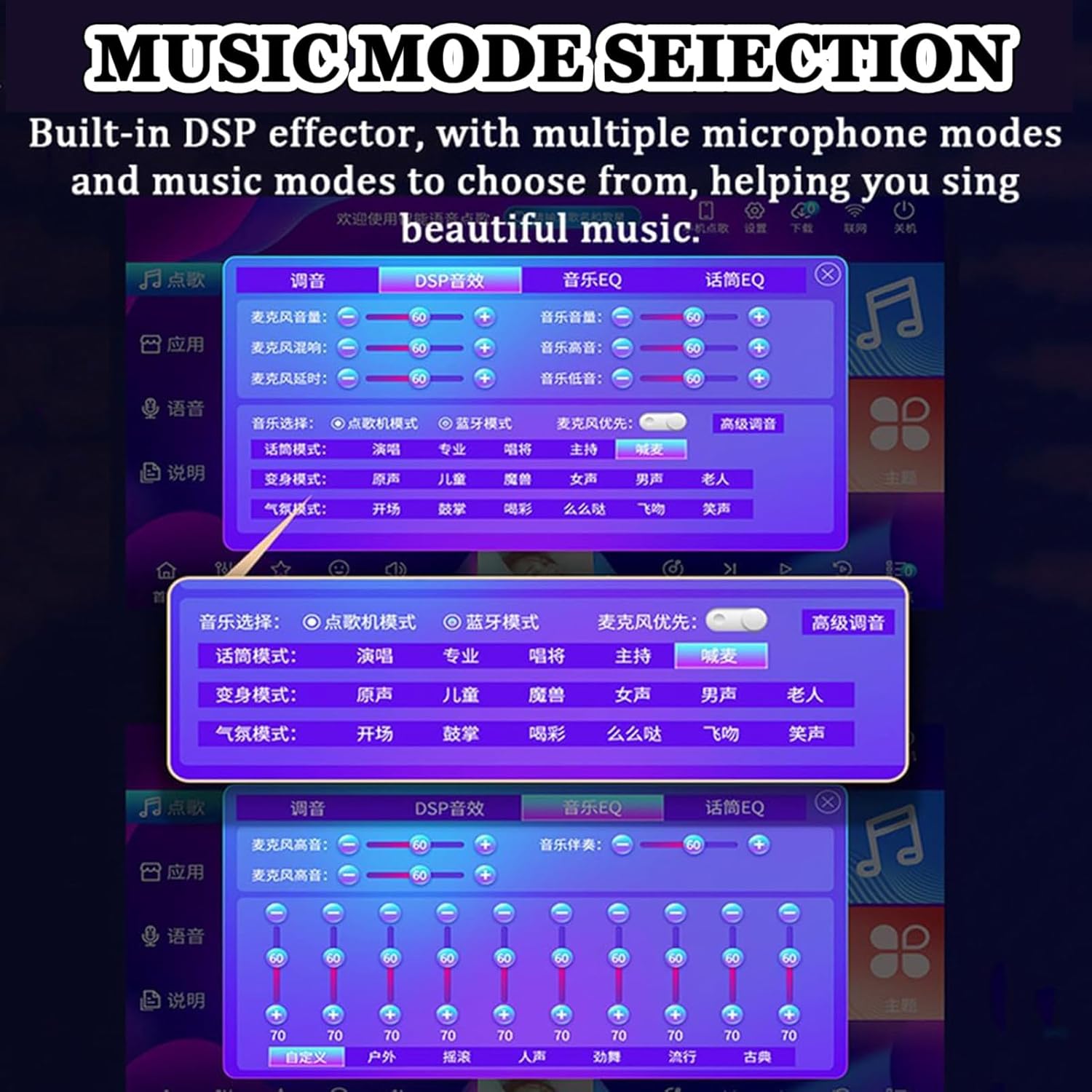
Image: The user interface displaying options for music mode selection, DSP effects, and microphone adjustments.
4. Peralihan Bahasa
The system supports 27 languages. To change the interface language:
- Navigate to the system settings.
- Select the "Language" option.
- Choose your desired language from the list of 27 available options.

Image: The language selection screen, showing English and Japanese interfaces and a list of 27 supported languages.
5. Real-time Scoring
Activate the real-time scoring function from the interface to receive immediate feedback on your singing performance.
6. Penggunaan Mikrofon
The included U-band wireless microphones are designed for clear audio capture. Ensure they are charged and powered on before use. Maintain a reasonable distance from speakers to prevent feedback.

Image: Detailed features of the U-band wireless microphone, highlighting its smart chip, anti-interference, howling suppression, dynamic core, and dual antenna reception.
Pemeliharaan
- Pembersihan: Use a soft, dry cloth to clean the touch screen and exterior surfaces. Avoid abrasive cleaners or solvents.
- Pembaruan Perangkat Lunak: Periksa pembaruan perangkat lunak secara berkala melalui pengaturan sistem untuk memastikan kinerja optimal dan akses ke fitur-fitur baru.
- Penyimpanan: When not in use for extended periods, store the karaoke machine in a cool, dry place, away from direct sunlight and extreme temperatures.
- Perawatan Mikrofon: Keep microphones dry and clean. Recharge them as needed.
Penyelesaian Masalah
- Tidak Ada Daya: Ensure the power cable is securely connected to both the machine and a working power outlet.
- Tidak ada suara:
- Verify that external speakers are connected and powered on.
- Check the volume settings on both the karaoke machine and your speakers.
- Ensure the correct audio output is selected on your display device (TV/projector).
- Mikrofon Tidak Berfungsi:
- Pastikan mikrofon terisi daya dan menyala.
- Check microphone volume settings on the karaoke machine.
- Confirm microphones are paired with the machine.
- Tidak Ada Tampilan di Layar:
- Check the connection cable (e.g., HDMI) between the karaoke machine and your display device.
- Pastikan perangkat tampilan diatur ke sumber input yang benar.
- Cannot Connect to Internet:
- For Wi-Fi, ensure the password is correct and the signal is strong.
- Untuk koneksi kabel, periksa kabel Ethernet dan status router.
Dukungan Pelanggan
For any questions, technical assistance, or warranty inquiries regarding your karaoke machine, please contact the seller or manufacturer directly. Refer to your purchase documentation for specific contact information.


