
1. Pendahuluan
Thank you for choosing the havit OWS915 Open Ear Headphones. These headphones are designed to provide a comfortable and secure listening experience while maintaining awareness of your surroundings. Featuring Bluetooth 5.4 connectivity, 64 hours of total playtime with the charging case, IPX5 water resistance, and Environmental Noise Cancellation (ENC) for clear calls, the OWS915 is suitable for various activities.
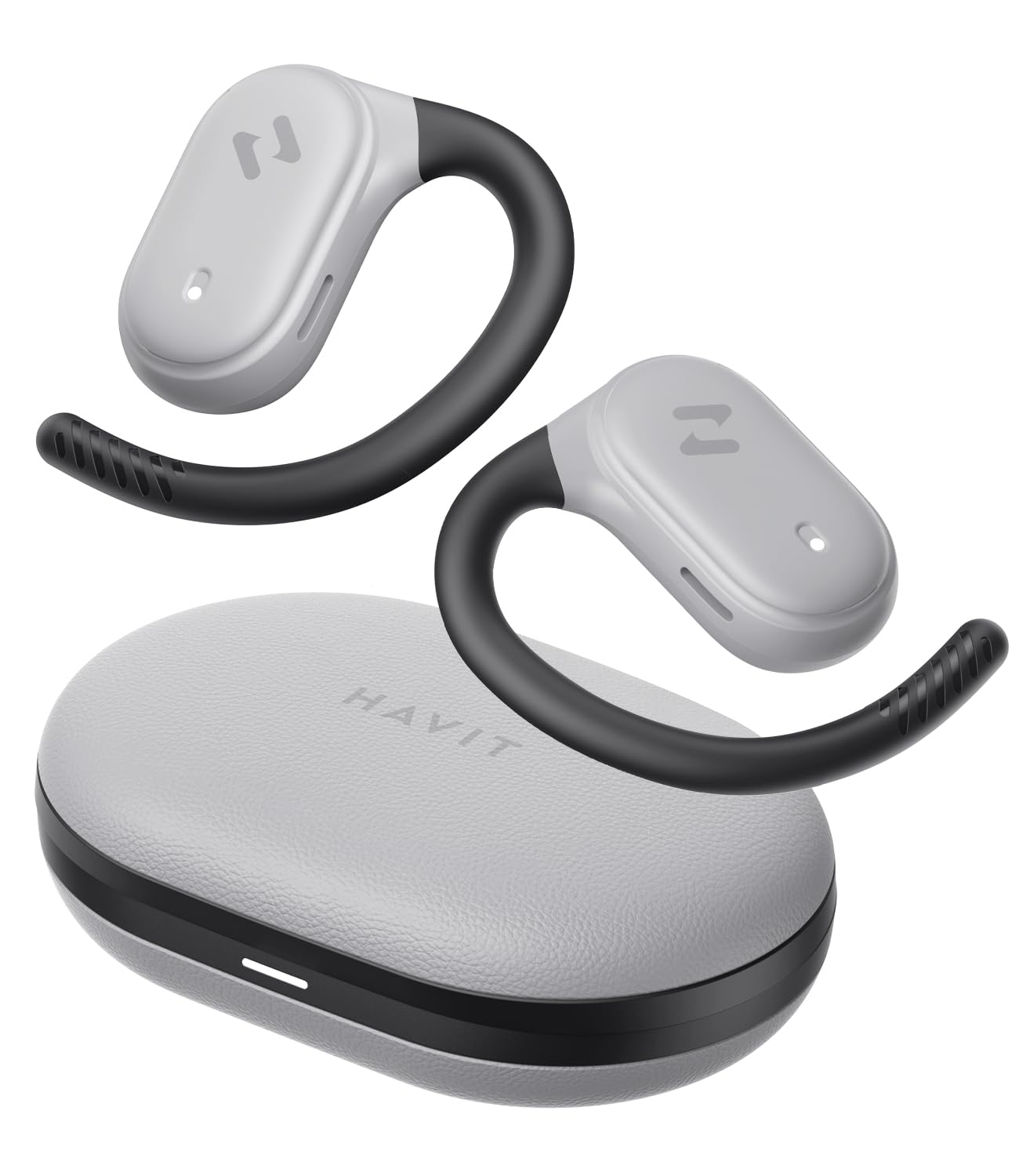
Image: havit OWS915 Open Ear Headphones and their charging case, showcasing desain produk.
2. Apa yang ada di dalam kotak
- havit OWS915 Open Ear Headphones (Left and Right)
- Kotak Pengisian Daya
- Kabel Pengisian Daya USB-C
- Panduan Pengguna

Image: A visual representation of all items included in the havit OWS915 product packaging.
3. Petunjuk Pemakaian
For optimal comfort and sound quality, ensure the headphones are worn correctly.
- Buka casing pengisi daya dan lepaskan earbud.
- Place the earhook over the top of your ear.
- Adjust the earbud so that the speaker rests comfortably outside your ear canal, directing sound towards your ear.

Image: A three-step visual guide demonstrating the proper way to position the open-ear headphones on the ear.
4. Pengaturan
4.1 Pasangan Awal
- Pastikan headphone terisi dayanya.
- Open the charging case. The earbuds will automatically enter pairing mode, indicated by a flashing LED light.
- Pada perangkat Anda (ponsel pintar, tablet, komputer), aktifkan Bluetooth dan cari perangkat yang tersedia.
- Select "havit OWS915" from the list of devices.
- Setelah terhubung, indikator LED pada earbud akan berhenti berkedip.
4.2 Mengisi Daya Headphone dan Kotaknya
The headphones provide up to 8.5 hours of playtime on a single charge, with the charging case extending this to a total of 64 hours.
- Pengisian daya earbud: Masukkan earbud ke dalam wadah pengisian daya. Earbud akan mulai mengisi daya secara otomatis. Lampu indikator pada earbud akan menunjukkan status pengisian daya.
- Kotak Pengisian Daya: Connect the provided USB-C cable to the charging port on the case and to a power source. The indicator light on the case will show charging progress.

Image: The havit OWS915 headphones in their charging case, highlighting the 8.5 hours of playtime per charge and 64 hours total with the case.
5. Petunjuk Pengoperasian
5.1 Kontrol Sentuh
The havit OWS915 headphones feature intuitive touch controls on each earbud.
| Fungsi | Tindakan |
|---|---|
| Putar/Jeda | Ketuk salah satu earbud dua kali |
| Lagu Sebelumnya | Touch and hold left earbud for 1 second |
| Lagu Berikutnya | Touch and hold right earbud for 1 second |
| Menjawab/Mengakhiri Panggilan | Ketuk salah satu earbud dua kali |
| Tolak Panggilan | Touch and hold either earbud for 1 second |
| Asisten Suara | Ketuk earbud kiri tiga kali |
| Mode Game/Mode Musik | Ketuk earbud kanan tiga kali |

Image: A visual guide detailing the various touch control functions on the havit OWS915 earbuds.
5.2 HAVIT LIFE APP
Enhance your listening experience by downloading the HAVIT LIFE APP. The app allows you to:
- Customize EQ settings to match your audio preferences.
- Adjust touch control functions.
- Monitor headphone battery levels.
- Switch between game and music modes.

Image: Screenshots of the HAVIT LIFE APP, demonstrating options for equalizer settings and other customizations.
6. Features and Technology
6.1 Open-Ear Design and Comfort
The OWS915 headphones feature an open-ear design with lightweight (7.9 grams) and soft TPU materials, ensuring a comfortable and secure fit for extended wear without fatigue. This design allows you to remain aware of your surroundings.

Image: A person wearing the havit OWS915 headphones, illustrating the comfortable and secure open-ear design.
6.2 Powerful Sound Performance
Equipped with advanced 14.2mm dynamic drivers and bass enhancement technology, these headphones deliver rich bass and vibrant 3D surround sound for an immersive audio experience.

Image: An illustration of the 14.2mm dynamic drivers, highlighting their role in delivering powerful bass.
6.3 Crystal Clear Calls with 4-Microphone ENC
The integrated 4-microphone Environmental Noise Cancellation (ENC) technology ensures your voice is transmitted clearly during calls, even in noisy environments.
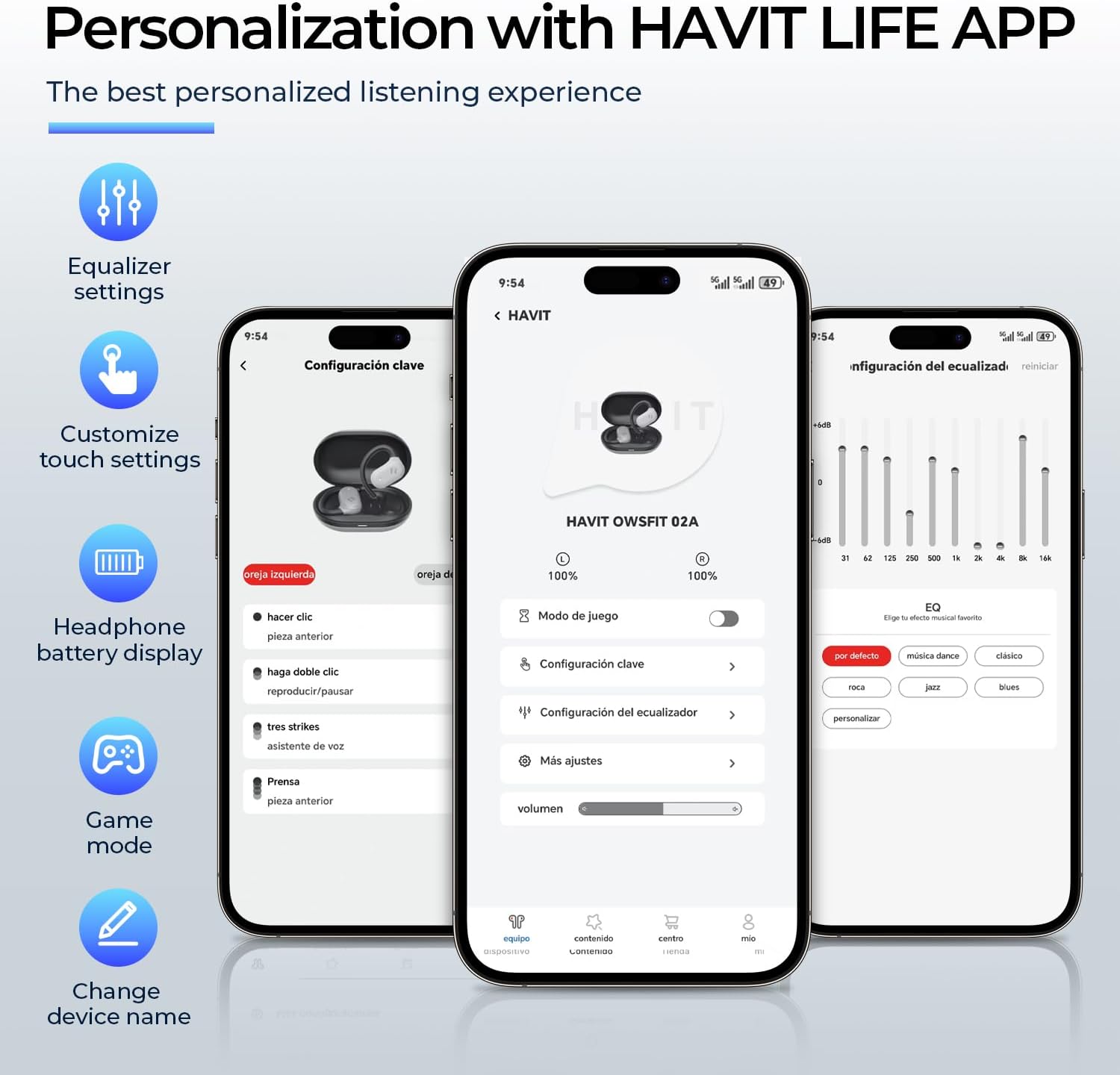
Image: A person using the havit OWS915 headphones for a call, illustrating the clear communication provided by 4-microphone ENC technology.
6.4 Cutting-Edge Directional Audio Technology
Innovative directional audio technology provides precise sound placement, minimizing sound leakage while improving bass quality. This allows you to enjoy your audio without disturbing others and without compromising your awareness.

Image: A visual representation of the directional audio technology, showing sound waves directed towards the ear with minimal leakage.
Ketahanan Air IPX5 6.5
With an IPX5 rating, the OWS915 headphones are resistant to sweat and splashes, making them suitable for workouts, outdoor activities, and light rain.
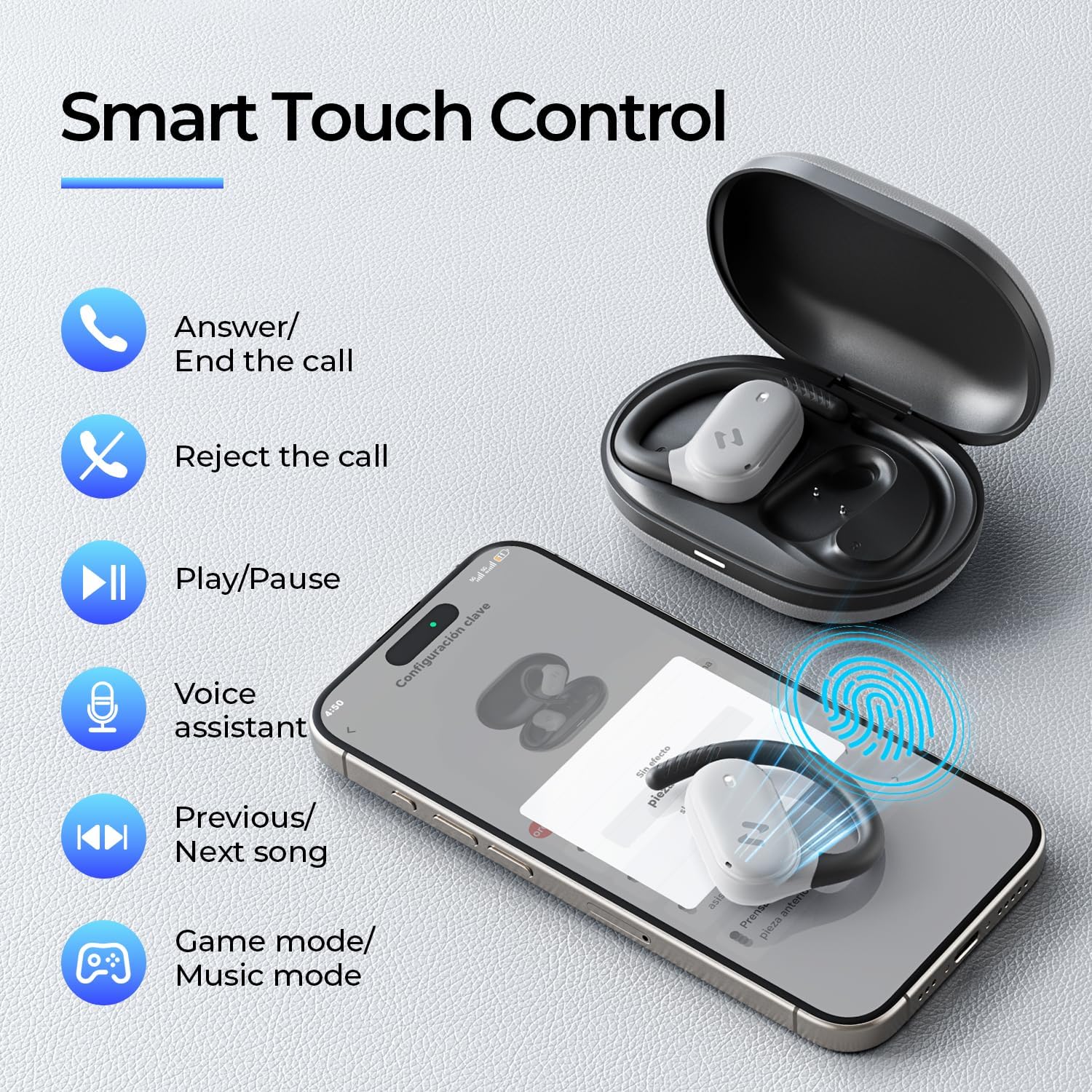
Image: The havit OWS915 headphones partially submerged in water, demonstrating their IPX5 water and sweat resistance.
7. Pemeliharaan
- Pembersihan: Bersihkan earbud dan wadah pengisi daya secara teratur dengan kain lembut dan kering. Hindari penggunaan bahan abrasif atau bahan kimia keras.
- Paparan Air: While IPX5 rated, avoid submerging the headphones in water. If exposed to sweat or splashes, wipe them dry before placing them back in the charging case.
- Penyimpanan: Store the headphones in their charging case when not in use to protect them and ensure they remain charged.
- Perawatan Baterai: To prolong battery life, avoid fully discharging the headphones or charging case frequently. Charge them regularly.
8. Penyelesaian masalah
- Tidak Ada Daya: Pastikan earbud dan wadah pengisi daya terisi penuh.
- Kegagalan Pemasangan:
- Pastikan Bluetooth diaktifkan pada perangkat Anda.
- Ensure the earbuds are in pairing mode (flashing LED).
- Matikan Bluetooth pada perangkat lain di sekitar yang mungkin mencoba terhubung.
- Cobalah untuk mengatur ulang earbud (lihat manual lengkap untuk petunjuk pengaturan ulang spesifik jika diperlukan).
- Tidak ada suara:
- Periksa tingkat volume pada perangkat dan headphone Anda.
- Pastikan headphone terhubung dengan benar ke perangkat Anda.
- Coba putar audio dari aplikasi atau sumber lain.
- Kualitas Panggilan Buruk:
- Pastikan mikrofon tidak terhalang.
- Pindah ke area dengan kebisingan latar belakang yang lebih rendah.
- Check your device's network connection.
9. Spesifikasi
| Fitur | Spesifikasi |
|---|---|
| Nama Model | OWS915 |
| Teknologi Konektivitas | Nirkabel (Bluetooth 5.4) |
| Jangkauan Bluetooth | 10 Meter |
| Daya Tahan Baterai (Earbud) | 8.5 Jam (sekali pengisian daya) |
| Total Waktu Bermain (dengan Casing) | 64 Jam |
| Tingkat Tahan Air | IPX5 (Tahan Air) |
| Ukuran Driver Audio | 14.2 Milimeter |
| Metode Kontrol | Aplikasi, Sentuh |
| Komponen yang Termasuk | Mikropon |
| Berat Barang (Earbud) | 7.9 gram (masing-masing) |
| Berat Kotak Pembawa | 77.8 gram |
| Bahan | PC + ABS + TPU |
| Respon Frekuensi | Frekuensi 20kHz |
| Kepekaan | 118dB |
| Impedansi | 32 Ohm |
10. Panduan Video
Saksikan video resmi ini untuk melihat visualnya.view of the havit OWS915 Open Ear Headphones.
Video: An official product video from HAVIT Direct showcasing the havit OWS915 Open Ear Headphones, including their design and features.
11. Garansi dan Dukungan
havit products come with a standard warranty. For detailed warranty information, technical support, or customer service inquiries, please refer to the warranty card included in your product packaging or visit the official havit websitus. Anda juga dapat menghubungi penjual secara langsung untuk mendapatkan bantuan.
Dukungan online: www.havit.com/support