
Perkenalan
This manual provides detailed instructions for the safe and efficient operation of your Kuephom PM24 Portable CD Player with Speakers. Please read this manual thoroughly before using the device and retain it for future reference.
The Kuephom PM24 is a versatile audio device offering multiple playback options including CD, Bluetooth, FM Radio, USB, and TF card. It features built-in stereo speakers, a rechargeable battery for portability, and a remote control for convenient operation.

Image: The Kuephom PM24 Portable CD Player, showcasing its design with an open CD lid, remote control, and an indicator for its rechargeable battery.
Isi Paket
Verifikasi bahwa semua item ada dalam paket:
- Kuephom PM24 Portable CD Player with Speakers x 1
- Kabel Pengisian Daya x 1
- Kontrol Jarak Jauh x 1
- Panduan Pengguna x 1
Produk Selesaiview
The PM24 offers a range of features for diverse audio playback. Familiarize yourself with the device's components and capabilities.

Image: A visual representation of the PM24's key features, including CD/MP3 playback, Bluetooth connectivity, USB and TF card support, FM radio, audio input, headphone jack, remote control, rechargeable battery, and sleep timer.
Fitur Utama:
- CD/MP3 Playback: Supports standard audio CDs and MP3 files from CD-R/RW discs.
- Konektivitas Bluetooth: Streaming audio nirkabel dari perangkat yang kompatibel.
- USB & TF Card Support: Play MP3/WMA audio files directly from USB flash drives or TF cards (up to 32GB).
- Radio FM: Built-in FM tuner with retractable antenna and programmable presets.
- Masukan Tambahan: Hubungkan sumber audio eksternal melalui kabel audio 3.5 mm.
- Jack Headphone: Untuk didengarkan secara pribadi.
- Kontrol Jarak Jauh: Full function remote for convenient operation.
- Baterai Isi Ulang: Menyediakan daya portabel untuk penggunaan jangka panjang.
- Pengatur Waktu Tidur: Automatically turns off the device after a set period.
- Pembicara Stereo: Integrated speakers for clear audio output.
Pengaturan
1. Mengisi Daya Perangkat
Before first use, fully charge the PM24. Connect the provided charging cable to the DC 5V input port on the device and the other end to a standard USB power adapter (not included) or a computer USB port.
- Lampu indikator pengisian daya akan menyala selama pengisian daya.
- Pengisian penuh biasanya memakan waktu sekitar 4 jam.
- The device provides approximately 5-8 hours of playback on a full charge, depending on volume and mode.

Image: Visual representation of the PM24's rechargeable nature, highlighting its play time and charge time.
2. Daya Hidup/Mati
Tekan dan tahan tombol KEKUATAN button on the device or remote control to turn the unit on or off.
3. Pemasangan Baterai Kendali Jarak Jauh
Remote control ini membutuhkan 2 baterai AAA (tidak termasuk). Buka kompartemen baterai di bagian belakang remote dan masukkan baterai, perhatikan polaritas yang benar (+/-).
Petunjuk Pengoperasian
1. Menggunakan Kontrol Jarak Jauh
The remote control allows for convenient operation of all functions from a distance.

Image: A user interacting with the PM24 using the remote control, illustrating various functions accessible from the remote.
- Tombol Daya: Menyalakan atau mematikan perangkat.
- Tombol Mode: Switches between CD, Bluetooth, FM, USB, TF, and AUX modes.
- Tombol Putar/Jeda: Memulai atau menjeda pemutaran.
- Tombol Lagu Sebelumnya/Berikutnya: Melompat ke trek/stasiun sebelumnya atau berikutnya.
- Tombol Volume +/-: Menyesuaikan tingkat volume.
- Repeat/Shuffle Button: Changes playback repeat modes (e.g., repeat one, repeat all, shuffle).
- Tombol Tidur: Activates and sets the sleep timer.
2. Pemutaran CD
- Buka penutup kompartemen CD.
- Carefully place a CD (audio CD or MP3 CD) onto the spindle with the label side facing up.
- Tutup penutup kompartemen CD.
- Tekan tombol MODE tekan tombol hingga mode "CD" dipilih.
- CD akan mulai diputar secara otomatis. Jika tidak, tekan tombol PUTAR/JEDA tombol.

Image: Icons illustrating various CD playback options such as sequential play, random play, repeating a single track, repeating all tracks, and the play memory function.
3. Mode Bluetooth
- Tekan tombol MODE button until "BT" (Bluetooth) mode is selected. The display will show "bt" and flash, indicating it's in pairing mode.
- Pada perangkat Anda yang mendukung Bluetooth (ponsel pintar, tablet, dll.), aktifkan Bluetooth dan cari perangkat yang tersedia.
- Select "PM24" from the list of devices.
- Once paired, the "bt" indicator will stop flashing, and you can stream audio wirelessly to the PM24.

Image: A smartphone screen showing a successful Bluetooth connection to the PM24, with the player's display confirming 'bt' mode.
4. Modus Radio FM
- Extend the telescopic antenna on the back of the unit for optimal reception.
- Tekan tombol MODE tekan tombol hingga mode "FM" dipilih.
- Tekan dan tahan tombol PUTAR/JEDA button to initiate an automatic station scan. The radio will scan and save available stations.
- Gunakan TRACK SEBELUM/BERIKUTNYA tombol untuk menavigasi melalui stasiun yang disimpan.

Image: A user enjoying FM radio on the PM24, with visual cues indicating different radio frequencies.
5. Pemutaran melalui USB/Kartu TF
- Insert a USB flash drive into the USB port or a TF card into the TF card slot. Ensure the card is inserted correctly.
- Tekan tombol MODE tekan tombol hingga mode "USB" atau "TF" dipilih.
- The device will automatically detect and begin playing MP3/WMA audio files from the inserted storage.
- Gunakan TRACK SEBELUM/BERIKUTNYA tombol untuk bernavigasi di antara files.

Gambar: Close-up view of the USB and TF card slots on the PM24, indicating their function for playing media from external storage.
6. Input Tambahan (AUX)
- Connect one end of a 3.5mm audio cable (not included) to the AUX IN port on the PM24.
- Connect the other end to the headphone jack or audio output of an external audio device (e.g., smartphone, MP3 player).
- Tekan tombol MODE tekan tombol hingga mode "AUX" dipilih.
- Kontrol pemutaran dan volume dari perangkat audio eksternal Anda.
7. Fungsi Pengatur Waktu Tidur
Pengatur waktu tidur memungkinkan perangkat mati secara otomatis setelah periode tertentu.
- While the device is playing, press the TIDUR pada kendali jarak jauh.
- Tekan berulang kali TIDUR button to cycle through available timer settings (e.g., 10, 20, 30, 60, 90 minutes).
- The selected time will be displayed. The device will automatically power off once the timer expires.

Image: A visual demonstration of the sleep timer function, showing the PM24 on a nightstand while a person sleeps.
8. Menggunakan Headphone
For private listening, connect 3.5mm headphones (not included) to the JACK EARPHONE on the device. The built-in speakers will automatically mute when headphones are connected.
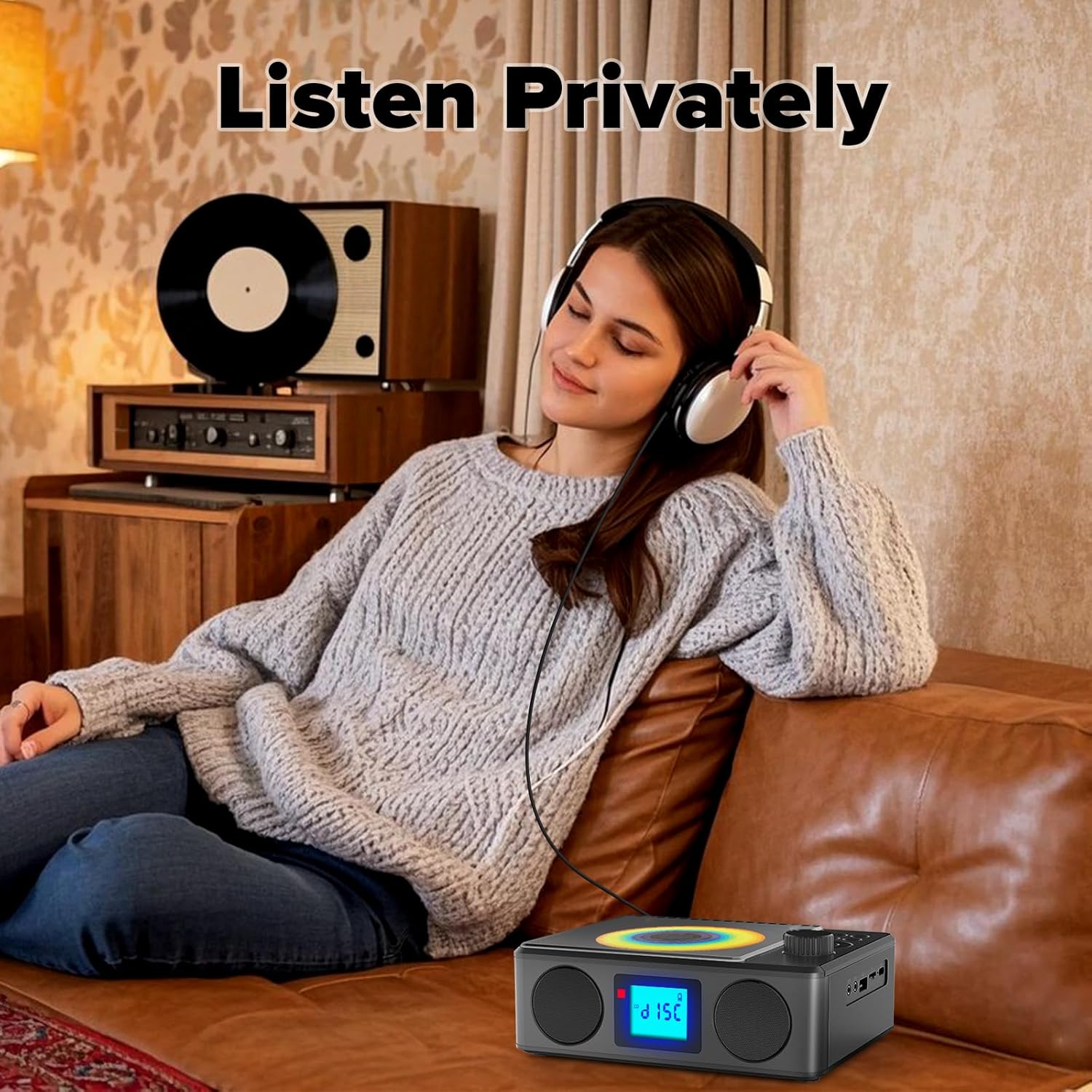
Image: A user enjoying private audio through headphones connected to the PM24.
Pemeliharaan
- Pembersihan: Gunakan kain lembut dan kering untuk membersihkan bagian luar perangkat. Jangan gunakan pembersih abrasif atau pelarut.
- Perawatan CD: Pegang CD pada bagian tepinya. Bersihkan CD yang kotor dengan kain lembut dan bebas serat, usap dari tengah ke luar.
- Penyimpanan: Bila tidak digunakan dalam jangka waktu lama, simpan perangkat di tempat sejuk dan kering, jauhkan dari sinar matahari langsung dan suhu ekstrem.
- Baterai: Untuk memperpanjang masa pakai baterai, hindari sering-sering menguras baterai sepenuhnya. Isi daya perangkat secara teratur, meskipun tidak sedang digunakan.
Penyelesaian Masalah
| Masalah | Kemungkinan Penyebab | Larutan |
|---|---|---|
| Perangkat tidak menyala. | Baterai habis. | Connect the charging cable and allow the device to charge. |
| Tidak ada suara dari speaker. | Volume terlalu rendah atau dimatikan. Headphone terhubung. | Naikkan volume. Lepaskan headphone. |
| CD melompati bagian tertentu atau tidak dapat diputar. | CD kotor, tergores, atau dimasukkan dengan tidak benar. | Clean the CD. Ensure it is placed correctly. Try another CD. |
| Pemasangan Bluetooth gagal. | Device is too far, not in pairing mode, or already paired. | Ensure PM24 is in BT mode and flashing. Move devices closer. Disconnect from other devices. |
| Penerimaan radio FM buruk. | Antena tidak diperpanjang atau berada di area dengan sinyal lemah. | Fully extend the telescopic antenna. Reposition the device for better signal. |
| Kontrol jarak jauh tidak berfungsi. | Batteries are depleted or inserted incorrectly. Obstruction between remote and device. | Replace batteries, check polarity. Remove obstructions. Ensure remote is pointed at the device. |
Spesifikasi
- Model: PM24
- Merek: Kuephom
- Dimensi Produk: 7.5 x 6.3 x 2.5 inci (19.05 x 16.00 x 6.35 cm)
- Berat Barang: 1.96 pon (0.89 kg)
- Teknologi Konektivitas: Tambahan, Bluetooth, USB
- Warna: Hitam
- Tipe Pembicara: Stereo
- Baterai: 1 Baterai Nonstandar (termasuk)
- Waktu Bermain: 5-8 jam (kurang-lebih)
- Waktu Pengisian: 4 jam (perkiraan)
Garansi dan Dukungan
Kuephom products are designed for reliability and performance. For warranty information or technical support, please refer to the contact details provided on the product packaging or visit the official Kuephom weblokasi.
Harap simpan bukti pembelian Anda untuk klaim garansi.