
1. Petunjuk Keselamatan Penting
Please read these instructions carefully before using the Audizio Canzo DAB+ Internet Radio. Keep this manual for future reference.
- Jangan biarkan perangkat terkena hujan atau kelembapan untuk mencegah kebakaran atau sengatan listrik.
- Jangan membuka casing. Tidak ada komponen di dalamnya yang dapat diservis oleh pengguna. Serahkan semua servis kepada teknisi yang berkualifikasi.
- Gunakan hanya adaptor daya yang disertakan dengan perangkat.
- Pastikan ventilasi di sekitar unit baik. Jangan halangi lubang ventilasi.
- Hindari meletakkan unit di dekat sumber panas atau terkena sinar matahari langsung.
- Clean the unit only with a dry, soft cloth. Do not use liquid cleaners.
2. Produk Lebihview
The Audizio Canzo is a versatile DAB+ Internet Radio designed for high-quality audio reception and playback. It features multiple connectivity options including Wi-Fi, Bluetooth 5.3, AUX, and USB, along with a remote control for convenient operation. The elegant wooden finish and clear display make it suitable for various home environments.
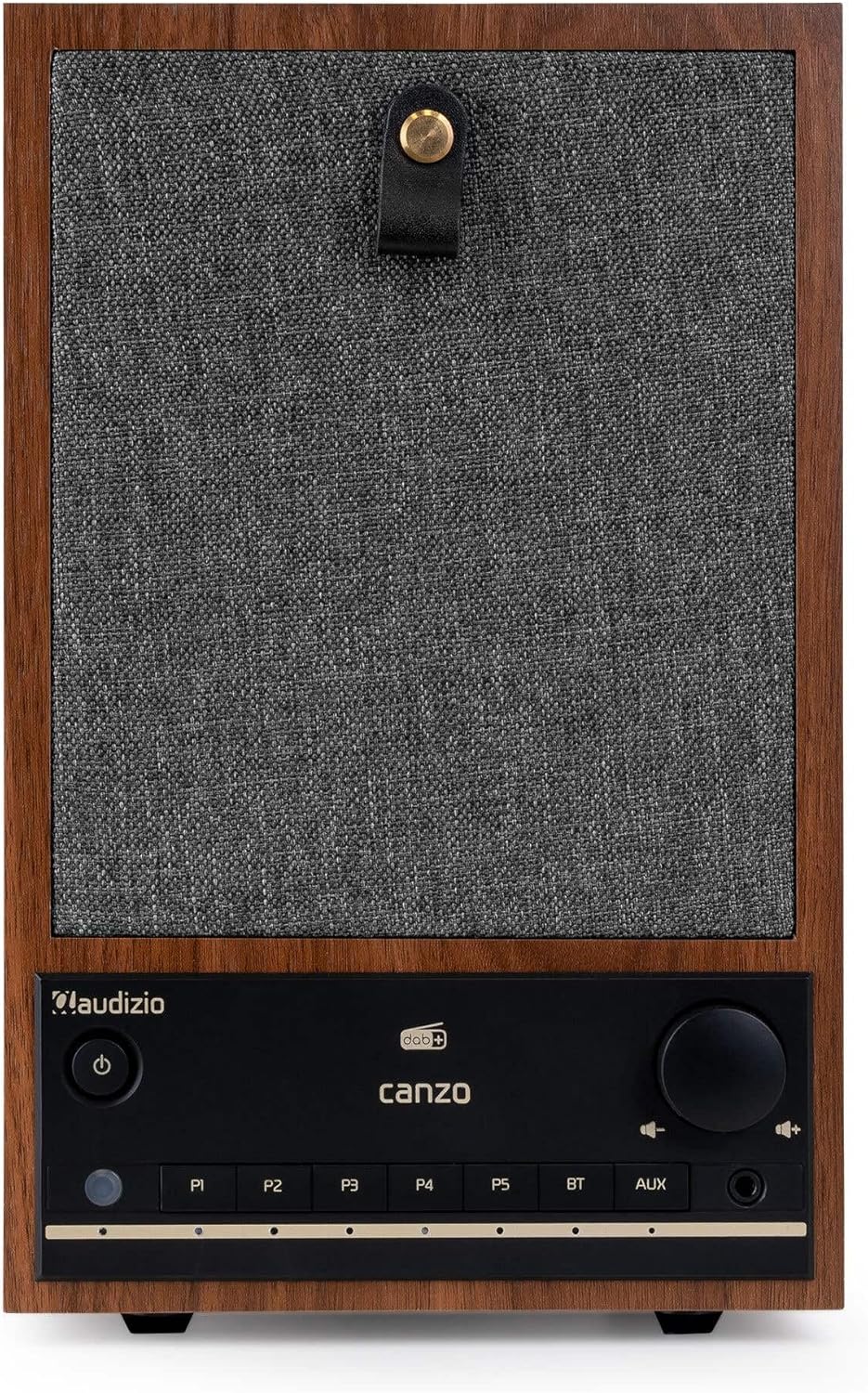
Gambar 2.1: Depan view of the Audizio Canzo DAB+ Internet Radio in walnut finish.

Gambar 2.2: Depan view with speaker grille removed, highlighting the speaker, display, and control panel.
3. Apa yang ada di dalam kotak
Buka kotak dengan hati-hati dan pastikan semua barang ada di dalamnya:
- Audizio Canzo DAB+ Internet Radio
- Adaptor Daya
- Kontrol Jarak Jauh
- Panduan Memulai Cepat
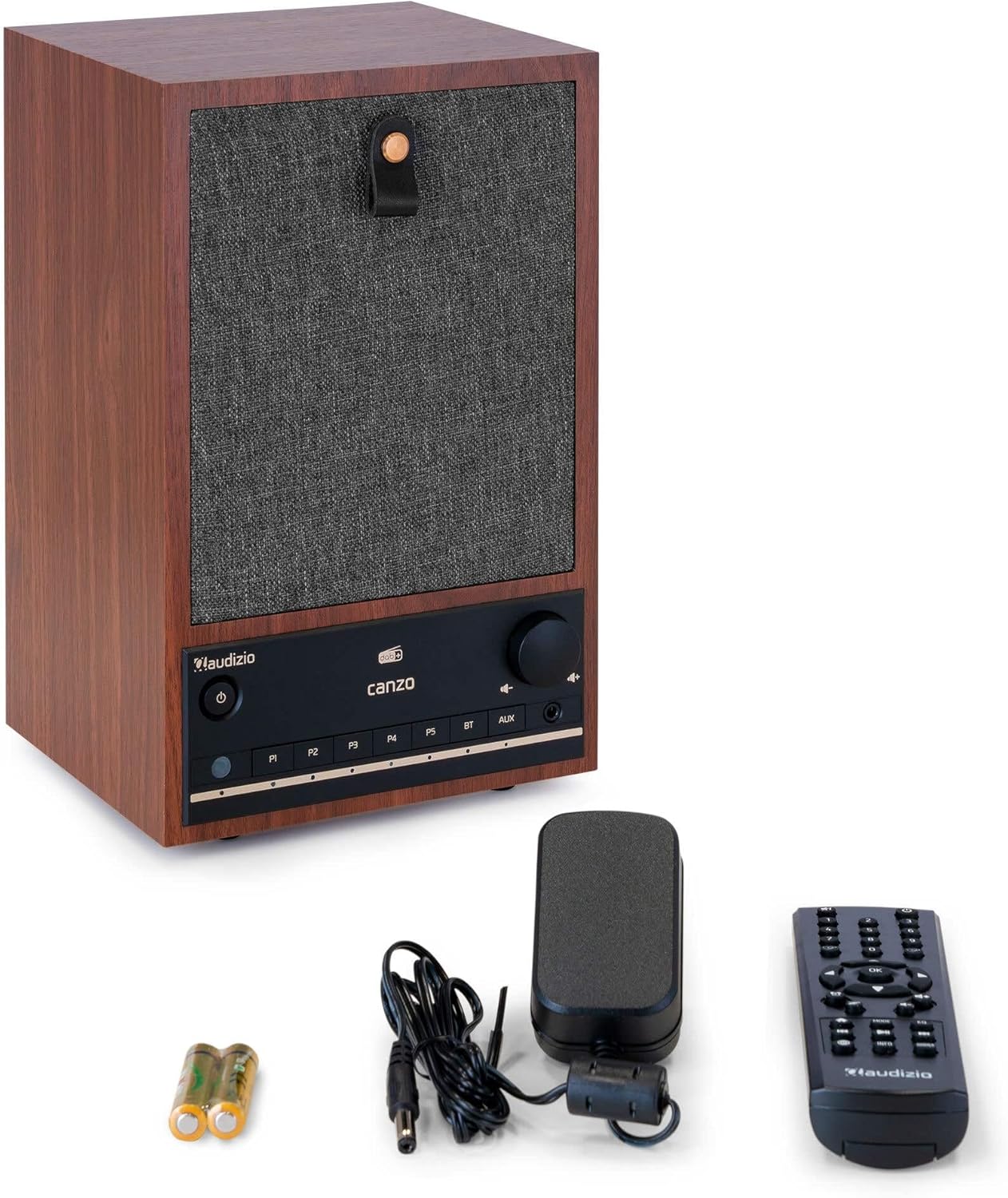
Figure 3.1: Audizio Canzo radio with its accessories.
4. Pengaturan
4.1 Menghubungkan Daya
- Insert the DC plug of the power adapter into the DC DI port on the back of the radio.
- Plug the power adapter into a standard wall outlet (220V).
- Balikkan AKTIF/NONAKTIF switch on the back of the unit to the ON posisi.
4.2 Koneksi Antena
For optimal DAB+ and FM reception, extend the telescopic antenna located on the back of the unit. Adjust its position for the best signal.

Figure 4.1: Rear panel with power input, audio ports, USB, LAN, and antenna.
4.3 Pengaktifan Awal dan Pengaturan Jaringan
- Tekan tombol Kekuatan button on the front panel or remote control to turn on the radio.
- The display will show the Audizio logo and then guide you through the initial setup wizard.
- Pilih bahasa yang Anda inginkan.
- The radio will prompt you to connect to a network. Choose Wifi gratis or Bahasa Indonesia: Bahasa Lokal.
- Untuk Wi-Fi: Select your Wi-Fi network from the list and enter the password using the navigation buttons and OK tombol.
- For LAN: Hubungkan kabel Ethernet dari router Anda ke Bahasa Indonesia: Bahasa Lokal port on the back of the radio. The connection should be established automatically.
- Once connected, the radio will update the time and date automatically.
5. Petunjuk Pengoperasian
5.1 Kontrol Dasar
The front panel features a power button, preset buttons (P1-P5), Bluetooth (BT) and AUX input buttons, a volume knob, and navigation controls. The remote control provides full access to all functions.
5.2 Pemilihan Mode
Tekan tombol MODE button on the radio or remote control to cycle through available modes: Internet Radio, DAB+, FM, Bluetooth, AUX, and USB Playback.
5.3 Radio Internet
- Memilih Radio Internet mode.
- Use the navigation buttons to browse stations by location, genre, or search.
- Tekan OK untuk memilih stasiun.
- To save a station as a preset, press and hold one of the Halaman 1-P5 buttons until the display confirms.
Radio DAB+ 5.4
- Memilih DAB+ mode.
- Radio akan secara otomatis memindai stasiun DAB+ yang tersedia.
- Use the navigation buttons to scroll through the list of found stations.
- Tekan OK untuk memilih stasiun.
- To save a station as a preset, press and hold one of the Halaman 1-P5 tombol.
5.5 Radio FM
- Memilih FM mode.
- Tekan dan tahan tombol Pindai button (usually on the remote or via menu) to auto-scan for FM stations.
- Use the navigation buttons to tune manually or select from scanned stations.
- To save a station as a preset, press and hold one of the Halaman 1-P5 tombol.
5.6 Pemutaran Bluetooth
- Memilih Bahasa Indonesia: Bluetooth mode. The radio will enter pairing mode, indicated on the display.
- Di ponsel cerdas atau tablet Anda, aktifkan Bluetooth dan cari perangkat yang tersedia.
- Select "Audizio Canzo" from the list to pair.
- Setelah terhubung, Anda dapat memutar audio dari perangkat Anda melalui radio.
5.7 Masukan AUX
- Hubungkan perangkat audio eksternal (misalnya, pemutar MP3) ke AUX IN port on the back of the radio using a 3.5mm audio cable.
- Memilih Kabel Tambahan mode.
- Audio from the connected device will now play through the radio.
5.8 Pemutaran USB
- Masukkan flash drive USB yang berisi audio filemasuk ke dalam PEMUTARAN USB port on the back of the radio.
- Memilih USB mode.
- Use the navigation buttons to browse and select audio files untuk pemutaran.
5.9 Jam Alarm dan Pengatur Waktu Tidur
- Alarm: Access the Alarm settings via the menu. Set up to two alarms with desired time, source (buzzer, radio), and volume.
- Pengatur Waktu Tidur: Access the Sleep Timer settings via the menu. Set a duration (e.g., 15, 30, 60 minutes) after which the radio will automatically turn off.
- Tunda: Saat alarm berbunyi, tekan tombol Tidur sebentar button on the remote or radio to temporarily silence it.
6. Pemeliharaan
6.1 Pembersihan
To clean the radio, use a soft, dry, lint-free cloth. Do not use abrasive cleaners, waxes, or solvents as they may damage the finish or internal components.
6.2 Penyimpanan
Jika menyimpan unit untuk jangka waktu lama, lepaskan dari stopkontak dan simpan di tempat yang sejuk dan kering, terhindar dari sinar matahari langsung dan suhu ekstrem.
7. Penyelesaian masalah
| Masalah | Kemungkinan Penyebab | Larutan |
|---|---|---|
| Tidak ada daya | Power adapter not connected; ON/OFF switch is OFF. | Ensure power adapter is securely connected and ON/OFF switch is ON. |
| Tidak ada suara | Volume terlalu rendah; sumber yang dipilih salah; headphone tersambung. | Naikkan volume; pilih mode input yang benar; lepaskan headphone. |
| Tidak dapat terhubung ke Wi-Fi | Kata sandi salah; router terlalu jauh; masalah jaringan. | Verify Wi-Fi password; move radio closer to router; restart router. |
| Penerimaan DAB+/FM yang buruk | Antena tidak diperpanjang; area sinyal lemah. | Fully extend and adjust the telescopic antenna; try repositioning the radio. |
| Kontrol jarak jauh tidak berfungsi | Batteries depleted; obstruction between remote and radio. | Replace remote control batteries; ensure clear line of sight to the radio's sensor. |
8. Spesifikasi
| Fitur | Spesifikasi |
|---|---|
| Nomor Model | Canzo |
| Dimensi Produk | Ukuran 22.5x20.5x34 cm |
| Berat Barang | 2.9 Kilogram |
| Warna | Kacang kenari |
| Ukuran Layar | 2.4 inci |
| Teknologi Konektivitas | Aux, Bluetooth, Wi-Fi, LAN |
| Versi Bluetooth | 5.3 |
| Pita Frekuensi Radio yang Didukung | DAB+, FM, Radio Internet |
| Sumber Daya | Corded Electric (220 Volt) |
| Fitur Khusus | Integrated Clock, Sleep Timer, Alarm, Remote Control, Preset Stations |
| Perangkat yang Kompatibel | Smartphone, Tablet, Headphones, MP3 Player, USB Storage Device |
9. Garansi dan Dukungan
Untuk informasi garansi dan dukungan teknis, silakan lihat kartu garansi yang disertakan dengan produk Anda atau hubungi pengecer Anda. Simpan bukti pembelian Anda untuk klaim garansi apa pun.