
1. Produk Lebihview
The BUGANI Luster Bluetooth Speaker is a portable wireless stereo speaker designed for high-quality audio output with dynamic colorful lighting. It features Bluetooth 5.3 connectivity, IPX6 waterproofing, and extended playtime, making it suitable for various indoor and outdoor environments.

Image: The BUGANI Luster Bluetooth Speaker, showcasing its design and the vibrant light effects, surrounded by water splashes to highlight its waterproof capabilities.
2. Apa yang ada di dalam kotak
- BUGANI Luster Bluetooth Speaker
- Kabel Pengisian Daya USB-C
- Kabel AUX-in
- Panduan Memulai Cepat
- Lanyard yang dapat dilepas
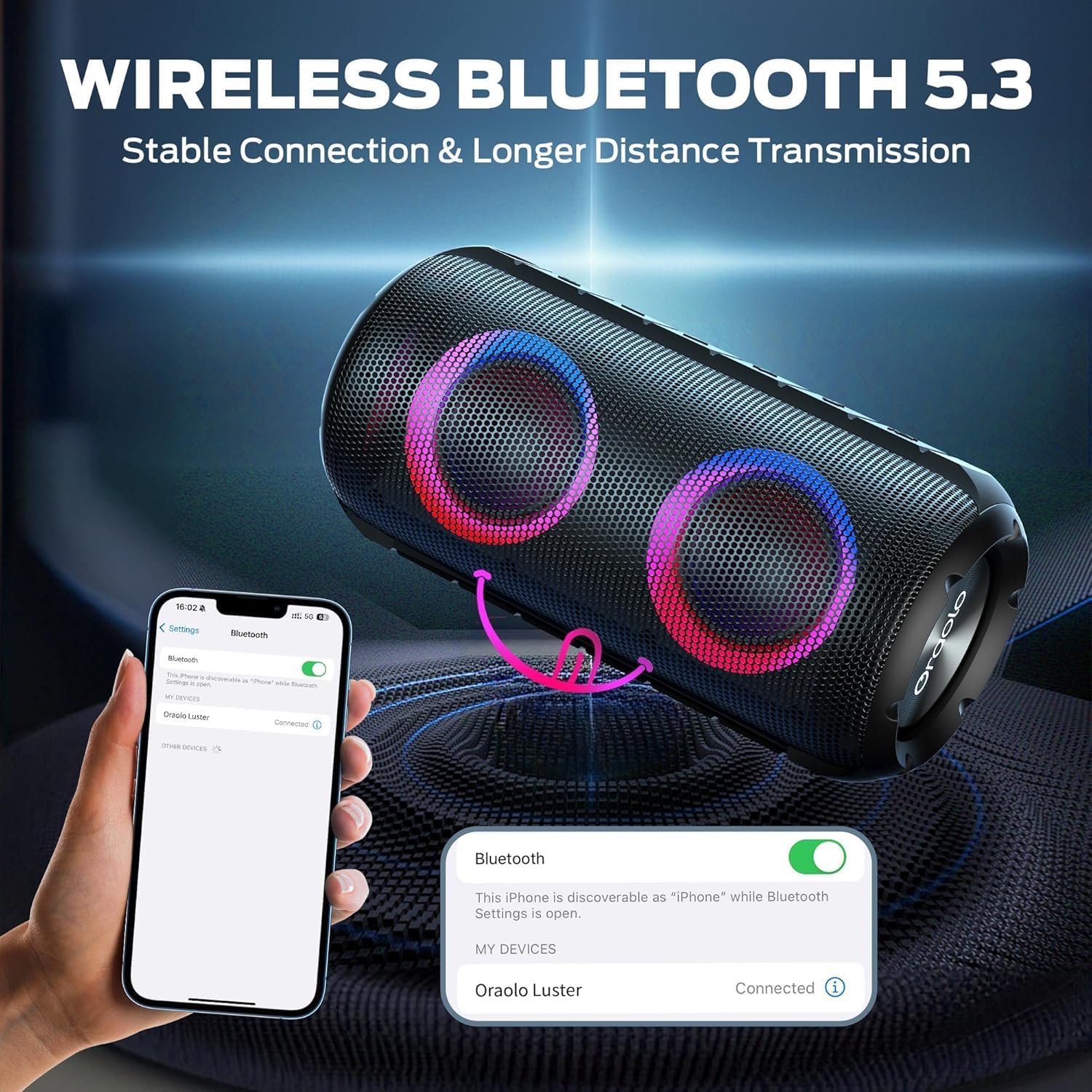
Image: The BUGANI Luster Bluetooth Speaker with its detachable lanyard, illustrating its portability and ease of carrying.
3. Pengaturan
3.1 Pengisian Awal
Before first use, fully charge the speaker. Connect the provided USB-C cable to the speaker's charging port and the other end to a USB power adapter (not included) or a computer's USB port. The charging indicator light will show the charging status.
3.2 Daya Hidup/Mati
- Nyalakan: Tekan dan tahan tombol Daya (⏻) for 2-3 seconds until you hear an audible prompt and the lights illuminate.
- Matikan: Tekan dan tahan tombol Daya (⏻) for 2-3 seconds until you hear an audible prompt and the lights turn off.
3.3 Pemasangan Bluetooth
- Pastikan speaker dalam keadaan menyala dan dalam mode pemasangan Bluetooth (ditunjukkan oleh lampu biru yang berkedip).
- Pada perangkat Anda (ponsel pintar, tablet, dll.), aktifkan Bluetooth dan cari perangkat yang tersedia.
- Select "BUGANI Luster" from the list of devices.
- Setelah terhubung, Anda akan mendengar suara konfirmasi, dan lampu indikator Bluetooth akan menyala biru terang.
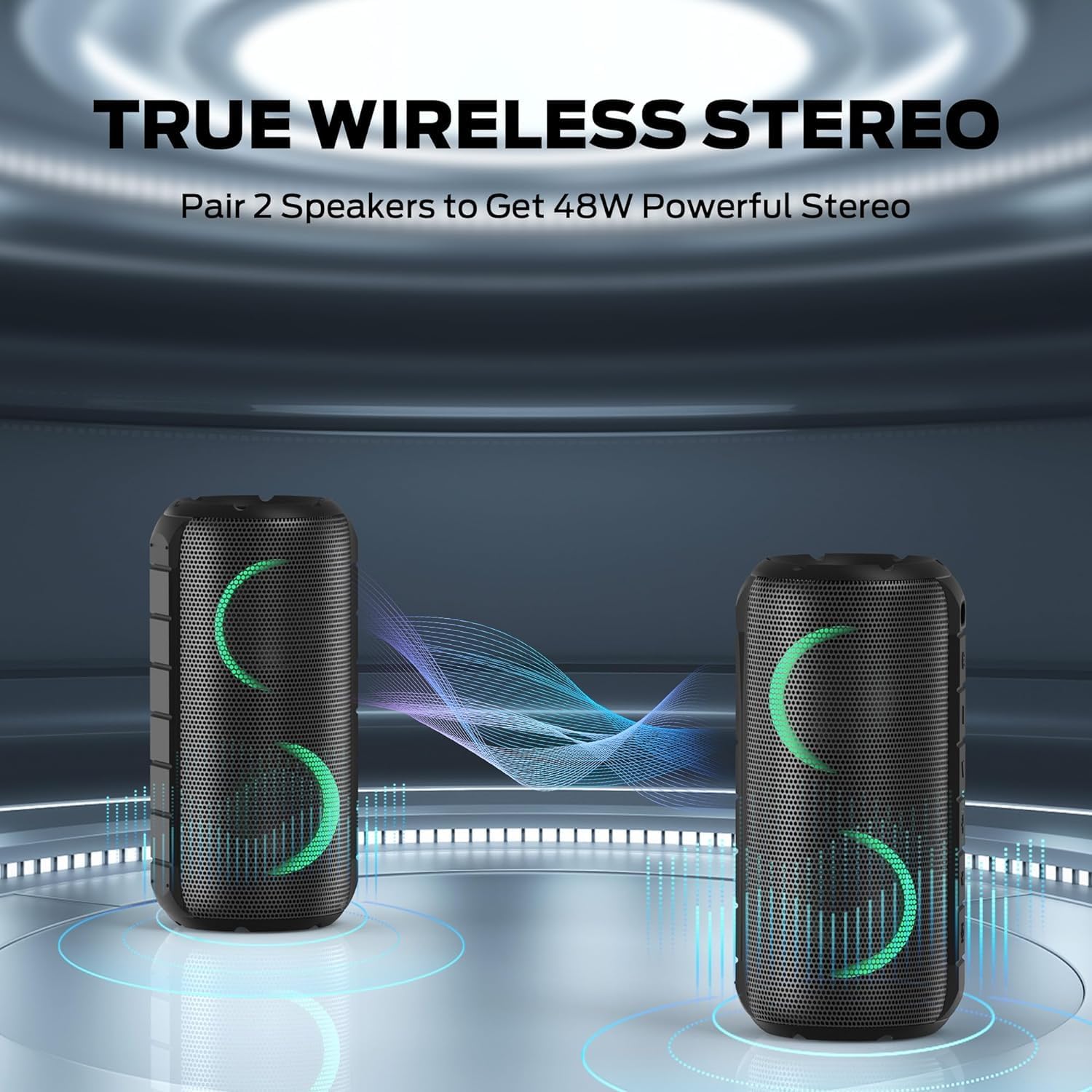
Image: A smartphone displaying its Bluetooth settings, showing a successful connection to the "Oraolo Luster" (BUGANI Luster) speaker, demonstrating the ease of Bluetooth 5.3 pairing.
3.4 Pemasangan Stereo Nirkabel Sejati (TWS)
To achieve a more immersive stereo sound, you can pair two BUGANI Luster speakers together.
- Pastikan kedua speaker dihidupkan dan tidak terhubung ke perangkat Bluetooth apa pun.
- On one speaker (this will be the primary speaker), press the TWS button (often indicated by two interlocking circles or a dedicated TWS icon). The speaker will enter TWS pairing mode.
- The primary speaker will automatically search for the secondary speaker. Once connected, you will hear a confirmation sound, and the lights on both speakers will synchronize.
- Sekarang, hubungkan perangkat Anda ke speaker utama melalui Bluetooth seperti yang dijelaskan di bagian 3.3. Audio akan diputar melalui kedua speaker dalam mode stereo.

Image: Two BUGANI Luster speakers positioned to illustrate their True Wireless Stereo (TWS) pairing capability, creating a wider soundstage.
3.5 Koneksi AUX-in
For non-Bluetooth devices, use the provided 3.5mm AUX-in cable.
- Connect one end of the 3.5mm AUX-in cable to the speaker's AUX-in port.
- Hubungkan ujung lainnya ke jack keluaran audio perangkat Anda.
- Speaker akan secara otomatis beralih ke mode AUX-in.
4. Petunjuk Pengoperasian
4.1 Fungsi Tombol

Gambar: Close-up view of the BUGANI Luster speaker's top panel, clearly showing the control buttons for various functions.
| Tombol | Fungsi (Tekan Pendek) | Fungsi (Tekan Lama) |
|---|---|---|
| ⏻ (Kekuatan) | Tidak tersedia | Daya Hidup/Mati |
| + (Volume Naik) | Volume Naik | Lagu Berikutnya |
| - (Volume Turun) | Volume Turun | Trek Sebelumnya |
| ▶‖ (Putar/Jeda) | Putar/Jeda; Jawab/Akhiri Panggilan | Reject Call; Activate Voice Assistant |
| 💡 (Light Mode) | Cycle through Light Modes | Nyalakan/Matikan Lampu |
| Waktu Standar Internasional (TSI) (TWS Pairing) | Tidak tersedia | Masuk ke Mode Penyandingan TWS |
4.2 Colorful Light Show
The speaker features a dynamic RGB light system with 7 colors and 5 light modes. Press the Light Mode button (💡) to cycle through the available modes. Long press the button to turn the lights on or off.

Image: The BUGANI Luster speaker showcasing its vibrant and dynamic colorful light patterns, which enhance the listening experience.
4.3 Panggilan Bebas Genggam
Saat terhubung melalui Bluetooth, mikrofon internal speaker memungkinkan panggilan bebas genggam.
- Menjawab/Mengakhiri Panggilan: Tekan sebentar tombol Putar/Jeda (▶‖).
- Tolak Panggilan: Tekan lama tombol Putar/Jeda (▶‖).
4.4 Aktivasi Asisten Suara
Tekan lama tombol Putar/Jeda (▶‖) to activate your phone's voice assistant (e.g., Siri, Google Assistant).
5. Pemeliharaan
5.1 Pembersihan
Usap speaker dengan lembut, damp kain. Jangan gunakan pembersih abrasif, alkohol, atau pelarut kimia, karena dapat merusak permukaan atau komponen internal.
5.2 Perawatan Tahan Air (IPX6)
The speaker has an IPX6 waterproof rating, meaning it is protected against powerful water jets. It is suitable for use in rainy conditions or near water bodies like pools and beaches. However, it is bukan designed for submersion in water. Ensure the charging port cover is securely closed before exposing the speaker to water.
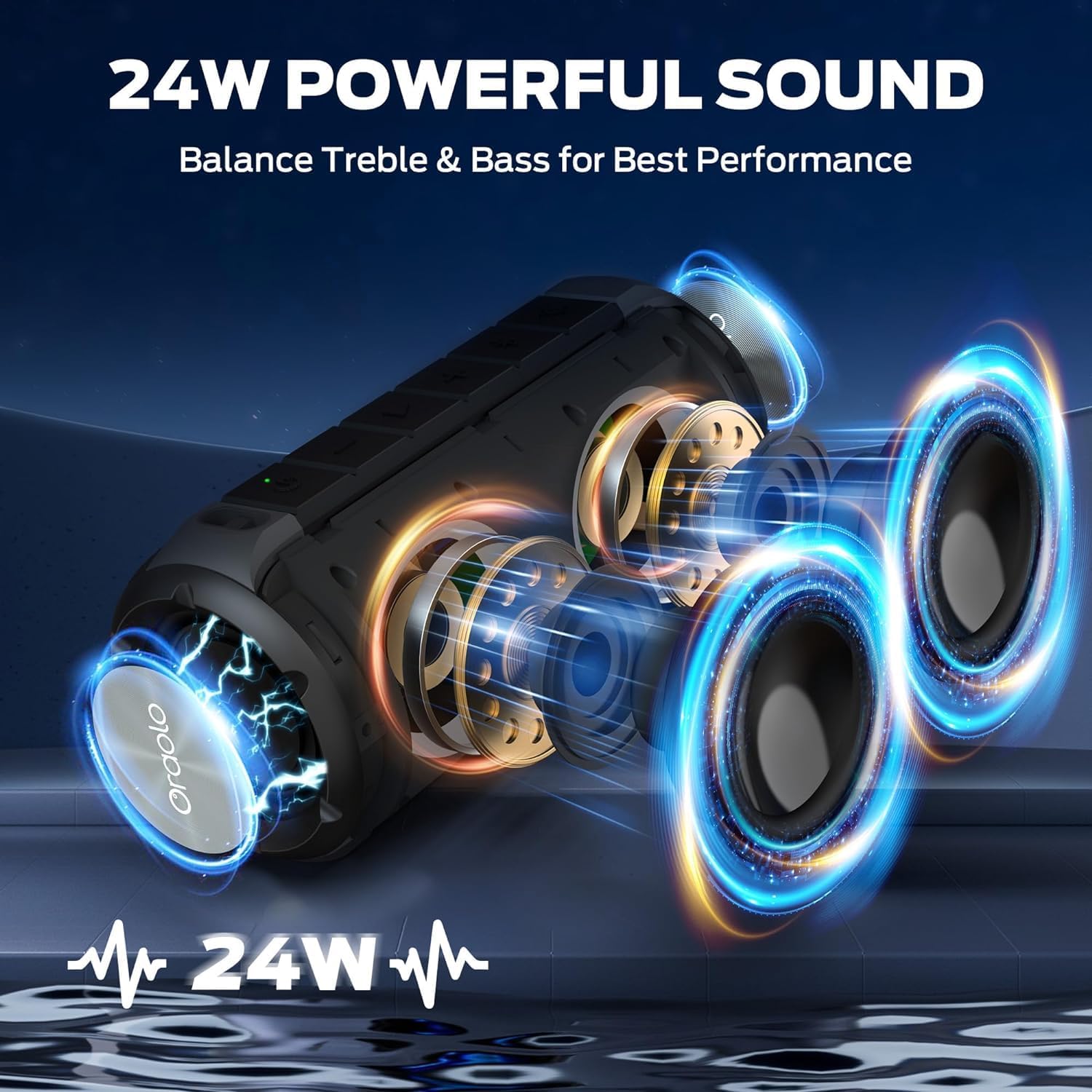
Image: The BUGANI Luster speaker resting on a wet rock with water droplets, visually confirming its IPX6 waterproof rating for outdoor use.
5.3 Penyimpanan
Simpan speaker di tempat yang sejuk dan kering, jauhkan dari sinar matahari langsung dan suhu ekstrem. Jika disimpan dalam jangka waktu lama, isi daya baterai hingga sekitar 50% setiap beberapa bulan untuk menjaga kesehatan baterai.
6. Penyelesaian masalah
6.1 Tidak Ada Daya
- Pastikan speaker terisi penuh.
- Tekan dan tahan tombol daya selama 2-3 detik.
6.2 Tidak Ada Suara
- Periksa level volume pada speaker dan perangkat yang terhubung.
- Ensure the speaker is correctly paired via Bluetooth or the AUX-in cable is securely connected.
- If using Bluetooth, try disconnecting and re-pairing the device.
6.3 Masalah Pemasangan Bluetooth
- Ensure the speaker is within the effective range (up to 33 feet/10 meters) of your device.
- Hapus riwayat pemasangan Bluetooth di perangkat Anda dan coba pasangkan lagi.
- Matikan dan hidupkan kembali speaker dan perangkat Anda.
- Pastikan tidak ada perangkat Bluetooth lain yang mengganggu.
6.4 TWS Pairing Fails
- Ensure both speakers are fully charged and not connected to any other Bluetooth device.
- Place the speakers close to each other during the TWS pairing process.
- Follow the TWS pairing steps precisely as described in section 3.4.
7. Spesifikasi
| Fitur | Detil |
|---|---|
| Merek | BUGANI |
| Nama Model | Pesawat M166 |
| Jenis Pembicara | Speaker Stereo Portabel |
| Daya Keluaran Maksimum Speaker | 24 Watt |
| Teknologi Konektivitas | Bluetooth 5.3, Auxiliary (3.5mm AUX-in) |
| Peringkat Tahan Air | Tingkat IPX6 |
| Waktu bermain | Hingga 24 jam (pada volume 50%, lampu mati) |
| Dimensi Produk | 4"Panjang x 8"Lebar x 4"T |
| Berat Barang | 1.34 pon (0.61 Kilogram) |
| Baterai | Diperlukan 1 baterai AA (termasuk) |
8. Garansi dan Dukungan
BUGANI products are manufactured to high-quality standards. For specific warranty information and support, please refer to the warranty card included with your product or visit the official BUGANI websitus. Simpan struk pembelian Anda sebagai bukti pembelian untuk klaim garansi.
For technical assistance or customer service inquiries, please contact BUGANI customer support through their official channels.