
1. Pendahuluan
Thank you for choosing the LOBKIN AFC-80 3-in-1 Wireless Charging Station. This device is designed to provide a convenient and efficient charging solution for your iPhone, Apple Watch, and AirPods simultaneously. Please read this manual carefully to ensure proper use and to maximize the product's lifespan.
Apa yang ada di dalam kotak:
- LOBKIN AFC-80 3-in-1 Wireless Charging Station
- Kabel Pengisi Daya USB Type-C
- Panduan Pengguna

Image 1.1: LOBKIN AFC-80 Charging Station with USB-C cable and user manual.
2. Fitur Produk
- Pengisian Cepat Nirkabel 15W: Delivers up to 15W fast wireless charging for compatible phones. Features smart power distribution and built-in protection against overheating, overcurrent, and short circuits for safe and efficient charging.
- Kemampuan Pengisian Daya 3-in-1: Charges your iPhone, Apple Watch, and AirPods simultaneously, reducing cable clutter and organizing your space.
- Magnetic Alignment & Adjustable Stand: Ensures precise magnetic alignment for secure and stable phone charging. The phone stand supports angle adjustment up to 60°, allowing for easy switching between portrait and landscape modes.
- Touch Sensitive & Portable Design: Features touch-sensitive controls for activating charging areas. Its slim, foldable structure makes it easy to carry and store, ideal for home, office, or travel.
- Stable Base & Durable Build: Equipped with a weighted base and anti-slip pads for stability. Constructed with premium materials for enhanced durability and efficient heat dissipation.

Image 2.1: Magnetic phone charging area with strong grip.

Image 2.2: Safety features including flash charge, smart cooling, and overload defense.
3. Panduan Pengaturan
- Bongkar Pengisi Daya: Carefully remove the charging station and USB Type-C cable from the packaging.
- Hubungkan Daya: Insert one end of the provided USB Type-C cable into the charging port on the back of the LOBKIN AFC-80 station. Connect the other end to a compatible power adapter (not included) with a minimum output of 15W for optimal performance.
- Tempatkan di Permukaan yang Stabil: Position the charging station on a flat, stable surface away from direct sunlight or heat sources.
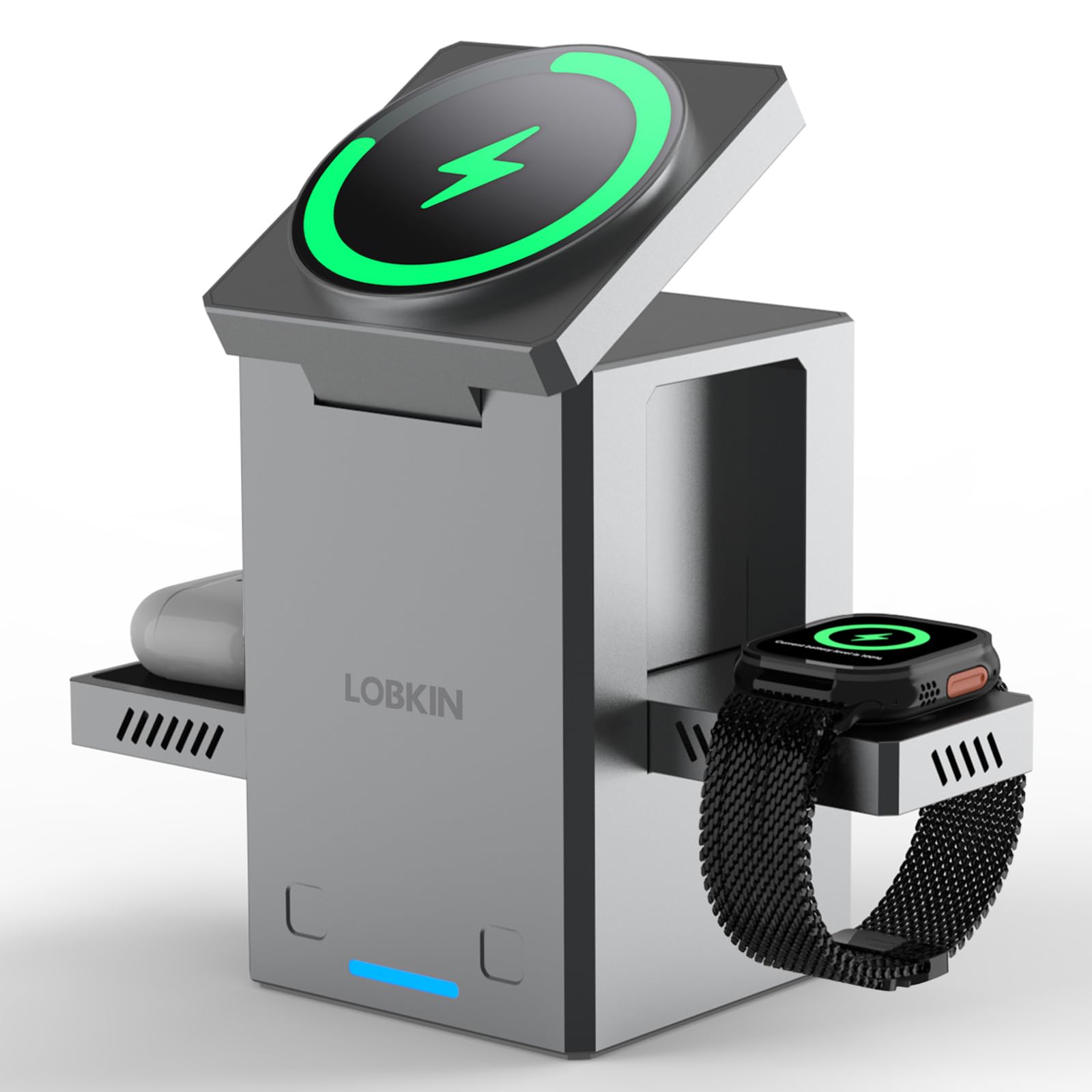
Image 3.1: Connecting the USB Type-C cable to the charging station.
4. Petunjuk Pengoperasian
Activating Charging Areas:
The LOBKIN AFC-80 features touch-sensitive buttons to deploy its charging pads. Gently press the designated touch areas on the front of the station to extend the charging surfaces for your Apple Watch and AirPods.
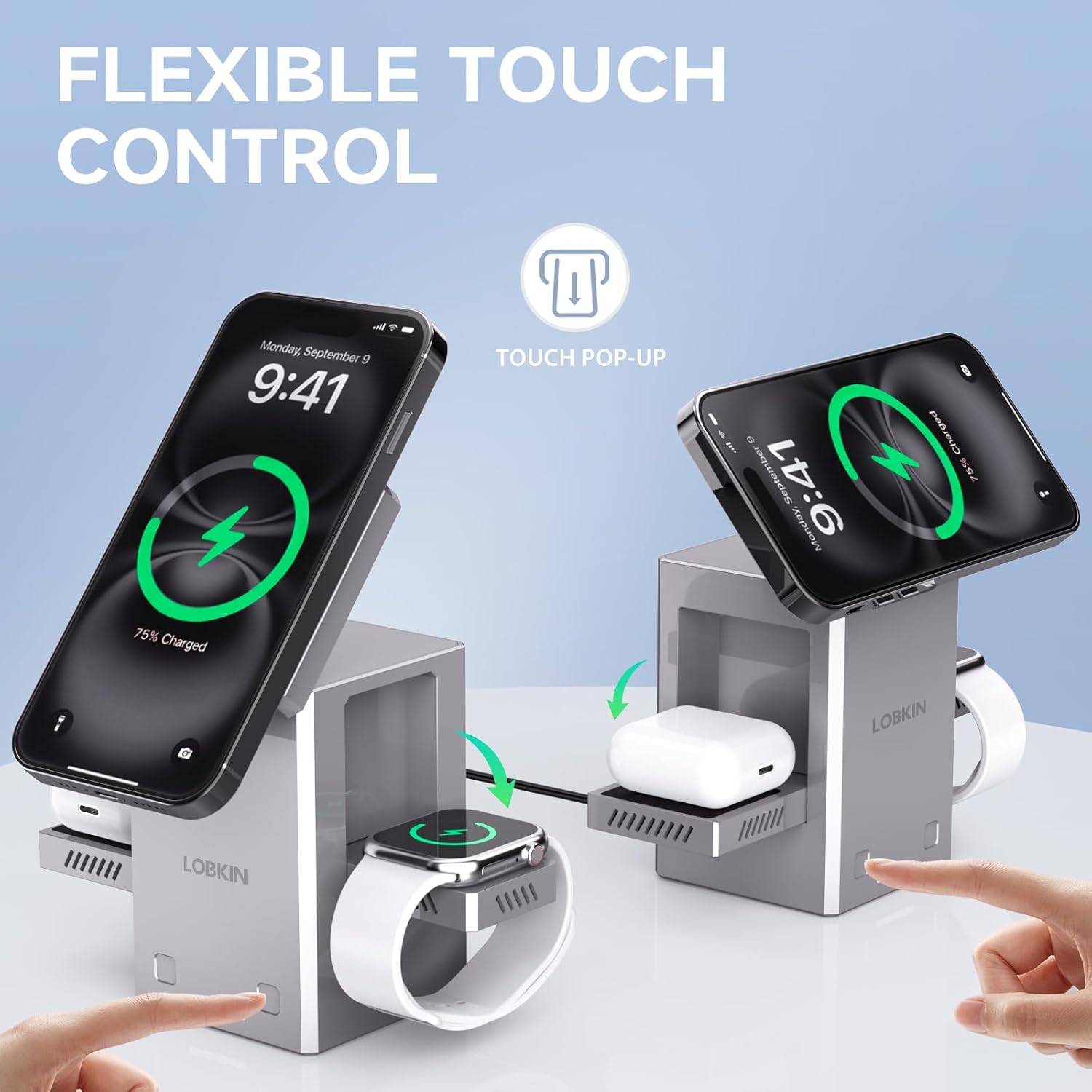
Image 4.1: Touch-sensitive activation of charging pads.
Mengisi Daya Perangkat Anda:
- Untuk iPhone: Place your iPhone directly onto the magnetic charging pad at the top of the station. Ensure it aligns correctly for optimal charging. The stand can be adjusted up to 60 degrees for comfortable viewing.
- Untuk Apple Watch: Gently press the touch button on the right side to extend the Apple Watch charging module. Place your Apple Watch onto the module.
- Untuk AirPods: Gently press the touch button on the left side to extend the AirPods charging module. Place your AirPods charging case onto the module.
An indicator light will confirm that your devices are charging. When not in use, you can press the touch buttons again to retract the charging pads, making the station compact for storage or travel.
Video 4.2: Demonstration of the LOBKIN AFC-80's pop-up charging pads and device placement.
5. Kompatibilitas
The LOBKIN AFC-80 Wireless Charging Station is compatible with a wide range of devices:
- iPhone untuk: iPhone 16 Pro Max, iPhone 16 Pro, iPhone 16 Plus, iPhone 15 Pro Max, iPhone 15 Pro, iPhone 15 Plus, iPhone 15, iPhone 14 Pro Max, iPhone 14 Pro, iPhone 14 Plus, iPhone 14, iPhone 13 Pro Max, iPhone 13 Pro, iPhone 13, iPhone 13 mini, iPhone 12 Pro Max, iPhone 12 Pro, iPhone 12, iPhone 12 mini, iPhone SE (2nd Gen), iPhone SE (3rd Gen).
- Jam Tangan Apple: All Apple Watch Series (SE, Ultra, Series 1-9, etc.)
- AirPods: AirPods 2, AirPods 3, AirPods Pro, and other wireless charging earphones.
- Other Qi-Enabled Devices: Compatible with various Qi-enabled smartphones and devices, including Samsung Series, Motorola Mobility Series, Google Pixel Series, and more.

Image 5.1: Visual representation of compatible devices.
6. Informasi Keselamatan
To ensure safe operation and prevent damage to the device or personal injury, please observe the following safety guidelines:
- Jangan membongkar, memodifikasi, atau memperbaiki perangkat sendiri.
- Jauhkan perangkat dari air, kelembapan, dan suhu tinggi.
- Hindari menjatuhkan atau membenturkan perangkat dengan keras.
- Use only the provided USB Type-C cable and a compatible power adapter.
- Do not place metal objects or magnetic cards on the charging pads, as this may interfere with charging or damage the device.
- Ensure proper ventilation around the charging station during use.
7. Pemeliharaan
Proper maintenance will help extend the life of your charging station:
- Pembersihan: Disconnect the power before cleaning. Use a soft, dry cloth to wipe the surface of the charging station. Do not use harsh chemicals or abrasive cleaners.
- Penyimpanan: When not in use for extended periods, store the charging station in a cool, dry place. Its foldable design allows for compact storage.
8. Penyelesaian masalah
If you encounter issues with your LOBKIN AFC-80, please refer to the following common problems and solutions:
| Masalah | Kemungkinan Penyebab | Larutan |
|---|---|---|
| Perangkat tidak mengisi daya | Incorrect placement, incompatible device, insufficient power adapter, thick phone case, foreign object. | Ensure device is centered on the charging pad. Verify device compatibility. Use a power adapter with at least 15W output. Remove thick phone cases. Remove any metal objects. |
| Pengisian daya lambat | Low power adapter output, background apps, device overheating. | Gunakan wat yang lebih tinggitage power adapter. Close unnecessary background applications. Allow device to cool down. |
| Indikator pengisian daya tidak menyala | No power, faulty cable/adapter, device not detected. | Check power connection. Try a different USB-C cable or power adapter. Re-position the device. |
| Charging pads not extending/retracting | Masalah daya, hambatan mekanis. | Ensure the station is powered on. Check for any obstructions. Gently press the touch button again. |
If the problem persists after trying these solutions, please contact LOBKIN customer support for assistance.
9. Spesifikasi
- Nomor Model: AFC-80
- Merek: LOBKIN
- Masukan Voltage: 12 Volt
- Ampera: 1.7 Amps
- Apatage: 15 Watt
- Tipe Konektor: USB Tipe C
- Berat Barang: 1.06 pon
- Dimensi Paket: 6.54x3.78x2.83 inci
10. Garansi dan Dukungan
LOBKIN is committed to providing high-quality products and excellent customer service. If you encounter any issues with your AFC-80 Wireless Charging Station, please do not hesitate to contact our customer support team. We aim to assist you within 12 hours to ensure a worry-free experience.
For warranty information and support, please refer to the contact details provided on the product packaging or visit the official LOBKIN weblokasi.