
1. Pendahuluan
The ATTACK SHARK X11SE is a high-performance wireless gaming mouse designed for precision and comfort. It features a lightweight design, advanced sensor technology, and versatile connectivity options to enhance your gaming and productivity experience.

Gambar: Lebih dariview of the ATTACK SHARK X11SE's key features including PAW3311 sensor, 63g lightweight design, 22000 DPI, HUANO switches, tri-mode switch, BK52820 chip, TTC encoders, and 65 hours of battery life.
Fitur Utama:
- PAW3311 Gaming Sensor: Equipped with the flagship PixArt PAW3311 sensor, offering up to 22,000 DPI with 6 adjustable levels, 400 IPS tracking speed, 35G acceleration, and a 1000Hz/1ms polling rate.
- Ultralight 63g Design: Weighing only 63 ± 3g, this mouse features a minimalist, full-casing design optimized for reduced weight without compromising build quality.
- Konektivitas Tiga Mode: Supports 2.4 GHz wireless, USB-C wired, and Bluetooth connections for versatile use across various devices.
- Durable Switches & Encoder: Features HUANO switches with a lifespan of 20 million clicks and an optimized TTC encoder for precise scroll wheel feedback.
- Desain Ergonomis: Dimensions (128 x 64 x 40 mm) suitable for medium to large hands, accommodating palm, claw, and fingertip grip styles for extended comfort.
- Dual Driver Support: Kompatibel dengan Web Driver and proprietary ATTACK SHARK driver for advanced customization of buttons, DPI, polling rate, and macros.
2. Pengaturan
Isi Paket:
- ATTACK SHARK X11SE Wireless Gaming Mouse
- Kabel USB-C
- Penerima USB (2.4GHz)
- Pita Pegangan
- Panduan Pengguna
Mengisi Daya Mouse:
Connect the mouse to your computer using the provided USB-C cable. The mouse has a 300mAh battery, providing up to 65 hours of uninterrupted use on a full charge (2-3 hours charging time).

Image: The ATTACK SHARK X11SE mouse illustrating its efficient battery management, offering up to 65 hours of use from a 300mAh battery, fully charged in 2-3 hours.
Mode Konektivitas:
The X11SE mouse supports three connection modes: 2.4GHz Wireless, Bluetooth, and USB-C Wired.

Image: The ATTACK SHARK X11SE mouse highlighting its lightning-fast 2.4G wireless connection, wired mode via USB-C, and Bluetooth 5.2 capabilities.
- Mode Nirkabel 2.4GHz:
- Cari penerima USB, biasanya tersimpan di kompartemen di bagian bawah mouse.
- Colokkan penerima USB ke port USB yang tersedia di komputer Anda.
- Nyalakan mouse menggunakan sakelar di bagian bawah. Pilih mode 2.4G.
- Mouse tersebut seharusnya terhubung secara otomatis.
- Mode Bluetooth:
- Turn on the mouse and select the Bluetooth mode using the switch on the bottom.
- Press and hold the Bluetooth toggle button (often located near the mode switch) for 3 seconds to enter pairing mode. The indicator light will flash.
- Di komputer atau perangkat Anda, buka pengaturan Bluetooth dan cari perangkat baru.
- Select "ATTACK SHARK X11SE" from the list to pair.
- Mode Kabel USB-C:
- Connect the USB-C cable to the front port of the mouse and the other end to a USB port on your computer.
- Mouse akan secara otomatis beralih ke mode kabel dan mulai mengisi daya.
3. Operasi
Fungsi Tombol:
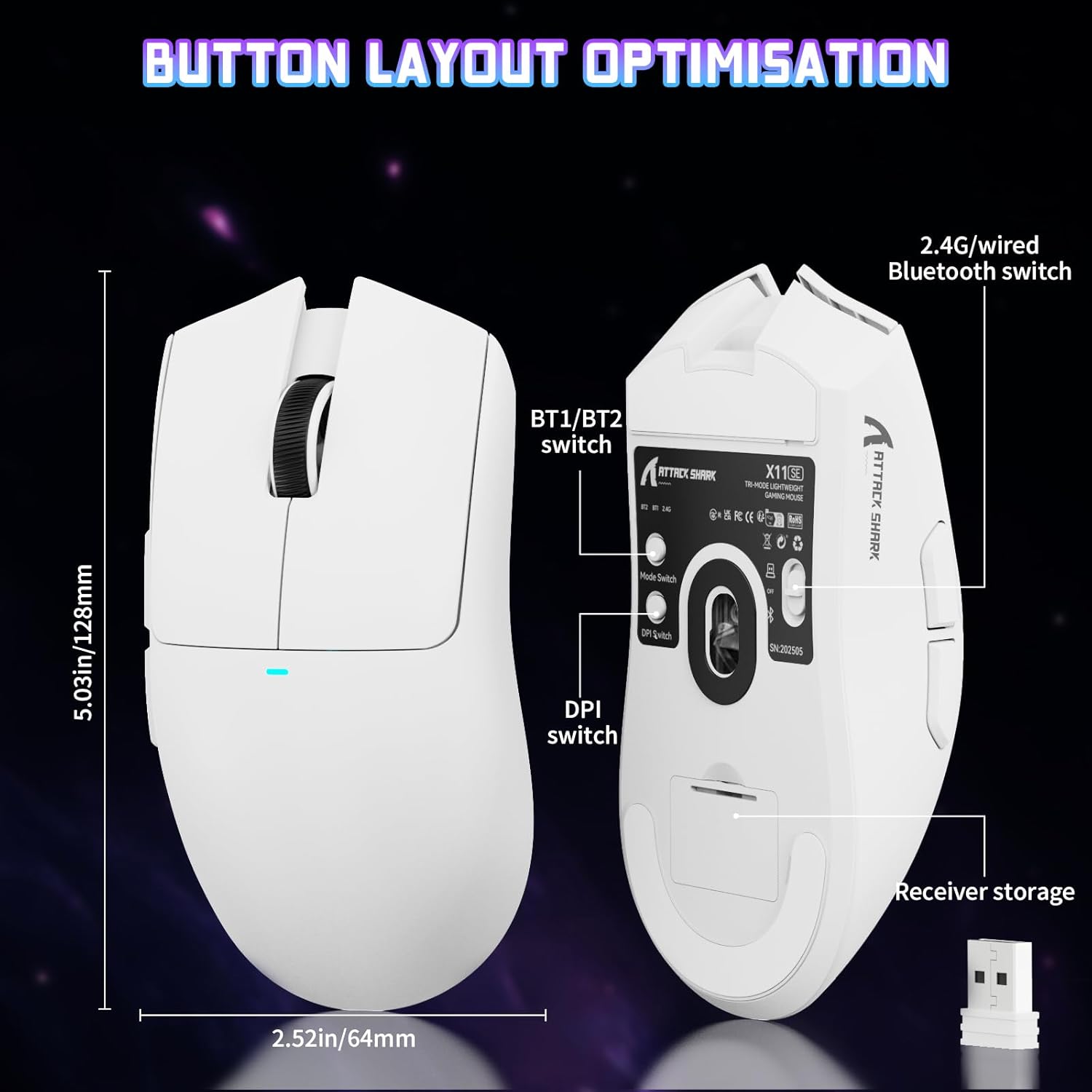
Image: The ATTACK SHARK X11SE mouse displaying its button layout, including the BT1/BT2 switch, DPI switch, and receiver storage, along with its dimensions (128mm length, 64mm width).
- Klik kiri: Tombol tindakan utama.
- Klik kanan: Tombol tindakan sekunder, biasanya untuk menu konteks.
- Roda Gulir: Scrolls up/down. Can also be pressed for a middle-click function.
- Tombol Samping (Maju/Mundur): Used for navigation in web peramban atau tindakan dalam gim.
- Sakelar DPI: Located on the underside of the mouse, this button cycles through preset DPI levels.
- Sakelar Mode: Located on the underside, this switch allows you to select between 2.4G wireless, Bluetooth, and Off modes.
Penyesuaian DPI:
The X11SE features a PixArt PAW3311 sensor with up to 22,000 DPI. You can adjust the DPI sensitivity using the dedicated DPI switch on the bottom of the mouse. For more precise control and custom DPI levels, use the official software.
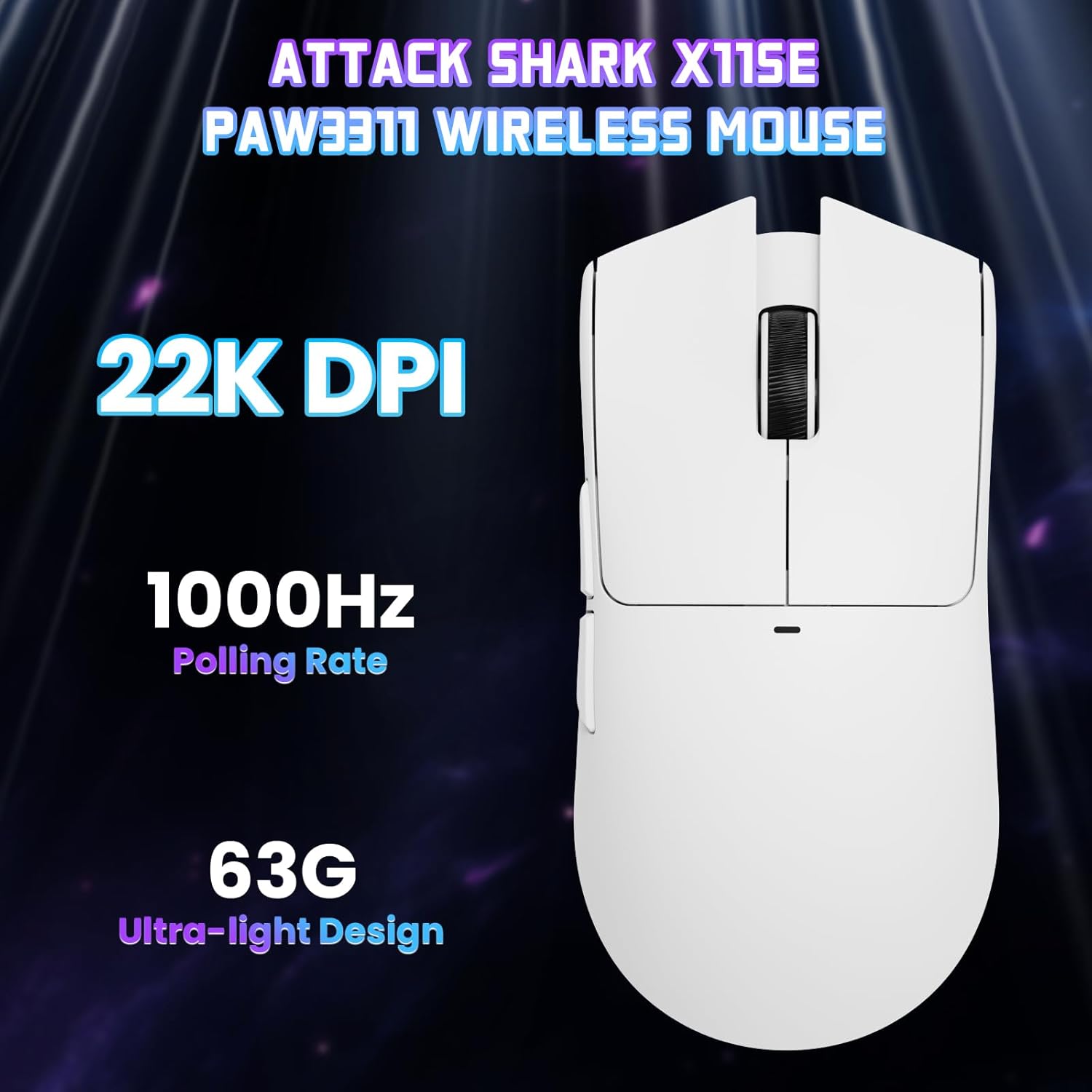
Gambar: Dari atas ke bawah view of the ATTACK SHARK X11SE mouse, emphasizing its 22,000 DPI capability and 1000Hz polling rate for high-performance gaming.
4. Kustomisasi
The ATTACK SHARK X11SE mouse offers extensive customization options through its dedicated software. This allows you to personalize button assignments, DPI settings, polling rate, and create macros.
Instalasi Driver:
The mouse supports two drivers:
- Web Pengemudi: Akses melalui http://szslxd-tech.com/#/
- ATTACK SHARK Proprietary Driver: Unduh dari https://attackshark.com/pages/dirver-download
Download and install the preferred driver software on your Windows, macOS, or Linux system.
Fitur Perangkat Lunak:

Image: The ATTACK SHARK X11SE software interface, demonstrating options for mouse settings, DPI adjustments, parameter settings, macro editing, and personal profiles.
- Pemrograman Tombol: Reassign functions to any of the 5 buttons.
- Pengaturan DPI: Buat DPI pro kustomfiles and adjust sensitivity levels.
- Tingkat Polling: Adjust the polling rate for optimal responsiveness.
- Editor Makro: Record and assign complex sequences of commands to a single button.
- Profile Pengelolaan: Save and switch between different profileuntuk berbagai game atau aplikasi.
5. Pemeliharaan
Pembersihan:
- Gunakan kain lembut dan kering untuk menyeka permukaan mouse.
- Untuk kotoran membandel, sedikit dampBilas kain dengan air atau larutan pembersih ringan. Hindari bahan kimia keras.
- Clean the optical sensor area on the bottom of the mouse with a cotton swab to ensure accurate tracking.
Perawatan Baterai:
- Hindari mengosongkan baterai sepenuhnya secara sering untuk memperpanjang umur pakainya.
- Simpan mouse di tempat yang sejuk dan kering saat tidak digunakan dalam jangka waktu lama.
6. Penyelesaian masalah
Masalah Umum dan Solusinya:
- Mouse tidak merespons:
- Pastikan mouse terisi daya.
- Check the mode switch on the bottom of the mouse to ensure it's in the correct mode (2.4G, BT, or Wired).
- For 2.4GHz mode, ensure the USB receiver is securely plugged in. Try a different USB port.
- For Bluetooth mode, ensure Bluetooth is enabled on your device and the mouse is paired correctly. Try re-pairing.
- For wired mode, ensure the USB-C cable is properly connected.
- DPI tidak berubah:
- Press the DPI switch on the bottom of the mouse.
- If using custom DPI settings, ensure the driver software is running and the correct profile aktif.
- Koneksi terputus-putus atau tersendat:
- Ensure the mouse is close to the USB receiver (for 2.4GHz) or your device (for Bluetooth).
- Hindari gangguan dari perangkat nirkabel lain.
- Pastikan baterai mouse terisi penuh.
- Perbarui driver mouse jika tersedia.
7. Spesifikasi
| Fitur | Spesifikasi |
|---|---|
| Merek | SERANGAN HIU |
| Nama Model | X11SE |
| Warna | Putih |
| Teknologi Konektivitas | 2.4 GHz Wireless/USB-C Wired/Bluetooth |
| Fitur Khusus | 63g ultralight, BK52820 Chip, TTC Encoder, Dual Driver |
| Teknologi Deteksi Gerakan | Optical (PixArt PAW3311) |
| Jumlah Tombol | 5 |
| Orientasi Tangan | Sangat pandai |
| Penggunaan Produk yang Direkomendasikan | Permainan Komputer |
| Perangkat yang Kompatibel | Desktop Computer, MAC |
| Sistem Operasi | Jendela, macOS, Linux |
| Jumlah Baterai | 1 Polimer Litium (termasuk) |
| Sumber Daya | Bertenaga Baterai |
| Maximum Mouse Sensitivity | 22000DPI |
| Jangkauan | 300 sentimeter |
| Gaya | Ergonomis |
| Bahan | Plastik |
| Negara Asal | Cina |
| Komponen yang Termasuk | USB-C Cable, Manual, Grip Tape |
| UPC | 752010613663 |
8. Garansi dan Dukungan
Informasi Garansi:
The ATTACK SHARK X11SE Wireless Gaming Mouse comes with a six-month warranty from the date of purchase. Please retain your proof of purchase for warranty claims.
Unduhan Driver:
For the latest drivers and software updates, please visit:
- Web Pengemudi: http://szslxd-tech.com/#/
- ATTACK SHARK Driver: https://attackshark.com/pages/dirver-download
Related Product Video:
Video: Video resmi dari penjual yang menampilkanasing the ATTACK SHARK X11 Mouse, demonstrating its features and functionality. While specifically for the X11, it provides relevant insights into the X11SE's design and operation.


