
1. Pendahuluan
Thank you for choosing the Pro Breeze 40L Smart Dehumidifier. This manual provides important information regarding the safe operation, installation, use, and maintenance of your appliance. Please read this manual thoroughly before use and retain it for future reference.
This dehumidifier is designed to efficiently remove excess moisture from the air, helping to prevent mold, mildew, and condensation in spaces up to 50 m².
2. Petunjuk Keselamatan Penting
Selalu ikuti tindakan pencegahan keselamatan dasar saat menggunakan peralatan listrik untuk mengurangi risiko kebakaran, sengatan listrik, dan cedera.
- Baca semua petunjuk dengan seksama sebelum mengoperasikan alat.
- Pastikan voltage yang tertera pada label peringkat sesuai dengan volume listrik Andatage.
- Jangan merendam peralatan, kabel listrik, atau steker dalam air atau cairan lainnya.
- Do not operate the appliance with a damaged cord or plug, or after it malfunctions or has been dropped or damaged in any manner.
- Jauhkan alat ini dari jangkauan anak-anak dan hewan peliharaan.
- Always unplug the appliance when not in use, before cleaning, or before moving.
- Pastikan alat diletakkan pada permukaan yang stabil dan rata.
- Jangan menghalangi lubang masuk atau keluar udara. Jaga jarak minimal 20 cm di sekitar unit.
- Peralatan ini hanya untuk penggunaan di dalam ruangan.
- Do not use in bathrooms or other excessively humid environments where water may splash onto the unit.
3. Produk Lebihview
3.1 Komponen
The Pro Breeze 40L Smart Dehumidifier features a compact design with integrated controls and a water tank. It includes a continuous drainage option and mobility wheels for easy placement.
Gambar: Depan view of the Pro Breeze 40L Smart Dehumidifier, highlighting its dimensions (52cm height, 28cm depth, 35.5cm width) and key features like smart app control, laundry mode, 5.5L tank, and low energy consumption.
3.2 Panel Kontrol dan Tampilan
The dehumidifier is equipped with an intuitive touch control panel and an LED display for easy operation and monitoring of humidity levels.

Image: A hand interacting with the touch control panel of the dehumidifier, showing the digital display and various function buttons.
4. Pengaturan
4.1 Membongkar
- Keluarkan dehumidifier dari kemasannya dengan hati-hati.
- Buang semua bahan kemasan, termasuk lapisan pelindung atau selotip.
- Periksa perangkat untuk melihat apakah ada tanda-tanda kerusakan. Jika rusak, jangan dioperasikan dan hubungi layanan pelanggan.
4.2 Penempatan
Place the dehumidifier on a firm, level surface in the desired room. Ensure there is at least 20 cm of clear space around all sides of the unit to allow for proper airflow.

Image: A person easily moving the dehumidifier across a wooden floor in a living room, demonstrating its portability with four swivel wheels.
4.3 Sambungan Daya
Colokkan kabel daya ke stopkontak listrik yang memiliki ground. Pastikan stopkontak memenuhi persyaratan daya yang tercantum di bagian 'Spesifikasi'.
4.4 Drainase Berkelanjutan (Opsional)
For continuous operation without needing to empty the water tank, attach the included drainage hose. Connect one end to the drainage port on the back of the unit and the other end to a suitable drain or container that is lower than the drainage port.

Gambar: Close-up view of the dehumidifier's side, showing the continuous drainage hose connected and leading to a floor drain.
5. Petunjuk Pengoperasian
5.1 Daya Hidup/Mati
Tekan tombol Kekuatan tombol pada panel kontrol untuk menghidupkan atau mematikan unit.
5.2 Mengatur Kelembapan yang Diinginkan
The dehumidifier features an automatic sensor that continuously measures room humidity. Use the Kelembaban buttons to set your desired humidity level between 30% and 80%.

Image: A family relaxing in a living room with the dehumidifier operating. An overlay illustrates the humidity indicator lights: Blue for >50% (Low), Green for 50-70% (Medium), and Red for <70% (High).
Mode Pengoperasian 5.3
- Mode Otomatis: The unit will automatically adjust its operation to maintain the set humidity level.
- Modus terus menerus: The dehumidifier will operate continuously regardless of the humidity level, ideal for very damp kondisi.
- Modus Binatu: This mode is designed to accelerate the drying of clothes indoors by running at maximum fan speed and continuous dehumidification.
- Mode tidur: Reduces fan speed and dims the display for quiet operation during the night.

Image: A woman smiling while placing clothes on a drying rack next to the dehumidifier, illustrating the accelerated laundry drying feature.

Image: A family watching television in a dimly lit living room, with the dehumidifier operating quietly in the foreground, indicating its silent operation and night mode features.
5.4 Fungsi Timer
Gunakan Pengatur waktu button to set a 24-hour timer for automatic power on or off. This allows you to schedule operation according to your needs.

Image: A close-up of a smartphone screen displaying the Pro Breeze app's 24-hour timer function, allowing users to schedule the dehumidifier's operation.
6. Wi-Fi Connectivity and App Control
The Pro Breeze 40L Smart Dehumidifier can be controlled remotely via the free Pro Breeze app, compatible with both Alexa and Google Home.
6.1 Instalasi dan Pemasangan Aplikasi
- Download the Pro Breeze app from your smartphone's app store.
- Follow the in-app instructions to create an account and pair your dehumidifier.
- Ensure your dehumidifier is powered on and your smartphone is connected to a 2.4GHz Wi-Fi network during the pairing process.
6.2 Fitur Kontrol Jarak Jauh
Melalui aplikasi ini, Anda dapat:
- Turn the dehumidifier on/off.
- Adjust humidity settings.
- Select operating modes (Auto, Continuous, Laundry, Sleep).
- Set and manage the 24-hour timer.
- Pantau kelembapan ruangan saat ini.

Image: A woman using a smartphone to control the dehumidifier, with icons for Amazon Alexa and Google Home indicating voice control compatibility.
7. Pemeliharaan
Perawatan rutin memastikan kinerja optimal dan umur dehumidifier Anda.
7.1 Membersihkan Filter Udara
Filter udara harus dibersihkan setiap dua minggu atau lebih sering tergantung pada penggunaan dan kualitas udara.
- Matikan dan cabut steker dehumidifier.
- Lepaskan filter udara dari bagian belakang unit.
- Cuci filter dengan air sabun hangat. Bilas hingga bersih dan biarkan hingga benar-benar kering sebelum dipasang kembali.
- Jangan mengoperasikan alat pengering udara tanpa filter terpasang.
7.2 Mengosongkan dan Membersihkan Tangki Air
When the water tank is full, the unit will automatically shut off and an indicator light will illuminate. Empty the tank and clean it regularly to prevent mold and bacteria growth.
- Tarik keluar tangki air dari bagian depan unit dengan hati-hati.
- Tuangkan air yang terkumpul.
- Clean the tank with mild detergent and water. Rinse thoroughly.
- Reinsert the dry tank firmly into the dehumidifier.

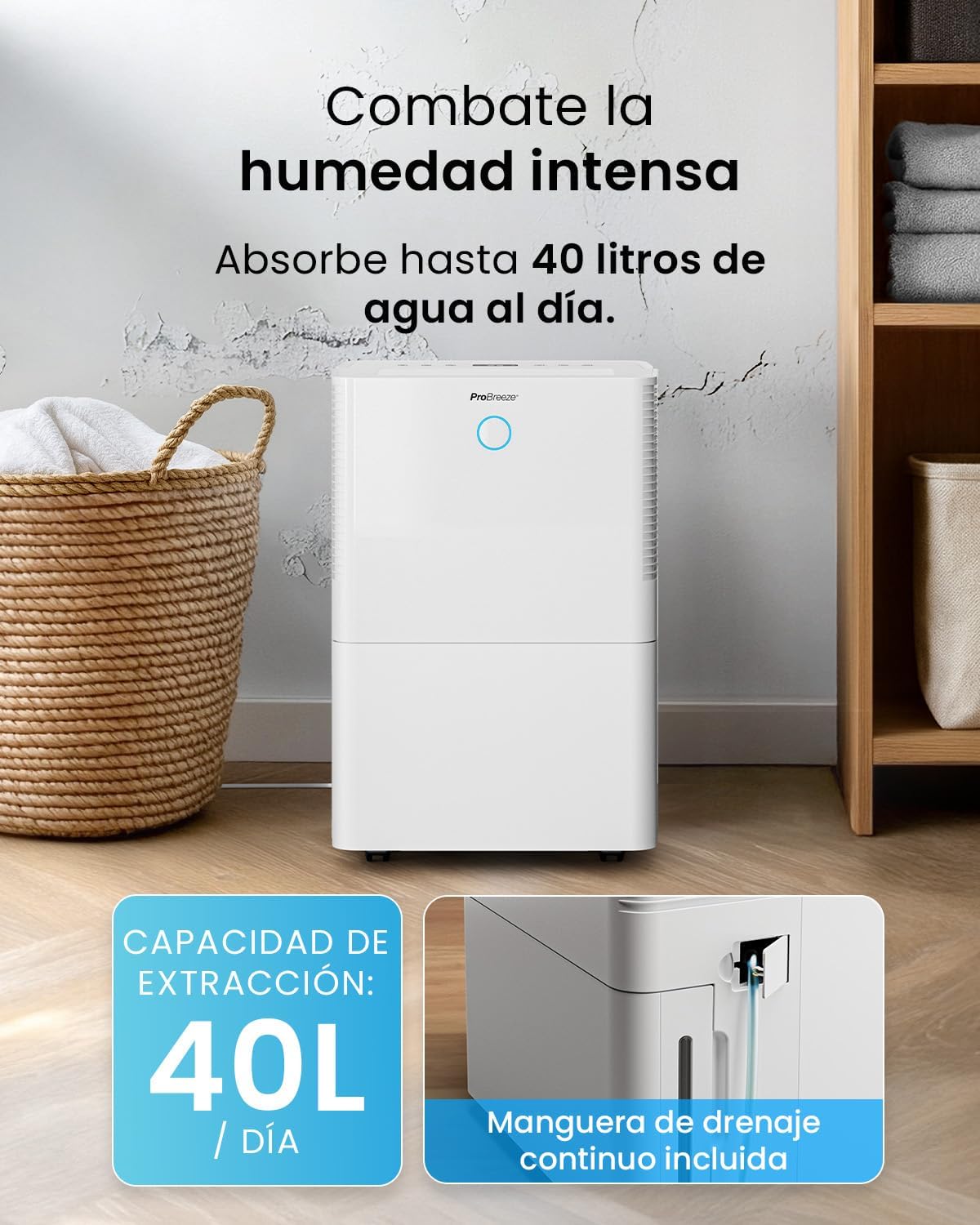
Image: The dehumidifier in operation, with an overlay indicating its 40L/day extraction capacity and the continuous drainage hose option.
7.3 Pembersihan Eksternal
Lap bagian luar dehumidifier dengan lembut, damp kain. Jangan gunakan pembersih atau pelarut yang bersifat abrasif.
8. Penyelesaian masalah
If you encounter issues with your dehumidifier, refer to the following table before contacting customer support.
| Masalah | Kemungkinan Penyebab | Larutan |
|---|---|---|
| Dehumidifier tidak menyala. | No power; Power cord not plugged in; Water tank full or not correctly inserted. | Periksa catu daya; Colokkan kabel daya; Kosongkan dan pasang kembali tangki air dengan benar. |
| Tidak ada air yang terkumpul. | Room humidity too low; Temperature too low; Air filter blocked; Continuous drainage hose connected. | Increase desired humidity setting; Ensure room temperature is above 5°C; Clean air filter; Disconnect continuous drainage hose if collecting water in tank. |
| Unit berisik. | Unit not on a level surface; Air filter blocked; Fan obstruction. | Letakkan di permukaan yang datar dan stabil; Bersihkan filter udara; Periksa apakah ada penghalang di area kipas. |
| Masalah koneksi Wi-Fi. | Kata sandi Wi-Fi salah; Tidak terhubung ke jaringan 2.4GHz; Router terlalu jauh. | Verify password; Connect to 2.4GHz Wi-Fi; Move unit closer to router or use a Wi-Fi extender. |
9. Spesifikasi
- Merek: Angin Pro
- Nama Model: PB-D-32W-W
- Moisture Extraction: Hingga 40 Liter/hari
- Kapasitas Tangki Air: 5.3 liter
- Ukuran Kamar yang Direkomendasikan: Hingga 50 m² (538 kaki persegi)
- Dimensi (P x L x T): Ukuran 27.5x35.5x52.2 cm
- Berat: 16.36 kg
- Jumlah Kecepatan: 3
- Fitur Khusus: Smart App Control, Automatic Humidity Sensor, Automatic Shut-off, 24-hour Timer, Laundry Mode, Sleep Mode, Continuous Drainage
- Tingkat Kebisingan: <49dB
10. Garansi dan Dukungan
For warranty information and customer support, please refer to the documentation included with your purchase or visit the official Pro Breeze website. Ensure you have your model number (PB-D-32W-W) and proof of purchase available when contacting support.
Pabrikan: Satu Grup Ritel