
AURAFIT Trek 1
AURAFIT Trek 1 Smartwatch User Manual
Model: Trek 1
1. Pendahuluan
This manual provides detailed instructions for the AURAFIT Trek 1 Smartwatch. Please read this manual thoroughly before using your device to ensure proper operation and to maximize its features. The AURAFIT Trek 1 is designed to be a versatile companion for daily life and fitness activities, offering advanced health monitoring, GPS tracking, and communication capabilities.
2. Apa yang ada di dalam kotak
- AURAFIT Trek 1 Smartwatch
- Kabel Pengisian Daya
- Watch Band (Black)
- Additional Silicone Strap (Military Green)
- Panduan Pengguna

Image: Contents of the AURAFIT Trek 1 Smartwatch package, showing the watch, charging cable, and two interchangeable watch bands.
3. Perangkat Berakhirview
The AURAFIT Trek 1 Smartwatch features a robust design with a 1.43-inch AMOLED screen, multiple physical buttons, and advanced sensors for comprehensive tracking.

Gambar: Depan view of the AURAFIT Trek 1 Smartwatch, showcasing its round AMOLED display and rugged casing with a green silicone strap.
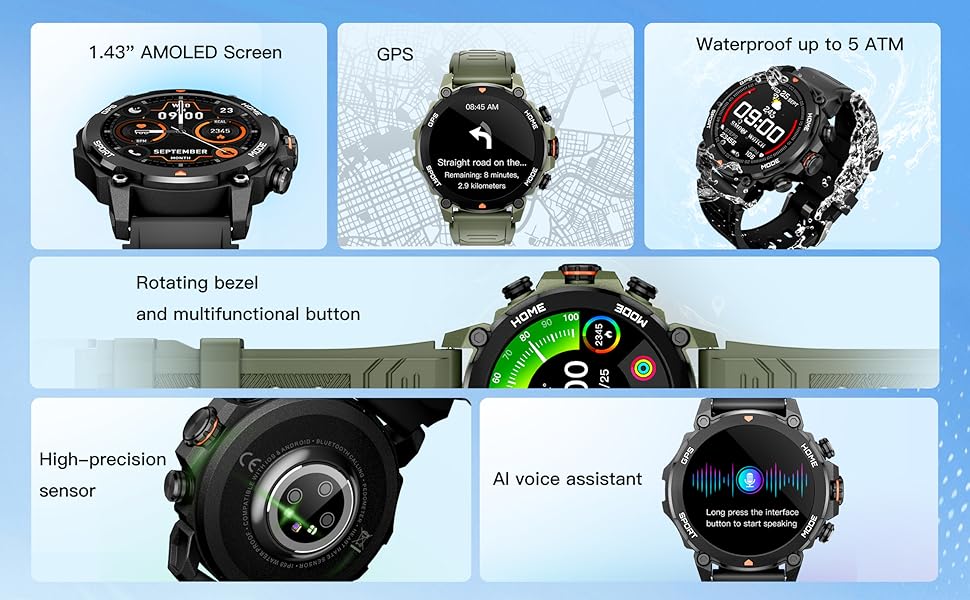
Image: An infographic detailing the main components and features of the smartwatch, such as the AMOLED screen, GPS, 5ATM water resistance, rotating bezel, high-precision sensor, and AI voice assistant.

Gambar: Detail view of the smartwatch's rear, highlighting the high-precision optical sensor for health tracking and the charging interface.
4. Pengaturan dan Pemasangan
4.1 Pengisian Awal
Before first use, fully charge your AURAFIT Trek 1 Smartwatch. Connect the magnetic charging cable to the charging contacts on the back of the watch and plug the USB end into a power adapter (not included) or a computer USB port. The watch display will indicate charging status.
4.2 Instalasi Aplikasi
To unlock the full potential of your smartwatch, download the companion application. The app is compatible with both Android and iOS devices.
- Scan the QR code in the manual or on the watch packaging.
- Pencarian untuk "Smart Time Pro" in the Google Play Store (for Android) or Apple App Store (for iOS).

Image: A user interacting with the Smart Time Pro application on a smartphone, showing various health metrics and tracking data.
4.3 Pemasangan Perangkat
- Pastikan smartwatch Anda terisi daya dan menyala.
- Aktifkan Bluetooth di telepon pintar Anda.
- Open the "Smart Time Pro" app and follow the on-screen instructions to add a new device.
- Select "AURAFIT Trek 1" from the list of available devices.
- Konfirmasikan permintaan pemasangan pada ponsel dan jam tangan pintar Anda.
Once paired, your watch will synchronize data and notifications with your smartphone.
5. Operasi Dasar
5.1 Menavigasi Antarmuka
The AURAFIT Trek 1 features a responsive touchscreen and physical buttons for navigation.
- Geser ke Atas/Bawah: Gulir menu dan notifikasi.
- Geser ke Kiri/Kanan: Akses widget cepat atau tampilan jam yang berbeda.
- Mengetuk: Pilih item atau konfirmasi tindakan.
- Press Top Button (HOME): Kembali ke tampilan jam utama.
- Press Bottom Button (MODE): Access the main menu or switch modes.
Video: Demonstrates basic UI navigation on the AURAFIT Trek 1 Smartwatch, including swiping through menus and selecting applications like the stopwatch.
5.2 Menyesuaikan Tampilan Jam
The watch supports over 100 cloud-based watch faces and allows for customizable watch faces using your own images via the companion app.

Image: A visual representation of the multiple selectable watch faces, demonstrating how users can personalize their smartwatch display.
5.3 Fungsionalitas Panggilan
With Dual Bluetooth 5.3 + 3.0 connectivity, you can answer and make calls directly from your wrist.
- Menjawab Panggilan: Saat ada panggilan masuk, ketuk ikon telepon berwarna hijau di layar jam tangan.
- Membuat panggilan: Access the call menu from the main menu to dial numbers or select contacts (requires synchronization with your phone).
Asisten Suara AI 5.4
The smartwatch integrates an AI voice assistant for convenient control. Long press the designated button or interface to activate the voice assistant and issue commands (e.g., "What's the weather today?", "Call Jack").
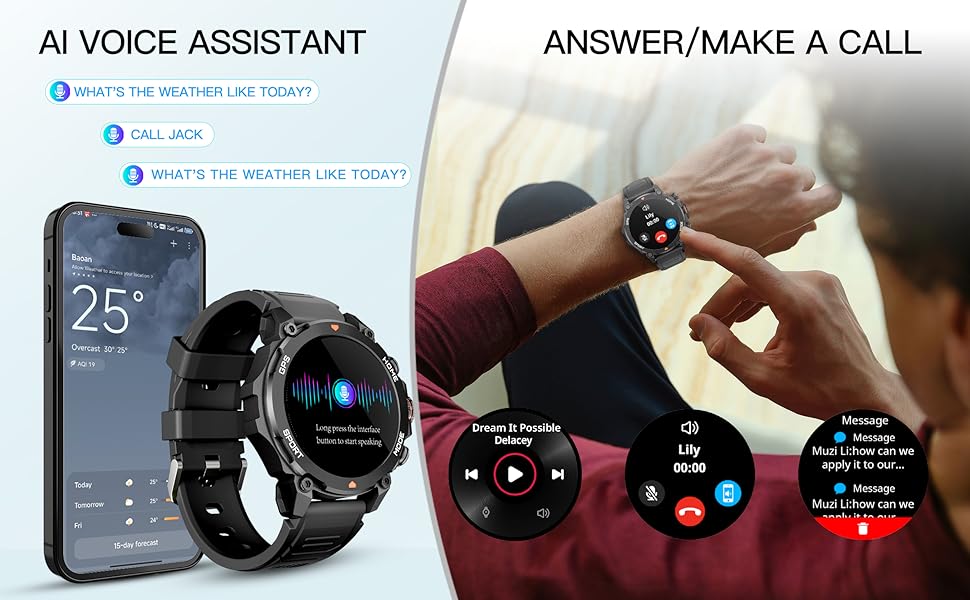
Image: An illustration demonstrating the AI Voice Assistant and the ability to answer/make calls directly from the smartwatch, showing the watch paired with a smartphone.
6. Pelacakan Kesehatan
The AURAFIT Trek 1 provides continuous 24/7 health monitoring to help you understand your body's status.
6.1 Pemantauan Denyut Jantung
The watch continuously tracks your heart rate throughout the day. View data waktu nyata pada jam tangan atau tren terperinci dalam aplikasi.
6.2 Pemantauan Oksigen Darah (SpO2)
Monitor your blood oxygen levels to assess your respiratory health. Measurements can be taken on demand or automatically at intervals.
6.3 Pelacakan Tidur
The advanced sleep mode monitors various sleep stages, including Awake, REM, Light, and Deep sleep, as well as short naps. The app provides detailed sleep analysis and suggestions for improving rest.

Image: A comprehensive display of the smartwatch's 24-hour health monitoring capabilities, including graphs for heart rate, stress levels, blood oxygen saturation, and a breakdown of sleep stagyaitu.

Image: A person sleeping, wearing the smartwatch, to visually represent its sleep tracking functionality.
6.4 Pemantauan Tingkat Stres
The watch can also track your stress levels, providing insights into your mental well-being throughout the day.
7. Mode Olahraga dan GPS
The AURAFIT Trek 1 offers over 150 sports modes to accurately track your workouts, along with built-in GPS for precise outdoor activity monitoring.
7.1 Memilih Mode Olahraga
Navigate to the 'Sports' menu on your watch to select from a wide range of activities such as running, cycling, swimming, hiking, and more. The watch will track relevant metrics like heart rate, calories burned, distance, and duration.

Image: The smartwatch displaying a sports tracking screen, with icons for over 150 different sports modes, indicating its versatility for various fitness activities.
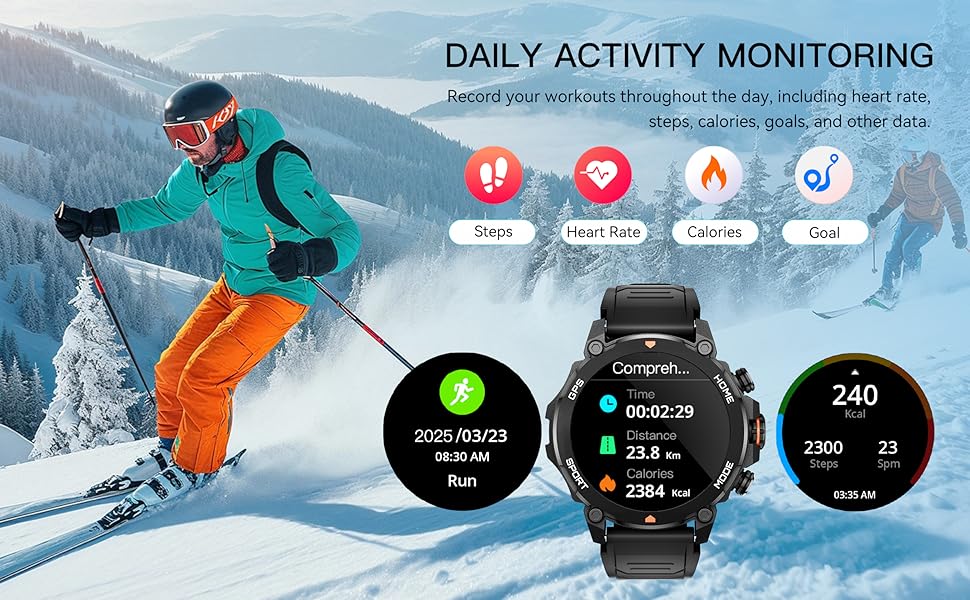
Image: A scene of a person skiing, with the smartwatch displaying activity data such as distance, calories, and steps, illustrating its daily activity monitoring capabilities.
7.2 Pelacakan GPS
The built-in GPS and independent GNSS chip (supporting GPS, Beidou, GLONASS, GALILEOGPS, QZSS) provide precise location data for outdoor activities. Track your routes and view movement trajectories even in remote areas.

Image: The smartwatch displaying a map with GPS tracking, emphasizing its global independent five-star positioning capabilities for accurate navigation.
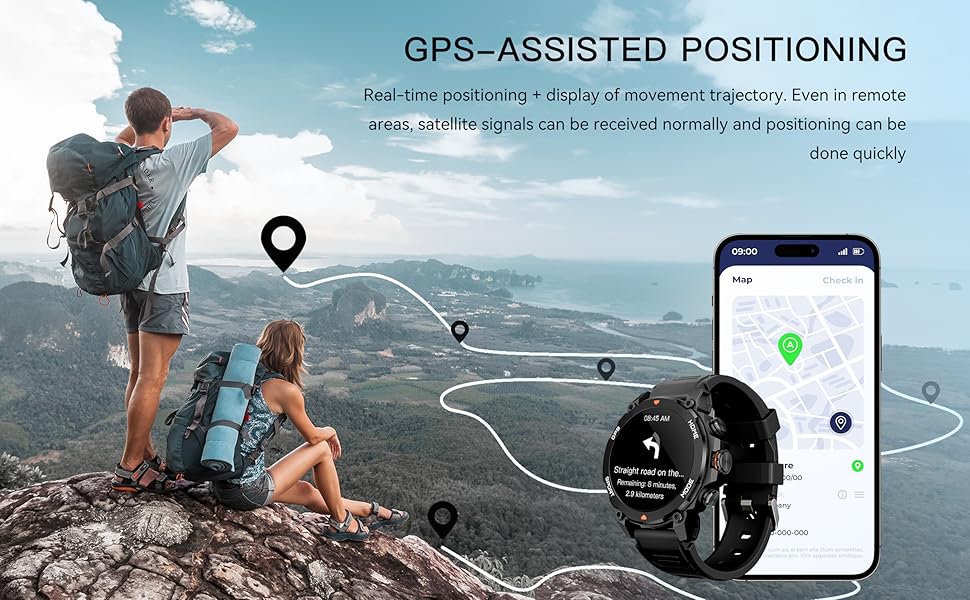
Gambar: Pemandangan view of a hiking trail with the smartwatch displaying GPS-assisted positioning, showing real-time tracking and movement trajectory.
7.3 Environmental Sensors
The Trek 1 is equipped with a built-in compass and barometric altimeter sensors to display your current direction, altitude, and atmospheric pressure, aiding navigation in wilderness areas.
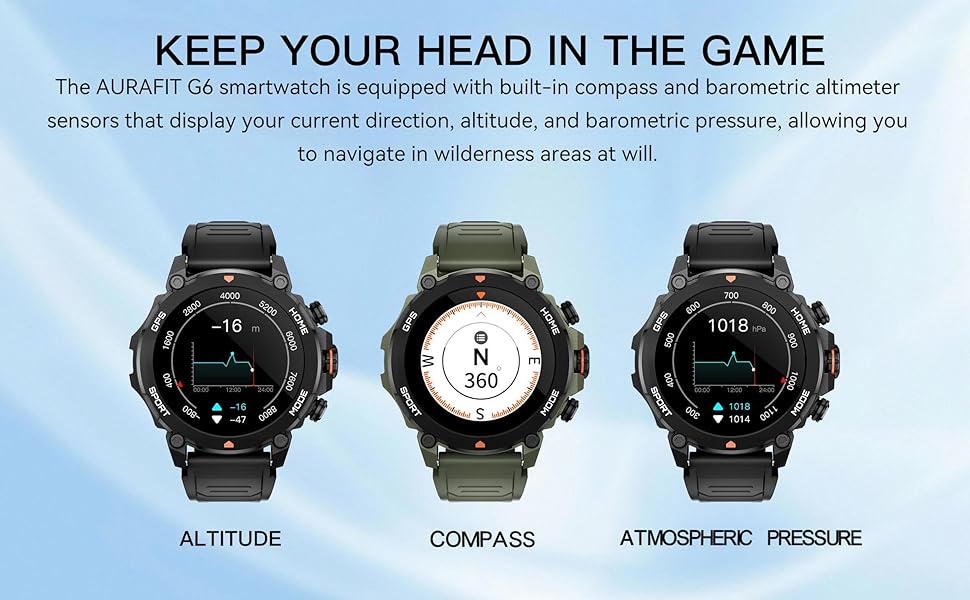
Image: The smartwatch displaying readings for altitude, compass direction, and atmospheric pressure, highlighting its environmental sensing capabilities.
8. Tahan Air
The AURAFIT Trek 1 Smartwatch is 5ATM waterproof, meaning it can withstand pressures equivalent to a depth of 50 meters. This makes it suitable for:
- Swimming in pools or open water (not deep-sea diving).
- Showering (avoid hot water and steam).
- Rain and sweat exposure during workouts.
Catatan:
- Do not use the watch in hot water, saunas, or steam rooms as steam can penetrate the seals.
- Hindari menekan tombol di bawah air.
- Setelah terkena air garam, bilas jam tangan dengan air bersih dan keringkan secara menyeluruh.
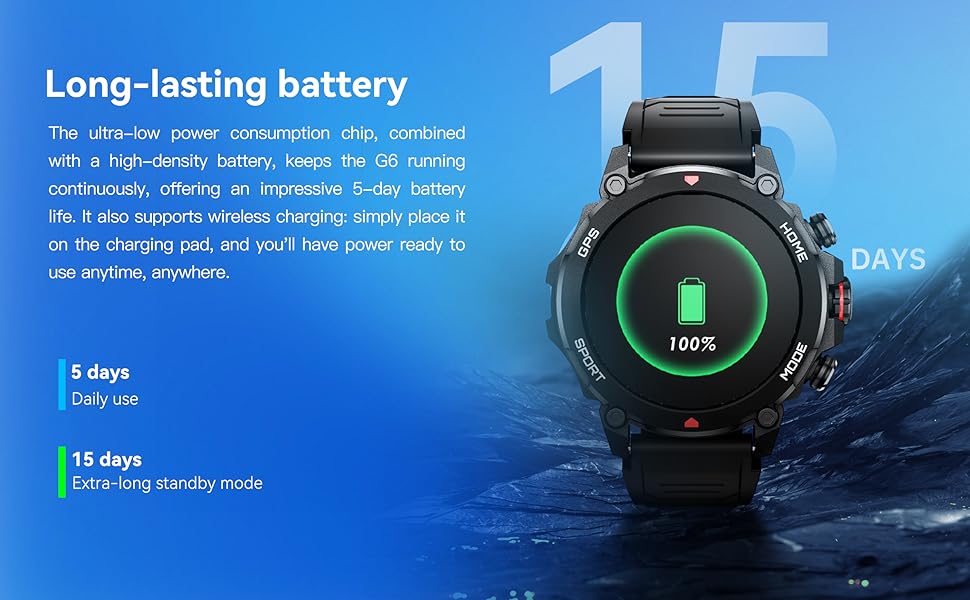
Image: A person swimming underwater with the smartwatch, demonstrating its 5ATM high water resistance for aquatic activities.

Image: An infographic highlighting the smartwatch's 5ATM water resistance, along with its ability to withstand high/low temperatures, dust, and shock.
9. Daya Tahan Baterai
The AURAFIT Trek 1 is equipped with a 450mAh large battery and an ultra-low power consumption chip, providing extended usage times.
- Penggunaan Sehari-hari: Hingga 5 hari.
- Extra-long Standby Mode: Hingga 15 hari.
The watch supports wireless charging. Simply place it on the charging pad to power it up.
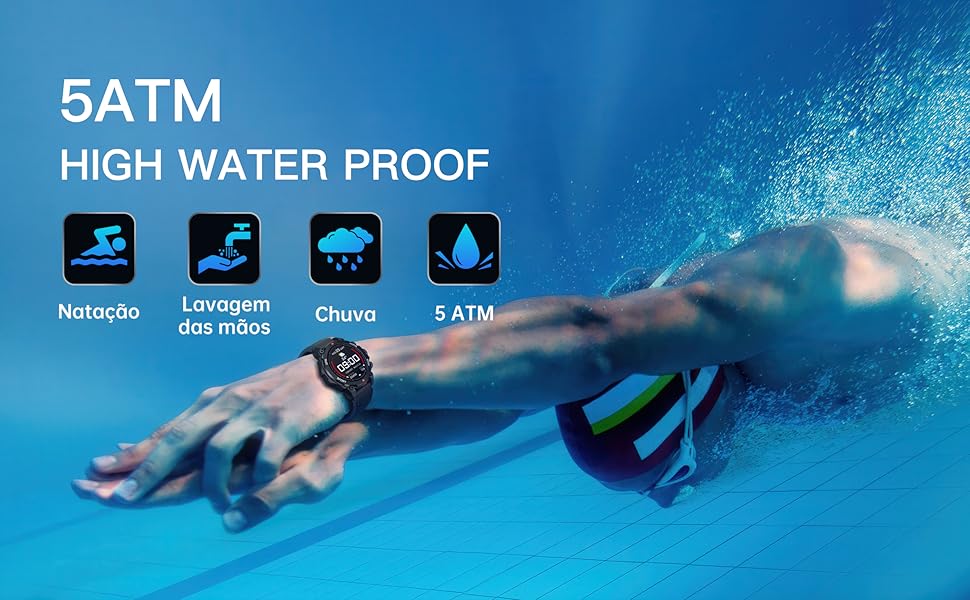
Image: The smartwatch on a charging pad, illustrating its long-lasting battery life with indicators for 5 days of daily use and 15 days of standby time.
10. Penyelesaian masalah
- Jam tidak menyala: Pastikan jam tangan terisi penuh. Hubungkan ke kabel pengisi daya dan sumber daya minimal 30 menit.
- Tidak dapat dipasangkan dengan telepon:
- Pastikan Bluetooth diaktifkan di ponsel Anda.
- Pastikan jam tangan berada dalam jangkauan Bluetooth (biasanya 10 meter).
- Mulai ulang ponsel dan jam tangan pintar Anda.
- Clear Bluetooth cache on your phone or try pairing from the app directly.
- Data kesehatan yang tidak akurat: Pastikan jam tangan dikenakan dengan pas di pergelangan tangan Anda, tidak terlalu ketat atau terlalu longgar. Bersihkan area sensor secara teratur.
- Notifikasi tidak muncul:
- Check app permissions on your phone to ensure the "Smart Time Pro" app has access to notifications.
- Verify that notification settings are enabled within the "Smart Time Pro" app for desired applications.
- Pastikan jam terhubung melalui Bluetooth.
- Masalah sinyal GPS: Pastikan Anda berada di area luar ruangan yang terbuka dengan pemandangan yang jelas view dari langit untuk akuisisi sinyal GPS yang optimal.
11. Spesifikasi
| Fitur | Spesifikasi |
|---|---|
| Nomor Model | Perjalanan 1 |
| Ukuran Layar | 1.43 inci |
| Jenis Tampilan | AMOLED |
| Tahan Air | 5 ATM |
| Kapasitas Baterai | 450 mAh |
| Konektivitas | Bluetooth 5.3 + 3.0 |
| Bahasa Indonesia: GPS | Built-in GPS (GNSS chip) |
| Sistem Operasi | Bahasa Indonesia: Bahasa Inggris |
| Kapasitas Penyimpanan Memori | 128MB |
| Berat Barang | 68.3 Gram (2.41 ons) |
| Pabrikan | Shenzhen Smart Care Technology Limited |
12. Garansi dan Dukungan
AURAFIT provides a 2-year warranty for the Trek 1 Smartwatch. If the product is damaged or unusable due to manufacturing defects, we will provide warranty or replacement service.
For any questions or support needs, please contact our customer service. We are available 24/7 to assist you.

Image: An icon representing customer service, indicating 24/7 support availability.
Ask a question about this manual
Ask about setup, troubleshooting, compatibility, parts, safety, or missing instructions. Manuals+ will review the question and use this page’s manual context to help answer it.