
1. Pendahuluan
Thank you for choosing the Baetaey WiFi Signal Amplifier and Repeater. This device is designed to extend the coverage of your existing wireless network, eliminating dead zones and providing a stronger, more reliable internet connection throughout your home or office. It supports both Repeater and Access Point (AP) modes and features an Ethernet port for wired connections.
2. Produk Lebihview
The Baetaey WiFi Signal Amplifier is a compact device that plugs directly into a wall outlet. It features external antennas for enhanced signal transmission and reception, and an Ethernet port for connecting wired devices or for use in AP mode.
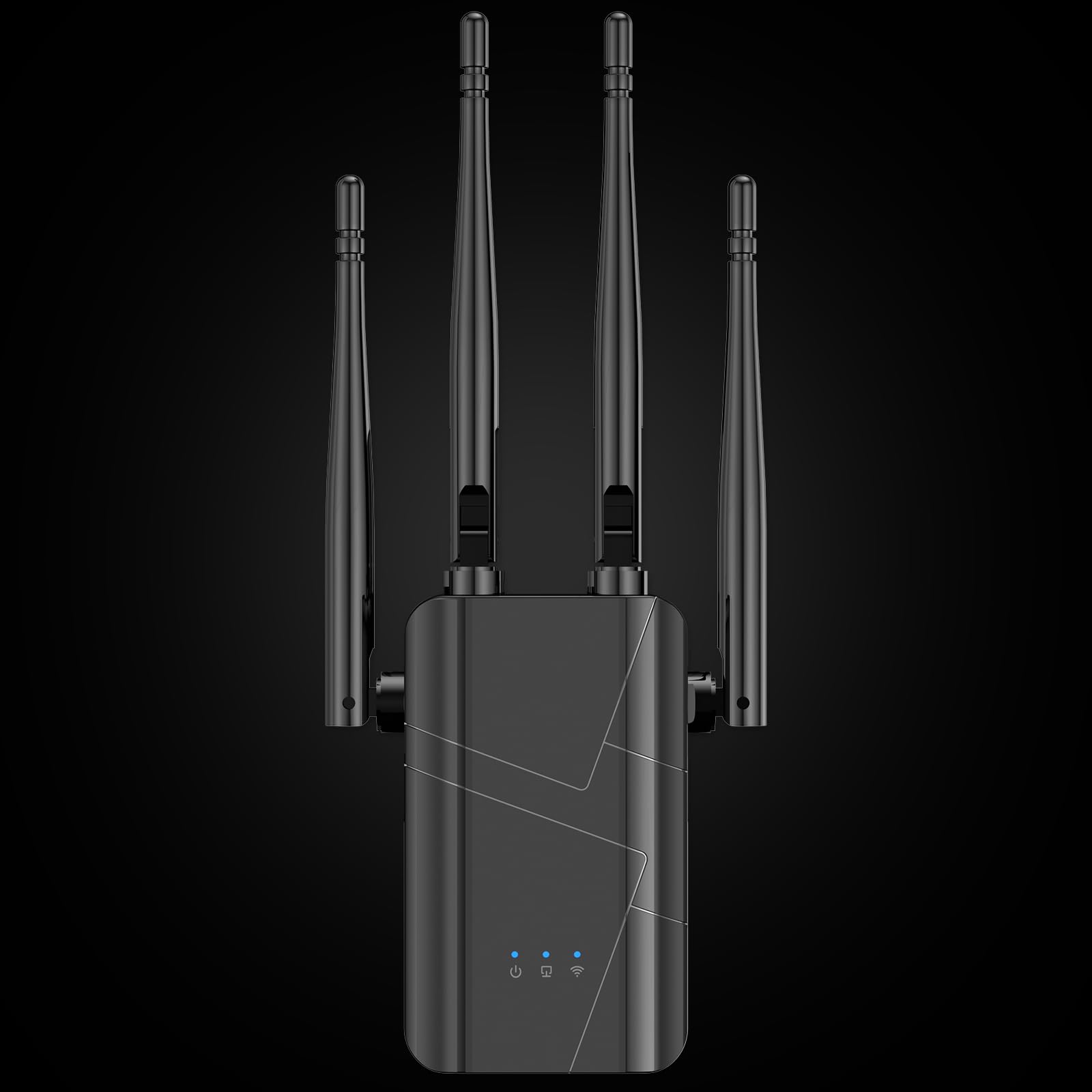
Gambar 1: Depan view of the Baetaey WiFi Signal Amplifier, showing its compact design, two adjustable antennas, and an indicator light. The device is designed to plug directly into a power outlet.
3. Petunjuk Penyiapan
Follow these steps to set up your Baetaey WiFi Signal Amppengangkat:
- Buka kemasan Perangkat: Carefully remove the WiFi amppenguat dari kemasannya.
- Nyalakan: Plug the WiFi amplifier into an electrical outlet in a central location, ideally halfway between your router and the area with poor WiFi signal. Wait for the power indicator light to turn on and stabilize.
- Connect to the Repeater's Network: On your computer or smartphone, search for available WiFi networks. Connect to the network named something like "WiFi-Repeater" or "Baetaey_EXT". This network will not have internet access initially.
- Halaman Pengaturan Akses: Buka sebuah web browser (e.g., Chrome, Firefox) and enter the default IP address or domain name into the address bar. Common addresses include 192.168.1.1, 192.168.0.1, atau repeater.net. Refer to the label on your device for the exact address.
- Masuk: Enter the default username and password, usually admin/admin or specified on the device label.
- Pilih Mode Pengoperasian: Memilih Mode Repeater to extend your existing WiFi network, or Mode AP to create a new WiFi network from a wired Ethernet connection. For most users, Repeater Mode is appropriate.
- Select Host Network (Repeater Mode): The device will scan for available WiFi networks. Select your home or office WiFi network from the list.
- Enter Host Network Password: Input the password for your selected host WiFi network.
- Configure Repeater Network: You can choose to keep the same network name (SSID) as your main router (e.g., "YourWiFi_EXT") or create a new one. Set a password for the extended network. It is recommended to use a strong, unique password.
- Apply Settings and Reboot: Save your settings. The device will reboot. Once it restarts, the indicator lights should show a successful connection to your main router.
- Hubungkan Perangkat Anda: Connect your WiFi-enabled devices to the newly configured extended network.
4. Petunjuk Pengoperasian
Once set up, the Baetaey WiFi Signal Amplifier operates automatically. It will continuously extend your chosen WiFi network. For optimal performance, ensure the device is placed in a location where it receives a good signal from your main router and can effectively broadcast to the desired areas.
- Penggunaan Port Ethernet: The integrated Ethernet port can be used to connect a wired device (e.g., a desktop computer, gaming console, smart TV) to the extended network, providing a stable wired connection.
- Lampu Indikator: Pay attention to the device's indicator lights. They typically show power status, WiFi signal strength, and connection status to the main router. Refer to your device's specific light patterns for detailed information.
5. Pemeliharaan
To ensure the longevity and optimal performance of your WiFi amppengangkat:
- Jaga kebersihan perangkat dan bebas dari debu. Gunakan kain lembut dan kering untuk membersihkannya.
- Ensure adequate ventilation around the device to prevent overheating. Do not cover it or place it in enclosed spaces.
- Avoid placing the device near strong electromagnetic interference sources (e.g., microwave ovens, cordless phones).
- Periksa pembaruan firmware secara berkala pada situs web produsen webuntuk memastikan kinerja dan keamanan situs yang terbaik.
6. Penyelesaian masalah
If you encounter issues with your Baetaey WiFi Signal Amplifier, lihat masalah umum dan solusi berikut:
- Tidak Ada Koneksi Internet Setelah Pengaturan:
- Pastikan repeater berada dalam jangkauan router utama Anda dan menerima sinyal yang kuat.
- Verify that you entered the correct password for your main WiFi network during setup.
- Reboot both your main router and the WiFi amppengangkat.
- Coba setel ulang amplifier to factory defaults (usually via a small reset button) and repeat the setup process.
- Kecepatan Internet Lambat:
- The repeater might be too far from your main router, resulting in a weak signal to extend. Try moving it closer.
- Interference from other electronic devices can degrade performance.
- Ensure your main internet connection is stable and fast. The repeater cannot improve the speed of a slow primary connection.
- Check if too many devices are connected to the extended network.
- Cannot Access Setup Page (192.168.1.1, etc.):
- Ensure your device (computer/smartphone) is connected to the repeater's default WiFi network (e.g., "WiFi-Repeater") and not your main router's network.
- Bersihkan cache dan cookie peramban Anda, atau coba peramban lain.
- Verify the correct IP address or domain name for the setup page from the device label.
- Signal Drops Frequently:
- Pindahkan amplifier to a position with fewer physical obstructions (walls, large furniture) between it and your main router.
- Check for potential sources of interference.
- Pastikan amplifier's firmware is up to date.
7. Spesifikasi
| Fitur | Detil |
|---|---|
| Merek | baetaey |
| Pabrikan | baetaey |
| Tipe Produk | Elektronik |
| Jumlah Unit | 1 |
| Warna | Hitam |
| Antarmuka Konektivitas | RJ45 (Port Ethernet) |
| Berat Produk | 209 gram |
| Dimensi Paket | Ukuran 26.01x9.3x5.41 cm |
| ASIN | B0FG2257WS |
| Tersedia untuk dibeli sejak | 30 Juni 2025 |
8. Garansi dan Dukungan
Specific warranty details for the Baetaey WiFi Signal Amplifier (Model: B0FG2257WS) are not provided in this manual. For warranty information, technical support, or further assistance, please refer to the documentation included with your product or contact the manufacturer directly through their official websitus atau saluran layanan pelanggan.