
1. Pendahuluan
Terima kasih sudah membeliasing the MZEIBO KY2020D 80W Bluetooth 5.3 Detachable Sound Bar. This versatile audio system is designed to enhance your home entertainment experience with immersive stereo sound. Its unique 2-in-1 detachable design allows for flexible placement options, adapting to various room layouts and preferences. This manual provides essential information for setting up, operating, and maintaining your sound bar to ensure optimal performance.
2. Isi Paket
Harap verifikasi bahwa semua item yang tercantum di bawah ini disertakan dalam paket Anda:
- MZEIBO KY2020D Sound Bar (2 detachable sections)
- Kontrol Jarak Jauh
- Stand Bases (for vertical speaker setup)
- Kabel AUX
- Adaptor Catu Daya
- Kabel Optik
- Kabel HDMI
- Sekrup dan Jangkar Pemasangan di Dinding
- Panduan Pengguna (manual ini)

Gambar 2.1: Included accessories for the MZEIBO Sound Bar.
3. Fitur Produk
- Premium Dolby Sound: Experience clear dialogue and powerful bass with advanced Dolby audio technology.
- Detachable 2-in-1 Design: Use as a single horizontal soundbar or split into two separate vertical speakers for flexible placement.
- Beberapa Pilihan Konektivitas: Supports Bluetooth 5.3, HDMI ARC, Optical, and 3.5mm AUX for broad compatibility.
- Daya Keluaran 80W: Delivers robust audio performance for movies, music, and gaming.
- Kompak dan Bergaya: Sleek, modern design integrates seamlessly into any home decor.
- Optimized Sound Modes: Dedicated modes for Music, Movie, and News to enhance specific audio content.

Gambar 3.1: Internal speaker configuration and audio specifications.
4. Pengaturan
4.1. Assembly and Placement
The MZEIBO Sound Bar offers two primary configurations:
- Single Sound Bar: Connect the two sections by aligning the connectors and gently pushing them together until they click into place. This configuration is ideal for placement directly below your TV on a tabletop or mounted on a wall.
- Two Vertical Speakers: Separate the two sound bar sections. Attach the provided stand bases to the bottom of each section. Place one speaker to the left and one to the right of your TV for a wider stereo soundstage.
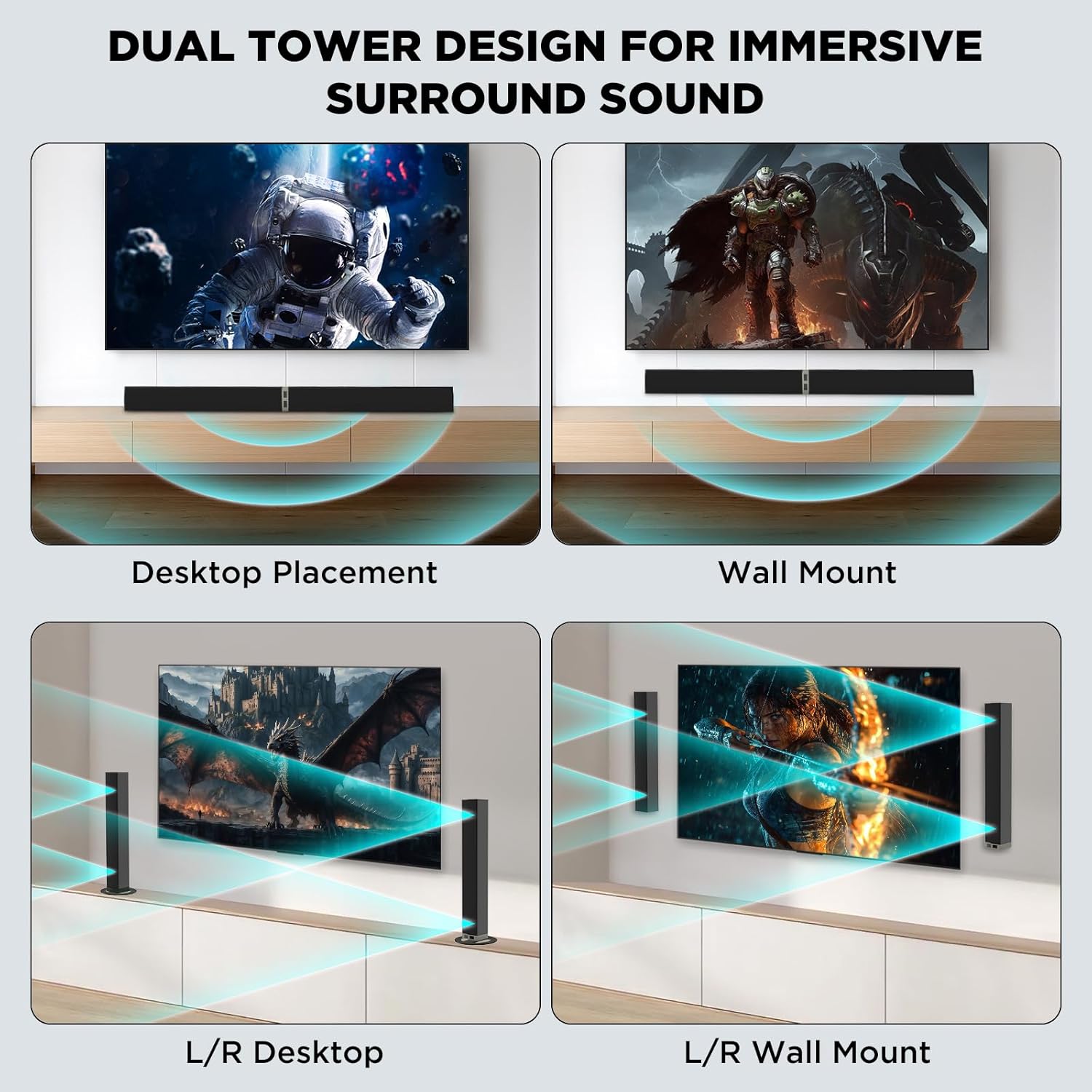
Gambar 4.1: Versatile placement options for the sound bar.
4.2. Menghubungkan ke Daya
Connect the provided power supply adapter to the DC IN port on the sound bar and then plug it into a wall outlet.
4.3. Koneksi Audio
Choose one of the following methods to connect the sound bar to your audio source (TV, PC, etc.):
- ARC HDMI: Connect one end of the HDMI cable to the HDMI ARC port on your TV and the other end to the HDMI ARC port on the sound bar. Ensure your TV's HDMI ARC function is enabled.
- Optik: Connect one end of the optical cable to the Optical Out port on your TV and the other end to the OPTICAL port on the sound bar. Remove protective caps from the optical cable before use.
- AUX 3.5 mm: Connect one end of the 3.5mm AUX cable to the headphone jack or AUX Out port on your device and the other end to the AUX port on the sound bar.
- Bluetooth 5.3:
- Nyalakan soundbar.
- Press the 'BT' button on the remote control or the 'Mode' button on the sound bar until 'BT' appears on the display. The indicator light will flash, indicating pairing mode.
- On your device (e.g., smartphone, smart TV), enable Bluetooth and search for 'MZEIBO Soundbar'.
- Select 'MZEIBO Soundbar' to pair. Once connected, the indicator light will stop flashing and remain solid.
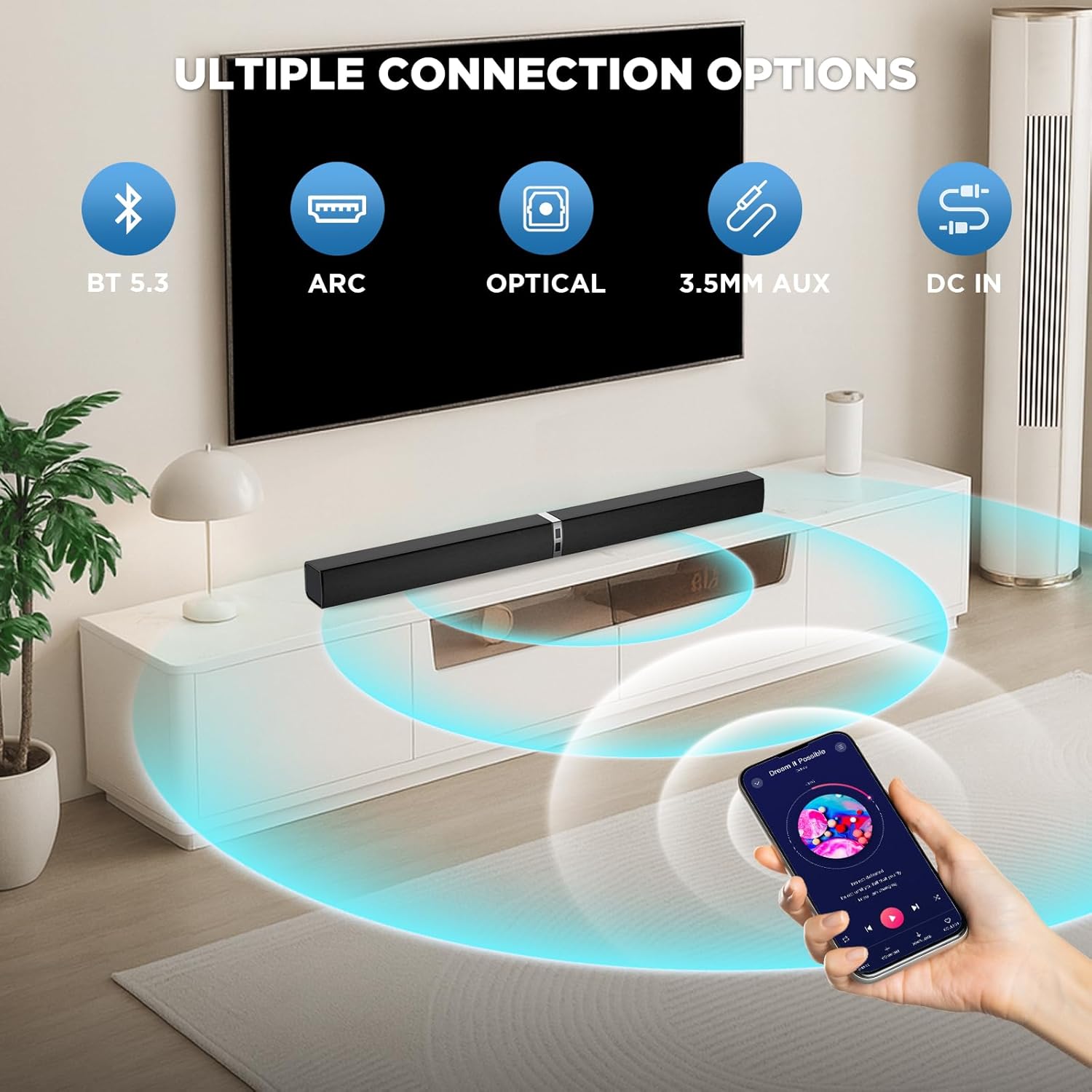
Gambar 4.2: Available connection options for the sound bar.
5. Operasi
5.1. Daya Hidup/Mati
Tekan tombol Kekuatan button on the remote control or the sound bar unit to turn it on or off.
5.2. Kontrol Volume
Gunakan Jilid + Dan Jilid - buttons on the remote control or the sound bar unit to adjust the volume.
5.3. Pemilihan Sumber Input
Tekan tombol Mode button on the remote control or the sound bar unit to cycle through available input sources: Bluetooth (BT), HDMI ARC, Optical (OPT), and AUX.
5.4. Mode Suara
The sound bar features optimized sound modes for different content types. Press the corresponding button on the remote control to select:
- Mode Musik: Meningkatkan kejernihan musik dan bass.
- Mode Film: Provides an immersive cinematic experience with enhanced dialogue and effects.
- Modus Berita: Optimizes vocal clarity for news broadcasts and talk shows.

Gambar 5.1: Sound modes for different content.
6. Pemeliharaan
- Pembersihan: Gunakan kain lembut dan kering untuk membersihkan permukaan sound bar. Jangan gunakan cairan pembersih atau bahan abrasif.
- Penyimpanan: Saat tidak digunakan dalam jangka waktu lama, simpan sound bar di tempat yang sejuk dan kering, jauh dari sinar matahari langsung dan suhu ekstrem.
- Hindari Cairan: Keep the sound bar away from water and other liquids to prevent damage.
- Ventilasi: Pastikan ventilasi yang baik di sekitar sound bar untuk mencegah panas berlebih. Jangan menghalangi lubang ventilasi apa pun.
7. Penyelesaian masalah
If you encounter issues with your MZEIBO Sound Bar, please refer to the following common solutions:
- Tidak ada suara:
- Ensure the sound bar is powered on and the volume is not muted or set too low.
- Verify that the correct input source (BT, ARC, OPT, AUX) is selected on the sound bar.
- Check all audio cables (HDMI, Optical, AUX) for secure connections.
- If using HDMI ARC, confirm that your TV's ARC function is enabled and the TV's audio output is set to the sound bar.
- Masalah Pemasangan Bluetooth:
- Pastikan soundbar berada dalam mode pemasangan Bluetooth (lampu indikator berkedip).
- Pastikan Bluetooth perangkat Anda diaktifkan dan berada dalam jangkauan (biasanya 10 meter).
- Jika sebelumnya sudah dipasangkan, coba lepaskan pemasangan lalu pasangkan kembali perangkat tersebut.
- Kontrol Jarak Jauh Tidak Berfungsi:
- Check if the batteries are correctly inserted and not depleted. Replace if necessary (requires 2x AAA batteries, not included).
- Ensure there are no obstructions between the remote control and the sound bar's sensor.
8. Spesifikasi
| Nama Model | KY2020D |
| Merek | MZEIBO |
| Jenis Pembicara | bilah suara |
| Daya Keluaran Maksimum Speaker | 80 Watt |
| Respon Frekuensi | Frekuensi 20kHz |
| Teknologi Konektivitas | Bluetooth 5.3, Optical, HDMI ARC, 3.5mm AUX |
| Mode Keluaran Audio | Stereo |
| Dimensi Produk | 31"Panjang x 2.35"Lebar x 2.3"T |
| Berat Barang | 2.43 Kilogram (5.35 pon) |
| Jenis Pemasangan | Pemasangan di Meja, Pemasangan di Dinding |
| Bahan | Plastik atau Logam |
9. Garansi & Dukungan
MZEIBO offers a lifetime warranty for the KY2020D Sound Bar. This includes super free replacement for lost, defective, or damaged units, with no shipping fees and no return required. To activate your warranty, please scan the QR code provided on the product packaging or included documentation.
For further assistance or technical support, please refer to the contact information provided with your product or visit the official MZEIBO weblokasi.