
1. Pendahuluan
This manual provides essential information for setting up, operating, maintaining, and troubleshooting your realme Note 70T smartphone. Please read this guide thoroughly to ensure optimal performance and longevity of your device.
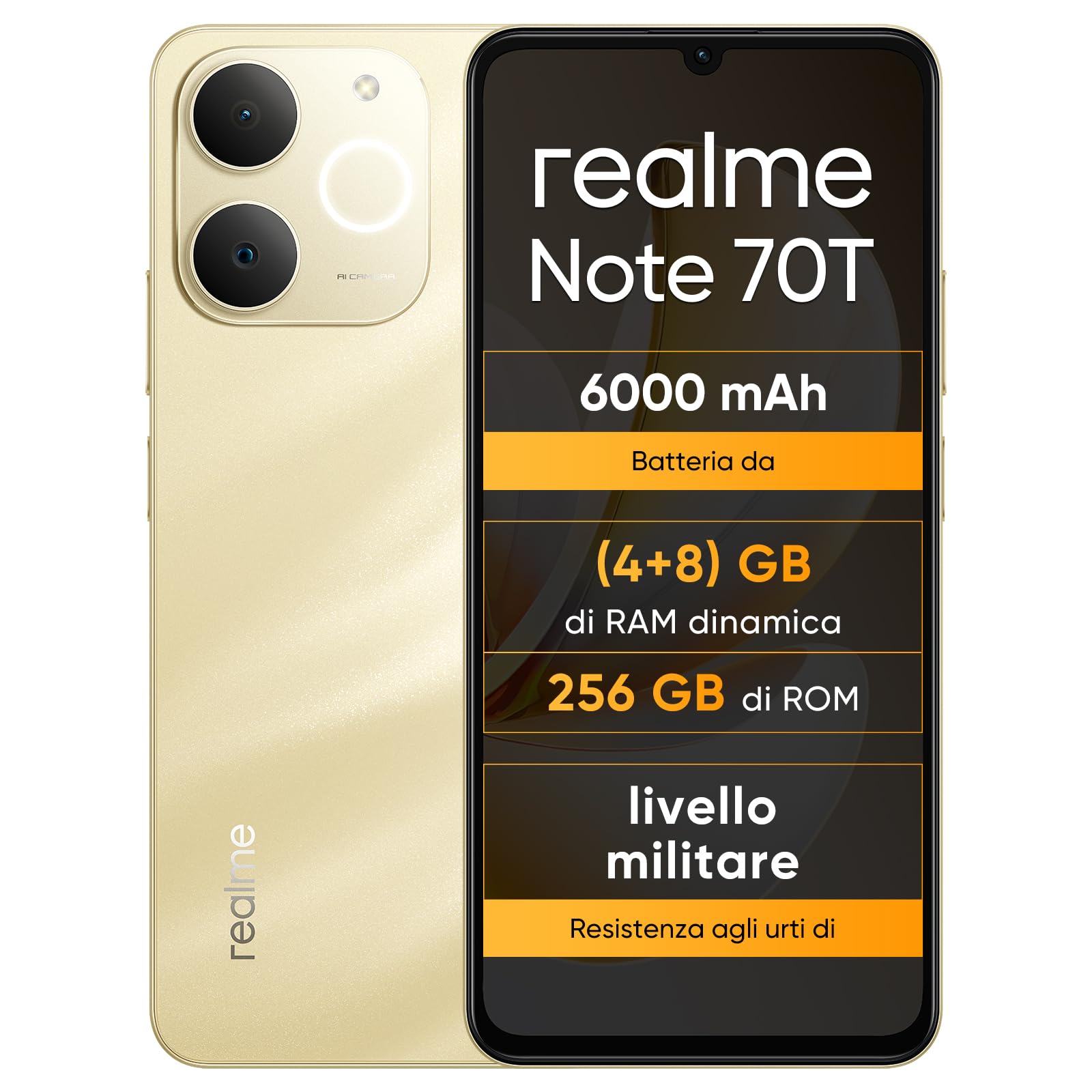
Gambar: Depan dan belakang view of the realme Note 70T smartphone.
2. Panduan Pengaturan
2.1 Isi Paket
Verifikasi bahwa paket Anda berisi item berikut:
- Ponsel pintar realme Note 70T
- Kabel USB
- Sarung Telepon
- Film Pelindung
2.2 Memasukkan Kartu SIM dan Menghidupkan
- Locate the SIM card tray on the side of the device. Use the provided SIM ejector tool to open the tray.
- Carefully place your Nano-SIM card(s) and/or microSD card into the tray, ensuring correct orientation. The realme Note 70T supports Dual SIM.
- Dorong baki perlahan-lahan kembali ke dalam slot hingga rata dengan badan ponsel.
- Press and hold the Power button (located on the right side) until the realme logo appears on the screen.

Gambar: Samping view of the realme Note 70T, illustrating the location of the SIM card tray.
2.3 Pengisian Awal
Before first use, it is recommended to fully charge your device. Connect the USB cable to the phone's USB-C port and the other end to a compatible power adapter (not included) or a computer's USB port.

Gambar: Bawah view of the realme Note 70T, highlighting the USB-C charging port.
3. Petunjuk Pengoperasian
3.1 Fungsi Dasar
- Daya Hidup/Mati: Tekan dan tahan tombol Daya. Pilih 'Matikan' atau 'Mulai Ulang'.
- Kontrol Volume: Use the Volume Up and Volume Down buttons on the side of the device.
- Kunci/Buka Kunci Layar: Tekan sebentar tombol daya untuk mengunci atau membuka kunci layar.
- Pengenalan Wajah: Configure facial recognition in Settings for quick and secure unlocking.

Gambar: Samping view of the realme Note 70T, showing the power and volume buttons.
3.2 Fitur Tampilan
The realme Note 70T features a 6.75-inch Eye Comfort Display with a 90Hz refresh rate. This provides smooth visuals and reduces eye strain. The display offers vivid clarity and comfortable viewing.

Image: The realme Note 70T display showcasing its 90Hz refresh rate and eye comfort features with a vibrant beach scene.
3.3 Fungsi Kamera
Capture every moment with the 13MP rear camera and 5MP front camera. The device includes advanced AI features to enhance your photography:
- AI Clear Face: Improves blurry portraits for sharper results.
- Penghapus AI: Removes unwanted elements from photos.
- AI Image Matting: Allows you to easily remove subjects from backgrounds.

Image: Demonstration of the AI Clear Face feature, showing a blurry portrait before and after AI enhancement.

Image: Demonstration of the AI Eraser feature, showing an object removed from a photo.

Image: Demonstration of the AI Image Matting feature, showing a person isolated from the background.
3.4 Manajemen Baterai
The 6000mAh battery provides up to two days of usage on a single charge. It supports extended standby and includes 38 levels of charging protection for long-term battery health.

Image: Illustration of the realme Note 70T's 6000mAh battery capacity and estimated usage times for various activities.
3.5 Performance and Audio
Powered by an octa-core chipset with speeds up to 1.8 GHz, the realme Note 70T ensures smooth performance for gaming and applications. It supports fast app launch times and keeps up to 16 apps active in the background.
Experience enhanced audio with 300% ultra volume and AI Call 2.0, which provides intelligent noise reduction for clear calls.

Image: Visual representation of the realme Note 70T's octa-core processor.

Image: Illustration of the AI Call 2.0 feature, demonstrating noise reduction during calls.
4. Pemeliharaan
4.1 Tahan Air dan Debu (IP54)
The realme Note 70T is rated IP54 for water and dust resistance, protecting against splashes and dust ingress. The speaker vibrates at a specific frequency to expel accumulated water. This feature ensures the device remains functional in various daily situations.

Image: The realme Note 70T being splashed with water, demonstrating its IP54 water resistance.
4.2 ArmorShell Protection
The device features ArmorShell protection, having passed the MIL-STD 810H military-grade shock resistance test. This includes multi-angle drop tests and high-intensity impact tests, ensuring durability against accidental drops from up to 1.8 meters.

Image: The realme Note 70T being dropped onto a rocky surface, illustrating its military-grade resistance.
4.3 Perawatan Umum
- Keep the device clean using a soft, dry cloth. Avoid abrasive materials.
- Hindari memaparkan ponsel pada suhu ekstrem atau sinar matahari langsung dalam waktu lama.
- Do not attempt to disassemble or repair the device yourself, as this may void the warranty and cause damage.
5. Penyelesaian masalah
5.1 Masalah Umum dan Solusinya
- Perangkat tidak menyala: Pastikan baterai terisi penuh. Sambungkan ke pengisi daya dan coba lagi.
- Layar tidak responsif: Restart the device by holding the Power button for an extended period (usually 10-15 seconds).
- Aplikasi mengalami crash atau kinerja lambat: Close background applications. Utilize the AI Optimization feature to improve app smoothness.

Image: Screenshot of the AI Optimization feature on the realme Note 70T, showing options to improve app smoothness.
5.2 Reset Pabrik
Jika masalah berlanjut, Anda dapat mempertimbangkan untuk melakukan reset pabrik. Peringatan: This will erase all data on your device. Back up important information before proceeding. Navigate to Pengaturan > Sistem > Opsi reset > Hapus semua data (reset pabrik).
6. Spesifikasi
| Fitur | Spesifikasi |
|---|---|
| Merek | realme |
| Nama Model | realme Note 70T |
| Sistem Operasi | Android 15 |
| Ukuran RAM | 4 GB |
| Kapasitas Penyimpanan | 256 GB |
| Ukuran Layar | 6.75 inci |
| Resolusi | Ukuran 720x1600 |
| Tingkat Penyegaran | 90Hz |
| Teknologi Seluler | 4G |
| Teknologi Konektivitas | Bahasa Indonesia: Bluetooth |
| Warna | Emas Pasir |
| Number of SIM Card Slots | SIM Ganda |
| Jenis Port Pengisian Daya | USB Tipe C |
| Biometric Identification Features | Pengenalan Wajah |
| Tingkat Tahan Air | Tahan Air (IP54) |
| Soket Headphone | No 3.5 mm Jack |
| Maximum Supported Flash Memory Size | 256 GB |
| Front Camera Sensor Resolution | 5 MP |
| Rear Camera Sensor Resolution | 13 MP |
| Number of Rear Cameras | 1 |
| Number of Front Cameras | 1 |
| Daya Baterai Maksimum | 6000 Miliamper-hour (mAh) |
| Dimensi Barang | Ukuran 15.7x7.4x0.9 cm |
| Daya Tahan Baterai Rata-rata | 2 Hari |
| Resolusi Pengambilan Video | 1080p |
| Kecepatan Bingkai | 30 detik |
| GPS and Georeferencing Features | BENAR |
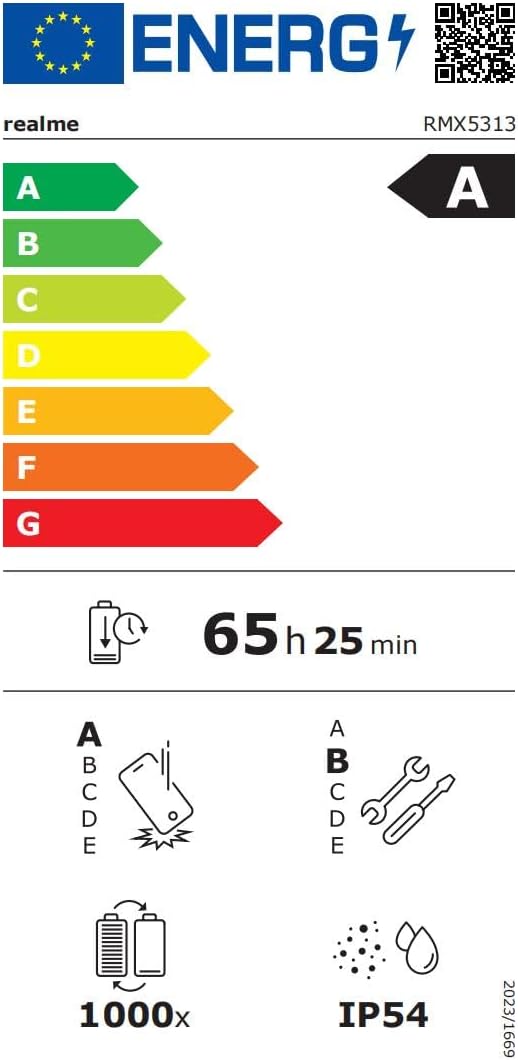
Image: EU Energy Label for realme Note 70T, showing energy efficiency, battery life, and IP54 rating. For more details, visit eprel.ec.europa.eu/qr/2361473.
7. Informasi Garansi
Your realme Note 70T smartphone comes with a limited manufacturer's warranty. Please refer to the warranty card included in your package or visit the official realme webKunjungi situs web kami untuk melihat syarat dan ketentuan terperinci mengenai cakupan garansi, durasi, dan prosedur layanan.
8. Dukungan Pelanggan
For further assistance, technical support, or service inquiries, please contact realme customer support through their official website or the contact information provided in your product documentation. You can also find FAQs and troubleshooting tips on the realme support portal.
Additional resources, including a Data Transparency Declaration, can be found Di Sini.
