
1. Pendahuluan
This manual provides detailed instructions for the safe operation and maintenance of your AXNEN GT8 Mini Drone. The GT8 is a foldable quadcopter equipped with a 4K HD camera, brushless motors, and a remote control with a built-in 4.3-inch LCD screen for real-time image transmission. It features various flight modes and intelligent functions designed for both beginners and experienced users.

Image: The AXNEN GT8 Mini Drone with its remote control, featuring an integrated LCD screen for direct viewing of flight footage.
Please read this manual thoroughly before operating the drone to ensure proper usage and to prevent damage or injury.
2. Informasi Keselamatan
- Lingkungan Penerbangan: Operate the drone in open, clear areas, away from people, buildings, trees, and power lines. Avoid flying in strong winds or adverse weather conditions.
- Keamanan Baterai: Use only the provided batteries and charger. Do not overcharge or puncture batteries. Discontinue use if batteries show signs of damage or swelling.
- Keamanan Baling-Baling: Keep hands, face, and loose clothing away from rotating propellers. Ensure propellers are correctly installed and undamaged before each flight.
- Tanggung Jawab Operator: The operator is responsible for safe operation and compliance with local regulations. This drone weighs less than 249 grams and typically does not require FAA registration in the United States, but always check current local regulations.
- Garis Pandang Visual: Selalu pertahankan garis pandang visual terhadap drone selama penerbangan.
- Air dan Kelembaban: Do not expose the drone or remote control to water or moisture.
3. Isi Paket
Verifikasi bahwa semua item yang tercantum di bawah ini ada dalam paket Anda:
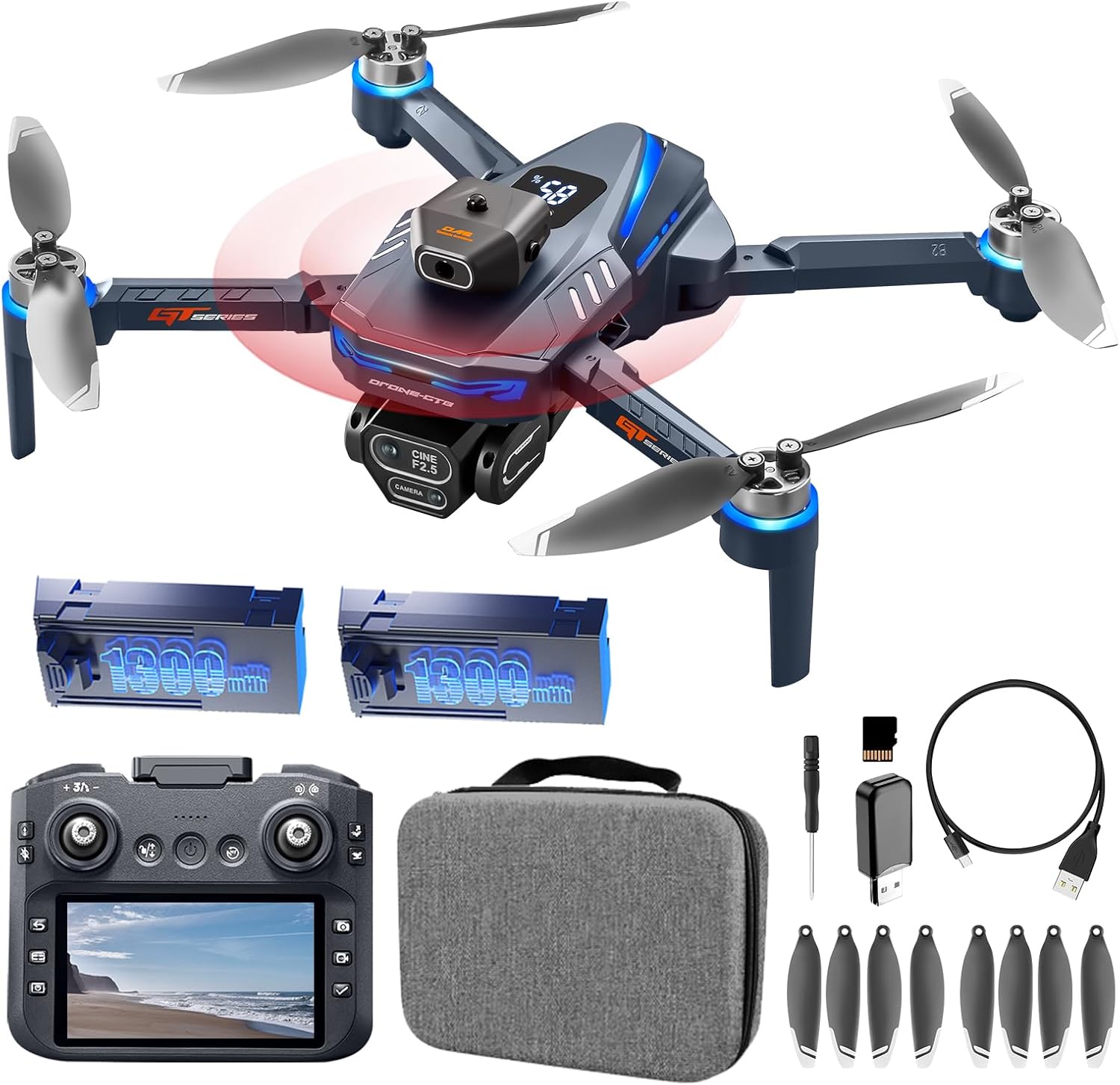
Image: All components included in the AXNEN GT8 Mini Drone package, laid out for inspection.
- AXNEN GT8 Mini Drone x 1
- Remote Control with 4.3" HD LCD Screen x 1
- Rechargeable Drone Batteries (1300mAh) x 2
- Baling-Baling Cadangan x 8
- Kabel Pengisian USB x 1
- Obeng x 1
- Memory Card (8GB) x 1
- Memory Card Reader x 1
- Tas jinjing x 1
- Panduan Pengguna x 1
4. Pengaturan
4.1. Mengisi Baterai
Ensure both the drone batteries and the remote control are fully charged before first use. Use the provided USB charging cable.
- Hubungkan baterai drone ke kabel pengisian daya USB.
- Connect the USB cable to a suitable USB power adapter (not included).
- Charging indicators will show the charging status. A full charge typically takes approximately 2 hours for the remote control and 1.5-2 hours per drone battery.

Image: Illustration of the drone's high-capacity batteries and brushless motors, highlighting power and efficiency.
4.2. Pemasangan Baling-baling
Jika baling-baling tidak terpasang sebelumnya atau perlu diganti:
- Identify the correct propeller for each motor (marked A or B).
- Attach the propeller to the corresponding motor shaft and secure it with the provided screws using the screwdriver.
- Ensure all propellers are firmly attached and rotate freely without obstruction.
4.3. Pemasangan Kartu SD
Insert the provided 8GB Micro SD card into the drone's camera slot to store photos and videos.

Image: A Micro SD card shown alongside the drone and its remote, indicating its use for media storage.
4.4. Menghidupkan dan Memasangkan
- Tempatkan drone di permukaan yang rata dan rata.
- Tekan dan tahan tombol daya pada drone hingga lampu indikator menyala.
- Turn on the remote control. The remote and drone should automatically pair. The LCD screen on the remote will display the camera feed once connected.
- If the remote defaults to a non-English language, navigate through the settings menu on the remote's LCD screen to select English.

Image: The drone's remote control featuring a 4.3-inch HD LCD screen, showing the live video feed from the drone's camera.
5. Petunjuk Pengoperasian
5.1. Kontrol Penerbangan Dasar
- Lepas landas/Mendarat dengan Satu Tombol: Press the designated button on the remote control for automatic takeoff or landing.
- Mode Tanpa Kepala: Activates a mode where the drone's orientation is irrelevant to control inputs, simplifying flight for beginners.
- Penentuan Posisi Aliran Optik: Helps the drone maintain a stable hover, especially useful for indoor flight or in areas with minimal wind.

Image: Visual guide demonstrating beginner-friendly features like Optical Flow Hover, One-Key Start/Landing, and Headless Mode.

Image: The drone utilizing Floating Optical Flow technology to maintain a stable position above a grassy field.

Image: The drone performing a one-click takeoff from a designated landing pad, illustrating ease of use.
5.2. Fitur Penerbangan Lanjutan
- Penghindaran Rintangan: The drone is equipped with an obstacle avoidance system that automatically detects and helps prevent collisions.
- Putaran 360°: Execute aerial stunts with a single button press on the remote control.
- Waypoint Fly: Plan a custom flight path within the companion application, and the drone will follow the pre-set route.
- Kontrol Gerakan: Gunakan gerakan tangan tertentu untuk memicu perekaman foto atau video.

Image: The drone navigating through a forest, illustrating its intelligent obstacle avoidance capabilities.

Image: The drone demonstrating its obstacle avoidance feature while flying within a wooded area.

Image: The drone executing a pre-programmed flight path over a scenic river, showcasing the Waypoint Fly feature.

Image: A sequence of images depicting the drone performing a 360-degree flip, highlighting its stunt capabilities.
5.3. Pengoperasian Kamera
The GT8 drone features a 4K HD camera with a 90° wide-angle lens. The lens can be manually tilted 90 degrees for varied perspectives.
- Pengambilan Foto/Video: Gunakan tombol khusus pada remote control untuk mengambil foto atau memulai/menghentikan perekaman video.
- Stabilisasi Gambar Elektronik EIS: This feature enhances image clarity and reduces shake in photos and videos.
- Fungsi Zoom: Utilize the digital zoom feature for closer shots.
- Filter Kecantikan: Apply filters to enhance captured images.
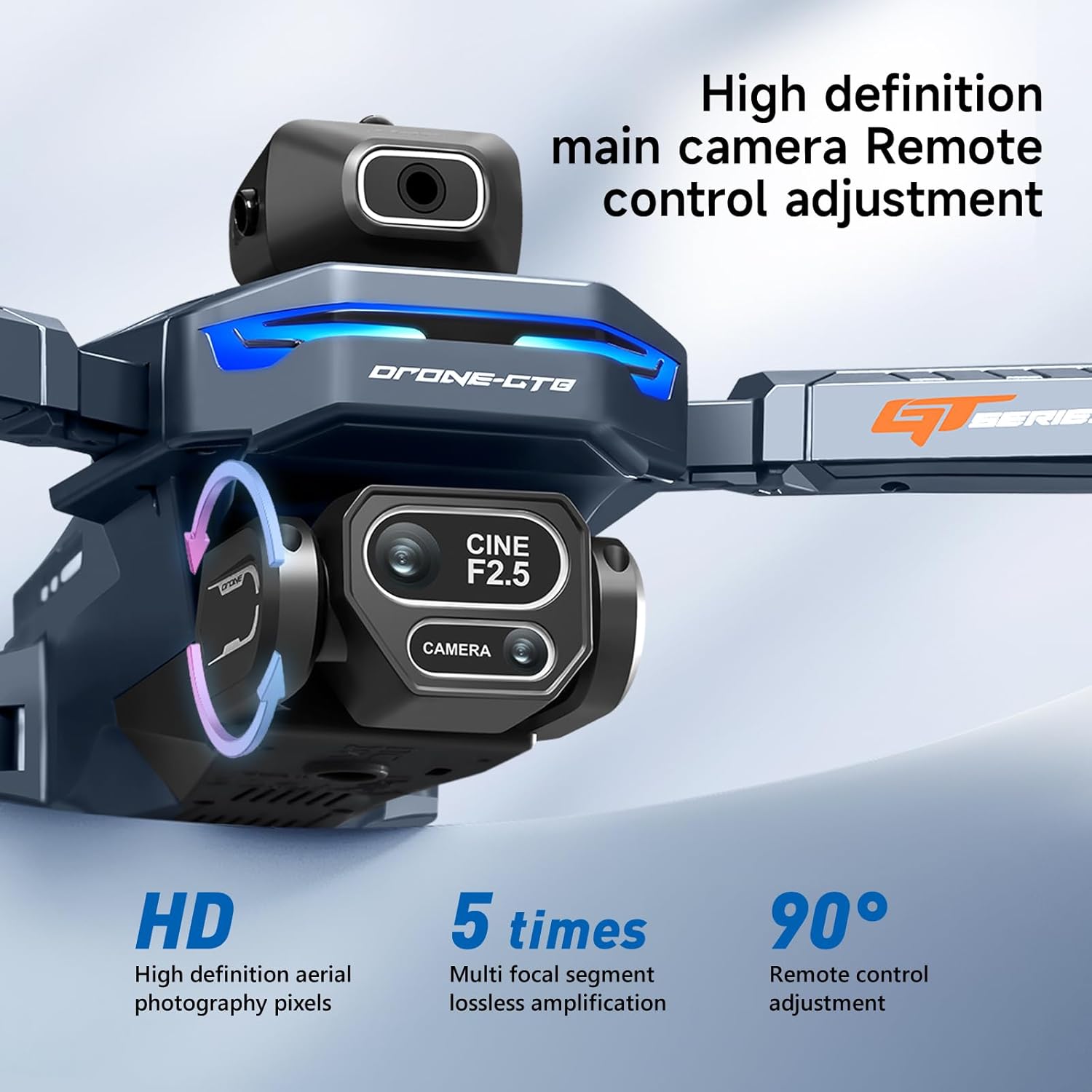
Gambar: Detail view of the drone's 4K HD camera, highlighting its 90-degree manual tilt capability and high-definition pixels.

Image: A side-by-side comparison demonstrating the effectiveness of EIS Smart Anti-Vibration in producing stable and clear footage.

Image: The drone's 4K HD camera system, indicating its capability for dual camera switching and multiple perspectives.

Gambar: Pameran kolaseasing various drone features including zoom, beauty filters, gesture photo capture, and waypoint flight.
6. Pemeliharaan
- Pembersihan: Use a soft, dry cloth to clean the drone and remote control. Avoid using liquids or solvents.
- Pemeriksaan Baling-Baling: Periksa baling-baling secara berkala untuk melihat adanya retak, bengkok, atau kerusakan. Segera ganti baling-baling yang rusak.
- Penyimpanan Baterai: Store batteries in a cool, dry place, partially charged (around 50%) if not used for extended periods.
- Perawatan Motorik: Motor tanpa sikat dirancang untuk daya tahan. Jaga agar tetap bersih dari debu dan kotoran.

Image: An illustration of the drone's brushless motor, highlighting its internal components and design for improved wind resistance.
7. Penyelesaian masalah
| Masalah | Kemungkinan Penyebab | Larutan |
|---|---|---|
| Drone tidak lepas landas atau terbang secara tidak menentu. |
|
|
| Remote control LCD screen is blank or not displaying video. |
|
|
| Remote control language resets to Chinese. |
|
|
| Kualitas gambar/video buruk. |
|
|
8. Spesifikasi
| Fitur | Detil |
|---|---|
| Merek | AXNEN |
| Nama Model | GT8 |
| Fitur Khusus | Dapat dilipat |
| Warna | Biru tua |
| Resolusi Pengambilan Video | 4K |
| Teknologi Konektivitas | USB (untuk mengisi daya) |
| Berat Barang | 177 Gram (6.2 ons) |
| Format Pengambilan Video | MP4 |
| Jenis Kontrol | Kontrol Jarak Jauh |
| Bahan | Plastik |
| Teknologi Komunikasi Nirkabel | RF 2.4GHz |
| Komposisi Sel Baterai | Ion Litium |
| Baterai Termasuk | Yes (2 drone batteries, 2 AA for remote) |
| Termasuk Kontrol Jarak Jauh | Ya |
| Teknologi Sensor Optik | Optical Flow |
| Dimensi Produk | 11.22"P x 10.24"L x 2.84"T |
| Durasi Penerbangan | Hingga 30 menit (dengan dua baterai) |
| Remote Screen Size | 4.3 inci |
| Jarak Transmisi | 50m (perkiraan) |
9. Garansi & Dukungan
For warranty information, technical support, or service inquiries, please refer to the contact details provided on the product packaging or the official AXNEN websitus. Simpan struk pembelian Anda sebagai bukti pembelian untuk klaim garansi.