
1. Pendahuluan
Thank you for choosing the XINYIELE Smart Sprinkler Timer. This device is designed to automate your garden watering, ensuring your plants receive optimal hydration with minimal effort. Please read this manual carefully before installation and operation to ensure proper use and longevity of your product.
2. Informasi Keselamatan
- Do not immerse the timer in water. It is water-resistant, not submersible.
- Use only alkaline batteries of the specified type. Do not mix old and new batteries or different battery types.
- Pastikan semua sambungan kencang untuk mencegah kebocoran.
- Do not expose the timer to extreme temperatures or direct sunlight for prolonged periods, as this may affect its performance and lifespan.
- Jauhkan dari jangkauan anak-anak.
3. Isi Paket
Silakan periksa paket untuk item berikut:
- XINYIELE Smart Sprinkler Timer (1 unit)
- User Manual (dokumen ini)
- Additional hose connectors/washers (if applicable)
4. Produk Lebihview
Familiarize yourself with the components of your smart sprinkler timer:
- Layar LCD: Shows current time, program settings, and battery status.
- Tekan: Used to select different programming modes (Set Clock, Start Time, How Often, How Long, ON, OFF, Rain Delay).
- OK/+/– Buttons: For confirming selections and adjusting values.
- Saluran Masuk Air: Connects to the faucet (3/4" GHT thread). Features a 360° swivel inlet and built-in metal filter.
- Saluran Keluar Air: Connects to the garden hose.
- Kompartemen Baterai: Located at the back, houses the batteries.

Gambar: Lebih dariview of the XINYIELE Smart Sprinkler Timer, showing its 360° swivel inlet, 2.5" LCD Display, IP65 waterproof rating, low power protection, anti-UV material, and 3/4" GHT thread for garden hoses.
5. Pengaturan
5.1 Pemasangan Baterai
- Temukan kompartemen baterai di bagian belakang pengatur waktu.
- Geser penutup baterai.
- Insert two new AA alkaline batteries (not included), ensuring correct polarity (+/-).
- Pasang kembali penutup baterai dengan erat.

Image: The XINYIELE Smart Sprinkler Timer highlighting its durable structural design, built-in metal filter, high-definition display screen, and waterproof battery box design, which prevents water from entering the interior.
5.2 Instalasi Pengatur Waktu
- Pastikan keran air dimatikan.
- Thread the timer's inlet onto your outdoor faucet. Hand-tighten only. Do not overtighten.
- Connect your garden hose to the timer's outlet. Hand-tighten.
- Turn on the faucet. The timer is designed to withstand standard household water pressure (up to 116 PSI).
6. Petunjuk Pengoperasian
6.1 Mengatur Jam
- Putar kenop ke "ATUR JAM".
- Use the "+" and "–" buttons to adjust the current time.
- Press "OK" to confirm and move to the next setting (e.g., AM/PM).
- Once the time is set, turn the dial to "ON" to save.
6.2 Pemrograman Penyiraman Otomatis
The timer offers two automatic cycle modes:

Image: The XINYIELE Smart Sprinkler Timer displaying its two automatic cycle modes: Mode 1 for watering every 1 to 12 hours, and Mode 2 for watering every 1 to 7 days. This allows users to choose an appropriate watering frequency for different plants.
- Tetapkan Waktu Mulai:
- Putar tombol ke "MULAI WAKTU".
- Use "+" and "–" to set the desired watering start time.
- Press "OK" to confirm.
- Atur Lamanya (Durasi Penyiraman):
- Putar kenop ke "BERAPA LAMA".
- Use "+" and "–" to set the watering duration (e.g., 1 minute to 8 hours).
- Press "OK" to confirm.
- Atur Frekuensi Penyiraman:
- Putar tombol ke "SEBERAPA SERING".
- Use "+" and "–" to select the frequency:
- Every 1-12 hours (Mode 1)
- Every 1-7 days (Mode 2)
- Press "OK" to confirm.
- After setting all parameters, turn the dial to "ON" to activate the program. The timer will now water automatically according to your settings.
6.3 Penyiraman Secara Manual
You can manually water without interrupting your programmed schedule.

Image: The XINYIELE Smart Sprinkler Timer demonstrating its manual watering feature, which allows for watering durations from 1 minute to 8 hours without altering the existing automatic watering schedule.
- Turn the dial to "ON".
- Press the "OK" button. The display will show "MANUAL".
- Use "+" and "–" to set the desired manual watering duration.
- Tekan "OK" untuk memulai penyiraman manual.
- To stop manual watering, press "OK" again or turn the dial to "OFF" and then back to "ON".
6.4 Fungsi Penundaan Hujan
To conserve water during rainy periods, you can temporarily pause your watering schedule.
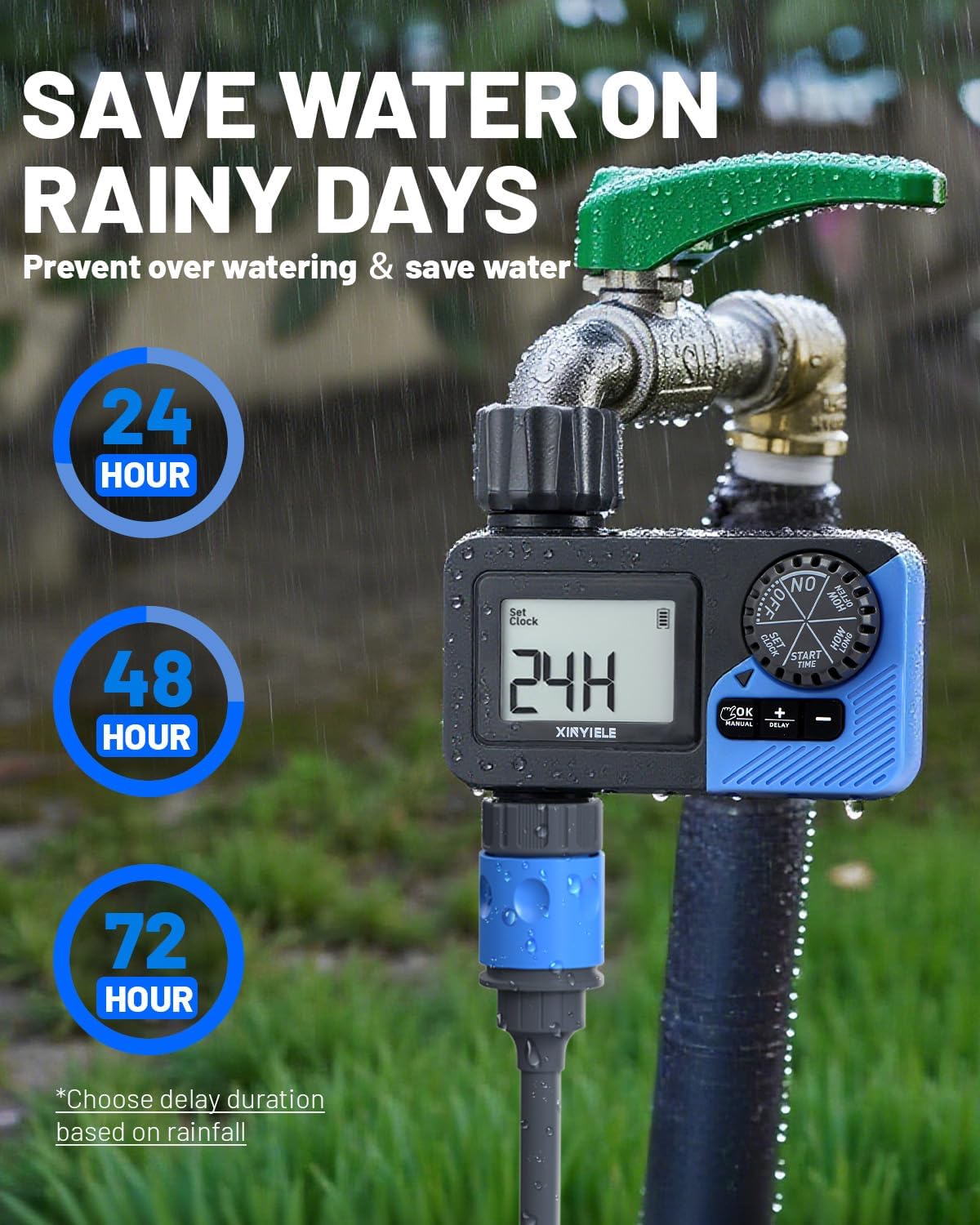
Image: The XINYIELE Smart Sprinkler Timer illustrating its rain delay function, which allows users to pause watering for 24, 48, or 72 hours to prevent overwatering and save water on rainy days.
- Turn the dial to "RAIN DELAY".
- Use "+" and "–" to select the delay duration (24, 48, or 72 hours).
- Press "OK" to activate the rain delay. The timer will resume its schedule automatically after the delay period.
- To cancel the rain delay, turn the dial to "ON".
6.5 Mematikan Timer
To stop all watering, turn the dial to "OFF".
6.6 Low Battery Protection
The timer is equipped with a low battery protection function. When the battery level is critically low, the valve will automatically close to prevent continuous watering and water wastage. Replace batteries promptly when the low battery indicator appears on the display.
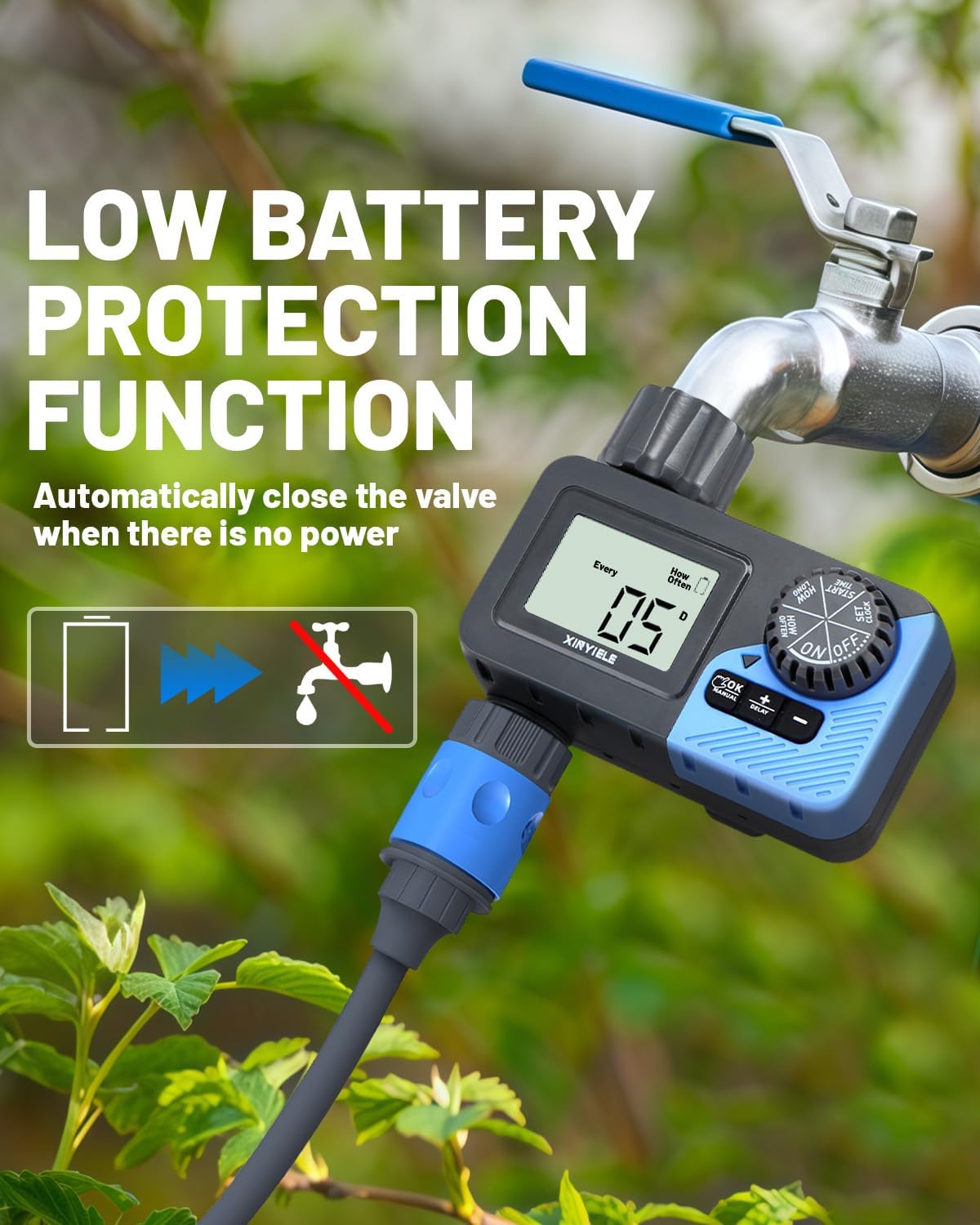
Image: The XINYIELE Smart Sprinkler Timer illustrating its low battery protection feature, which automatically closes the valve when there is insufficient power to prevent water waste.
7. Pemeliharaan
7.1 Pembersihan
- Periodically check and clean the built-in metal filter at the water inlet to prevent clogging.
- Usap bagian luar pengatur waktu dengan adamp kain. Jangan gunakan pembersih yang bersifat abrasif.
7.2 Musim dingin
- Sebelum embun beku pertama, lepaskan pengatur waktu dari keran dan selang.
- Lepaskan baterainya.
- Simpan pengatur waktu di dalam ruangan di tempat yang kering dan bebas embun beku.
8. Penyelesaian masalah
| Masalah | Kemungkinan Penyebab | Larutan |
|---|---|---|
| Timer tidak menyala. | Baterai mati atau tidak terpasang dengan benar. | Ganti baterai dengan baterai alkaline AA baru, pastikan polaritasnya benar. |
| Tidak ada aliran air. | Faucet is off; filter is clogged; low battery; program not set correctly. | Ensure faucet is fully open. Clean the inlet filter. Replace batteries. Verify program settings. |
| Kebocoran air dari sambungan. | Loose connections; worn washer. | Tighten connections. Check and replace rubber washers if damaged. |
| Pengatur waktu tidak menyiram sesuai jadwal. | Incorrect clock setting; program not activated; rain delay active. | Verify current time. Ensure dial is on "ON". Check if rain delay is active and cancel if needed. |
9. Spesifikasi
- Merek: XINYIELE
- Nomor Model: SPTI-1out
- Bahan: Plastik
- Warna: Abu-abu
- Dimensi Produk: 12.7D x 12.7L x 12.7T sentimeter
- Berat Barang: 0.3 Kilogram
- Kisaran Tekanan Air: Up to 116 PSI (Maximum)
- Sumber Daya: 2 x Baterai Alkaline AA (tidak termasuk)
- Durasi Penyiraman: 1 menit hingga 8 jam
- Frekuensi Penyiraman: Setiap 1-12 jam atau Setiap 1-7 hari
- Tahan Air: Tingkat IP65
- Menampilkan: LCD 2.5 inci
10. Garansi dan Dukungan
XINYIELE products are designed for reliability and performance. For warranty information or technical support, please refer to the contact details provided at the point of purchase or visit the official XINYIELE websitus. Harap simpan bukti pembelian Anda untuk klaim garansi.
For further assistance, you may contact customer support via support@xinyiele.com atau kunjungi www.xinyiele.com/support.