
7MAGIC D36
Buku Panduan Pengguna Sikat Gigi Elektrik Sonic 7MAGIC D36
Model: D36
Perkenalan
Thank you for choosing the 7MAGIC D36 Sonic Electric Toothbrush. This manual provides essential information for the safe and effective use of your new toothbrush. Please read it thoroughly before first use and retain it for future reference.
Apa yang ada di dalam kotak
Your 7MAGIC D36 Sonic Electric Toothbrush package includes the following components:
- 1 x 7MAGIC Sonic Electric Toothbrush (White)
- 8 x Replacement Brush Heads (7 Standard, 1 Deep-Cleaning)
- 1 x Kabel Pengisian Daya USB
- 1 x Toothbrush Hanger
- 1 x Penutup Kepala Sikat
- 1 x Panduan Pengguna
Video: Unboxing the 7MAGIC Sonic Electric Toothbrush
This video demonstrates the unboxing process, showing all included components of the 7MAGIC Sonic Electric Toothbrush.
Produk Selesaiview
The 7MAGIC D36 Sonic Electric Toothbrush is designed for comprehensive oral hygiene, featuring advanced sonic technology and user-friendly functions.
Fitur Utama:
- Daya Tahan Baterai yang Lama: Up to 180 days of use on a single charge (2000mAh battery).
- Powerful Sonic Cleaning: Delivers 42,000 vibrations per minute (VPM) for effective plaque removal.
- Multiple Modes & Intensities: 5 specialized cleaning modes and 3 intensity settings for personalized brushing.
- W-shaped Bristle Design: Engineered to conform to tooth contours for thorough cleaning.
- IPX7 Tahan Air: Dapat dicuci sepenuhnya dan aman digunakan di kamar mandi.
- Pengatur Waktu Cerdas: 2-minute timer with 30-second quadpacer intervals.

Image: Extended Battery Life
This image illustrates the impressive 180-day battery life of the 7MAGIC Sonic Electric Toothbrush on a single charge.

Image: Powerful Sonic Cleaning
A visual representation of the toothbrush's 42,000 VPM sonic cleaning action, showing effective plaque removal.
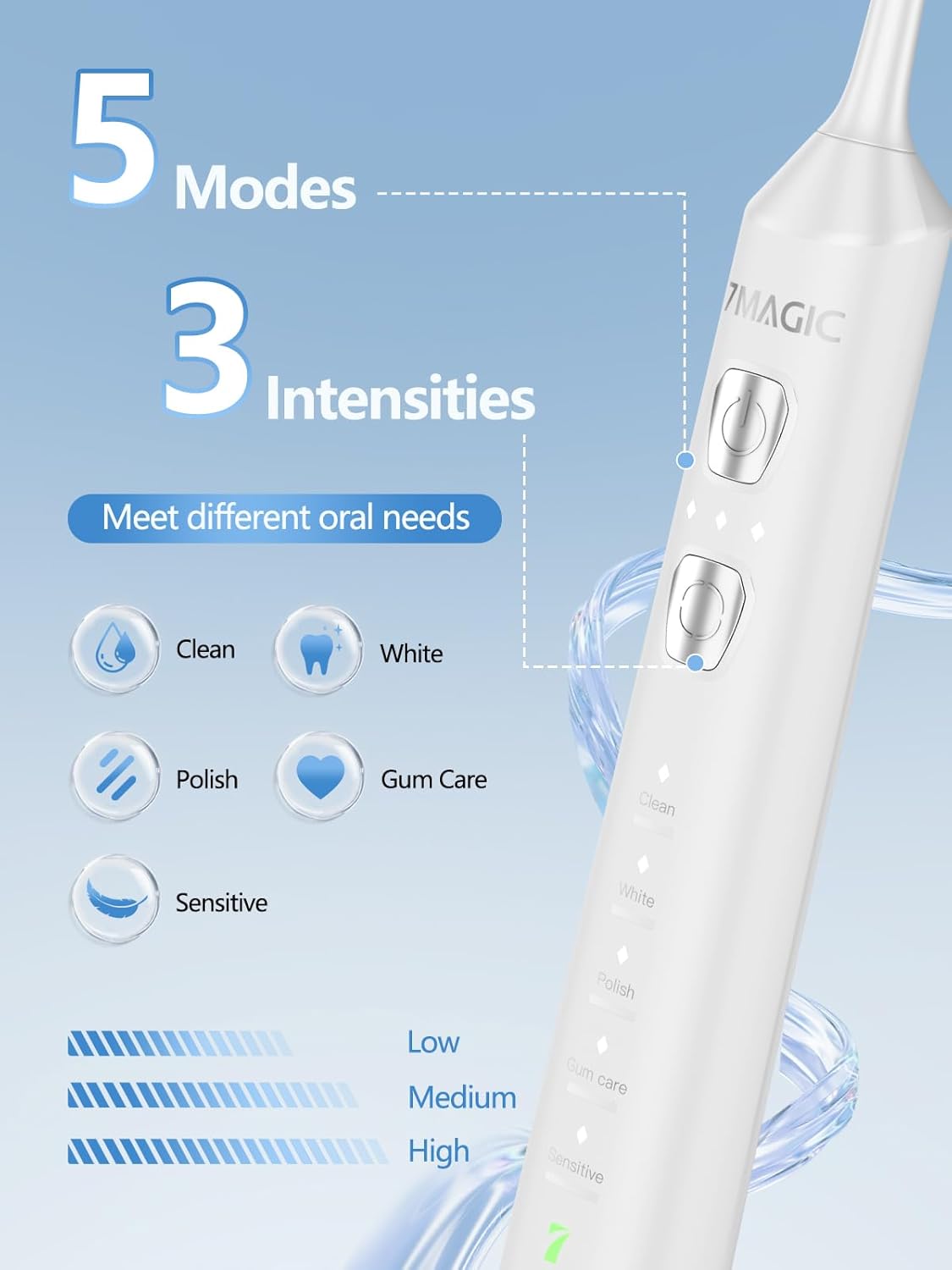
Image: 5 Modes & 3 Intensities
This image highlights the five distinct cleaning modes and three intensity levels available on the toothbrush, allowing for customized oral care.
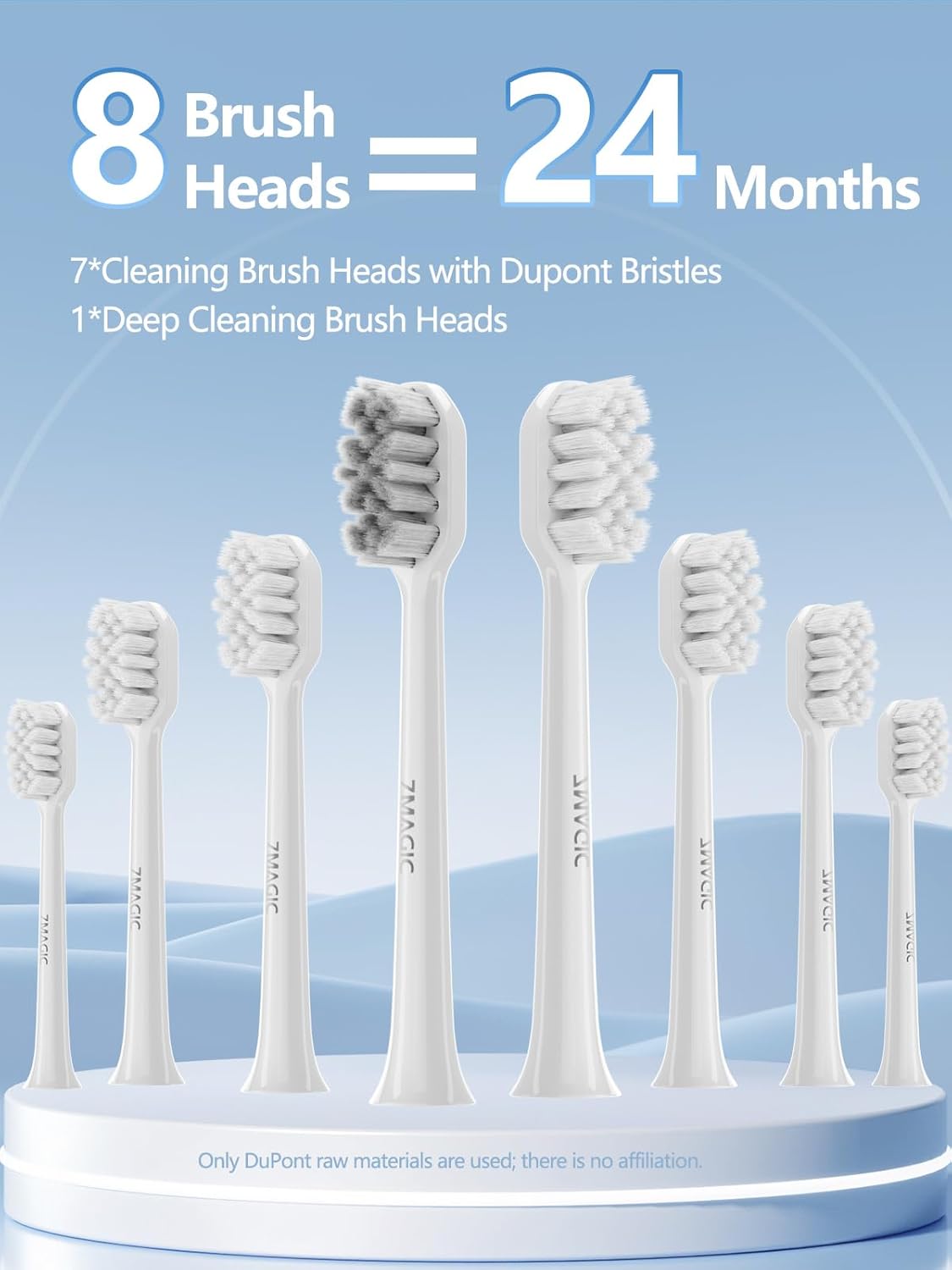
Image: 8 Brush Heads for 2 Years
A display of the eight included brush heads, providing up to two years of use before needing replacements.

Image: IPX7 Waterproof Design
The toothbrush is shown in water, illustrating its IPX7 waterproof rating for safe use and easy cleaning.
Pengaturan
1. Biaya Awal
Before first use, fully charge the toothbrush. Connect the USB charging cable to the charging port at the bottom of the toothbrush and plug it into a compatible USB power source. The battery indicator light will show charging status and turn solid green when fully charged.

Image: USB Charging
A close-up of the toothbrush's USB charging port, showing how to connect the cable for recharging.
2. Attach Brush Head
Sejajarkan kepala sikat dengan batang logam pada gagang sikat gigi dan tekan dengan kuat hingga berbunyi klik. Pastikan terpasang dengan aman.
Video: Attaching Brush Head (from Unboxing)
This segment from the unboxing video demonstrates how to properly attach a brush head to the toothbrush handle.
Petunjuk Pengoperasian
1. Daya Hidup/Mati
Press the power button once to turn on the toothbrush. Press and hold the power button for 3 seconds to turn it off.
2. Select Mode and Intensity
After powering on, press the mode selection button (the lower button) within 5 seconds to cycle through the 5 cleaning modes: Clean, White, Polish, Gum Care, and Sensitive. Each mode has 3 intensity levels (Low, Medium, High) which can be adjusted by pressing the mode selection button again after selecting a mode. The indicator lights will show the selected mode and intensity.
Video: 7MAGIC Sonic Electric Toothbrush Features
This video demonstrates the various modes and intensity settings of the 7MAGIC Sonic Electric Toothbrush.
3. Teknik Menyikat Gigi
Apply a small amount of toothpaste to the brush head. Place the brush at a 45-degree angle to your gums. Gently move the brush across your teeth, allowing the sonic vibrations to do the cleaning. Do not scrub vigorously. The built-in 2-minute timer will ensure you brush for the dentist-recommended duration, with a 30-second quadpacer to guide you to brush each quadrant of your mouth evenly.

Image: W-shaped Bristle Design
Sebuah detail view of the W-shaped bristles, designed for optimal cleaning along the gumline and between teeth.
Pemeliharaan
1. Membersihkan Sikat Gigi
Setelah setiap penggunaan, bilas kepala sikat hingga bersih di bawah air mengalir. Lap gagangnya dengan kain bersih.amp cloth. Do not immerse the entire handle in water for extended periods, despite its waterproof rating, to prolong its lifespan.
2. Mengganti Kepala Sikat
Dentists recommend replacing brush heads every 3 months, or sooner if the bristles become frayed. To replace, simply pull the old brush head off the shaft and push a new one on until it clicks into place.
Penyelesaian Masalah
- Sikat gigi tidak menyala: Ensure the toothbrush is fully charged. If the battery is low, the indicator light will flash red.
- Getaran lemah: This may indicate a low battery. Charge the toothbrush. Also, ensure the brush head is securely attached.
- Kebocoran air: Ensure the charging port cover is fully sealed. If leakage persists, discontinue use and contact customer support.
- Brush head not vibrating: Check if the brush head is correctly installed. If the issue continues, try a different brush head.
Spesifikasi
| Nomor Model | D36 |
| Merek | 7SIHIR |
| Sumber Daya | Bertenaga Baterai (termasuk 1 baterai Lithium Ion) |
| Kapasitas Baterai | 2000 mAh |
| Vibrations Per Minute (VPM) | 42,000 |
| Mode Pembersihan | 5 (Clean, White, Polish, Gum Care, Sensitive) |
| Pengaturan Intensitas | 3 per mode |
| Peringkat Tahan Air | Tingkat IPX7 |
| Pengatur waktu | 2-minute smart timer with 30-second quadpacer |
| Komponen yang Termasuk | Toothbrush, 8 Brush Heads, USB Charging Cable, User Manual, Toothbrush Hanger, Brush Head Cover |
| Berat Barang | 0.27 Kilogram |
| Bahan | Plastic (Handle), Nylon (Bristles) |
Garansi dan Dukungan
For warranty information or customer support, please refer to the contact details provided on the product packaging or visit the official 7MAGIC websitus. Simpan struk pembelian Anda sebagai bukti pembelian.
Ask a question about this manual
Ask about setup, troubleshooting, compatibility, parts, safety, or missing instructions. Manuals+ will review the question and use this page’s manual context to help answer it.