1. Pendahuluan
This manual provides essential information for the safe and efficient use of your Infinix Smart 10 smartphone. Please read this guide thoroughly before operating your device to ensure optimal performance and longevity. Keep this manual for future reference.
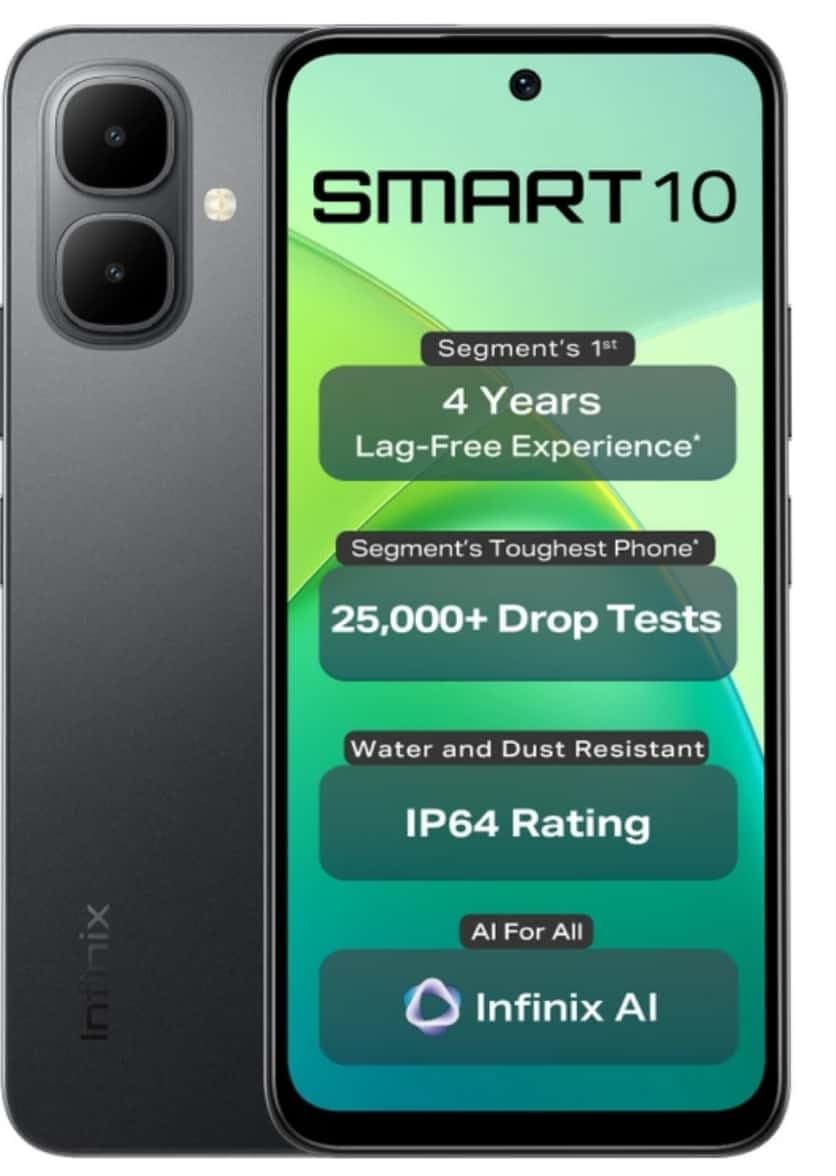
Image: Infinix Smart 10 smartphone, showcasing its design and highlighted features such as durability and performance.
2. Perangkat Berakhirview
Familiarize yourself with the physical components of your Infinix Smart 10.
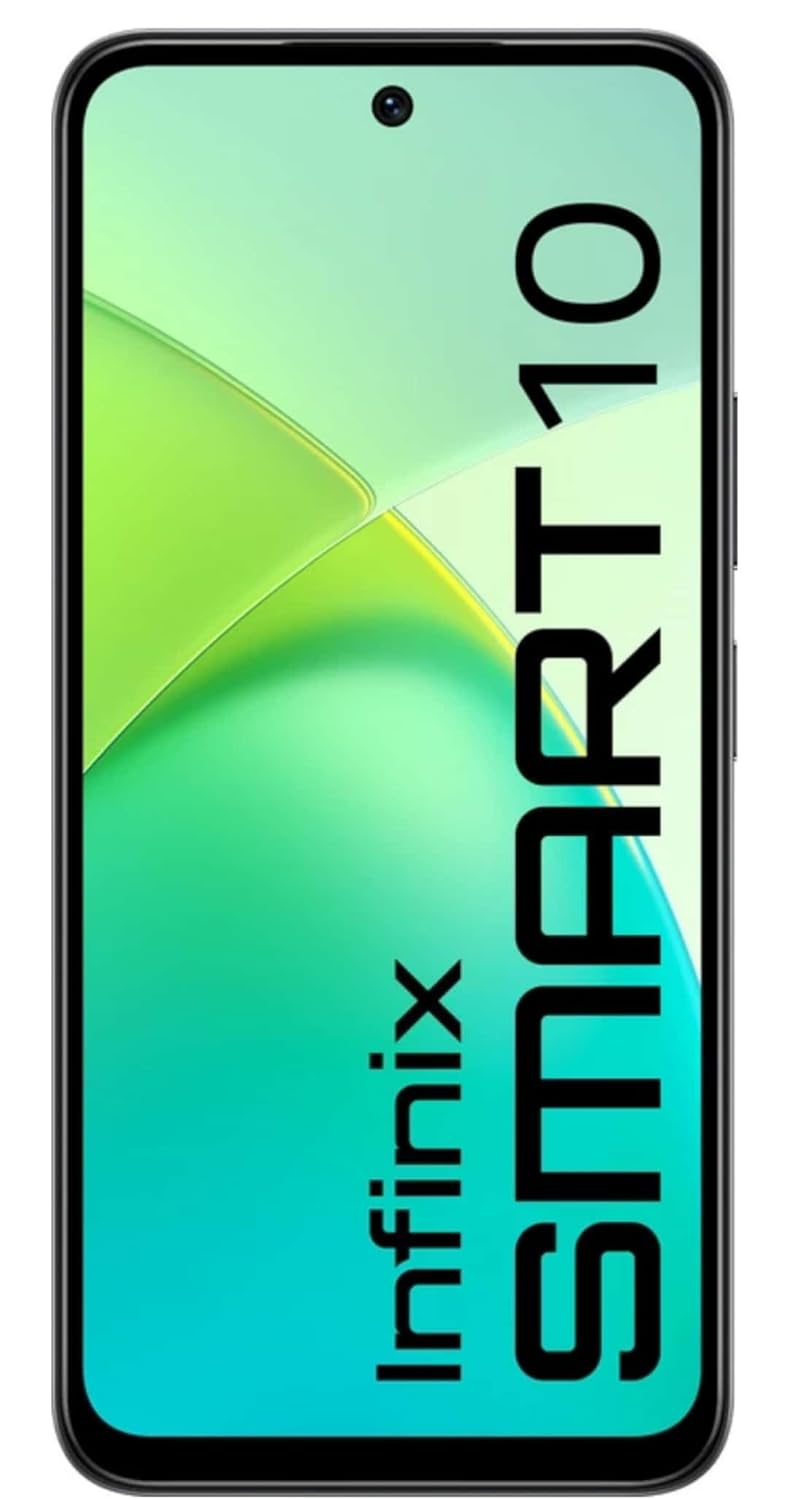
Gambar: Depan view of the Infinix Smart 10, displaying its screen.

Gambar: Belakang view of the Infinix Smart 10, showing the camera setup and branding.
3. Pengaturan
3.1 Unboxing dan Isi Paket
Saat membuka paket, pastikan semua item ada:
- Ponsel Pintar Infinix Smart 10
- Headset
- Kabel Pengisian Daya (USB)
- Adaptor Daya
- Alat Pengeluar SIM
- Panduan Memulai Cepat
- Kartu Garansi
3.2 Memasang Kartu SIM dan MicroSD
- Temukan tempat kartu SIM di sisi perangkat.
- Masukkan alat pelepas SIM ke dalam lubang kecil di sebelah baki dan tekan perlahan hingga baki keluar.
- Letakkan kartu Nano-SIM dan/atau kartu microSD Anda ke dalam slot yang telah ditentukan pada baki, pastikan orientasinya benar.
- Dorong baki dengan hati-hati kembali ke dalam perangkat hingga rata dengan sisinya.
3.3 Pengaktifan dan Pengaturan Awal
- Tekan dan tahan tombol Daya hingga logo Infinix muncul.
- Follow the on-screen instructions to select your language, connect to Wi-Fi, set up your Google account, and configure security settings.
3.4 Mengisi Daya Perangkat
Before first use, fully charge your Infinix Smart 10. Connect the USB cable to the charging port on your phone and the power adapter, then plug the adapter into a power outlet. The battery indicator will show charging status.

Image: The Infinix Smart 10 connected to a charger, illustrating its 5000mAh battery.
4. Mengoperasikan Perangkat Anda
4.1 Navigasi Dasar
Your Infinix Smart 10 uses a touchscreen interface. Common gestures include:
- Mengetuk: Pilih item atau buka aplikasi.
- Geser: Gulir layar atau daftar.
- Mencubit: Memperbesar atau memperkecil gambar dan web halaman.
- Tekan lama: Akses menu kontekstual atau pindahkan ikon.
4.2 Fitur Tampilan
The device features a 16.94 cm (6.67 inch) HD+ Display with a 120Hz refresh rate, designed for smooth visuals even in bright conditions.

Image: The Infinix Smart 10 display showcasing vibrant visuals and the 120Hz refresh rate.
4.3 Operasi Kamera
The Infinix Smart 10 is equipped with an 8MP front camera and an 8MP dual rear camera, capable of 2K video recording. It includes a Dual LED Flash, Dual Video Mode for simultaneous front and rear recording, and a Pro Mode for advanced photography.

Image: A user demonstrating the camera features of the Infinix Smart 10, highlighting its various modes and specifications.
4.4 Manajemen Baterai
Your device is powered by a 5000 mAh battery, offering extended usage times. To optimize battery life:
- Sesuaikan kecerahan layar.
- Tutup aplikasi yang tidak digunakan.
- Nonaktifkan Wi-Fi, Bluetooth, dan GPS saat tidak digunakan.
- Utilize power-saving modes.
4.5 Kinerja Prosesor
The Infinix Smart 10 is powered by the UniSoc T7250 Processor, designed for efficient performance and a smooth user experience, certified for 48-month TÜV Fluency.

Image: A visual representation of the UniSoc T7250 processor, highlighting its performance capabilities.
4.6 Konektivitas
The device supports Wi-Fi for internet access and Bluetooth for connecting to wireless accessories. Access these settings via the Quick Settings panel or the main Settings menu.
5. Pemeliharaan
5.1 Perawatan Umum
Untuk merawat perangkat Anda:
- Bersihkan layar dan bodi dengan kain lembut yang tidak berbulu.
- Hindari memaparkan ponsel pada suhu ekstrem atau sinar matahari langsung dalam waktu lama.
- Jangan gunakan bahan kimia keras atau bahan abrasif untuk membersihkan.
5.2 Fitur Ketahanan
The Infinix Smart 10 is designed with durability in mind, featuring an IP64 rating for water and dust resistance, and has undergone over 25,000 drop tests, including 1.5-meter 6-sided drop tests.

Image: The Infinix Smart 10 demonstrating its robust build and resistance to drops.
5.3 Pembaruan Perangkat Lunak
Periksa dan instal pembaruan perangkat lunak secara berkala untuk memastikan perangkat Anda memiliki fitur, patch keamanan, dan peningkatan kinerja terbaru. Navigasi ke Pengaturan > Sistem > Pembaruan sistem untuk memeriksa pembaruan.
6. Penyelesaian masalah
Jika Anda mengalami masalah dengan perangkat Anda, coba langkah-langkah berikut:
- Perangkat tidak menyala: Pastikan baterai terisi penuh. Sambungkan ke pengisi daya dan tunggu beberapa menit sebelum mencoba menghidupkan kembali perangkat.
- Aplikasi mogok atau membeku: Close and restart the app. If the issue persists, clear the app's cache (Settings > Apps > [App Name] > Storage > Clear cache).
- Konektivitas jaringan yang buruk: Check if Airplane Mode is off. Restart the device. Verify your SIM card is properly inserted.
- Device slow performance: Close background apps. Clear cache and temporary files. Consider a factory reset as a last resort (back up your data first).
6.1 Reset Pabrik
Reset pabrik akan menghapus semua data dari ponsel Anda dan mengembalikannya ke pengaturan pabrik semula. Cadangkan semua data penting sebelum melanjutkan. Untuk melakukan reset pabrik, buka Pengaturan > Sistem > Opsi reset > Hapus semua data (reset pabrik).
7. Spesifikasi
| Fitur | Spesifikasi |
|---|---|
| Nomor Model | X6725 |
| Sistem Operasi | Android 15 |
| RAM | 4 GB |
| Penyimpanan Internal | Kapasitas ROM 64 GB |
| Menampilkan | 16.94 cm (6.67 inch) HD+ Display, 120Hz |
| Kamera Belakang | 8MP Dual Camera, 2K Video Recording, Dual LED Flash |
| Kamera Depan | 8MP, 2K Video Recording |
| Baterai | 5000 mAh |
| Prosesor | UniSoc T7250 |
| Konektivitas | Wifi gratis |
| Dimensi (P x L x T) | 8 x 77 x 166 Milimeter |
| Berat Barang | 187 gram |
| Warna | Pulse Green (Note: Color may vary by region/variant) |
| Fitur Khusus | IP64 Water and Dust Resistant, 25,000+ Drop Tests |
8. Garansi dan Dukungan
8.1 Informasi Garansi
Your Infinix Smart 10 comes with a standard manufacturer's warranty. Please refer to the warranty card included in your package for specific terms, conditions, and duration. Keep your proof of purchase for warranty claims.
8.2 Dukungan Pelanggan
For technical assistance, service, or further inquiries, please contact Infinix customer support through their official websitus atau informasi kontak yang disediakan dalam dokumentasi garansi Anda.


