Perkenalan
This manual provides detailed instructions for the safe and effective use of your Rossetta 3D Galaxy Projector. Please read this manual thoroughly before operation and retain it for future reference.

Image: The Rossetta 3D Galaxy Projector and its remote control, projecting a nebula scene.
Informasi Keselamatan
Untuk memastikan pengoperasian yang aman, harap perhatikan tindakan pencegahan berikut:
- Jangan membongkar atau memodifikasi perangkat.
- Jauhkan perangkat dari air dan kelembapan tinggi.
- Avoid direct eye exposure to the projector light.
- Gunakan hanya adaptor daya yang disediakan.
- Pastikan ventilasi yang tepat untuk mencegah panas berlebih.
Isi Paket
Verifikasi bahwa semua item ada dalam paket:
- 1 x Rossetta 3D Projector
- 1x Kontrol Jarak Jauh
- 1 x Adaptor Daya
- 1 x Panduan Pengguna (dokumen ini)
Produk Selesaiview
Biasakan diri Anda dengan komponen utama proyektor Anda:

Gambar: Detail view of the projector's HD lens and focus wheel.
- Lensa Proyeksi: Emits the visual themes.
- Roda Fokus: Mengatur kejernihan gambar yang diproyeksikan.
- Tombol Kontrol: Located on the device for basic functions (Power, Volume, Bluetooth, Timer).
- Dudukan yang Dapat Disesuaikan: Allows for angle adjustment of the projection.
- Speaker Bluetooth: Speaker terintegrasi untuk pemutaran audio.
- Kontrol Jarak Jauh: Provides full control over all projector functions.
Pengaturan
- Penempatan: Letakkan proyektor di permukaan yang stabil dan rata. Untuk hasil optimal viewing, place it 10 to 20 feet away from the projection surface (wall or ceiling). The projector covers an area of 130-385 sq. ft.
- Sambungan Daya: Connect the provided power adapter to the projector's power input and then to a standard electrical outlet.
- Sesuaikan Sudut Proyeksi: Utilize the 220-degree adjustable stand to direct the projection to your desired surface.
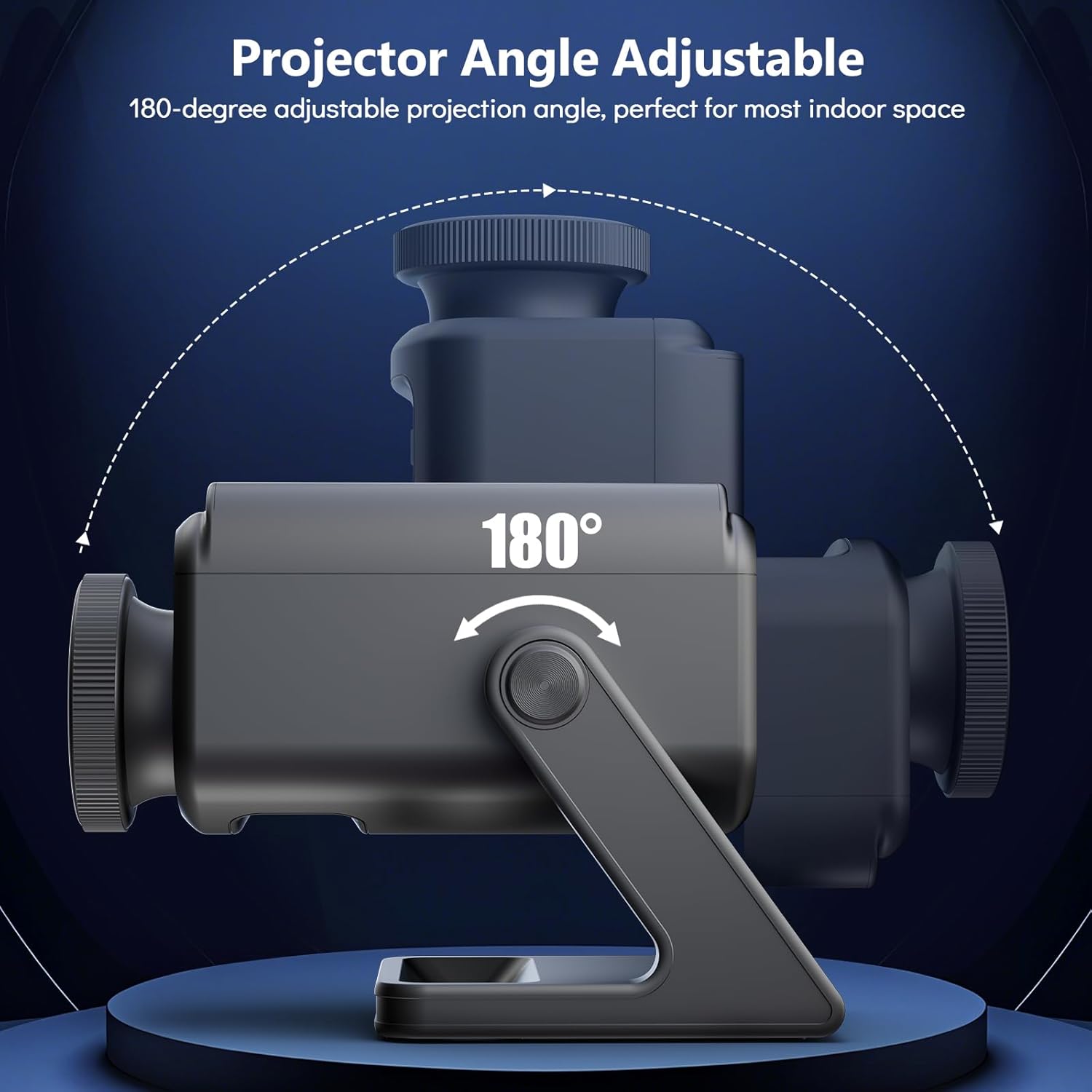
Image: Illustration of the projector's adjustable angle for versatile placement.
- Penyesuaian Fokus: Turn the focus wheel on the projector lens to achieve a clear and sharp image.
Petunjuk Pengoperasian
Daya Hidup/Mati
- Tekan tombol daya pada proyektor atau kendali jarak jauh untuk menghidupkan atau mematikan perangkat.
Pemilihan Tema
The projector features 60 dynamic 3D scenes across 12 captivating themes.

Image: A selection of the 60 dynamic 3D themes available with the projector.
- Use the remote control to browse and select desired themes.
- Themes include oceans, wildlife, cosmic wonders, and festivals.
Penyesuaian Kecerahan
- Adjust the projection brightness using the dedicated buttons on the remote control.
Fungsi Pengatur Waktu
Set an automatic shut-off timer for convenience and energy saving.
- Press the "1H" or "2H" button on the remote control to set the projector to turn off after 1 or 2 hours, respectively.
Pembicara Bluetooth
The integrated Bluetooth speaker allows for audio playback.
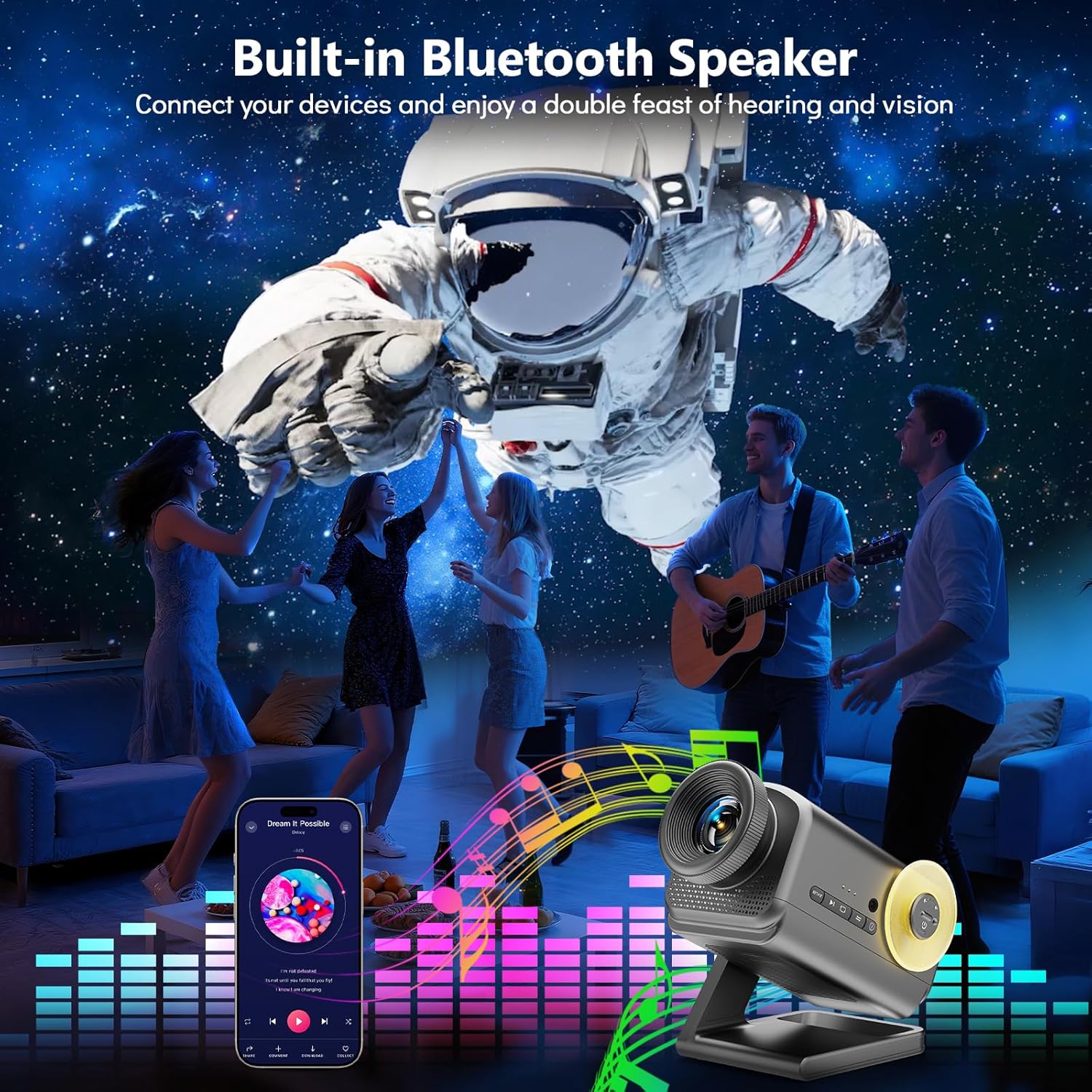
Image: The projector in use, highlighting its Bluetooth speaker capability during a social gathering.
- Aktifkan Bluetooth di perangkat seluler Anda.
- Pencarian untuk "Rossetta Projector" in your device's Bluetooth settings and pair.
- You can now stream audio from your device or use the projector's built-in theme-matched background sounds.
Penggunaan Kontrol Jarak Jauh
The remote control provides comprehensive access to all features.
- Tombol Daya: Hidup/Mati.
- Theme Selection Buttons: Navigate through the 60 themes.
- Tombol Kecerahan: Increase or decrease projection brightness.
- Timer Buttons (1H/2H): Set automatic shut-off.
- Tombol Volume: Sesuaikan volume pengeras suara.
- Tombol Bluetooth: Toggle Bluetooth mode.
Integrasi Media
Video Produk Resmi
Watch this video for a visual demonstration of the Rossetta 3D Galaxy Projector's features and capabilities.
Video: Pertunjukan video produk resmiasing the Rossetta 3D Theme Projector and its various projections.
Pemeliharaan
- Pembersihan: Gunakan kain lembut dan kering untuk membersihkan bagian luar proyektor. Jangan gunakan cairan pembersih atau bahan abrasif.
- Perawatan Lensa: Gently wipe the projector lens with a microfiber cloth designed for optics. Avoid touching the lens with bare hands.
- Penyimpanan: Saat tidak digunakan, simpan proyektor di tempat yang sejuk dan kering, jauh dari sinar matahari langsung dan suhu ekstrem.
Penyelesaian Masalah
| Masalah | Kemungkinan Penyebab | Larutan |
|---|---|---|
| Proyektor tidak menyala. | Tidak ada catu daya. | Pastikan adaptor daya terhubung dengan aman ke proyektor dan stopkontak listrik yang berfungsi. |
| Gambarnya buram. | Fokus tidak disesuaikan dengan benar. | Rotate the focus wheel on the projector lens until the image is clear. |
| Speaker Bluetooth tidak terhubung. | Bluetooth is not enabled or device is out of range. | Ensure Bluetooth is enabled on your device and the projector, and that they are within pairing range. Restart both devices if necessary. |
| Kontrol jarak jauh tidak berfungsi. | Low battery or obstruction. | Ganti baterai remote control. Pastikan tidak ada penghalang antara remote dan proyektor. |
Spesifikasi
| Fitur | Detil |
|---|---|
| Warna | Abu-abu |
| Bahan | Plastik |
| Jenis Sumber Cahaya | Dioda Pemancar Cahaya (LED) |
| Sumber Daya | Listrik Kabel |
| Jil.tage | 19 Volt (DC) |
| Sumber Cahaya Wattage | 28 Watt |
| Dimensi Produk | 7.76"P x 5"L x 5.59"T |
| Berat Barang | 3.06 pon |
| Sudut Balok | 220 Derajat |
| Fitur | Dimmable, Bluetooth Speaker, 60 Themes, 1H/2H Timer |
| Sertifikasi | CE, FCC, RoHS |
Garansi dan Dukungan
Rossetta is committed to providing quality products and customer satisfaction.
- Pengembalian/Penggantian: Easy return and replacement options are available. Please refer to your purchase platform's return policy for details.
- Dukungan Profesional: Rossetta offers lifetime professional support for its products. For assistance, please contact customer service through the vendor's contact information provided at the point of purchase.