
1. Pendahuluan
Thank you for choosing the Redragon K709 HE Rapid Trigger Gaming Keyboard. This manual provides essential information for setting up, operating, and maintaining your new keyboard. Please read it thoroughly to ensure optimal performance and longevity of your device.
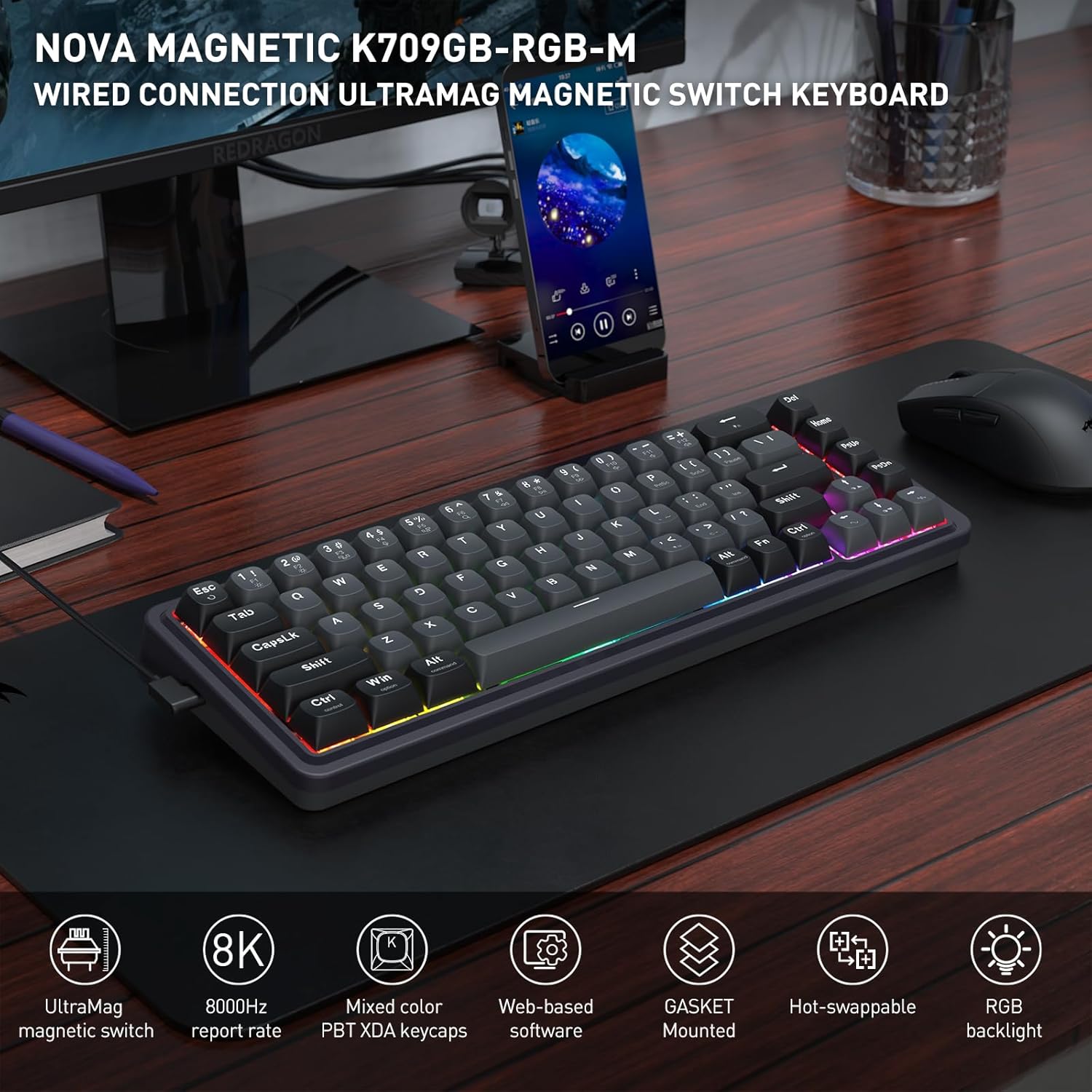
Image: The Redragon K709 HE keyboard, showcasing its compact design and RGB backlighting, positioned on a desk alongside a monitor and mouse.
2. Panduan Pengaturan
2.1 Isi Paket
- Redragon K709 HE Rapid Trigger Gaming Keyboard
- Kabel USB-A ke USB-C yang dapat dilepas
- Penarik Keycap
- Sakelar Penarik
- Spare UltraMag Magnetic Switches (if included)
- Panduan Pengguna

Image: The Redragon K709 HE keyboard displayed with its included accessories: a detachable USB-C cable, keycap puller, switch puller, and spare switches.
2.2 Menghubungkan Keyboard
- Hubungkan ujung USB-C dari kabel yang disediakan ke port USB-C pada keyboard.
- Hubungkan ujung kabel USB-A ke port USB yang tersedia di komputer Anda.
- Keyboard akan secara otomatis dikenali oleh sistem operasi Anda.
2.3 Software Installation (Optional but Recommended)
For advanced customization, including Rapid Trigger settings and key remapping, it is recommended to use the Redragon software. The K709 HE supports both a standard desktop client (Windows-exclusive) and web-based driver support.
- Pengguna Windows: Download the desktop client from the official Redragon weblokasi.
- Other Operating Systems: Akses web-based driver directly via your browser by visiting the Redragon website. This allows access to all software features without a dedicated installation.

Image: A computer screen displaying the Redragon web-based software interface, used for configuring keyboard settings and features.
3. Petunjuk Pengoperasian
3.1 UltraMag Magnetic Switches
The K709 HE features next-generation UltraMag magnetic switches with a dual-module floating structure. These switches offer precise and smooth keystrokes due to their full-POM construction and enclosed base design.
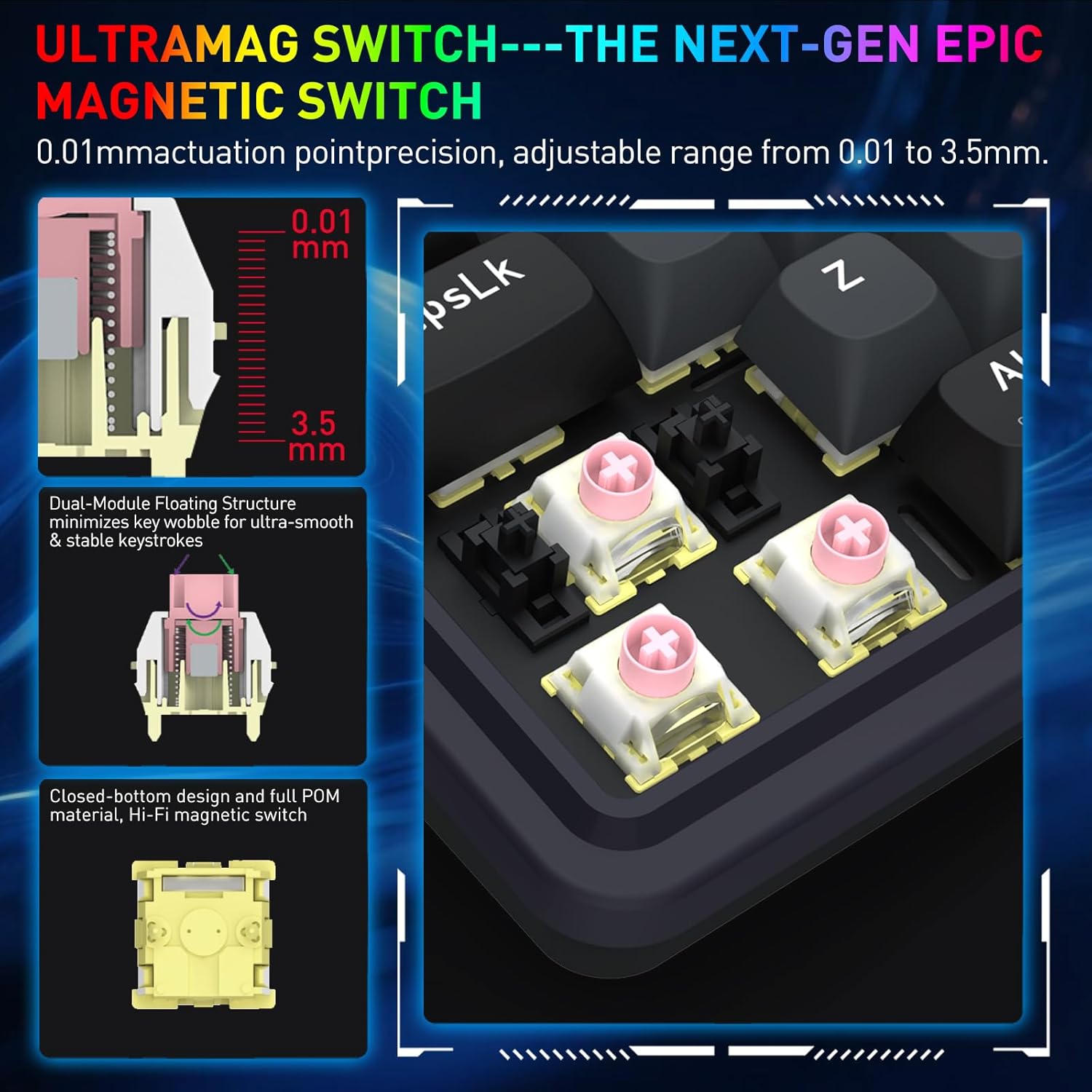
Image: A detailed diagram showing the internal components of the UltraMag magnetic switch, highlighting its dual-module floating structure and adjustable actuation points from 0.01mm to 3.5mm.
3.2 Rapid Trigger Technology
Rapid Trigger technology allows for dynamic activation and deactivation of keys based on movement, not just a fixed actuation point. This feature is highly beneficial for competitive gaming.
- Penyesuaian Titik Aktuasi: Using the software, the actuation point can be precisely adjusted between 0.1mm and 3.4mm. This allows for fine-tuning key sensitivity to your preference.
- Dynamic Activation/Deactivation: Keys activate upon initial press and deactivate immediately upon release, enabling faster repeated inputs and precise control in games.

Gambar: Visual examples showing how Rapid Trigger technology enhances gameplay in titles such as Valorant for accurate movement, CS:GO for precise peeking, Apex Legends for advanced movement, and osu! for improved note accuracy.
3.3 8K Hyper-Polling
The K709 HE features an 8,000Hz hyper-polling rate, meaning it reports inputs to your computer up to 8,000 times per second. This results in an ultra-low latency of approximately 0.125ms, ensuring your actions are registered almost instantaneously.
3.4 Noise Damping
The keyboard incorporates a 5-layer noise dampening system to reduce hollow sounds and provide a more satisfying typing and gaming experience. This includes:
- 3.5mm PO foam
- IXPE switch foam
- PET sound pad
- Bottom socket foam
- Silicone bottom pad
- Paking silikon

Image: An exploded diagram of the K709 HE keyboard, illustrating the various layers including keycaps, UltraMag switches, top cover, TPR gasket, positioning plate, latex foam pad, IXPE switch pad, sound acting pad, PCBA, EVA noise absorbing foam, silicone bottom pad, and bottom case.
3.5 Team Wipe Engine (PRCS Technology)
This feature utilizes revolutionary PRCS technology with 4 modes, designed to optimize gaming performance by eliminating redundant inputs and ensuring clean, precise actions.
4. Pemeliharaan
4.1 Membersihkan Keyboard
- Gunakan kain lembut dan bebas serat untuk menyeka permukaan keyboard.
- Untuk debu dan kotoran di antara penutup tombol, gunakan udara bertekanan.
- To clean under the keycaps, use the provided keycap puller to carefully remove them. Clean the switches and plate with a soft brush or compressed air. Reattach keycaps by pressing them firmly onto the switches.
4.2 Sakelar yang Dapat Ditukar Saat Panas
The K709 HE features a hot-swappable PCB, allowing you to easily replace individual switches without soldering. This is useful for customization or replacing a faulty switch.
- Gunakan penarik penutup tombol yang disediakan untuk melepaskan penutup tombol dari sakelar yang diinginkan.
- Use the provided switch puller to gently grip the top and bottom clips of the switch. Pull the switch straight up to remove it from the PCB.
- Align the pins of the new switch with the holes on the PCB. Press the new switch firmly until it clicks into place. Ensure the pins are not bent.
- Pasangkan kembali penutup kunci.
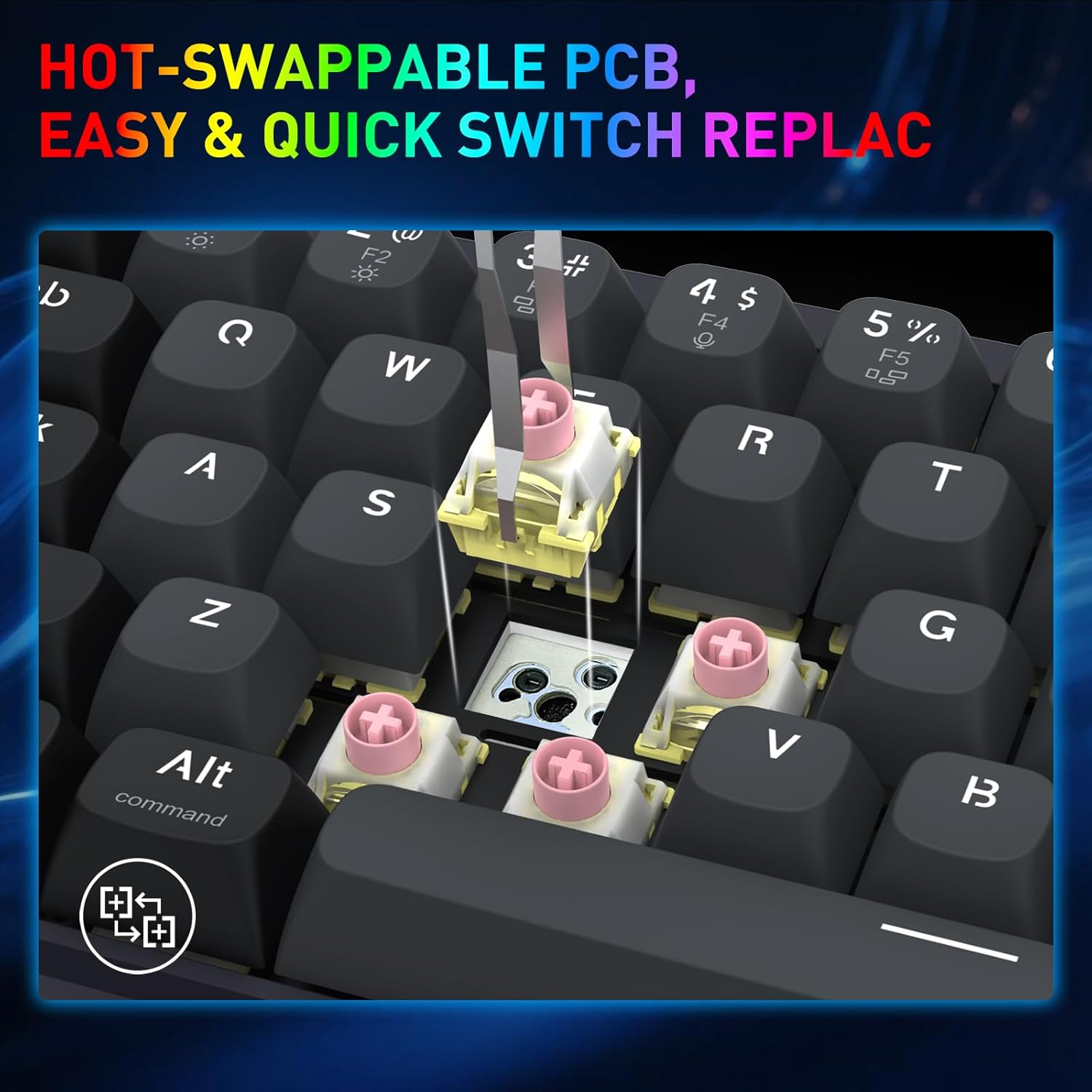
Image: A close-up shot demonstrating the process of removing a hot-swappable switch from the keyboard's PCB using a switch puller.
5. Penyelesaian masalah
- Papan ketik tidak merespons:
- Pastikan kabel USB tersambung dengan aman ke keyboard dan komputer.
- Coba sambungkan keyboard ke port USB lain di komputer Anda.
- Uji keyboard pada komputer lain untuk menyingkirkan masalah khusus sistem.
- Tombol tertentu tidak berfungsi:
- Carefully remove the keycap and switch for the non-functional key using the provided tools.
- Periksa sakelar untuk melihat apakah ada kerusakan atau kotoran yang terlihat.
- If you have spare switches, try replacing the faulty switch.
- Masalah pencahayaan RGB:
- Check the keyboard's lighting settings via the Redragon software.
- Ensure no conflicting software or drivers are interfering with the lighting control.
- Rapid Trigger not functioning as expected:
- Verify that Rapid Trigger is enabled and configured correctly within the Redragon software.
- Adjust the actuation point settings to find your preferred sensitivity.
6. Spesifikasi
| Merek | Naga Merah |
| Nama Model | Nova (K709 HE) |
| Teknologi Konektivitas | USB-C (Berkabel) |
| Deskripsi Papan Ketik | 68 Keys HE UltraMag Magnetic Switch Rapid Trigger Gaming Keyboard |
| Jumlah Kunci | 68 |
| Mechanical Keyboard Switch Model | Redragon UltraMag Magnetic Switch |
| Jenis Sakelar | Linier |
| Titik Aktuasi | Dapat disesuaikan 0.1 mm - 3.4 mm |
| Tingkat Polling | 8,000Hz (8K Hyper-Polling) |
| Fitur Khusus | Kebisingan 5 Lapisan Dampening, 68 keys Compact, Mixed PBT Keycaps, Rapid Trigger, UltraMag Magnetic Switch |
| Backlighting Keyboard | Bahasa Inggris: RGB |
| Perangkat yang Kompatibel | PC |
| Bahan | Plastik |
| Warna | Serene Gray |
7. Informasi Garansi
The Redragon K709 HE Rapid Trigger Gaming Keyboard comes with a Garansi terbatas 1 tahun Terhitung sejak tanggal pembelian. Garansi ini mencakup cacat produksi dan pengerjaan dalam penggunaan normal. Garansi ini tidak mencakup kerusakan yang disebabkan oleh penyalahgunaan, kecelakaan, modifikasi tanpa izin, atau bencana alam.
Harap simpan bukti pembelian Anda untuk klaim garansi.
8. Dukungan
For further assistance, technical support, or to download the latest software and drivers, please visit the official Redragon weblokasi:
You may also contact Redragon customer service through the contact information provided on their weblokasi.