1. Pendahuluan
This manual provides detailed instructions for the installation, operation, and maintenance of your Generic 5-inch Motorcycle Multimedia System. Please read this manual thoroughly before using the device to ensure proper function and safety. Keep this manual for future reference.
2. Produk Lebihview dan Fitur Utama
The Generic 5-inch Motorcycle Multimedia System is designed to enhance your riding experience with advanced connectivity and navigation features. It integrates seamlessly with your smartphone, offering wireless CarPlay and Android Auto functionality.
Fitur Utama:
- Layar Sentuh IPS 5 inci: High-resolution (800x480P) display for clear visuals and responsive touch control, even in bright sunlight.
- Tahan Air dan Debu IP67: Ensures durability and reliable performance in various weather conditions, protecting against rain and dust.
- CarPlay & Android Auto Nirkabel: Connect your smartphone wirelessly for navigation, music, calls, and messages directly on the device screen.
- Dual Bluetooth Connectivity: Pair two devices simultaneously for managing calls, streaming audio, or voice commands.
- Dukungan Multibahasa: Supports multiple languages for a personalized user experience.
- Instalasi Mudah: Designed for motorcycle handlebar mounting with a U-shaped bracket.
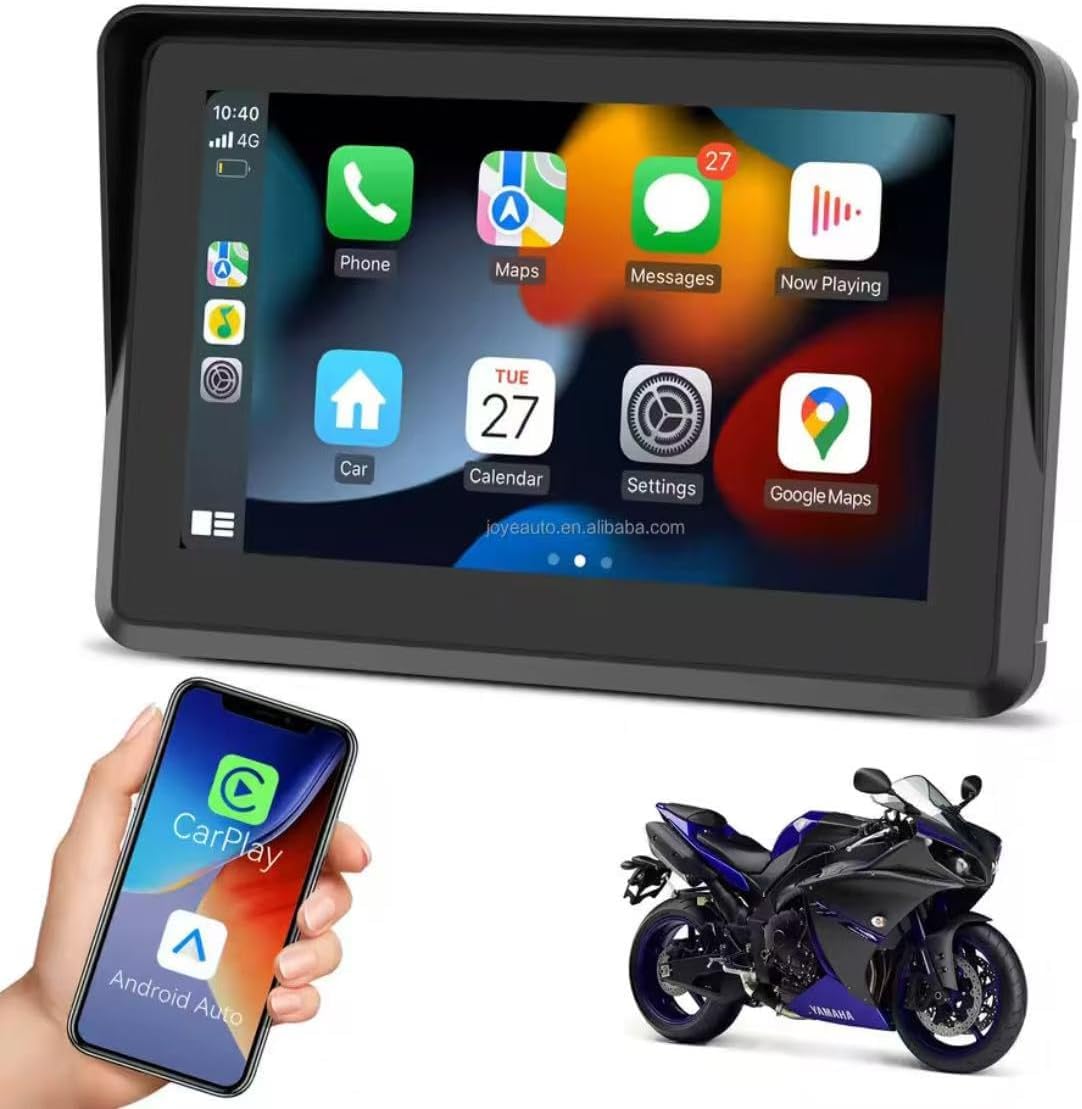
Figure 2.1: Device displaying the CarPlay interface with various applications.

Figure 2.2: Demonstrating the device's resilience in various riding conditions, including snow, dirt, water, and extreme temperatures.
3. Isi Paket
Harap periksa isi kemasan setelah membuka kemasan. Jika ada barang yang hilang atau rusak, hubungi penjual.
- Motorcycle Multimedia System Unit
- U-shaped Handlebar Mounting Bracket (approx. 33 mm diameter)
- Power Cable (9V-12V)
- Mounting Accessories (screws, spacers, ball joints)

Figure 3.1: Included mounting accessories and power cable.
4. Pengaturan dan Instalasi
Follow these steps to properly install your multimedia system on your motorcycle.
4.1 Memasang Perangkat
- Select a suitable position on your motorcycle handlebar for mounting. Ensure it does not obstruct your view atau mengendalikan sepeda motor.
- Attach the U-shaped mounting bracket to the handlebar. The bracket is designed for handlebars with an approximate diameter of 33 mm. Use the provided screws and spacers to secure it firmly.
- Connect the multimedia system unit to the mounting bracket using the ball joint and tightening mechanism. Adjust the viewsudut pandang untuk visibilitas optimal.

Figure 4.1: Device mounted on a handlebar bracket.
4.2 Sambungan Daya
- Connect the provided power cable to the multimedia system.
- Connect the other end of the power cable to your motorcycle's 9V-12V power supply. Ensure correct polarity (red for positive, black for negative). Consult your motorcycle's manual or a professional if unsure about wiring.
- Secure all cable connections to prevent accidental disconnection or damage during riding.
5. Petunjuk Pengoperasian
This section details how to operate your multimedia system.
5.1 Menghidupkan/Mematikan
- Nyalakan: Once connected to power, the device should automatically power on. If not, press and hold the power button (if available) until the screen illuminates.
- Matikan: To turn off the device, press and hold the power button until a power-off prompt appears, then confirm. Alternatively, disconnect from the power source.
5.2 Navigasi Layar Sentuh
The device features an IPS touch screen for intuitive control.
- Mengetuk: Pilih item atau aktifkan fungsi.
- Geser: Navigate through menus or screens.
- Jepit/Perbesar: Sesuaikan peta views (where applicable).
5.3 Koneksi Nirkabel CarPlay / Android Auto
This device supports wireless connectivity for both Apple CarPlay and Android Auto.
- Pastikan Bluetooth dan Wi-Fi di ponsel cerdas Anda diaktifkan.
- On the multimedia system, navigate to the CarPlay or Android Auto icon and tap it.
- The system will enter pairing mode. On your smartphone, search for the device's Bluetooth name (e.g., "MP5-M5" or similar) and pair with it.
- Once Bluetooth is paired, the system will automatically establish a Wi-Fi connection for CarPlay or Android Auto.
- Follow any on-screen prompts on both the device and your smartphone to complete the connection.
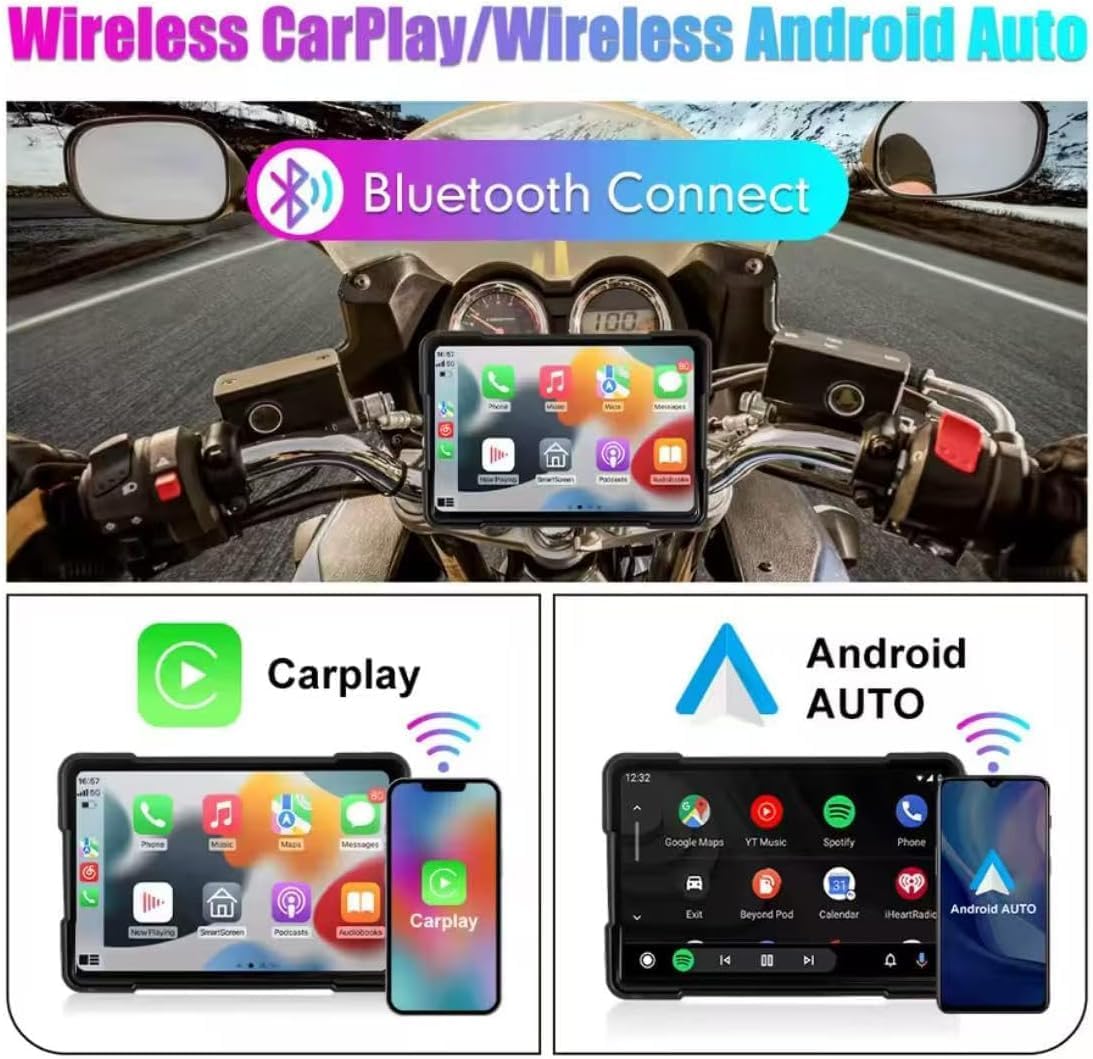
Figure 5.1: Wireless CarPlay and Android Auto connectivity.
5.4 Using Navigation, Music, and Calls
Once connected via CarPlay or Android Auto, you can access your smartphone's features directly from the multimedia system.
- Navigasi: Use your preferred map application (e.g., Google Maps, Apple Maps) for turn-by-turn directions.
- Musik: Stream audio from your favorite music apps.
- Panggilan: Lakukan dan terima panggilan tanpa menggunakan tangan.
- Asisten Suara: Utilize voice commands for various functions (e.g., "Hey Siri" or "Ok Google").

Figure 5.2: Device mounted on a motorcycle, showing key functions.
5.5 Bluetooth Dual Connectivity
The device supports connecting two Bluetooth devices simultaneously. This allows for flexible use, such as connecting your phone for CarPlay/Android Auto and a Bluetooth headset for audio output.
5.6 Pengaturan Bahasa
Untuk mengubah bahasa sistem:
- Buka menu 'Pengaturan' di perangkat Anda.
- Locate and select 'Language' or a similar option.
- Pilih bahasa yang Anda inginkan dari daftar.
6. Pemeliharaan
Proper maintenance ensures the longevity and optimal performance of your multimedia system.
- Membersihkan Layar: Gunakan kain lembut bebas serat untuk menyeka layar dengan lembut. Untuk noda membandel, usap layar dengan lembut.ampBilas kain dengan air atau pembersih yang aman untuk layar. Hindari bahan kimia keras atau bahan abrasif.
- Tahan Air (IP67): While the device is IP67 rated for water and dust resistance, avoid submerging it for extended periods or exposing it to high-pressure water jets. Ensure all ports are properly sealed if applicable.
- Suhu: Operate the device within the specified temperature range (-20°C to 80°C). Avoid prolonged exposure to extreme heat or cold, which can affect battery life and screen performance.
- Koneksi Kabel: Periodically check all cable connections for tightness and signs of wear.
7. Penyelesaian masalah
If you encounter issues with your multimedia system, refer to the following common problems and solutions.
- Perangkat tidak menyala:
- Check the power cable connection to both the device and the motorcycle's power source.
- Ensure the motorcycle's power supply is active (e.g., ignition is on).
- Verify the power cable for any damage.
- CarPlay/Android Auto tidak terhubung secara nirkabel:
- Pastikan Bluetooth dan Wi-Fi diaktifkan di ponsel cerdas Anda.
- Lupakan perangkat tersebut dari pengaturan Bluetooth ponsel Anda dan coba pasangkan lagi.
- Restart both the multimedia system and your smartphone.
- Pastikan sistem operasi ponsel Anda sudah diperbarui.
- Layar sentuh tidak responsif:
- Mulai ulang perangkat.
- Pastikan layar bersih dan bebas dari kotoran atau kelembapan.
- Tidak ada keluaran audio:
- Check the volume settings on both the multimedia system and your connected smartphone/headset.
- Ensure your Bluetooth audio device is properly paired and selected as the output.
Jika langkah-langkah ini tidak menyelesaikan masalah, silakan hubungi dukungan pelanggan.
8. Spesifikasi
| Fitur | Spesifikasi |
|---|---|
| Ukuran Layar | 5 inci |
| Jenis Layar | Layar Sentuh IPS |
| Resolusi Layar | Resolusi 800x480 piksel |
| Tahan Air | Tingkat IP67 |
| Konektivitas | Wireless CarPlay, Wireless Android Auto, Bluetooth |
| Catu Daya | Tegangan 9V-12V |
| Suhu Operasional | -20°C hingga 80°C (-4°F hingga 176°F) |
| Handlebar Mount Diameter | Sekitar 33 mm |
| Dimensi (Kemasan) | Ukuran 15x10x8 cm |
| Berat (Kemasan) | 500 gram |
| Fitur Khusus | Android Auto and Carplay, Touchscreen |
9. Garansi dan Dukungan
This product comes with a standard manufacturer's warranty. Please refer to your purchase documentation for specific warranty terms and duration. For technical support, troubleshooting assistance, or warranty claims, please contact your retailer or the manufacturer's customer service department.


