
1. Lebihview
The VILTROX AF 9mm F2.8 Air lens is an ultra-wide-angle autofocus lens designed for APS-C Sony E-Mount cameras. It offers a 113.8° field of view, making it ideal for capturing expansive landscapes, architectural shots, and vlogging. Its lightweight and compact design ensures portability without compromising optical performance.

Image: VILTROX AF 9mm F2.8 Air APS-C Lens on a camera.
Fitur Utama
- Ultra-Wide Angle of View: Equivalent to approximately 13.5mm in full-frame format, with a 113.8° ultra-wide angle, suitable for diverse scenes.
- Clear Image Quality: Features a 13 elements in 11 groups optical structure, including aspherical, extra-low dispersion, and high-refractive index elements for sharp, low-distortion images.
- 0.13m Minimum Focusing Distance: Allows for stunning close-up shots with detailed backgrounds.
- Reliable Autofocus: Equipped with a Viltrox STM silent motor for precise and fast autofocus, ideal for capturing dynamic subjects.
- Lightweight & Stable: Weighs approximately 175g, ensuring portability. Minimal focus breathing for smooth video transitions.
- Unique Starburst Charm: HD multi-layer nano-coating technology reduces flare and ghosting, creating captivating starbursts.
- Excellent Low-Light Shooting: F2.8 aperture allows for increased light intake, enabling slower shutter speeds and purer night scenes.

Gambar: Lebih dariview of VILTROX AF 9mm F2.8 Air E lens features including ultra-wide vision, autofocus, optical structure, and lightweight design.
Video Produk
Video: Official Viltrox video showcasing the AF 9mm F2.8 Air Lens in various shooting scenarios, highlighting its ultra-wide angle, lightweight design, and autofocus capabilities.
2. Isi Paket
Verify that all items listed below are included in your product package.
- VILTROX AF 9mm F2.8 Air Lens
- Penutup Lensa
- Tas Lensa
- Tutup Belakang Lensa
- Tutup Depan Lensa
- Manual Elektronik
- Kotak pembungkus

Image: Contents of the standard package for the VILTROX AF 9mm F2.8 Air E lens, including the lens, caps, hood, bag, and documentation.
3. Pengaturan
Memasang Lensa
- Pastikan kamera Anda dimatikan.
- Remove the rear lens cap from the VILTROX AF 9mm F2.8 Air lens and the body cap from your camera.
- Sejajarkan tanda indeks putih pada laras lensa dengan tanda indeks yang sesuai pada dudukan lensa kamera Anda.
- Mount the lens by rotating it clockwise until it clicks into place. Do not force the lens.
Melepas Lensa
- Pastikan kamera Anda dimatikan.
- While pressing the lens release button on your camera body, rotate the lens counter-clockwise until it stops.
- Lepaskan lensa dari badan kamera dengan hati-hati.
- Pasang penutup lensa belakang ke lensa dan penutup bodi ke kamera untuk melindunginya dari debu dan kerusakan.

Image: A VILTROX AF 9mm F2.8 Air E lens being attached to a Sony E-Mount camera body.
4. Mengoperasikan Lensa
Fokus Otomatis (AF) dan Fokus Manual (MF)
The lens features an AF/MF switch on the barrel for quick selection between autofocus and manual focus modes. In AF mode, the STM motor provides fast and precise focusing. In MF mode, rotate the focus ring to adjust focus manually.
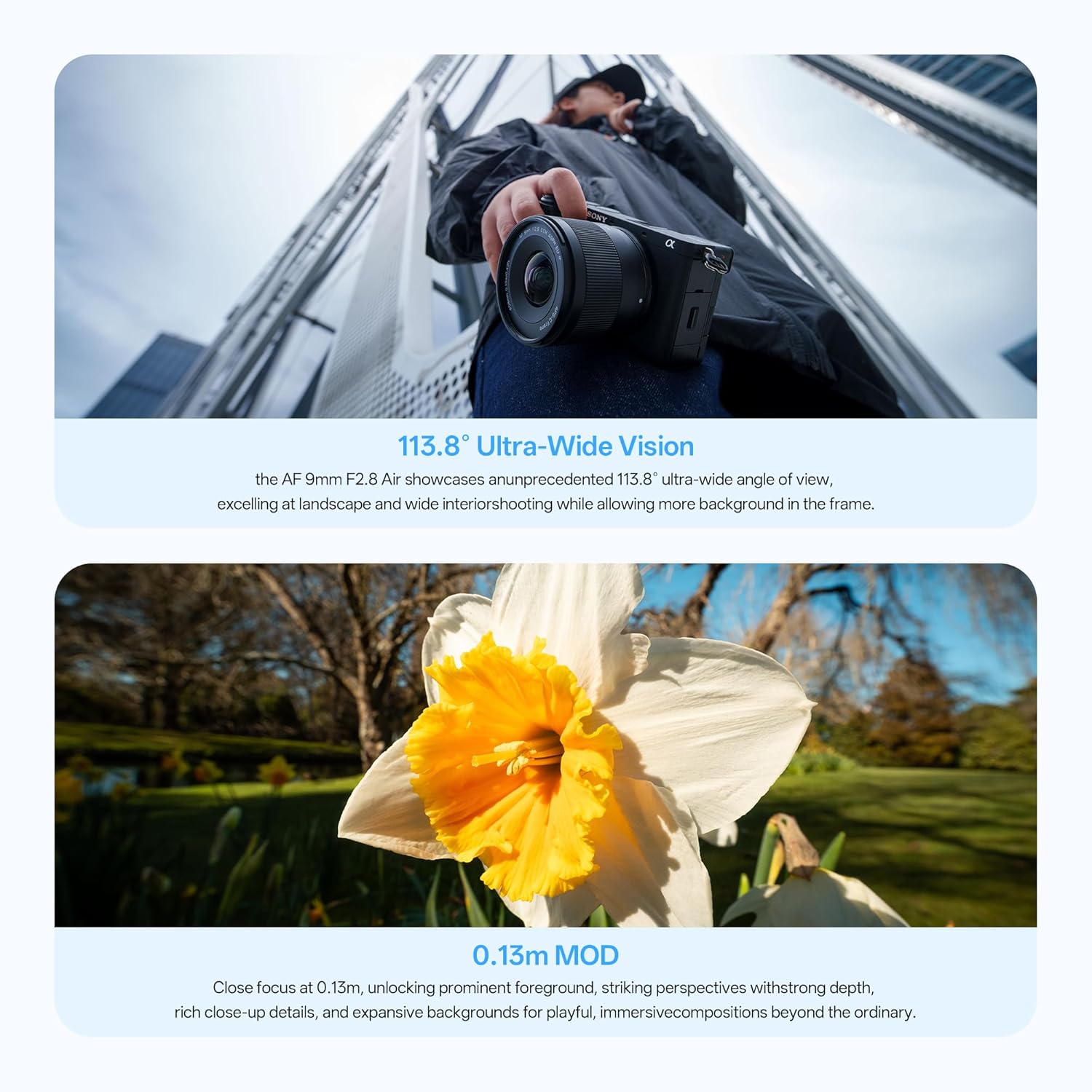
Image: Close-up of the VILTROX AF 9mm F2.8 Air E lens barrel, showing the AF/MF switch.
Kontrol Apertur
The lens has a maximum aperture of F2.8, allowing for excellent low-light performance and shallow depth of field. The aperture can be adjusted via your camera's settings.
Pembaruan Firmware
The lens is equipped with a Type-C upgrade interface for future firmware updates. Connect the lens to a computer using a USB-C cable to perform updates as instructed by VILTROX.

Gambar: Detail view of the VILTROX AF 9mm F2.8 Air E lens, highlighting the Type-C upgrade interface.
5. Pemeliharaan
- Always use a soft, clean microfiber cloth to clean the lens elements. Avoid using harsh chemicals or abrasive materials.
- When not in use, keep the lens caps on and store the lens in its bag in a dry, dust-free environment.
- Avoid exposing the lens to extreme temperatures, humidity, or direct sunlight for prolonged periods.
- Do not attempt to disassemble or repair the lens yourself, as this may void the warranty.
6. Penyelesaian masalah
- Fokus otomatis tidak berfungsi: Ensure the AF/MF switch on the lens is set to AF. Check camera settings to confirm autofocus is enabled. Clean lens and camera contacts.
- Gambar buram: Verify that the lens is properly attached and securely mounted. Check focus mode (AF/MF) and ensure correct focus. Adjust aperture and shutter speed as needed.
- Lensa tidak dikenali oleh kamera: Ensure the lens is correctly mounted. Turn the camera off and on again. Check for available firmware updates for both the lens and camera.
- Dust or spots on images: Clean the front and rear lens elements carefully with a lens cleaning kit. If spots persist, check your camera's sensor for dust.
7. Spesifikasi
| Merek | VILTROX |
| Nama Model | VILTROX AF 9mm F2.8 Air |
| Jenis Lensa | Sudut Lebar, Utama |
| Pemasangan yang Kompatibel | Sony E |
| Panjang Fokus | 9 Millimeters (Ultra Wide Angle) |
| Bukaan Minimum | 2.8 kaki |
| Bukaan Maksimum | 16 kaki |
| Jumlah Pisau Diafragma | 7 |
| Ukuran Filter Foto | 58 Milimeter |
| Tipe Fokus | Otomatis/Manual |
| Stabilisasi Gambar | Tidak ada stabilisasi gambar |
| Real Angle Of View | 113.8 Derajat |
| Nomor Bagian Pabrikan | WY-9mm F2.8 E |

Image: MTF (Modulation Transfer Function) chart illustrating the optical performance of the VILTROX AF 9mm F2.8 Air E lens.
8. Garansi dan Dukungan
For warranty information and customer support, please contact the seller directly.
- Deskripsi Garansi: Kontak dengan penjual
- Kontak Penjual: Weeylite US Store