
1. Produk Lebihview
This manual provides comprehensive instructions for the Hodozzy 6G+128GB 8-Core Car Radio, designed to enhance your driving experience with advanced features and seamless integration. This unit features an 8-inch IPS touchscreen, Android operating system, 6GB RAM, 128GB storage, 8-core processor, wireless CarPlay, Android Auto, Mirror Link, GPS navigation, DSP audio processing, FM/RDS radio, and support for a rear view camera and steering wheel controls.
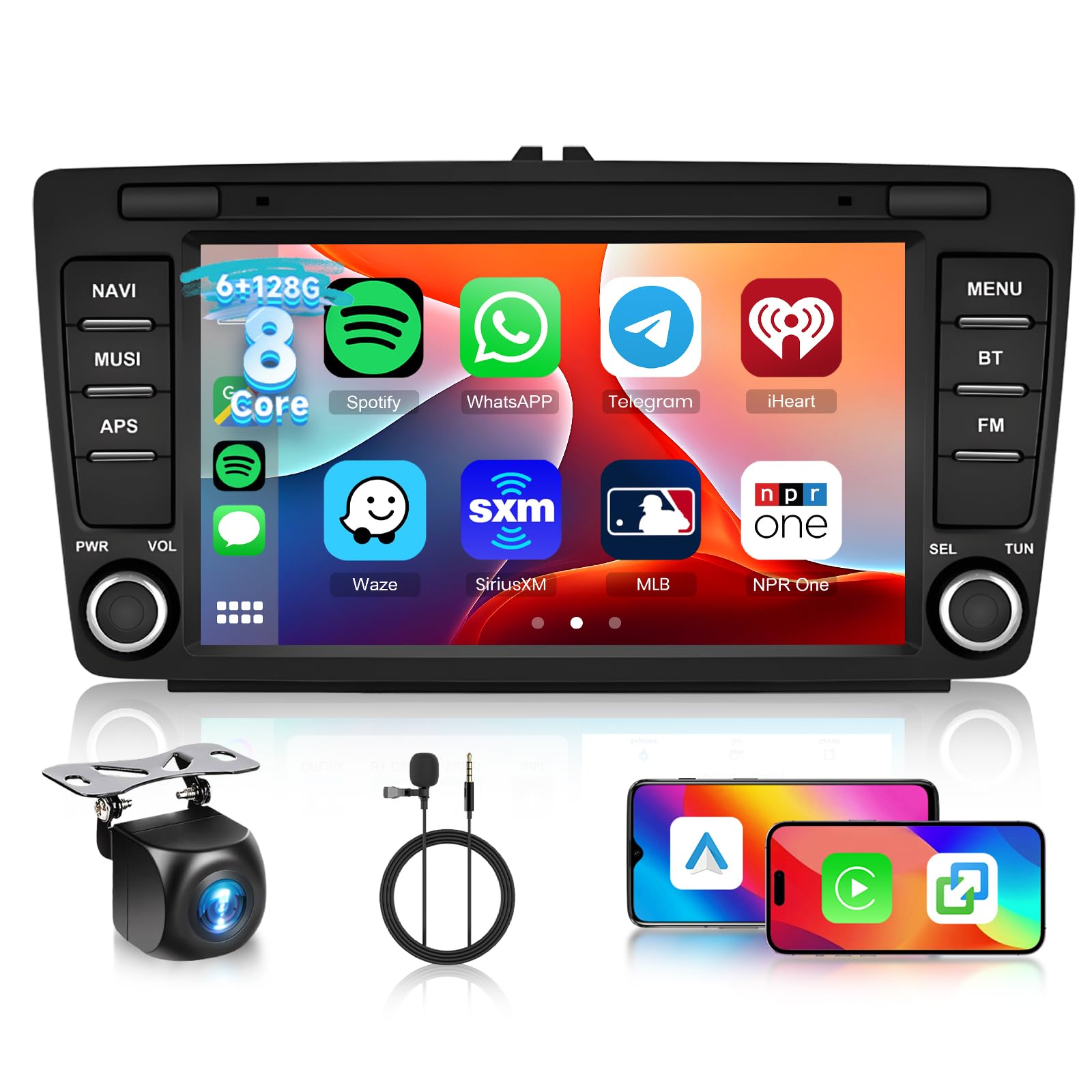
Figure 1: Hodozzy 8-inch Car Radio Main Unit
2. Kompatibilitas Kendaraan
Before installation, it is crucial to confirm the compatibility of this car radio with your vehicle's original system configuration, year, and central control panel design. This unit is specifically designed for the following Skoda models:
- Skoda Octavia II/MK2 (2004 - 2013)
- Skoda Yeti (2009 - 2015)
- Skoda Rapid (2012 - 2015)
- Skoda Rapid Spaceback (2013 - 2015)
- Skoda Roomster (2008 - 2015)
- Skoda Superb (2008 - 2015)
Please compare your vehicle's dashboard with the images below to ensure proper fitment and avoid installation incompatibility. If you are unsure, consult with a professional installer or the manufacturer.

Figure 2: Compatible (left) and Incompatible (right) Dashboard Exampsedikit
3. Pengaturan dan Instalasi
The installation of this car radio requires technical knowledge and should ideally be performed by a qualified professional. Refer to the detailed wiring diagrams and instructions provided in the included user manual for specific steps. Ensure the vehicle's power is disconnected before beginning installation.
3.1. Daftar Kemasan
Verify that all components are present in the package before starting the installation.

Gambar 3: Komponen dan Dimensi yang Termasuk
Paket biasanya mencakup:
- Unit Radio Mobil
- Kabel listrik
- RCA Kabel
- Antena GPS
- Kabel USB (x2)
- Panduan Pengguna
- Mikropon
- Dekoder Canbus (jika tersedia untuk kendaraan Anda)
- Jalur Terbalik
- Antena Radio
- Kamera Belakang
3.2. Diagram Pengkabelan
Follow the provided wiring diagram carefully for correct connections. Incorrect wiring can damage the unit or vehicle's electrical system.

Figure 4: Detailed Cable Connections
4. Petunjuk Pengoperasian
The Hodozzy car radio operates on an Android system, offering a user-friendly interface via its 8-inch IPS touchscreen.
4.1. Operasi Dasar
- Daya Hidup/Mati: Press and hold the power button (usually labeled PWR) to turn the unit on or off. A short press typically mutes or unmutes the audio.
- Kontrol Volume: Use the physical volume knob or the on-screen controls to adjust the audio level.
- Menu Utama: Tap the 'Home' icon or swipe from the bottom/side of the screen to access the main application menu.
- Navigasi: Use the touchscreen to tap, swipe, and pinch to navigate through menus and applications.
4.2. Fitur Konektivitas
The unit offers multiple connectivity options for seamless smartphone integration and internet access.
- CarPlay & Android Auto Nirkabel: Connect your iPhone or Android smartphone wirelessly to access navigation, music, calls, and messages directly on the car radio display.
- Tautan Cermin: Project your smartphone's screen onto the car radio display for viewkonten.
- Bluetooth dapat digunakan untuk berbagai keperluan, seperti: Pair your phone for hands-free calling and audio streaming.
- Akses internet nirkabel: Connect to a mobile hotspot or home WiFi network to access online services, download apps, and browse the internet.

Figure 5: Smartphone Integration via CarPlay, Android Auto, and Mirror Link

Figure 6: WiFi Connectivity and GPS Navigation Interface

Gambar 7: Fungsi Bluetooth dan Radio FM/RDS
4.3. Audio dan Multimedia
- DSP (Prosesor Suara Digital): Utilize the integrated 32-band DSP to fine-tune audio output, customize sound profiles, and achieve optimal sound quality.
- Radio FM/RDS: Access local radio stations with clear reception and RDS (Radio Data System) information display.
- Pemutaran Multimedia: Putar audio dan video files from USB drives or streaming apps.

Figure 8: DSP and Equalizer Settings for Audio Customization
4.4. Tampilan dan Antarmuka
- IPS Touchscreen: Nikmati warna-warna cerah dan luas. viewing angles on the 8-inch IPS display with 1024x600 resolution.
- Layar Terbagi: Run two applications simultaneously, such as navigation and music, for enhanced multitasking.
- UI Desktop Themes: Personalize your interface with a selection of 59 unique desktop themes and 19 wallpapers.

Figure 9: Customizable Interface and Split Screen Functionality
4.5. Belakang View Camera and Steering Wheel Control (SWC)
- Belakang View Kamera: The unit supports an AHD wide-angle rear view camera for safe parking and reversing. The display automatically switches to the camera feed when reverse gear is engaged.
- Kontrol Roda Kemudi: Integrate with your vehicle's existing steering wheel controls for convenient operation of audio, calls, and other functions without taking your hands off the wheel.

Gambar 10: Belakang View Camera and Steering Wheel Control Features
5. Spesifikasi
| Fitur | Detil |
|---|---|
| Merek | hodozzy |
| Pabrikan | hodozzy |
| Dimensi Paket | 32 x 19 x 11 cm; berat 1.1 kg |
| Perangkat yang Kompatibel | Telepon pintar |
| Fitur Lainnya | Android Auto, Apple CarPlay, Integrated Bluetooth, GPS Navigation |
| Komponen yang Termasuk | Car radio unit |
| Jumlah Produk | 1 |
| Baterai Termasuk | TIDAK |
| Baterai Diperlukan | TIDAK |
| Jenis Konektor | Bluetooth, HDMI, USB, WiFi |
| Berat Produk | 1.1 kg |
| Pembaruan Perangkat Lunak Dijamin Hingga | Tidak dikenal |
| ASIN | B0FS14ZWBC |
| Available on Amazon.es Since | 22 September 2025 |
| Negara/Wilayah Asal | Cina |
| Teknologi Konektivitas | Bluetooth, HDMI, USB, WiFi |
| Tipe Pengendali | Bahasa Indonesia: Android |
| Fitur Khusus | Android Auto, Apple CarPlay, Integrated Bluetooth, GPS Navigation |
6. Pemeliharaan
To ensure the longevity and optimal performance of your Hodozzy car radio, follow these maintenance guidelines:
- Pembersihan: Use a soft, dry cloth to clean the screen and exterior. Avoid abrasive cleaners or solvents that could damage the finish or screen coating.
- Pembaruan Perangkat Lunak: Periksa secara berkala pembaruan perangkat lunak yang tersedia untuk memastikan sistem berjalan efisien dan memiliki fitur serta patch keamanan terbaru.
- Suhu: Hindari memaparkan unit ke suhu ekstrem, baik panas maupun dingin, karena hal ini dapat memengaruhi kinerja dan masa pakainya.
- Catu Daya: Pastikan pasokan listrik stabil untuk mencegah kerusakan akibat listrik.
7. Penyelesaian masalah
If you encounter issues with your car radio, refer to the following common troubleshooting steps:
- Tidak Ada Daya: Periksa semua sambungan listrik dan sekring. Pastikan kunci kontak kendaraan menyala.
- Tidak ada suara: Verify volume settings, check speaker connections, and ensure the mute function is not active.
- Layar Sentuh Tidak Responsif: Coba mulai ulang perangkat. Jika masalah berlanjut, pengaturan ulang pabrik mungkin diperlukan (lihat panduan pengguna lengkap untuk petunjuknya).
- Bluetooth/WiFi Connection Issues: Ensure the device is within range, Bluetooth/WiFi is enabled on both devices, and try re-pairing or reconnecting.
- Kehilangan Sinyal GPS: Pastikan antena GPS terpasang dengan benar dan memiliki visibilitas yang jelas. view dari langit.
- CarPlay/Android Auto Tidak Terhubung: Check USB cable connection (if wired), ensure Bluetooth is on, and verify permissions on your smartphone.
For more complex issues, consult the detailed troubleshooting section in the complete user manual or contact customer support.
8. Garansi dan Dukungan
Hodozzy products are designed for reliability and performance. For specific warranty details, please refer to the warranty card included with your product or contact Hodozzy customer support. In general, products purchased from authorized sellers typically come with a return policy (e.g., 30 days from purchase) for defects or dissatisfaction.
For technical assistance, product inquiries, or warranty claims, please contact the Hodozzy Store or your point of purchase. Ensure you have your product model number and purchase details ready when contacting support.