
1. Produk Lebihview
The eufy Video Doorbell Chime 2 (Model T8026) is designed to provide audible notifications for your eufy video doorbell. It features 10 built-in chime options, dual-band Wi-Fi connectivity (2.4 GHz and 5 GHz), and adjustable volume up to 80 dB. Its compact design allows for flexible placement within your home.
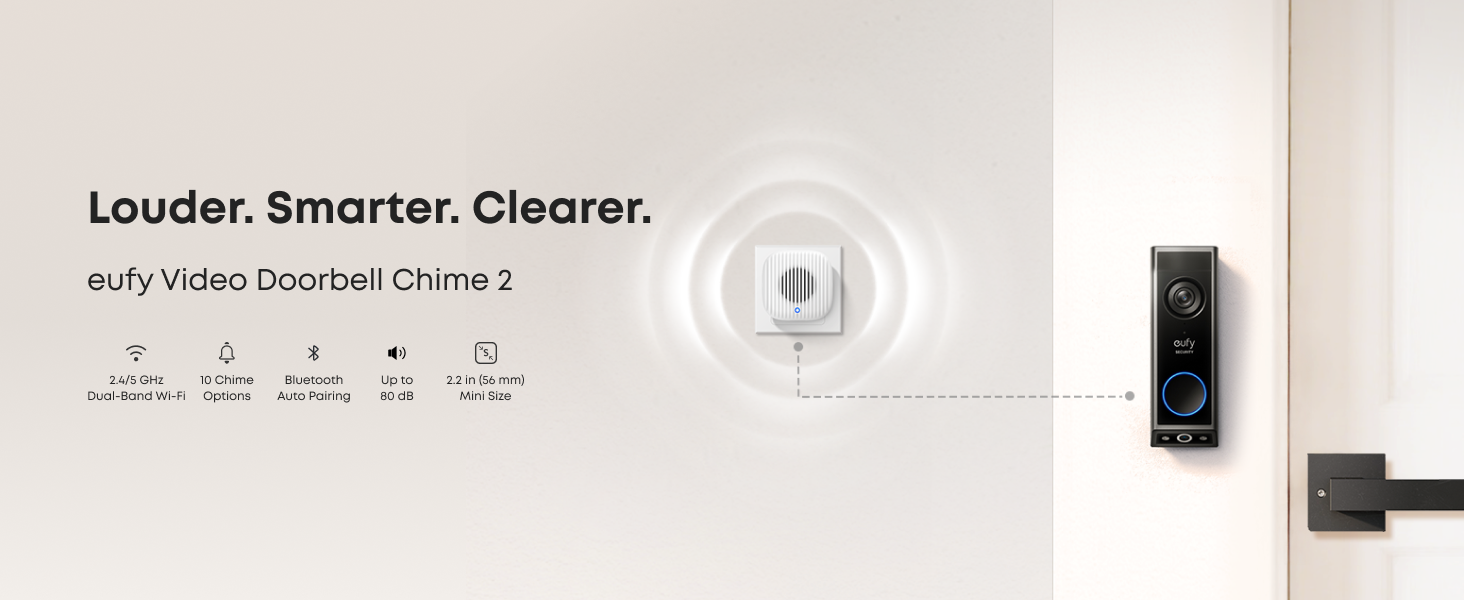
Gambar: Lebih dariview of the eufy Video Doorbell Chime 2 highlighting its features.
Fitur Utama:
- Kompatibilitas Luas: Works with most eufy video doorbells. Refer to the compatibility section for details.
- Multiple Chime Options: Includes 10 pre-installed tones.
- Stable Dual-Band Connection: Supports 2.4 GHz and 5 GHz Wi-Fi for reliable performance.
- Pengaturan Cepat dan Mudah: Features auto-discovery and Bluetooth auto-pairing.
- Loud and Reliable Alerts: Adjustable volume up to 80 dB.
2. Panduan Pengaturan
Setting up your eufy Video Doorbell Chime 2 is a straightforward process. Follow these steps for quick installation:
- Hubungkan ke stopkontak dinding: Insert the chime into a standard electrical wall outlet.
- Connect via the eufy App: Open the eufy Security app on your smartphone. The app should automatically detect the new chime. If not, manually add the device. Ensure Bluetooth is enabled on your phone for auto-pairing.
- Enjoy Your Chime: Once connected, you can customize settings such as chime tone and volume through the app.
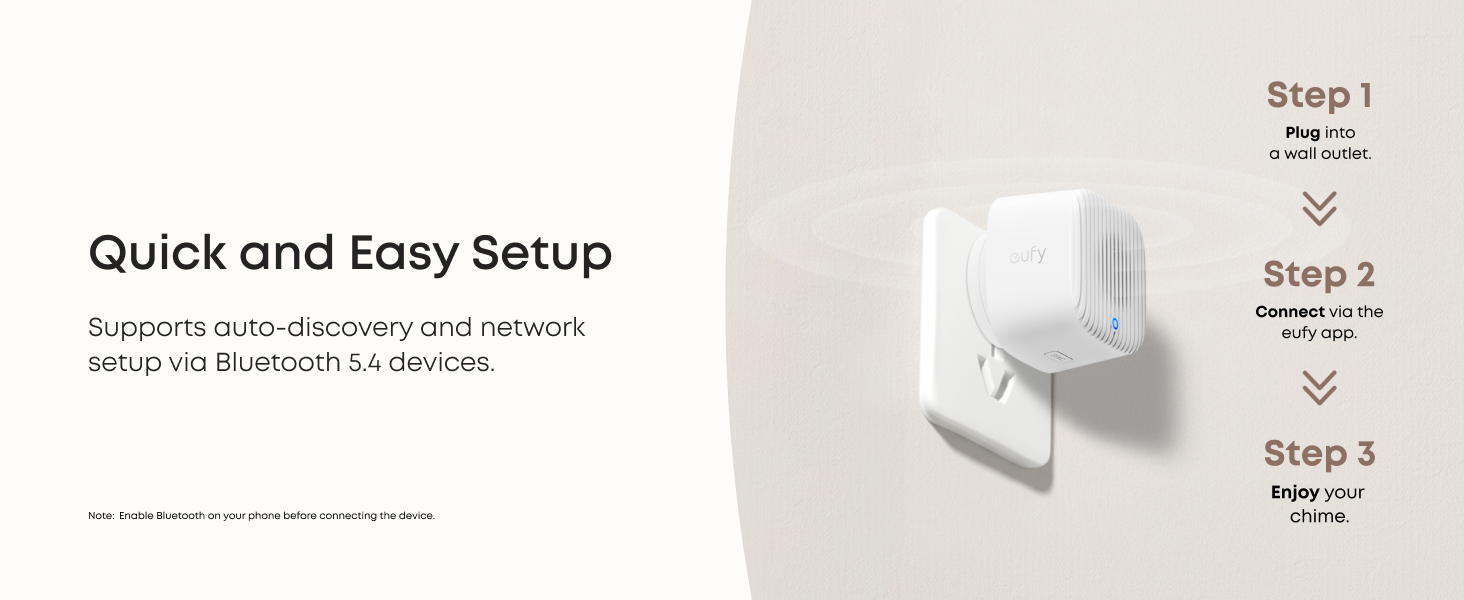
Image: Visual guide for the three-step setup process: plug in, connect via app, and enjoy.
Video: Simple Setup Process
Video: A user demonstrates the simple setup process of the eufy Video Doorbell Chime 2, plugging it in and connecting it.
3. Petunjuk Pengoperasian
Once your eufy Video Doorbell Chime 2 is set up, you can manage its functions through the eufy Security app.
Chime Options and Volume Adjustment:
- The chime comes with 10 distinct built-in tones. You can select your preferred tone from within the eufy Security app.
- The volume is adjustable up to 80 dB, ensuring you can hear notifications clearly throughout your home. Adjust the volume settings in the app to suit your environment.
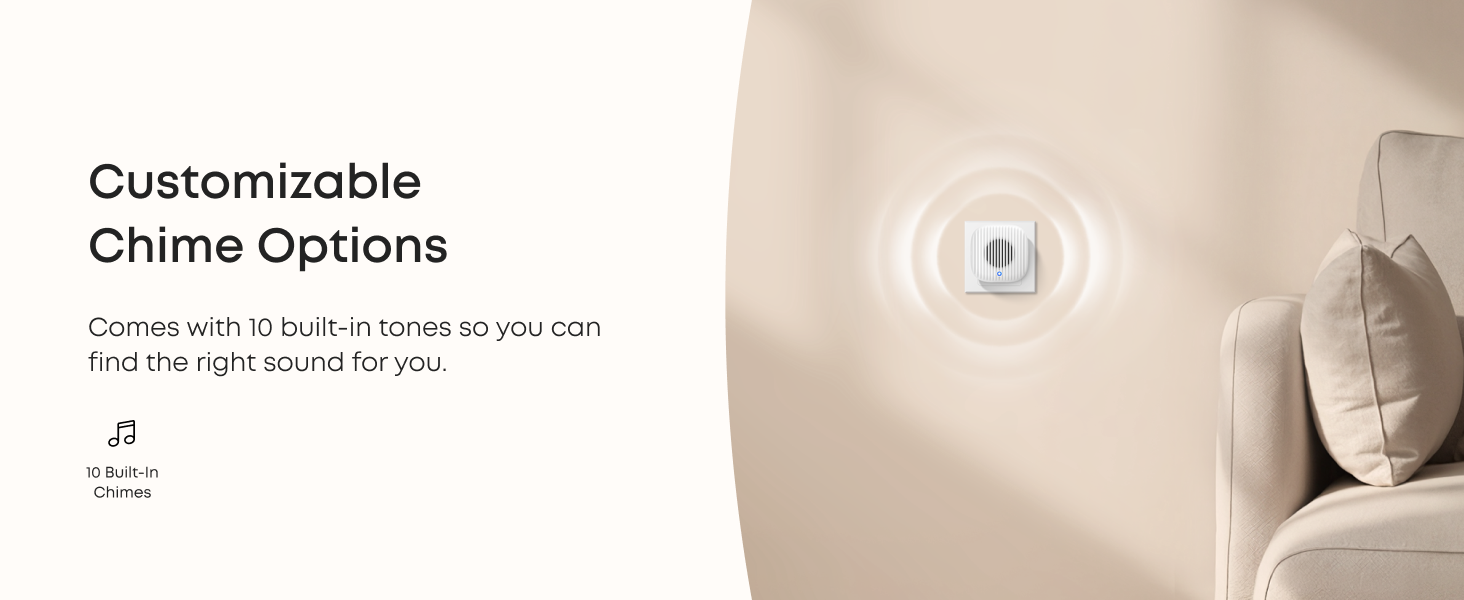
Image: The eufy chime illustrating customizable chime options.
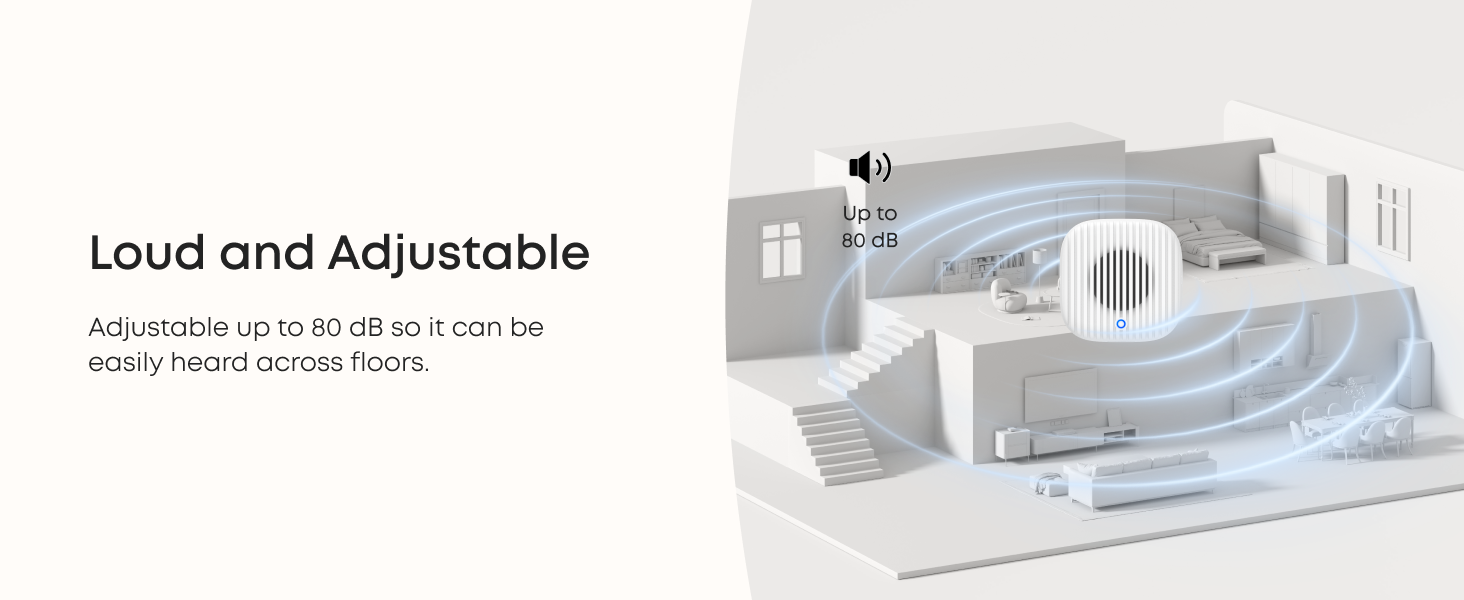
Image: Diagram showing the eufy chime's loud and adjustable sound capabilities within a home.
Konektivitas Wi-Fi Dual-Band:
The chime supports both 2.4 GHz and 5 GHz Wi-Fi networks, providing a stable and efficient connection to your eufy video doorbell system. This dual-band capability helps reduce network congestion and ensures smooth performance.
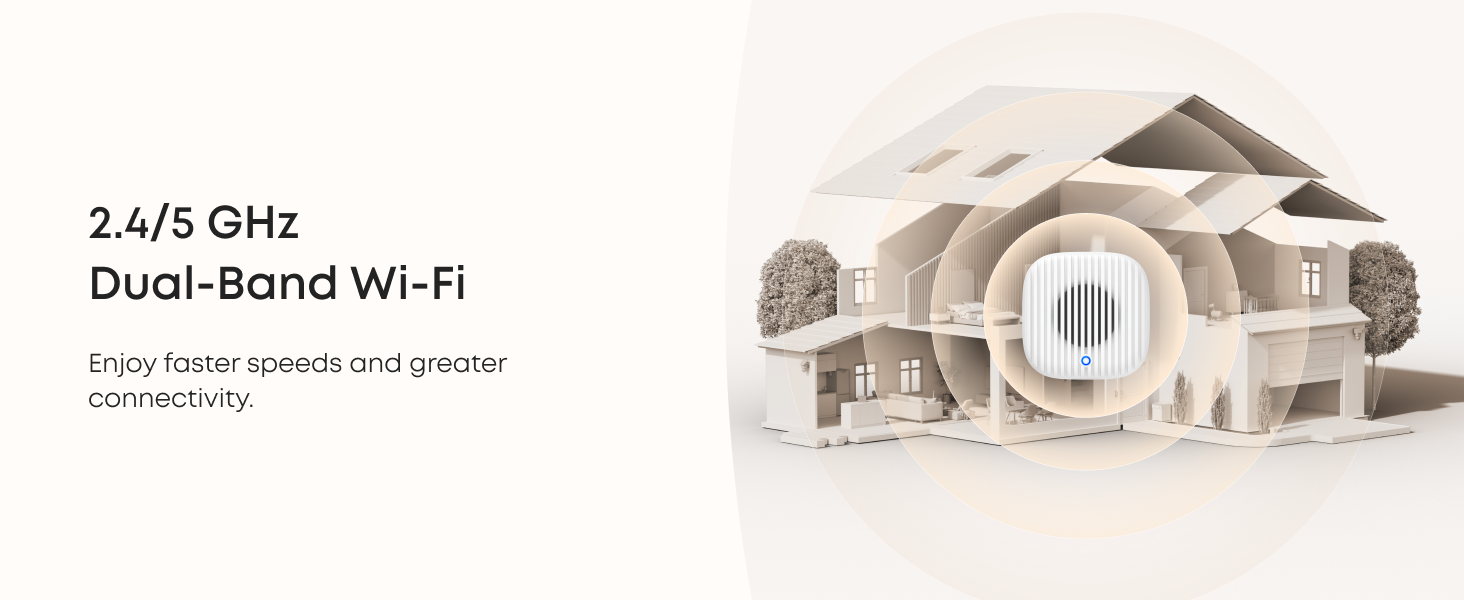
Image: Illustration of the eufy chime's 2.4/5 GHz dual-band Wi-Fi coverage within a home.
Video: Exploring Chime Sounds
Video: A demonstration of the various chime sounds available on the eufy Video Doorbell Chime 2.
4. Kompatibilitas
The eufy Video Doorbell Chime 2 is designed to work with a range of eufy video doorbells. Please refer to the table below for detailed compatibility information.
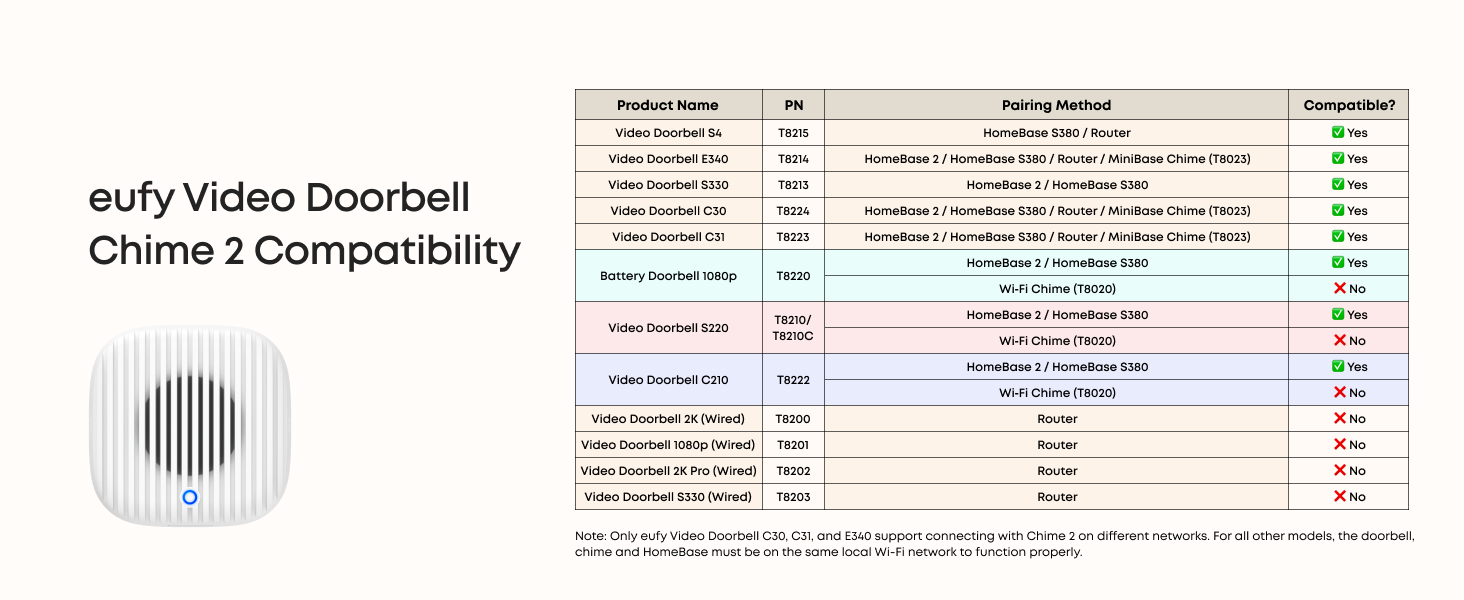
Image: A table detailing the compatibility of the eufy Video Doorbell Chime 2 with different eufy doorbell models and their pairing methods.
Catatan: Only eufy Video Doorbell C30, C31, and E340 support connecting with Chime 2 on different networks. For all other models, the doorbell, chime, and HomeBase must be on the same local Wi-Fi network to function properly.
5. Pemeliharaan
The eufy Video Doorbell Chime 2 requires minimal maintenance to ensure optimal performance.
- Pembersihan: Gently wipe the device with a soft, dry cloth to remove dust. Avoid using liquid cleaners or abrasive materials.
- Penempatan: Ensure the chime is plugged into a well-ventilated area, away from direct sunlight or extreme temperatures.
- Pembaruan Perangkat Lunak: Regularly check the eufy Security app for any available firmware updates to ensure your device has the latest features and security enhancements.
6. Penyelesaian masalah
If you encounter issues with your eufy Video Doorbell Chime 2, try the following troubleshooting steps:
- Lonceng Tidak Berbunyi:
- Check if the chime is properly plugged into a working power outlet.
- Verify that the volume is not set to mute or a very low level in the eufy Security app.
- Ensure the chime is correctly paired with your eufy video doorbell and that both devices are connected to the same Wi-Fi network (unless using compatible models C30, C31, E340 on different networks).
- Masalah Koneksi:
- Restart the chime by unplugging it and plugging it back in.
- Check your Wi-Fi router to ensure it is functioning correctly and that the signal strength is adequate where the chime is located.
- Attempt to re-pair the chime with your eufy video doorbell through the eufy Security app.
- App Not Detecting Chime:
- Ensure Bluetooth is enabled on your smartphone during the setup process.
- Make sure the eufy Security app is updated to the latest version.
For further assistance, consult the eufy Security app's help section or visit the official eufy support weblokasi.
7. Spesifikasi
| Fitur | Detil |
|---|---|
| Nomor Model | T8026 |
| Pabrikan | mudah sekali |
| Berat Barang | 4.6 ons |
| Dimensi Produk | 6.65x2.76x1.67 inci |
| Warna | Putih |
| Sumber Daya | Listrik Kabel |
| Jenis Pemasangan | Dudukan Dinding |
| Fitur Khusus | Motion Sensor (functionality depends on paired doorbell) |
| Komponen yang Termasuk | Instruksi Manual (dokumen ini) |
| Konektivitas | 2.4 GHz and 5 GHz Dual-Band Wi-Fi, Bluetooth Auto-Pairing |
| Volume | Hingga 80 dB |
8. Garansi dan Dukungan
Untuk informasi garansi dan dukungan pelanggan, silakan merujuk ke situs resmi eufy. website or contact eufy customer service directly. Details regarding product registration, warranty claims, and technical assistance can typically be found in the eufy Security app or on the product packaging.
You may also find helpful resources and FAQs on the eufy support page: www.eufylife.com/support


