
Perkenalan
This manual provides detailed instructions for the proper use and maintenance of your Samvix UCamera X8400 Digital Camera. Please read this manual thoroughly before operating the camera to ensure optimal performance and longevity.
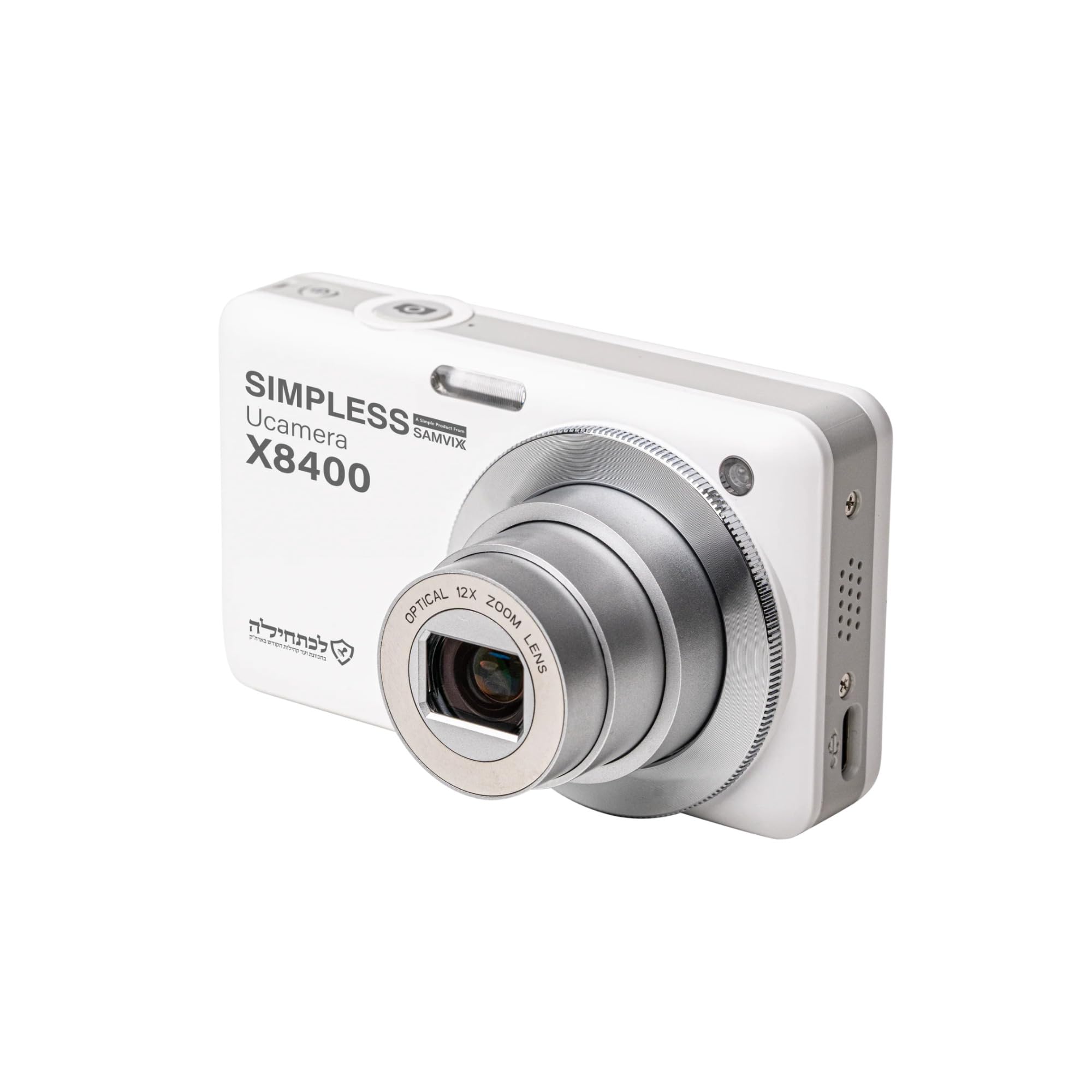
Gambar 1: Depan view of the Samvix UCamera X8400 Digital Camera. This image shows the camera's lens, flash, and overall compact design.
Isi Paket
Verifikasi bahwa semua item ada dalam paket Anda:
- Samvix UCamera X8400 Digital Camera
- Kabel USB-C
- Rechargeable Lithium-Ion Battery (if included, check packaging)
- User Manual (dokumen ini)
- Note: Micro SD card is not included and must be purchased separately.
Pengaturan
1. Mengisi Baterai
- Insert the Lithium-Ion battery into the battery compartment located at the bottom of the camera. Ensure it clicks into place.
- Connect the USB-C cable to the camera's USB-C port and the other end to a compatible USB power adapter (not included) or a computer.
- The charging indicator light will illuminate. Once fully charged, the light will change color or turn off.
2. Memasukkan Kartu Micro SD
- Locate the Micro SD card slot, typically near the battery compartment or on the side of the camera.
- Insert the Micro SD card with the metal contacts facing the correct direction (refer to the diagram on the camera body). Push until it clicks into place.
- Untuk melepasnya, dorong kartu perlahan kembali hingga terlepas.

Gambar 2: Samping view of the Samvix UCamera X8400, showing the USB-C port and potentially the Micro SD card slot cover. This illustrates connectivity options.
Mengoperasikan Kamera
1. Daya Hidup/Mati
Press and hold the power button (usually located on the top of the camera) to turn the camera on or off.
2. Mengambil Foto
- Nyalakan kamera.
- Frame your shot using the LCD display or electronic viewpenemu.
- Gunakan tuas zoom (biasanya di sekitar tombol rana) untuk menyesuaikan zoom optik 12x.
- Press the shutter button halfway down to activate autofocus. The focus indicator will confirm when focus is achieved.
- Press the shutter button fully to capture the photo.
3. Merekam Video
- Switch the camera to video mode (if applicable, usually via a mode dial or menu setting).
- Press the dedicated video record button (often marked with a red dot) to start recording 4K Ultra HD video.
- Tekan tombol lagi untuk berhenti merekam.
4. Pemutaran dan Ulangview
Press the playback button (usually marked with a play icon) to review your photos and videos. Use the directional pad to navigate through your media.
5. Mentransfer Files
Connect the camera to a computer using the supplied USB-C cable. The camera will appear as a removable drive, allowing you to copy files secara langsung.
Pemeliharaan
- Membersihkan Lensa: Gunakan kain lembut dan bebas serat yang dirancang khusus untuk lensa kamera. Hindari menyentuh lensa dengan jari Anda.
- Membersihkan Tubuh: Wipe the camera body with a dry, soft cloth. Do not use harsh chemicals or solvents.
- Perawatan Baterai: Simpan baterai di tempat yang sejuk dan kering saat tidak digunakan. Hindari sering-sering mengosongkan daya baterai sepenuhnya.
- Penyimpanan: When storing the camera for extended periods, remove the battery and Micro SD card. Store in a dry environment away from extreme temperatures.
Penyelesaian Masalah
| Masalah | Larutan |
|---|---|
| Kamera tidak menyala. | Pastikan baterai terisi penuh dan terpasang dengan benar. Cobalah mengisi daya baterai setidaknya selama 2 jam. |
| Tidak bisa mengambil foto/video. | Check if a Micro SD card is inserted and has sufficient free space. Ensure the camera is in the correct mode (photo/video). |
| Gambar buram. | Ensure autofocus is engaged by pressing the shutter button halfway. Check for smudges on the lens. Use image stabilization for steady shots. |
| FileTidak dapat ditransfer ke komputer. | Verify the USB-C cable connection. Try a different USB port on your computer. Ensure the camera is powered on and in transfer mode (if prompted). |
Spesifikasi
| Fitur | Detil |
|---|---|
| Model | UCamera X8400 |
| Sensor Gambar | CMOS Sensor, 48 MP Effective Still Resolution |
| Resolusi Video | 4K Ultra HD |
| Zoom Optik | 12 kali |
| Stabilisasi Gambar | Optik |
| Fokus otomatis | Contrast Detection, Automatic AF (AF-A) |
| Menampilkan | Articulating LCD |
| Media Penyimpanan | Micro SD (up to expanded capacity) |
| Konektivitas | USB Tipe C |
| Jenis Baterai | Ion Litium |
| Didukung File Format | JPEG (photos), MP4 (videos) |
| Kecepatan Rana Minimum | 1/60 detik |
| Rentang ISO yang Diperluas | Nomor telepon 100-6400 |
| Panjang Fokus Lensa | 24-288mm (equivalent) |
| Rentang Apertur | F2.8-F5.6 |
| Berat Barang | 680 Pounds (Note: This value from source data seems incorrect for a camera, likely a data entry error. Actual weight is typically much lower.) |
Informasi Garansi
The Samvix UCamera X8400 Digital Camera comes with a Limited Manufacturer's Warranty. Please refer to the warranty card included in your product packaging or visit the official Samvix website for detailed terms and conditions regarding coverage, duration, and claim procedures.
Simpan bukti pembelian Anda untuk klaim garansi.
Mendukung
For technical assistance, product inquiries, or support, please contact Samvix customer service. Contact information can typically be found on the official Samvix websitus atau pada kemasan produk.
Pabrikan: Samvix
Nomor Model: X8400
UPC-nya: 766162175856