
Perkenalan
This manual provides detailed instructions for the setup, operation, and maintenance of your Oilsky M305 MP3 Player. Please read this manual thoroughly before using the device to ensure optimal performance and longevity.

Gambar: Lebih dariview of the Oilsky M305 MP3 Player's key features.
1. Panduan Pengaturan
1.1 Unboxing dan Isi Paket
Carefully unpack your Oilsky M305 MP3 Player and verify all components are present.

Image: Contents of the Oilsky M305 MP3 Player box.
Paket harus berisi:
- 1x Oilsky M305 Music Player
- 1x 128GB TF Card (pre-installed or separate)
- 1x Kabel USB (untuk pengisian daya dan transfer data)
- 1x Earphone Berkabel
- 1x Film Pelindung
- 1x Kotak Pelindung
- 1x Panduan Pengguna
1.2 Mengisi Daya Perangkat
Before first use, fully charge the device. Connect the provided USB cable to the player's charging port and to a USB power adapter (not included) or a computer's USB port. The charging indicator will show the charging status.
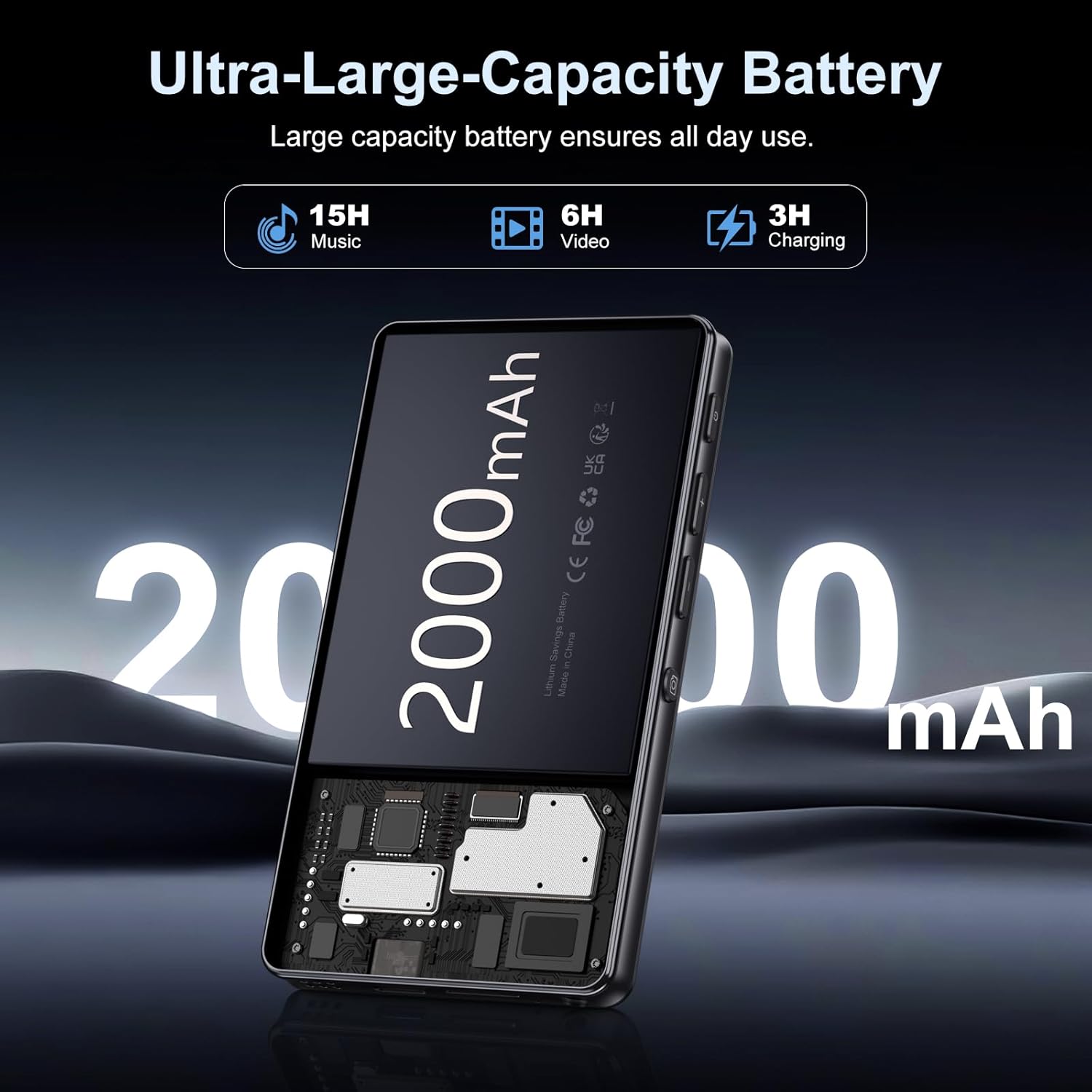
Image: Illustration of the 2000mAh battery and its charging/usage capabilities.
The 2000mAh battery provides approximately 15 hours of music playback and 6 hours of video playback on a full charge, which takes about 3 hours.
1.3 Daya Hidup/Mati
- Untuk menghidupkan: Tekan dan tahan tombol daya yang terletak di samping perangkat hingga layar menyala.
- Untuk mematikan: Tekan dan tahan tombol daya, lalu pilih 'Matikan' dari opsi yang muncul di layar.
1.4 Pengaturan Awal
Saat pertama kali dinyalakan, ikuti petunjuk di layar untuk:
- Pilih bahasa yang Anda inginkan.
- Connect to a Wi-Fi network for internet access and app downloads.
- Set up date and time.
2. Petunjuk Pengoperasian
2.1 Basic Navigation (Touchscreen)
The Oilsky M305 features a 4.02-inch HD touchscreen for intuitive control. Use gestures similar to a smartphone:
- Mengetuk: Untuk memilih item atau membuka aplikasi.
- Geser: Untuk menggulir daftar atau beralih antar layar.
- Cubit untuk memperbesar: In supported applications like image galleries.

Image: The 4.02-inch HD touchscreen in use, displaying video content.
2.2 Pemutaran Musik
The device supports various music formats including MP3, WAV, APE, FLAC, and AAC. You can play music through the built-in speaker or connected headphones/Bluetooth devices.

Image: Music playback interface showing supported audio formats.
- Accessing Music: Open the pre-installed music player app or any downloaded streaming service (e.g., Spotify, Audible).
- Membuat Daftar Putar: Use the music player app to organize your songs into custom playlists.
- Equalizer: Adjust audio settings via the built-in equalizer for a personalized listening experience.

Image: Features for music management, including playlist creation and equalizer settings.
2.3 Pemutaran Video
The device supports various video formats including AVI, MKV, MP4, MPG, and MOV. Videos can be viewed on the 4.02-inch HD screen.

Image: Supported video and music formats for the device.
2.4 Penggunaan Kamera
The M305 is equipped with a 13MP rear camera and a 5MP front camera for capturing photos and videos.
- Mengambil foto: Buka aplikasi Kamera, atur komposisi foto, dan ketuk tombol rana.
- Merekam Video: Switch to video mode in the Camera app and tap the record button to start/stop.

Image: Illustration of the 5MP front and 13MP rear cameras.
2.5 Connectivity (Bluetooth & Wi-Fi)
The device features dual-band Wi-Fi for fast internet access and Bluetooth 5.0 for stable wireless connections.
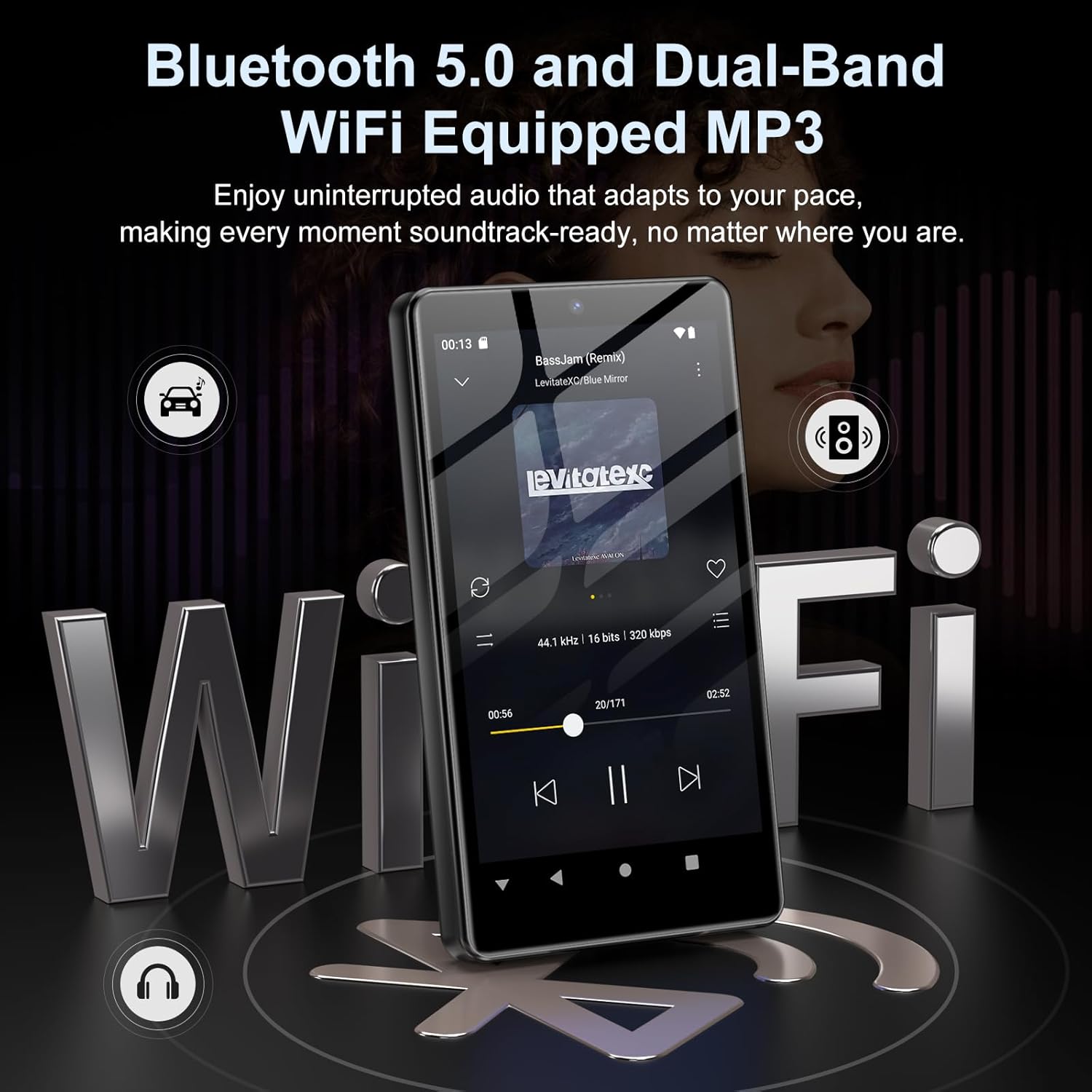
Image: Visual representation of Bluetooth and Wi-Fi connectivity.
- Wifinya: Buka Pengaturan > Jaringan & internet > Wi-Fi untuk terhubung ke jaringan yang tersedia.
- Bluetooth dapat digunakan untuk berbagai keperluan, seperti: Go to Settings > Connected devices > Bluetooth to pair with headphones, speakers, or other Bluetooth-enabled devices.
2.6 Manajemen Penyimpanan
The M305 comes with 32GB of internal ROM and includes a 128GB TF card, supporting external storage expansion up to 1TB.

Image: Storage capacity details including internal ROM and TF card expansion.
- Viewing Storage: Navigate to Settings > Storage to see internal and external storage usage.
- Mentransfer Files: Connect the device to a computer using the USB cable to transfer music, videos, and photos.
2.7 App Installation (Google Play Store)
Running on Android 13.0, the device allows you to install and uninstall applications from the Google Play Store.
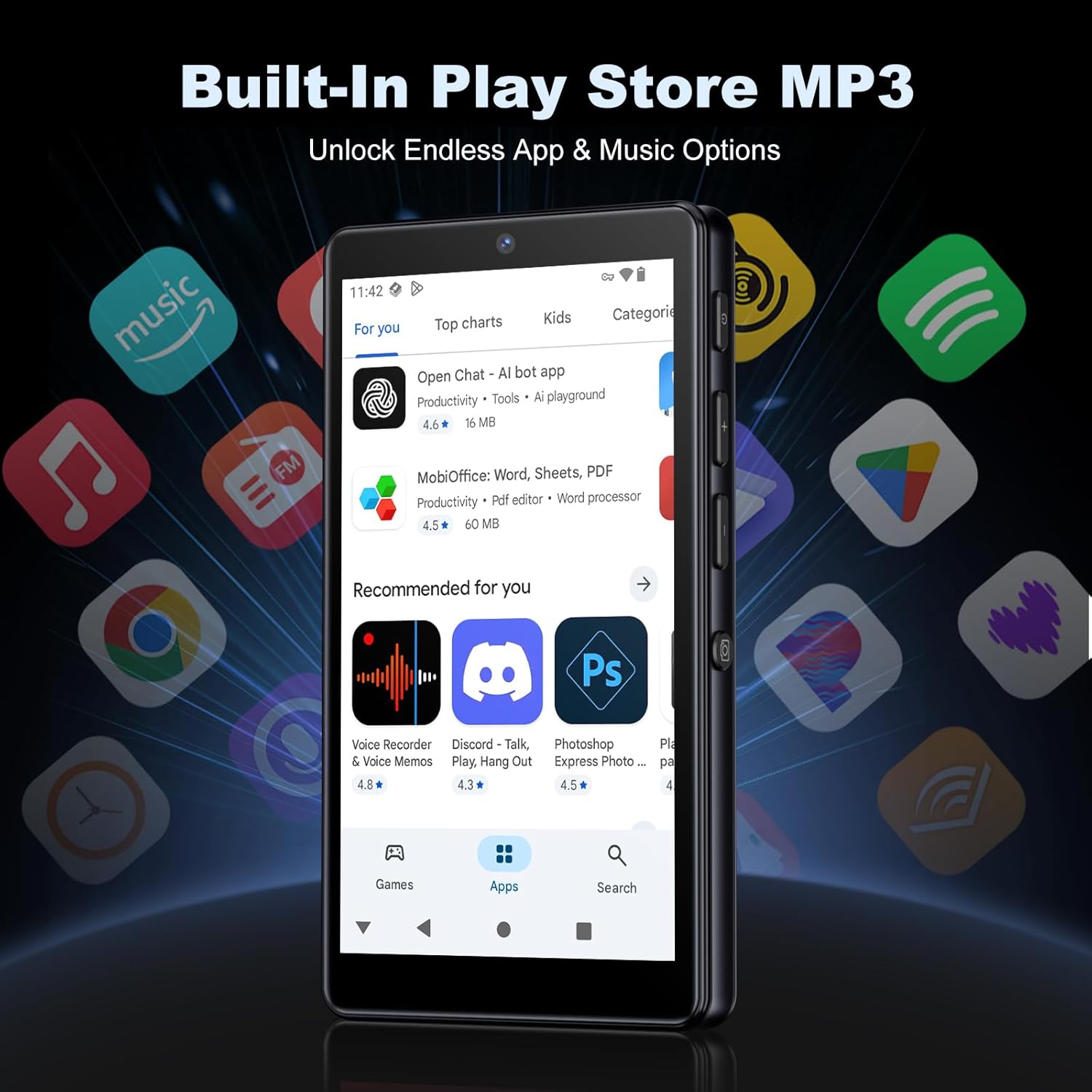
Image: The Google Play Store interface on the device.
- Menginstal Aplikasi: Open the Play Store app, search for your desired application, and tap 'Install'.
- Menghapus Instalasi Aplikasi: Go to Settings > Apps, select the app, and tap 'Uninstall'.
3. Pemeliharaan
3.1 Pembersihan
To clean the device, use a soft, dry, lint-free cloth. Avoid using abrasive cleaners, solvents, or aerosol sprays, which may damage the screen or finish.
3.2 Perawatan Baterai
- Hindari memaparkan perangkat ke suhu ekstrem.
- Jangan biarkan baterai habis sepenuhnya terlalu sering.
- Gunakan hanya kabel USB yang disediakan untuk mengisi daya.
3.3 Pembaruan Perangkat Lunak
Periodically check for software updates to ensure your device has the latest features and security patches. Go to Settings > System > System update.
4. Penyelesaian masalah
4.1 Perangkat Tidak Menyala
- Pastikan baterai terisi daya. Hubungkan perangkat ke pengisi daya minimal 30 menit.
- Try a forced restart by holding the power button for 10-15 seconds.
4.2 Masalah Konektivitas (Wi-Fi/Bluetooth)
- Wifinya: Check if the Wi-Fi network is active and you have entered the correct password. Try restarting your router.
- Bluetooth dapat digunakan untuk berbagai keperluan, seperti: Ensure the device you are trying to connect to is in pairing mode and within range. Try turning Bluetooth off and on again on both devices.
4.3 Aplikasi Crash atau Macet
- Tutup dan buka kembali aplikasi.
- Clear the app's cache: Settings > Apps > [App Name] > Storage & cache > Clear cache.
- Jika masalah berlanjut, coba hapus instalasi dan instal ulang aplikasi.
4.4 Kualitas Audio Buruk
- Check your earphones or Bluetooth speaker connection.
- Pastikan audionya file tidak rusak.
- Adjust the equalizer settings in your music player.
5. Spesifikasi
| Fitur | Detil |
|---|---|
| Merek | minyaksky |
| Nomor Model | Pesawat M305 |
| Sistem Operasi | Android 13.0 |
| Prosesor | MTK 8-inti |
| RAM | 4 GB |
| Penyimpanan Internal (ROM) | 32 GB |
| Penyimpanan Eksternal | 128GB TF Card included, expandable up to 1TB |
| Ukuran Layar | Layar Sentuh HD 4.02 inci |
| Kamera Belakang | 13MP |
| Kamera Depan | 5MP |
| Bahasa Indonesia: Bluetooth | Bluetooth 5.0 |
| Wifi gratis | Wi-Fi pita ganda |
| Kapasitas Baterai | Baterai Lithium-polimer 2000mAh |
| Waktu Pemutaran Musik | Hingga 15 jam |
| Waktu Pemutaran Video | Hingga 6 jam |
| Waktu Pengisian Daya | Sekitar 3 jam |
| Format Audio yang Didukung | MP3, WAV, APE, FLAC, AAC, etc. |
| Format Video yang Didukung | AVI, MKV, MP4, MPG, MOV, etc. |
| Format Gambar yang Didukung | JPEG, BMP, GIF, PNG, etc. |
6. Informasi Garansi
The Oilsky M305 MP3 Player comes with a manufacturer's warranty. Please refer to the warranty card included in your package or contact Oilsky customer support for specific terms and conditions. Keep your proof of purchase for warranty claims.
7. Dukungan Pelanggan
If you encounter any issues not covered in this manual or require further assistance, please contact Oilsky customer support. Contact details can typically be found on the official Oilsky websitus web atau pada kartu garansi.