
1. Pendahuluan
This manual provides detailed instructions for the installation, operation, and maintenance of your KIMISS 4K DVR Dash Camera. This device features a 10.26-inch touchscreen, 4K front and 1080P rear cameras, Wi-Fi connectivity, and advanced driving assistance functions to enhance your safety on the road.
2. Informasi Keselamatan
- Ensure the dash camera is securely mounted and does not obstruct the driver's view atau mengganggu kendali kendaraan.
- Do not attempt to operate the device or adjust settings while driving. Always pull over to a safe location before making any adjustments.
- Use only the provided power cable and accessories to prevent damage to the device or vehicle.
- Hindari memaparkan perangkat pada suhu ekstrem, sinar matahari langsung dalam waktu lama, atau kelembapan.
- Regularly check the memory card for errors and ensure it is functioning correctly.
3. Isi Paket
Verifikasi bahwa semua item ada dalam paket:
- KIMISS 4K DVR Dash Camera Unit (10.26-inch touchscreen)
- Kamera Belakang
- Kabel Daya Kendaraan
- Aksesori Pemasangan
- Panduan Pengguna
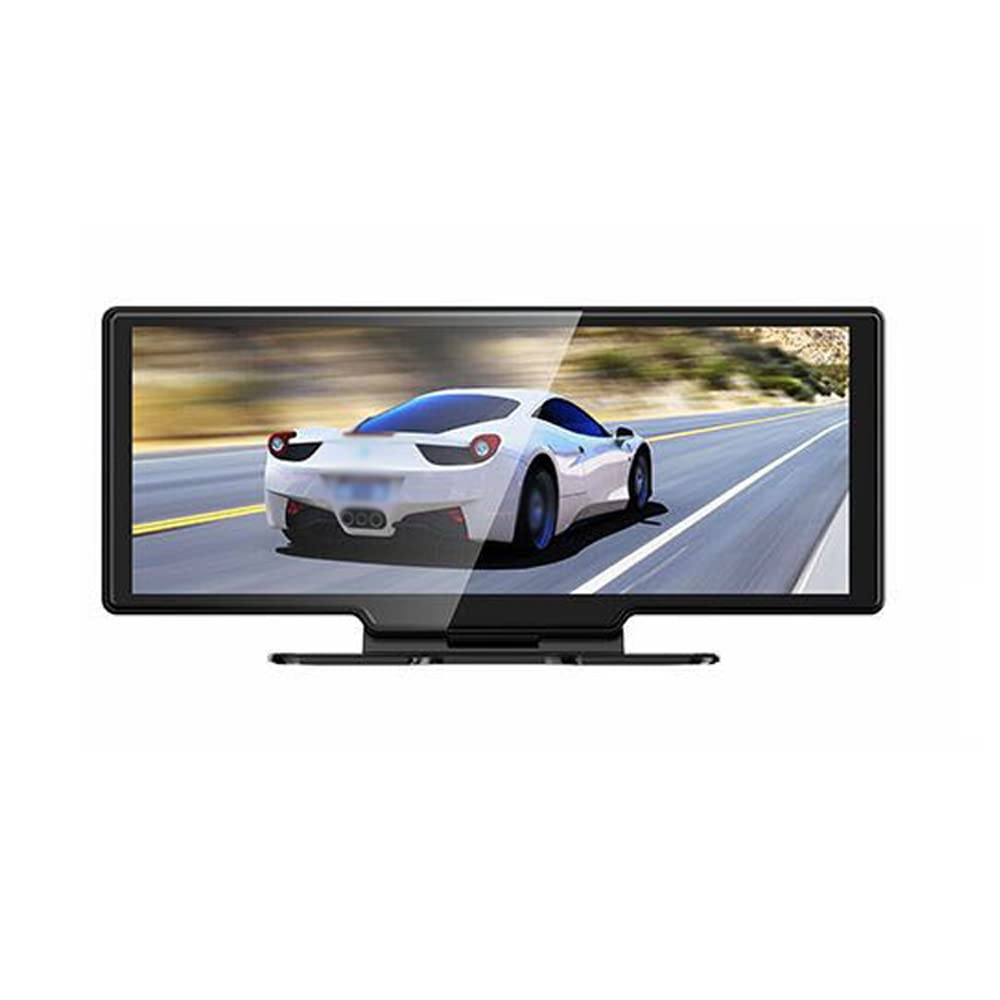
Image: The main dash camera unit, a separate rear camera, and the vehicle power cable.
4. Pengaturan
4.1. Pemasangan Kartu Memori
Insert a high-speed (Class 10 or higher) MicroSD card (up to 256GB, not included) into the designated slot on the dash camera. Ensure the card is inserted correctly until it clicks into place.
4.2. Memasang Kamera Depan
- Bersihkan area kaca depan tempat kamera dasbor akan dipasang.
- Attach the mounting bracket to the dash camera unit.
- Securely affix the dash camera to the windshield, ensuring it does not obstruct your view. Adjust the lens angle to capture the road ahead clearly.
4.3. Memasang Kamera Belakang
- Pasang kamera belakang di kaca belakang atau area plat nomor, pastikan pandangan jelas. view.
- Route the rear camera cable to the front dash camera unit, connecting it to the designated port. Ensure cables are tucked away safely and do not interfere with vehicle operation.
4.4. Koneksi Daya
Connect the vehicle power cable to the dash camera and plug the other end into your car's 12V power outlet (cigarette lighter socket). The camera will typically power on automatically when the vehicle starts.

Image: Front and rear perspectives of the dash camera unit, illustrating its design and camera placement.
5. Petunjuk Pengoperasian
5.1. Perekaman Dasar
The dash camera automatically begins recording when powered on. It records simultaneously with the 4K front camera and 1080P rear camera, providing a wide 170° angle view untuk cakupan yang komprehensif.

Image: A visual representation of the dual camera system, indicating the 4K front and 1080P rear recording capabilities and their respective fields of view.
5.2. Antarmuka Layar Sentuh
Navigate the 10.26-inch touchscreen to access various functions and settings. The intuitive interface allows for easy control of recording, playback, and system configurations.

Image: The dash camera's touchscreen interface displaying icons for 'Driving recorder', 'Carplay', 'Android Auto', 'FM launch', 'BT', 'Replay', 'Screen Brightness', and 'Setting'.
5.3. Rekaman berulang
The device supports loop recording. When the memory card is full, the oldest unlocked video files will be automatically overwritten by new recordings. Ensure important footage is saved or backed up to prevent loss.
5.4. Parking Monitoring & G-Sensor
The built-in G-sensor detects sudden movements or impacts while the vehicle is parked. If vibration is detected, the camera will automatically start recording to capture potential incidents, providing 24-hour monitoring.
5.5. WiFi Connectivity & App
Connect your smartphone to the dash camera via Wi-Fi to access the dedicated app. This allows for real-time video playback, downloading recorded footage, and adjusting settings directly from your phone. Compatible with Android and iOS systems.

Image: The dash camera screen showing a driving scene, with a smartphone held below it displaying the same video feed, demonstrating Wi-Fi connectivity and app mirroring.
5.6. Phone Link (CarPlay/Android Auto)
The dash camera supports Apple CarPlay for iOS phones and Android Auto for Android phones. This feature enables voice control, allowing you to manage navigation, calls, and music hands-free, keeping your focus on the road.

Image: The dash camera screen showing a split view with navigation on one side and a driving scene with a truck on the other, indicating a Bluetooth connection to a smartphone.
5.7. Reversing Assist
When the vehicle is put into reverse, the dash camera automatically displays the rear camera view on the screen, providing guidelines to assist with safe parking and reversing maneuvers.
5.8. Pemancar FM
Utilize the built-in FM transmitter to seamlessly play audio from the dash camera through your car's stereo system.
5.9. Penglihatan Malam
Equipped with a 6-layer full-glass lens, the camera provides enhanced night-vision recording capabilities, ensuring clear footage bahkan dalam kondisi cahaya redup.
6. Pemeliharaan
- Pembersihan: Gently wipe the camera lens and screen with a soft, dry cloth. Do not use abrasive cleaners or solvents.
- Kartu Memori: Format the MicroSD card regularly (e.g., once a month) within the camera's settings to maintain optimal performance and prevent data corruption. Replace the card if it shows signs of wear or error.
- Pembaruan Firmware: Periksa pabrikannya webKunjungi situs ini secara berkala untuk pembaruan firmware guna memastikan perangkat Anda memiliki fitur terbaru dan perbaikan bug.
7. Penyelesaian masalah
- Kamera tidak merekam: Ensure a MicroSD card is inserted and formatted. Check if loop recording is enabled.
- Screen not turning on: Verify the power cable is securely connected and the vehicle's 12V outlet is functioning.
- Kualitas video buruk: Clean the camera lenses. Ensure the protective film is removed. Check resolution settings.
- Masalah koneksi Wi-Fi: Restart both the dash camera and your smartphone. Ensure you are within range and have selected the correct Wi-Fi network.
- G-sensor too sensitive/not sensitive enough: Adjust the G-sensor sensitivity setting in the camera's menu.
8. Spesifikasi
| Fitur | Spesifikasi |
|---|---|
| Merek | KIMISS |
| Nama Model | KIMISS3fkxbdzqi6 |
| Resolusi Kamera Depan | 4K |
| Resolusi Kamera Belakang | 1080P |
| Sudut Lebar | 170° |
| Ukuran Layar | 10.26 inches (Touchscreen) |
| Konektivitas | Wi-Fi, Ethernet (for certain functions) |
| Fitur Khusus | Night Vision, Reversing Assist, Hands-free Calling, FM Transmitter, G-Sensing, Parking Monitoring, Adjustable |
| Dukungan Kartu Memori | Hingga 256GB (MicroSD, tidak termasuk) |
| Dimensi Produk | 11.81"Panjang x 6.69"Lebar x 3.94"T |
| Jenis Layanan Kendaraan | ATV (General compatibility) |
9. Garansi dan Dukungan
This KIMISS product comes with a manufacturer warranty for 90 days from the date of purchase. Please retain your proof of purchase for warranty claims.
For technical support or warranty inquiries, please contact KIMISS customer service through your retailer or the official KIMISS support channels.