
Perkenalan
Welcome to the Motorola G67 Power 5G user manual. This guide provides essential information for setting up, operating, maintaining, and troubleshooting your new smartphone. The Motorola G67 Power 5G is designed for extended use and smooth performance, featuring a 7000 mAh battery, an efficient 4 nm octa-core processor, and 8 GB RAM (expandable up to 24 GB with RAM Boost). It boasts a 6.7-inch FHD+ 120 Hz LCD display with toughened glass, HDR10+, and Aqua Touch. Capture high-quality photos and videos with its 50 MP main camera, 8 MP ultrawide lens, and 32 MP selfie camera, all supporting 4K 30 fps video recording. The device also includes a premium vegan leather back, IP64 protection, stereo speakers, and dual SIM 5G connectivity.

Image: Key features of the Motorola G67 Power 5G, highlighting the 7000mAh battery, 50MP Sony-LYT 600 camera, and Snapdragon 7s Gen 2 processor.
Pengaturan
Apa yang ada di dalam kotak
- Motorola G67 Power 5G Handset
- Pengisi Daya 30W
- Kabel USB Tipe-C
- Alat Pelepas SIM
- Panduan Memulai Cepat
Memasukkan Kartu SIM
- Temukan tempat kartu SIM di sisi perangkat Anda.
- Masukkan alat pelepas SIM ke dalam lubang kecil di sebelah baki dan tekan perlahan hingga baki keluar.
- Place your Nano-SIM card(s) into the tray with the gold contacts facing down. Ensure they are correctly oriented.
- Dorong baki dengan hati-hati kembali ke dalam slot hingga terkunci pada tempatnya.
Pengaktifan dan Pengisian Daya Awal
To power on your device, press and hold the power button located on the side until the Motorola logo appears. For initial charging, connect the provided 30W charger and USB Type-C cable to your phone and a power outlet. The 7000 mAh battery supports fast charging.
Mengoperasikan Perangkat Anda
Tampilan dan Navigasi
The Motorola G67 Power 5G features a 6.7-inch FHD+ 120 Hz LCD display with Aqua Touch for responsive control. Navigate the Android 15 (Hello UI) interface using touch gestures.

Image: The Hello UX interface powered by Android 15 on the Motorola G67 Power 5G.
Fungsi Kamera
Perangkat Anda dilengkapi dengan sistem kamera serbaguna:
- Kamera Belakang: 50MP Sony LYTIA 600 (f/1.8, Quad Pixel, PDAF) + 8MP ultra-wide. Both support UHD 4K30 video recording.
- Kamera Depan: 32MP (f/2.2) with Quad Pixel for brighter selfies. Records up to UHD 4K30.
Camera modes include Night Vision, Ultra-Res, Portrait, Panorama, Pro, Scan, Auto Night/Smile Capture, high-res digital zoom (up to 8x), Google Lens, Dual Capture, Timelapse/Hyperlapse, Slow Motion, and Audio Zoom. For quick access, twist your wrist twice to open the camera.
Audio dan Hiburan
Experience immersive audio with dual stereo speakers featuring Dolby Atmos and Hi-Res Audio support. A 3.5 mm audio jack is also available for wired headphones.

Image: The Motorola G67 Power 5G features dual stereo speakers with Dolby Atmos and Hi-Res Audio for an immersive entertainment experience.
Konektivitas dan Penyimpanan
- Jaringan: Dual SIM 5G connectivity.
- Nirkabel: Wi-Fi 802.11 a/b/g/n/ac, Bluetooth 5.1.
- Navigasi: GPS, GLONASS, Galileo, QZSS, Beidou.
- Penyimpanan: 128GB internal storage, with 8GB RAM and RAM Boost up to 24GB.
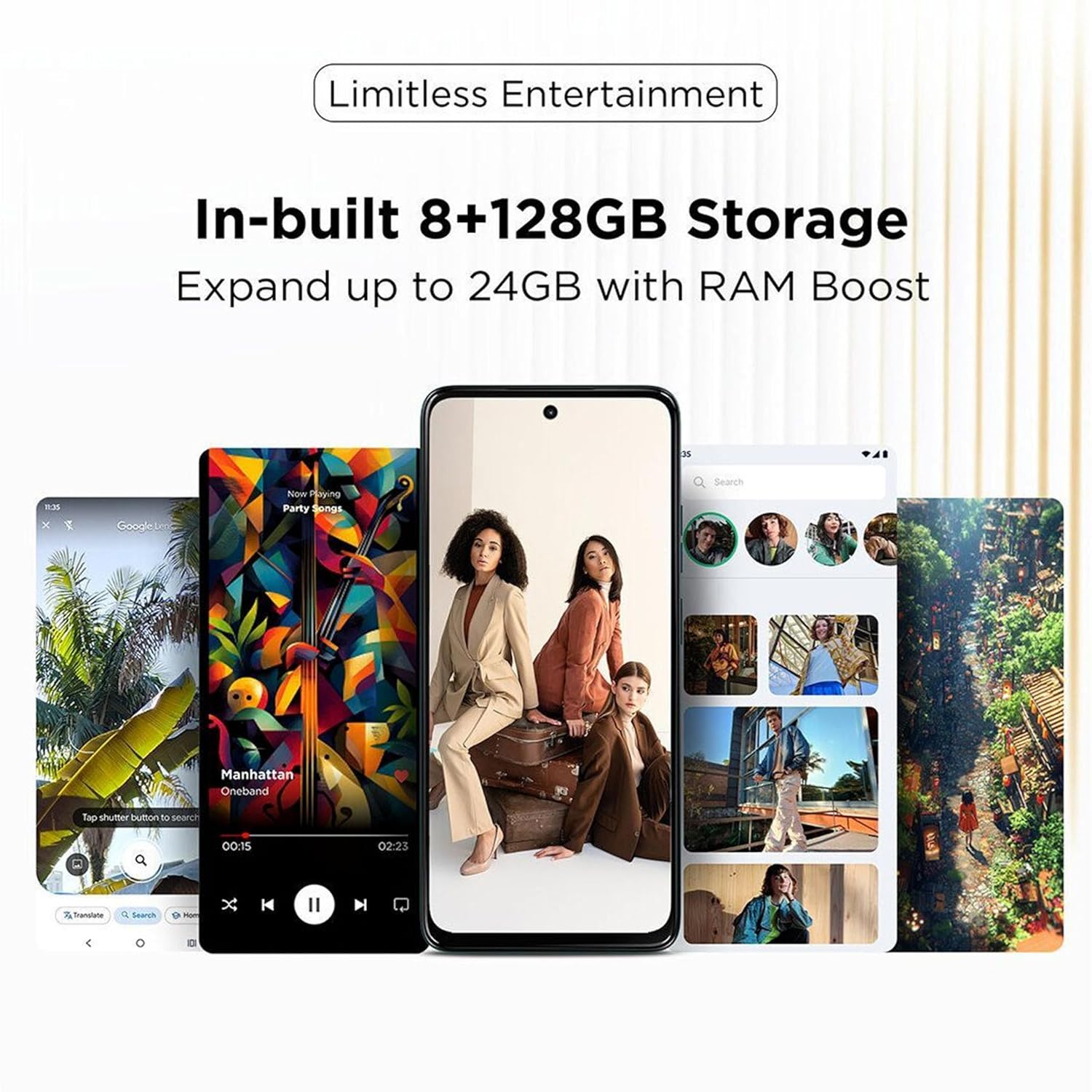
Image: The Motorola G67 Power 5G offers 8GB + 128GB storage, expandable up to 24GB with RAM Boost technology.
Fitur Perangkat Lunak
The device runs on Android 15 with Motorola's Hello UI, offering several intuitive features:
- 3 Finger Screenshot: Capture a screenshot by touching the screen with three fingers.
- Light in a Flash: Chop down twice with the phone to turn on the flashlight.
- Twist to Open Camera: Twist your wrist twice to quickly launch the camera application.
- Family Space 3.0: Safer sharing with kids and guests, allowing for customized profiles and app access.
- Koneksi Cerdas: Seamlessly connect and share content across your Motorola devices.

Image: Delightful software experiences on the Motorola G67 Power 5G, including 3-finger screenshot, flashlight gesture, camera quick launch, and Family Space 3.0.

Image: The Smart Connect feature allows for seamless content sharing and connectivity between the Motorola G67 Power 5G and other compatible devices.
Pemeliharaan
Perawatan Baterai
To maximize the lifespan of your 7000 mAh battery, avoid extreme temperatures and fully discharging the battery frequently. Use only the provided 30W charger for optimal charging performance.
Membersihkan Perangkat Anda
Gently wipe your phone with a soft, lint-free cloth. Avoid using harsh chemicals or abrasive materials. The device has an IP64 rating, providing protection against dust and splashes, but it is not waterproof.
Pembaruan Perangkat Lunak
Motorola provides one Android version upgrade (to Android 15) and 3 years of security patches (SMR) for this model. Ensure your device is connected to Wi-Fi and has sufficient battery life before performing any software updates. You will be notified when updates are available.
Penyelesaian Masalah
- Perangkat Tidak Merespons: Jika ponsel Anda tidak responsif, tekan dan tahan tombol daya selama sekitar 10-15 detik untuk memaksa memulai ulang.
- Masalah Pengisian Daya: Ensure the charger and USB cable are securely connected and undamaged. Try a different power outlet.
- Masalah Konektivitas: For Wi-Fi or Bluetooth issues, try toggling the respective settings off and on. For mobile data issues, check your SIM card insertion and network settings.
- Terlalu panas: If the device feels excessively warm, close background applications, reduce screen brightness, and avoid using it while charging or in direct sunlight.
- Anomali Tampilan: If you experience unusual display behavior, such as flickering or lines, try restarting the device. If the issue persists, contact support.
- Camera Performance: Ensure camera lenses are clean. For low-light performance, use Night Vision mode.
Spesifikasi
| Nomor Model | PB930001IN, PB930005IN |
| Sistem Operasi | Android 15 (Hello UI) |
| Prosesor | Snapdragon 7s Gen 2 (4 nm octa-core, 2.4 GHz) |
| RAM | 8 GB (dapat diperluas hingga 24 GB dengan RAM Boost) |
| Penyimpanan Internal | 128 GB |
| Menampilkan | 6.7-inch FHD+ (2400 x 1080) 120 Hz LCD, HDR10+, Aqua Touch |
| Kamera Belakang | 50 MP Sony LYTIA 600 (f/1.8, OIS, PDAF) + 8 MP Ultra-wide |
| Kamera Depan | 32 MP (f/2.2) with Quad Pixel |
| Rekaman Video | UHD 4K30 (Front & Rear) |
| Baterai | 7000 mAh |
| Pengisian daya | Pengisian Cepat 30W |
| Konektivitas | Dual SIM 5G, Wi-Fi 802.11 a/b/g/n/ac, Bluetooth 5.1, USB Type-C (USB 2.0) |
| Navigasi | GPS, GLONASS, Galileo, QZSS, Beidou |
| Suara | Dual Stereo Speakers, Dolby Atmos, Hi-Res Audio, 3.5 mm Audio Jack |
| Daya tahan | Tahan debu dan percikan air IP64 |
| Ukuran | Ukuran 16.62x7.65x0.86 cm |
| Berat | 210 gram |
| Warna | Pantone Parachute |
Garansi dan Dukungan
Garansi Perangkat Lunak
Motorola provides one Android version upgrade (to Android 15) and 3 years of security patches (SMR) for the G67 Power 5G.
Informasi Produsen dan Importir
Pabrikan: Motorola Mobility LLC.
Packer & Importer: Motorola Mobility India Pvt Ltd, Bagmane Tech Park, No.66/1, Plot No.5, 5th Floor, C.V Raman Nagar, Bengaluru 560093.
Dukungan Pelanggan
For further assistance, please contact Motorola customer support.
Bebas pulsa: Telepon: 1800-419-6686


