
Perkenalan
Thank you for choosing the GOBOULT Y1 v2.0 Wireless Earbuds. This manual provides essential information for setting up, operating, and maintaining your earbuds to ensure optimal performance and longevity. Please read it carefully before use.
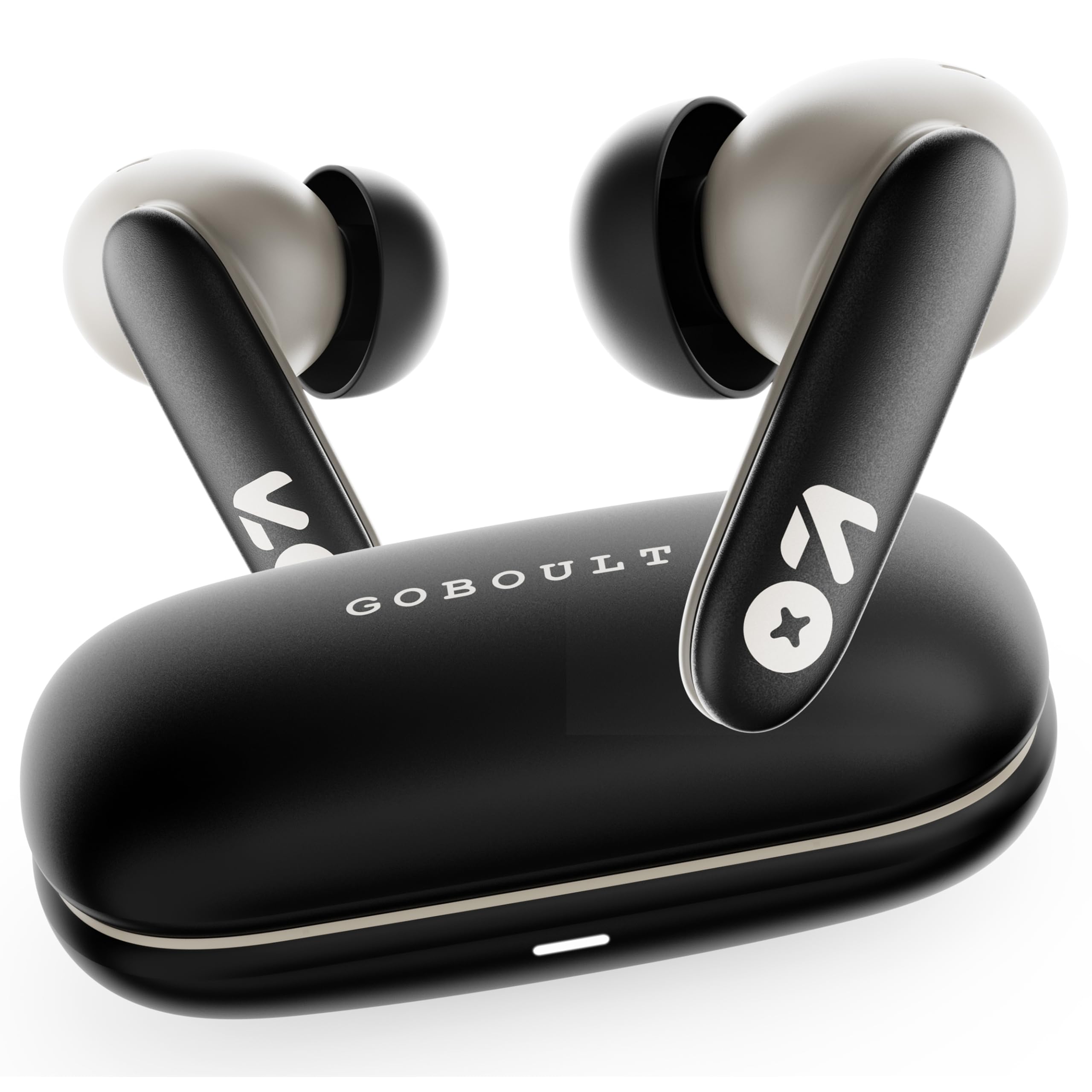
Image: GOBOULT Y1 v2.0 Wireless Earbuds and their charging case, showcasindesainnya yang ramping.
Apa yang ada di dalam kotak
- GOBOULT Y1 v2.0 Wireless Earbuds
- Kotak Pengisian Daya
- Kabel Pengisi Daya USB Type-C
- Bantalan Telinga (berbagai ukuran)
- Panduan Pengguna
- Kartu Garansi
Fitur Produk
The GOBOULT Y1 v2.0 earbuds are designed with advanced features for an enhanced audio experience:
- Perpanjangan Waktu Bermain: Total waktu bermain hingga 60 jam dengan casing pengisi daya.
- Bluetooth 6.0: Ensures fast, stable, and efficient wireless connectivity.
- Zen Quad Mic ENC: Environmental Noise Cancellation with four microphones for clear calls.
- Latensi Rendah: 45ms ultra-low latency for gaming and video synchronization.
- Kontrol Sentuh: Intuitive touch sensors for managing music, calls, and voice assistant.
- Penyandingan Dua Perangkat: Connect and switch seamlessly between two devices.
- 13mm Bass Driver: Menghasilkan bass yang kuat dan audio yang jernih.
- AMP Dukungan aplikasi: Customize audio settings and controls via the dedicated application.
- Ketahanan Air IPX5: Perlindungan terhadap keringat dan cipratan ringan.
- Pengisian Cepat: Type-C port for quick charging of the case.

Gambar: Lebih dariview of GOBOULT Y1 v2.0 features including sleek design, AMP App support, Bluetooth 6.0, 60 hours battery life, and dual device pairing.
Panduan Pengaturan
1. Mengisi Daya Earbud dan Casing
Sebelum penggunaan pertama, isi daya earbud dan casing pengisi daya hingga penuh.
- Masukkan earbud ke dalam casing pengisi daya. Pastikan terpasang dengan benar.
- Hubungkan kabel pengisian daya USB Tipe-C ke port pengisian daya pada casing dan ke sumber daya.
- The LED indicator on the case will show charging status. A full charge typically takes approximately 1.5-2 hours.

Image: The GOBOULT Y1 v2.0 earbuds and charging case, highlighting the 60-hour battery life and Type-C fast charging capability.
2. Initial Pairing (Single Device)
- Buka casing pengisi daya. Earbud akan otomatis masuk ke mode berpasangan.
- Pada perangkat Anda (ponsel pintar, tablet, dll.), aktifkan Bluetooth.
- Pencarian untuk available Bluetooth devices and select "GOBOULT Y1 v2.0".
- Setelah terhubung, Anda akan mendengar nada konfirmasi.
3. Dual Device Pairing
The Y1 v2.0 supports connecting to two devices simultaneously.
- Pair the earbuds with your first device as described in "Initial Pairing".
- Nonaktifkan Bluetooth pada perangkat pertama. Earbud akan kembali memasuki mode pemasangan.
- Pasangkan earbud dengan perangkat kedua Anda.
- Re-enable Bluetooth on the first device. The earbuds should automatically connect to both devices.
- To switch between devices, simply play audio on the desired device.

Image: The GOBOULT Y1 v2.0 earbuds connected to both a laptop and a smartphone, illustrating the dual device pairing feature.
Petunjuk Pengoperasian
1. Kontrol Sentuh
The earbuds feature intuitive touch controls on their stems:
| Tindakan | Fungsi |
|---|---|
| Ketuk Tunggal (Kiri/Kanan) | Putar/Jeda Musik, Jawab/Akhiri Panggilan |
| Ketuk Dua Kali (Kanan) | Lagu Berikutnya |
| Ketuk Dua Kali (Kiri) | Trek Sebelumnya |
| Ketuk Tiga Kali (Kiri/Kanan) | Aktifkan Asisten Suara |
| Tekan Lama (Kiri/Kanan) | Tolak Panggilan |
| Tekan Lama (Kanan) | Volume Naik |
| Tekan Lama (Kiri) | Volume Turun |

Image: Visual representation of touch controls for music playback and call management, along with the IPX5 water resistance rating.
2. Asisten Suara
Activate your device's voice assistant (Siri, Google Assistant) by triple-tapping either earbud. You can then issue commands like making calls or playing music.

Image: The GOBOULT Y1 v2.0 earbuds highlighting Bluetooth 6.0 for stable connection and integration with AI voice assistants like Siri and Google Assistant.
3. Mode Gaming (Latensi Rendah)
For an optimized gaming experience, activate the 45ms ultra-low latency gaming mode. Refer to the AMP App or specific touch control gestures (if available) for activation.

Image: The GOBOULT Y1 v2.0 earbuds illustrating the 45ms ultra-low latency Gaming Mode.
4. AMP Dukungan Aplikasi
Download the GOBOULT AMP App to unlock advanced customization options:
- Sesuaikan pengaturan Equalizer (EQ) untuk suara yang dipersonalisasi.
- Sesuaikan kontrol sentuh.
- Access additional features like Water Ejection mode.

Image: Screenshot of the GOBOULT AMP App interface, demonstrating equalizer adjustments and other customization features.
Pemeliharaan
1. Pembersihan
Pembersihan secara teratur membantu menjaga kualitas suara dan kebersihan.
- Gunakan kain yang lembut, kering, dan tidak berbulu untuk membersihkan earbud dan casing pengisi daya.
- Bersihkan kotoran telinga atau serpihan apa pun dari ujung earphone dan jaring speaker dengan lembut menggunakan sikat kecil atau kapas.
- Jangan gunakan pembersih abrasif, alkohol, atau pelarut kimia.
2. Tahan Air (IPX5)
The GOBOULT Y1 v2.0 earbuds are rated IPX5 water resistant, meaning they are protected against low-pressure water jets from any direction. This makes them suitable for workouts and light rain.
- Jangan merendam earbud di dalam air.
- Kasing pengisi daya tidak tahan air.
- Pastikan earbud dalam keadaan kering sebelum memasukkannya kembali ke dalam wadah pengisian daya untuk mencegah kerusakan.
Penyelesaian Masalah
| Masalah | Larutan |
|---|---|
| Earbud tidak dapat dipasangkan | Pastikan earbud terisi daya. Matikan dan nyalakan Bluetooth di perangkat Anda. Lupakan perangkat di pengaturan Bluetooth dan pasangkan kembali. |
| Hanya satu earbud yang berfungsi | Place both earbuds back in the case, close it, then open again. Ensure both are charged. Reset earbuds if issue persists. |
| Volume rendah atau kualitas suara buruk | Clean earbud speaker mesh. Adjust volume on both earbuds and connected device. Try different ear tip sizes for a better seal. |
| Casing pengisi daya tidak mengisi daya | Check USB Type-C cable and power adapter. Ensure connections are secure. |
Spesifikasi
| Fitur | Detil |
|---|---|
| Merek | GOBOULT |
| Nama Model | Y1 v2.0 (Airbass) |
| Penempatan Telinga | Di Telinga |
| Kontrol Kebisingan | Pembatalan Kebisingan Lingkungan (ENC) |
| Versi Bluetooth | 6.0 |
| Jangkauan Bluetooth | 10 Meter |
| Daya Tahan Baterai (Total) | Hingga 60 Jam |
| Ukuran Driver Audio | 13 Milimeter |
| Latensi Audio | 45 Milidetik (Mode Permainan) |
| Respon Frekuensi | 20 Hz - 20,000 Hz |
| Tingkat Tahan Air | Tingkat IPX5 |
| Metode Kontrol | Kontrol Sentuh, Aplikasi |
| Perangkat yang Kompatibel | Android, iOS, Desktops, Laptops, Tablets |
| Berat Barang | 50 gram |

Image: A detailed comparison table showing the specifications of GOBOULT Y1 v2.0 versus the previous Y1 model, highlighting improvements.
Garansi dan Dukungan
The GOBOULT Y1 v2.0 Wireless Earbuds come with a Garansi Produsen 1 Tahun from the date of purchase. This warranty covers manufacturing defects.
For warranty claims, technical support, or any product-related inquiries, please refer to the contact information provided on your warranty card or visit the official GOBOULT support weblokasi.