1. Pendahuluan
Thank you for choosing the Hunter 44760 Multi-Stage Heat Pump Thermostat. This device is designed to provide efficient and precise control over your home's heating and cooling system. It is compatible with single and multi-stage heat pump systems, controlling one stage of cooling and two stages panas.
Key features of your Hunter 44760 thermostat include:
- Pergantian Musim Otomatis: Automatically switches between heating and cooling modes.
- INDIGLO Backlit Display: Memberikan visibilitas yang jelas dalam berbagai kondisi pencahayaan.
- Pre-Programmed Temperature & Vacation Overrides: Allows temporary adjustments or extended holds.
- Monitor Energi: Tracks system usage time to help manage energy consumption.
- Indikator Penggantian Filter: Reminds you when to replace your system's air filter.
- Pemulihan Otomatis: Helps maintain comfort while optimizing energy use.
- Peringatan Baterai Lemah: Memberi tahu Anda saat baterai perlu diganti.
- Baterai cadangan: Mempertahankan pengaturan selama power outages (membutuhkan 2 baterai AAA, tidak termasuk).
2. Instalasi
The Hunter 44760 thermostat is designed for easy do-it-yourself installation. Please follow these instructions carefully to ensure proper setup and operation.
2.1 Sebelum Anda Memulai
- Matikan daya to your heating and cooling system at the main circuit breaker or fuse box before beginning installation.
- Ensure you have the necessary tools: screwdriver, wire stripper/cutter, and electrical tape.
- Confirm your system is compatible with a multi-stage termostat pompa panas.
2.2 Removing Your Old Thermostat and Wiring
- Lepaskan penutup termostat Anda dengan hati-hati.
- Before disconnecting any wires, label each wire with the corresponding terminal letter from your old thermostat. This is crucial for correct wiring of the new thermostat.
- Lepaskan kabel dan cabut pelat dinding termostat lama.
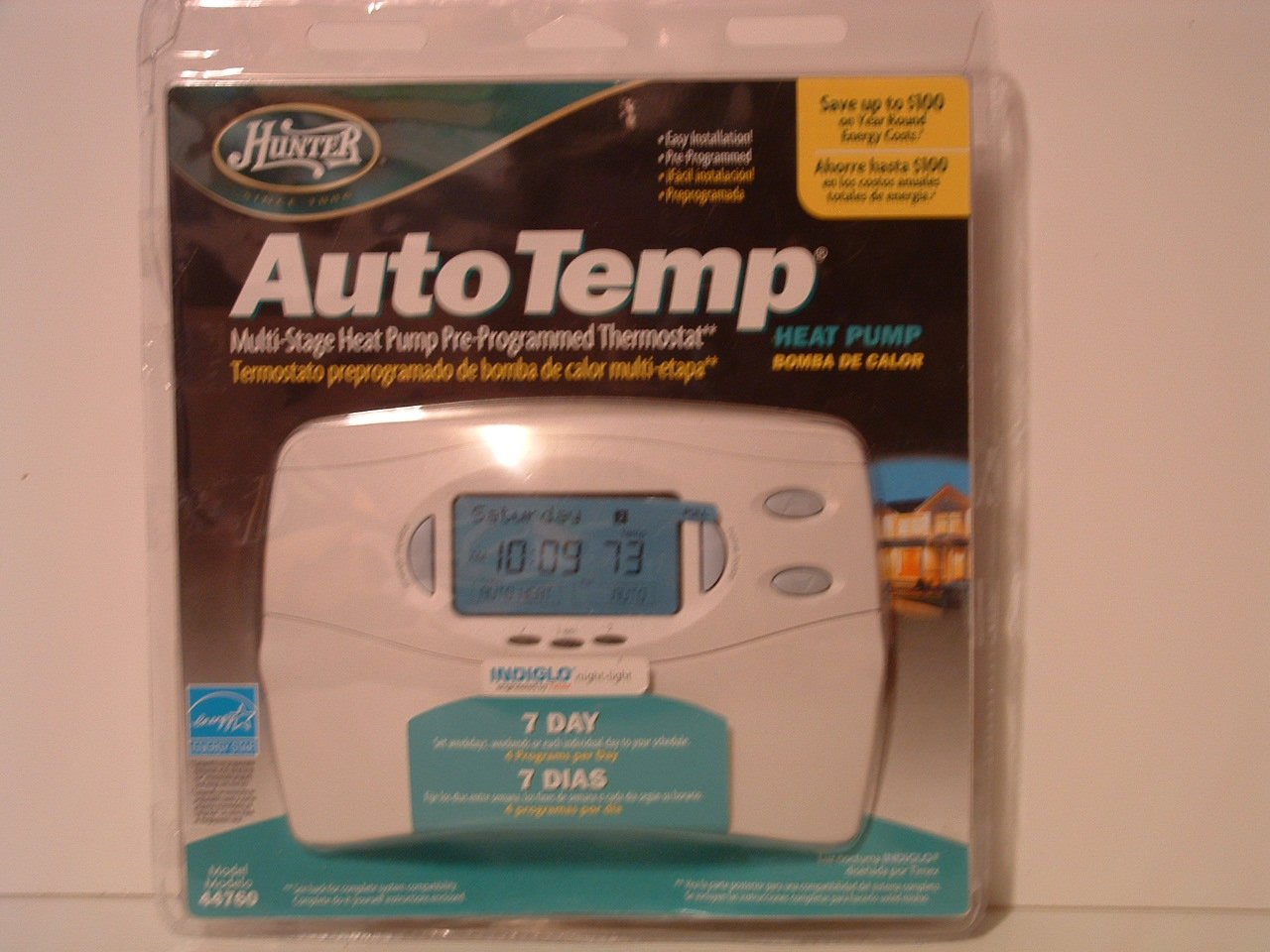
Image: Hunter 44760 Thermostat packaging illustrating key features and simplified installation steps. The top right corner shows a visual guide for removing the existing thermostat, labeling wires, installing the new wall plate, and attaching the cover.
2.3 Memasang Termostat Baru
- Install the new wall plate provided with your Hunter 44760 thermostat. Secure it to the wall using the included screws.
- Connect the labeled wires to the corresponding terminals on the new wall plate. Refer to the wiring diagram in the full manual for specific connections.
- Insert 2 AAA batteries (not included) into the battery compartment.
- Attach the thermostat cover to the wall plate, ensuring it clicks securely into place.
- Restore power to your heating and cooling system at the circuit breaker.
3. Operasi
This section details how to operate your Hunter 44760 thermostat, including basic controls and programming features.
3.1 Tampilan Lebihview
The thermostat features an INDIGLO backlit display that shows the current temperature, set temperature, time, and system status. The display is designed for clear readability.
Image: Hunter 44760 Thermostat packaging showing the thermostat's front panel with its digital display (showing 10:09 and 73 degrees) and various control buttons below it.
3.2 Kontrol Dasar
- Temperature UP/DOWN Buttons: Use these buttons to adjust the desired temperature setting.
- Saklar Kipas:
- MOBIL: The fan runs only when the heating or cooling system is operating.
- DI: Kipas berputar terus-menerus, terlepas dari apakah sistem pemanas atau pendingin sedang aktif.
- Saklar Sistem:
- PANAS: Termostat mengontrol sistem pemanas.
- KEREN: Termostat mengontrol sistem pendingin.
- MATI: Sistem pemanas dan pendingin dimatikan.
3.3 Programming Features
The Hunter 44760 offers advanced programming options for energy efficiency and comfort.
- Pergantian Musim Otomatis: This feature automatically switches between heating and cooling modes as needed, eliminating the need for manual adjustment.
- Home Today & Vacation Overrides: Use these functions for temporary temperature adjustments or to set an extended hold for vacation periods.
- Monitor Energi: Akses fitur ini ke view the run time of your heating and cooling system, helping you understand and manage energy usage.
- Indikator Penggantian Filter: A reminder will appear on the display when it's time to check or replace your system's air filter.
- Pemulihan Otomatis: This intelligent feature ensures your home reaches the desired temperature by the start of a programmed period, optimizing system operation.
- Permanent and Vacation Hold: These settings allow you to maintain a specific temperature indefinitely or for a set vacation duration, overriding the regular program.
- Returns to Programmed Settings: The thermostat can easily revert to your pre-programmed schedule.
4. Pemeliharaan
Proper maintenance ensures the longevity and optimal performance of your thermostat.
4.1 Penggantian Baterai
The thermostat requires two AAA batteries (not included) for operation and to maintain settings during power outages. A low battery warning will appear on the display when replacement is needed.
- Tarik perlahan badan termostat menjauh dari pelat dinding untuk mengakses kompartemen baterai.
- Remove the old batteries and insert two new AAA alkaline batteries, ensuring correct polarity (+/-).
- Reattach the thermostat body to the wall plate.
4.2 Pembersihan
Bersihkan bagian luar termostat dengan kain lembut dan kering.amp kain. Jangan gunakan pembersih abrasif atau pelarut, karena dapat merusak lapisan akhir atau komponen internal.
5. Penyelesaian masalah
If you encounter issues with your thermostat, refer to the following common problems and solutions.
- Thermostat Display is Blank:
- Check if the power to your HVAC system is on at the circuit breaker.
- Replace the AAA batteries in the thermostat.
- Sistem Tidak Merespons (Tidak Ada Pemanasan/Pendinginan):
- Ensure the system switch is set to HEAT or COOL, not OFF.
- Verify the fan switch is set to AUTO or ON.
- Check if the set temperature is above (for heat) or below (for cool) the current room temperature.
- Pastikan semua sambungan kabel terpasang dengan aman.
- Pembacaan Suhu yang Salah:
- Pastikan termostat tidak terkena sinar matahari langsung, angin, atau sumber panas.
- Allow time for the thermostat to acclimate to the room temperature after installation.
- Filter Change Indicator Remains On:
- Replace your system's air filter.
- Reset the filter change indicator through the thermostat's settings menu (refer to the full manual for specific steps).
6. Spesifikasi
Below are the technical specifications for the Hunter 44760 Multi-Stage Heat Pump Thermostat.
| Fitur | Spesifikasi |
|---|---|
| Merek | Pemburu |
| Nomor Model | 44760 |
| Jil.tage | 24 Volt |
| Warna | Putih |
| Fitur Khusus | Low Battery Indicator, INDIGLO Backlight, Energy Star Compliant |
| Dimensi Produk | 2x7x5 inci |
| Berat Barang | 1.1 pon |
| Baterai Diperlukan | 2 baterai AAA (tidak termasuk) |
| Jenis Kontrol | Kontrol Tombol |
7. Informasi Garansi
The Hunter 44760 Multi-Stage Heat Pump Thermostat comes with a Garansi Terbatas Satu Tahun from the date of purchase. This warranty covers defects in materials and workmanship under normal use. Please retain your proof of purchase for warranty claims. For full details regarding warranty terms and conditions, refer to the documentation included with your product or contact Hunter Fan Company customer support.
8. Dukungan Pelanggan
If you have any questions, require technical assistance, or need further support regarding your Hunter 44760 thermostat, please contact the Hunter Fan Company customer service. Contact information can typically be found on the manufacturer's websitus web atau dalam kemasan produk aslinya.