1. Lebihview
The Casio AE1000W Digital Watch is designed for durability and functionality, offering a range of features suitable for daily wear and travel. This manual will guide you through its various functions and ensure optimal use.
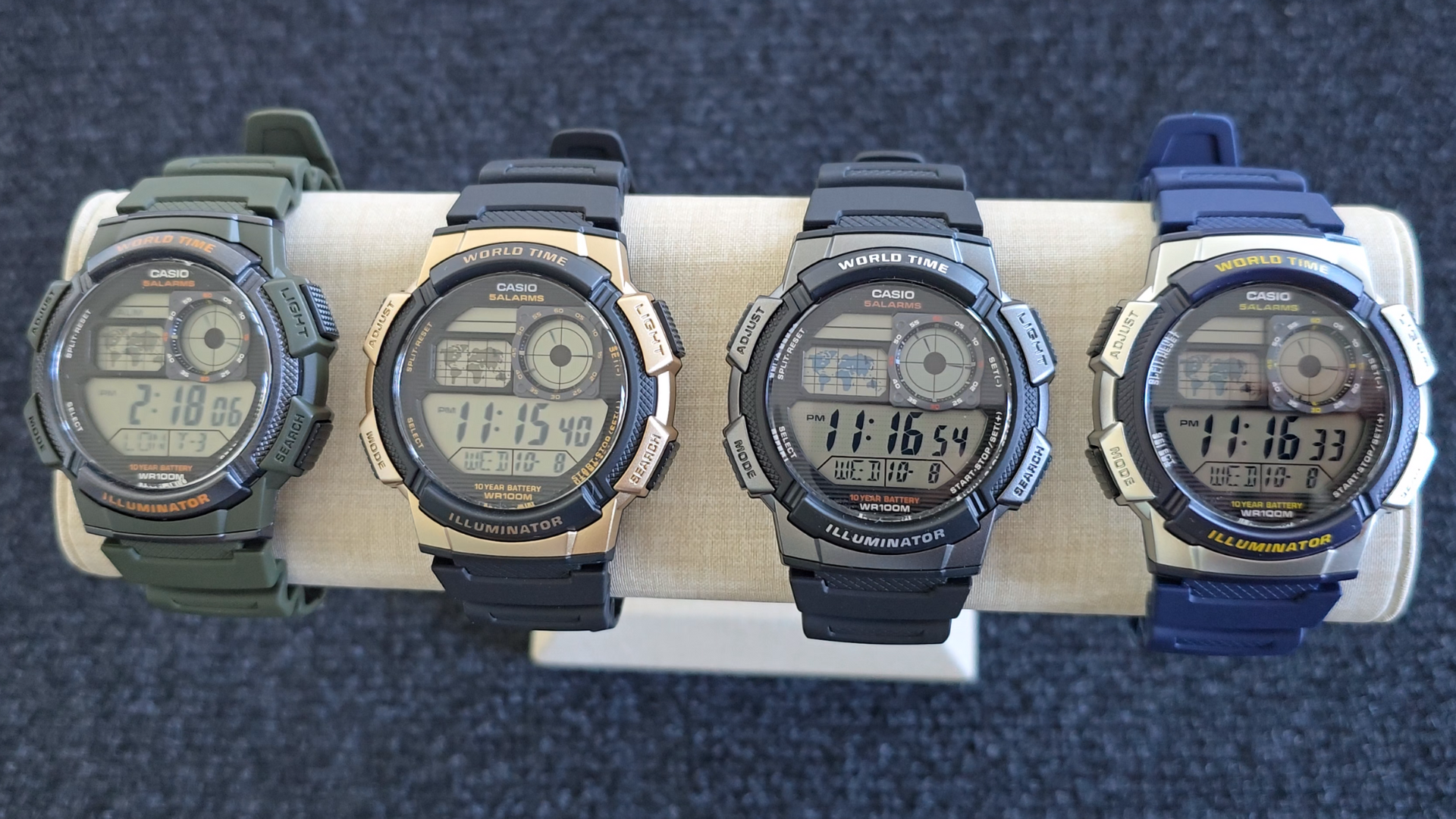
Image: Casio AE1000W Digital Watch series in various color options.
2. Fitur Utama
- Waktu Dunia: Displays current time in 48 cities (31 time zones) with a world map indicator.
- Alarm Ganda: Features five independent daily alarms.
- Stopwatch: 1/100-second stopwatch with measuring modes: elapsed time, split time, 1st-2nd place times.
- Timer Hitung Mundur: Measuring unit: 1 second, Countdown range: 24 hours.
- Lampu LED: Illuminates the watch face for easy reading in low light conditions.
- Tahan Air: 100 meters (330 feet) suitable for swimming and snorkeling.
- Masa Pakai Baterai 10 Tahun: Baterai tahan lama untuk penggunaan jangka panjang.
- Gerakan Kuarsa: Memastikan ketepatan waktu yang akurat.
- Kristal Kaca: Durable watch face protection.

Image: Emblem highlighting the 10-year battery life feature.
3. Pengaturan
3.1 Pengaturan Waktu dan Tanggal Awal
- Dalam Mode Pencatat Waktu, tekan dan tahan tombol MENYESUAIKAN sampai kode kota mulai berkedip.
- Gunakan MENCARI Dan MODE buttons to select your desired city code (Home City).
- Tekan tombol MENYESUAIKAN button to move to the DST (Daylight Saving Time) setting. Use MENCARI untuk mengaktifkan/menonaktifkan DST (Daylight Saving Time).
- Tekan MENYESUAIKAN again to cycle through the settings: 12/24-hour format, Seconds, Hour, Minute, Year, Month, Day. Use MENCARI Dan MODE untuk mengubah nilai-nilai.
- Setelah semua pengaturan sudah benar, tekan tombol MENYESUAIKAN tombol untuk keluar dari mode pengaturan.
4. Petunjuk Pengoperasian
4.1 Mode Navigasi
Tekan tombol MODE button to cycle through the different modes: Timekeeping, World Time, Alarm, Stopwatch, and Countdown Timer.
4.2 Fungsi Waktu Dunia
In World Time Mode, the watch displays the current time in 48 cities across 31 time zones. The world map indicator visually highlights the selected time zone.
- Masuk ke Mode Waktu Dunia dengan menekan tombol MODE tombol.
- Gunakan MENCARI button to scroll through the different city codes. The time for the selected city will be displayed, and the corresponding area on the world map will be highlighted.
- To swap your Home City time with a World Time City, press and hold the MENYESUAIKAN tombol saat dalam Mode Waktu Dunia.
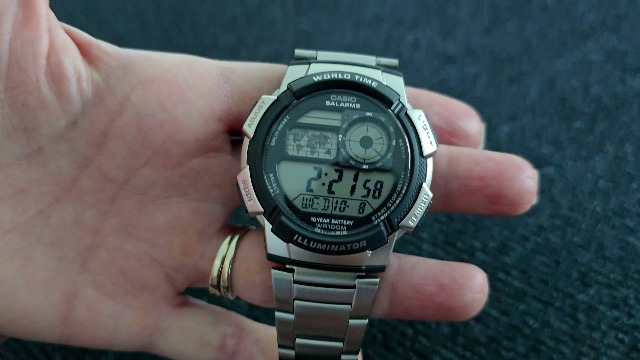
Gambar: Depan view of the Casio AE1000W watch, showing the digital display and world map.
4.3 Alarm
The watch features five daily alarms. You can set each alarm independently.
- Masuk ke Mode Alarm dengan menekan tombol MODE button until "ALM" appears.
- Gunakan MENCARI button to cycle through the five alarms (AL1 to AL5) and the Hourly Sinyal Waktu (SIG).
- To set an alarm, select the desired alarm (e.g., AL1) and press and hold the MENYESUAIKAN sampai angka jam berkedip.
- Menggunakan MENCARI Dan MODE untuk mengatur jam dan menit.
- Tekan MENYESUAIKAN untuk mengonfirmasi dan keluar.
- To turn an alarm On/Off, select the alarm and press the MENYESUAIKAN tombol sebentar.
4.4 Stopwatch
The stopwatch measures elapsed time, split times, and 1st-2nd place times.
- Masuk ke Mode Stopwatch dengan menekan tombol MODE button until "STW" appears.
- Tekan START/STOP/SET(+) to start and stop the stopwatch.
- Tekan PILIH/SETEL ULANG to record split times or reset the stopwatch to zero.
4.5 Penghitung Waktu Mundur
Penghitung waktu mundur dapat diatur hingga 24 jam.
- Masuk ke Mode Penghitung Waktu Mundur dengan menekan tombol MODE button until "TMR" appears.
- Untuk mengatur waktu hitung mundur, tekan dan tahan tombol MENYESUAIKAN sampai angka jam berkedip.
- Menggunakan MENCARI Dan MODE untuk mengatur jam dan menit.
- Tekan MENYESUAIKAN untuk mengonfirmasi.
- Tekan START/STOP/SET(+) untuk memulai dan menghentikan hitung mundur.
Lampu Latar 4.6 LED
Tekan tombol LAMPU button to illuminate the watch face for a few seconds, making it easy to read in the dark.
5. Pemeliharaan
- Pembersihan: Wipe the watch with a soft, dry cloth. For water-resistant models, you can rinse it with fresh water after exposure to saltwater.
- Tahan Air: While water-resistant to 100M, avoid operating buttons underwater to prevent water ingress.
- Baterai: The watch features a 10-year battery. When the display becomes dim or functions become erratic, it may be time for a battery replacement by a qualified technician.
- Suhu: Hindari memaparkan jam tangan pada suhu ekstrem, sinar matahari langsung dalam jangka waktu lama, atau medan magnet kuat.
6. Penyelesaian masalah
- Waktu yang Salah: Ensure your Home City is correctly set and Daylight Saving Time (DST) is adjusted as needed. Refer to Section 3.1.
- Tombol Tidak Merespons: Check if the watch is in a specific setting mode. Exit any setting mode by pressing the MENYESUAIKAN button. If the issue persists, a full reset may be required (refer to the full Casio manual for advanced reset procedures).
- Display is Dim: This may indicate a low battery. While rated for 10 years, environmental factors can affect battery life. Consider professional battery replacement.
7. Spesifikasi
| Fitur | Detil |
|---|---|
| Merek | Casio |
| Nomor Model | AE-1000W-1BVCF |
| Dimensi Produk | 2.4x4.09x3.78 inci |
| Berat Barang | 1.41 ons |
| Bahan | Damar |
| Baterai | 1 baterai Lithium Metal (termasuk) |
| Tahan Air | 100 Meter (330 Feet) |
| Pergerakan | Kuarsa |
| Jenis Tampilan | Digital dengan Layar Analog LC |
8. Garansi dan Dukungan
Untuk informasi garansi dan dukungan pelanggan, silakan merujuk ke situs resmi Casio. websitus atau hubungi layanan pelanggan mereka secara langsung. Simpan tanda terima pembelian Anda sebagai bukti pembelian untuk klaim garansi.
Dukungan online: Kunjungi Dukungan Casio Weblokasi for FAQs, manuals, and service center locations.