Perkenalan
Thank you for choosing the Casio AW-90H-2BVDF Wristwatch. This manual provides essential information regarding the setup, operation, and maintenance of your watch. Please read it carefully to ensure proper use and to maximize the lifespan of your timepiece.

Gambar: Depan view of the Casio AW-90H-2BVDF Wristwatch, displaying its analog and digital time displays.
Panduan Umum
Your Casio AW-90H-2BVDF watch features both analog hands and a digital display. It typically includes multiple buttons for various functions. While specific button labels may vary, common functions are usually assigned to buttons located on the sides of the watch case.
- Tombol Mode: Cycles through different modes (Timekeeping, Alarm, Stopwatch, Dual Time).
- Tombol Sesuaikan: Used to select items for setting in various modes.
- Tombol Mulai/Berhenti: Used to start/stop stopwatch, or change values during setting.
- Tombol Lampu: Mengaktifkan lampu latar untuk penerangan.
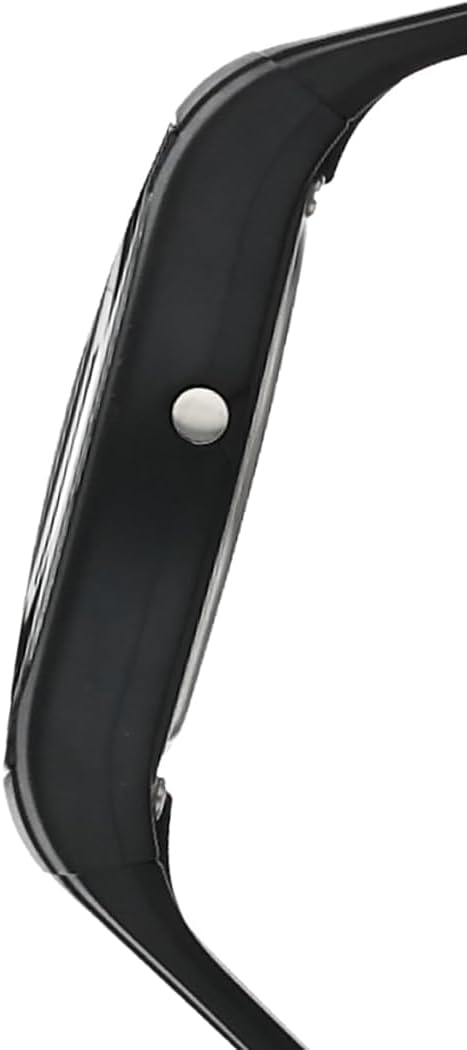
Gambar: Samping view of the Casio AW-90H-2BVDF Wristwatch, highlighting one of the control buttons.
Pengaturan dan Pencatatan Waktu
Mengatur Waktu dan Tanggal Digital
- Dalam Mode Ketepatan Waktu, tekan tombol Menyesuaikan button until the seconds digits start to flash, indicating the setting screen.
- Tekan tombol Mode button to cycle through the setting options: Seconds → Hour → Minutes → Year → Month → Day.
- Gunakan Mulai/Berhenti button to increase the flashing value. Hold down to change rapidly.
- Setelah semua pengaturan sudah benar, tekan tombol Menyesuaikan tombol untuk keluar dari layar pengaturan.
Menyesuaikan Jarum Analog
The analog hands are typically synchronized with the digital time. If they are out of alignment, refer to the specific hand adjustment procedure in the full module manual (available on the Casio website by searching your model number). Generally, this involves entering a hand setting mode and using buttons to move the hands.
Mode Operasi
Tekan tombol Mode button to cycle through the watch's various functions:
- Mode Ketepatan Waktu: Menampilkan waktu dan tanggal saat ini.
- Mode Alarm: Atur dan aktifkan alarm harian.
- Mode Stopwatch: Ukur waktu yang telah berlalu.
- Mode Waktu Ganda: View the time in a different time zone.
Menggunakan Alarm
- Enter the Alarm Mode using the Mode tombol.
- Tekan tombol Menyesuaikan button to enable setting the alarm time. The hour digits will flash.
- Gunakan Mulai/Berhenti button to change the hour. Press Mode to switch to minutes and adjust.
- Tekan Menyesuaikan untuk mengonfirmasi waktu alarm.
- Untuk menghidupkan/mematikan alarm, tekan tombol Mulai/Berhenti button while in Alarm Mode (not in setting mode).
Menggunakan Stopwatch
- Enter the Stopwatch Mode using the Mode tombol.
- Tekan tombol Mulai/Berhenti untuk memulai stopwatch.
- Tekan Mulai/Berhenti lagi untuk menghentikannya.
- Tekan tombol Menyesuaikan untuk mengatur ulang stopwatch ke nol.
Penerangan
Tekan tombol Lampu button (if available) to illuminate the digital display for a few seconds in low-light conditions.
Perawatan dan Pemeliharaan
Tahan Air
Your watch is marked with "WATER RESIST" on the case back, indicating it is suitable for everyday use and can withstand splashes or brief immersion in water. However, it is not designed for diving or prolonged water exposure. Do not operate buttons while the watch is wet or submerged.

Gambar: Belakang view of the Casio AW-90H-2BVDF Wristwatch, showing the stainless steel case back with "WATER RESIST" engraving.
Pembersihan
Lap jam tangan dengan kain lembut dan kering untuk menghilangkan kotoran dan kelembapan. Untuk kotoran membandel, gunakan kain lembut.ampened with water and a mild neutral detergent, then wipe dry. Avoid using volatile agents like thinner or benzine, which may damage the resin components.
Informasi Baterai
This watch uses one CR123A battery (included). When the display becomes dim or functions become erratic, it is time to replace the battery. Battery replacement should ideally be performed by a qualified watch technician to ensure proper sealing and water resistance.
Penyimpanan
When not in use for extended periods, store your watch in a dry place away from direct sunlight, extreme temperatures, and strong magnetic fields.
Penyelesaian Masalah
- Waktu yang Salah: Ensure you have correctly set both the digital and analog times. If the analog hands are misaligned, refer to the hand adjustment procedure.
- Layar Kosong atau Redup: Baterai mungkin lemah atau habis. Ganti baterainya.
- Tombol Tidak Merespons: Ensure the watch is not in a locked mode (if applicable) or that it is not wet. If the issue persists after drying, the battery may be low.
- Pengawasan Air Dalam: If you notice condensation or water droplets inside the watch, have it inspected immediately by a qualified technician to prevent further damage.
Spesifikasi
| Nomor Model | AW-90H-2BVDF |
| Pabrikan | Casio |
| Dimensi Produk | 2.44x4.09x3.7 inci |
| Berat Barang | 2.08 ons |
| Jenis Baterai | 1 buah baterai CR123A (termasuk) |
| Tahan Air | Water Resistant (suitable for splashes, not diving) |
| Bahasa | Bahasa inggris |
Informasi Garansi
Jam tangan Casio Anda dilindungi oleh garansi pabrik terhadap cacat material dan pengerjaan. Syarat dan durasi garansi tertentu dapat berbeda-beda tergantung wilayah. Silakan lihat kartu garansi yang disertakan dengan pembelian Anda atau kunjungi situs resmi Casio. websitus untuk informasi garansi rinci.
Dukungan Pelanggan
For further assistance, technical support, or service inquiries, please contact Casio customer support. You can find contact information and frequently asked questions on the official Casio website. When contacting support, please have your watch model number (AW-90H-2BVDF) readily available.