1. Produk Lebihview
Itu ViewSonic PJD5353 is a short throw DLP projector designed for business and education environments. It offers XGA 1024x768 native resolution, 2500 ANSI lumens brightness, and a 3000:1 contrast ratio for clear and vibrant images. Its short throw lens allows for large images from a minimal distance, making it suitable for various room sizes.
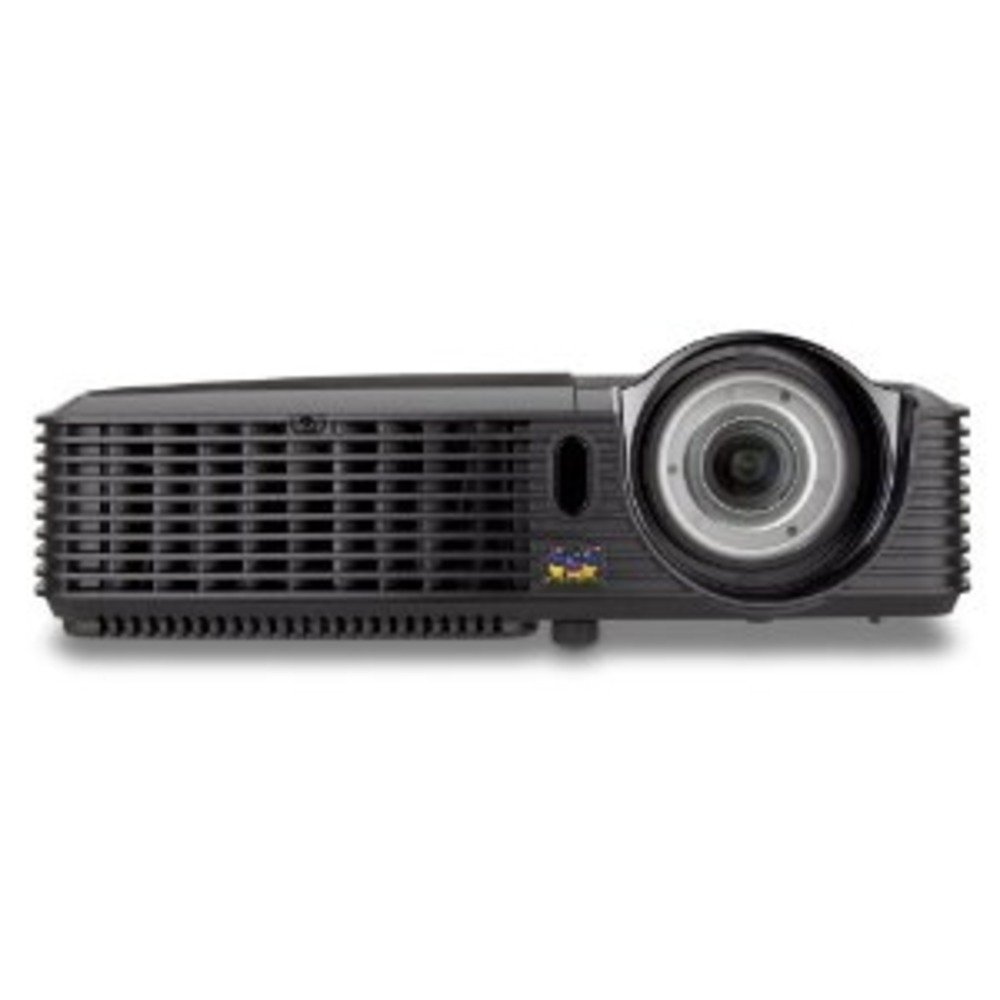
Gambar 1.1: ViewSonic PJD5353 DLP Projector. This image displays the projector from an angled perspective, highlighting the projection lens on the front and the control panel located on the top surface.
Fitur Utama:
- XGA 1024x768 DLP projector with 2500 ANSI Lumens and 3000:1 Contrast.
- Short Throw Ratio (TR 0.68) for large images in small spaces.
- Multiple input options: HDMI, dual RGB in, composite, S-video, RGB out, audio in/out, RS232.
- Supports HD 720p and 1080i/p via HDMI.
- 120Hz/3D-Ready technology powered by DLP Link for PC-based 3D applications.
- Digital keystone correction of +/- 40 degrees.
- Speaker terintegrasi 1W.
- Lightweight and portable at 5.7 lbs.
- Lamp life of 5000 hours (Normal mode) / 6000 hours (Eco mode).
- Apple Mac compatible.
- 8 preset picture modes (e.g., bright, cinema, whiteboard).
- Eco Mode for energy savings, extended lamp life, and reduced operating noise.
- Includes remote control with batteries.
2. Pengaturan
2.1 Pembongkaran dan Penempatan
Carefully remove the projector and all accessories from the packaging. Place the projector on a stable, flat surface. Due to its short throw capability, the projector can be positioned close to the projection screen or wall. For example, a 50-inch image can be achieved from approximately 27 inches away.
2.2 Menghubungkan Daya
- Hubungkan kabel daya ke input daya proyektor.
- Colokkan ujung kabel daya yang lain ke stopkontak yang diarde.
2.3 Menghubungkan Sumber Video
The PJD5353 offers various input ports for connecting different devices:
- HDMI: For high-definition digital video and audio. Supports HD 720p and 1080i/p signals.
- VGA (RGB In): For connecting computers via a VGA cable. Two VGA inputs are available.
- Video Komposit: Untuk sumber video definisi standar.
- S-Video: For improved standard definition video sources.
- Audio Dalam: Untuk menghubungkan sumber audio eksternal.
Connect your desired video source (e.g., laptop, DVD player) to the corresponding input port on the projector using the appropriate cable.
2.4 Pengaktifan Awal dan Penyesuaian Fokus
- Tekan tombol daya pada proyektor atau remote control untuk menghidupkan unit. Lampu indikator daya akan menyala.
- Allow a few moments for the projector lamp to warm up and display an image.
- Adjust the focus ring around the lens until the image on the screen is sharp and clear.
- Use the keystone correction function (digital +/- 40 degrees) via the projector's menu or remote control to square the image if the projector is not perfectly perpendicular to the screen.
3. Operasi
3.1 Kontrol Dasar
The projector can be controlled using the control panel on the top of the unit or the included remote control.
- Tombol Daya: Menghidupkan atau mematikan proyektor.
- Tombol Sumber: Cycles through available input sources (HDMI, VGA1, VGA2, Video, S-Video).
- Tombol Menu: Mengakses menu tampilan di layar (OSD) untuk penyesuaian pengaturan.
- Tombol Panah: Navigate through OSD menu options.
- Tombol Masuk: Mengkonfirmasi pilihan pada menu OSD.
- Keystone Buttons: Adjusts vertical keystone correction.
3.2 Mode Gambar
The projector features 8 preset picture modes optimized for different viewing environments and content types. These include:
- Terang
- Bioskop
- Papan tulis
- And others.
Select the appropriate picture mode from the OSD menu to enhance your viewpengalaman ing.
3.3 Mode Eco
Activate Eco Mode to reduce power consumption, extend lamp life, and lower operating noise. This mode is ideal for situations where maximum brightness is not required.
3.4 Fungsionalitas 3D
The PJD5353 is 120Hz/3D-Ready, powered by DLP Link. To utilize 3D features, you will need compatible 3D content, a 3D-capable source device (e.g., PC with 3D software), and DLP Link 3D glasses (sold separately).
4. Pemeliharaan
4.1 Lamp Kehidupan dan Penggantian
Proyektor lamp has an estimated life of 5000 hours in Normal mode and 6000 hours in Eco mode. When the lamp Saat mencapai akhir masa pakainya, pesan peringatan mungkin muncul, atau lampu indikator akan mati.amp Lampu indikator mungkin menyala. Lihat panduan pengguna lengkap untuk informasi detail.amp replacement instructions. Always use genuine ViewSonic replacement lamps.
4.2 Pembersihan
- Proyektor Casing: Gunakan yang lembut, damp cloth with a mild detergent to clean the exterior. Avoid abrasive cleaners.
- Lensa: Gently wipe the lens with a soft, lint-free cloth specifically designed for optical surfaces. Do not use liquid cleaners directly on the lens.
- Ventilasi Udara: Periksa dan bersihkan ventilasi udara secara berkala untuk memastikan aliran udara yang tepat dan mencegah panas berlebih. Gunakan sikat lembut atau udara bertekanan.
Peringatan: Always unplug the projector from the power outlet before cleaning.
5. Penyelesaian masalah
Masalah Umum dan Solusinya:
- Tidak Ada Gambar di Layar:
- Pastikan proyektor dihidupkan dan lamp diterangi.
- Verifikasi bahwa kabel video tersambung dengan benar ke proyektor dan perangkat sumber.
- Press the "Source" button on the projector or remote to select the correct input source.
- Check the resolution settings of your source device; ensure it is compatible with the projector's supported resolutions.
- Tidak ada suara:
- If using HDMI, ensure the audio is being sent through the HDMI cable.
- If using an analog audio cable, ensure it is properly connected to the "Audio In" port.
- Periksa pengaturan volume pada proyektor dan perangkat sumber.
- Ensure the integrated speaker is enabled in the projector's OSD menu.
- Kontrol Jarak Jauh Tidak Berfungsi:
- Check and replace the batteries in the remote control (2 AA batteries are included).
- Pastikan tidak ada penghalang antara remote control dan penerima IR proyektor.
- Arahkan remote langsung ke proyektor.
- Gambar Terdistorsi atau Buram:
- Sesuaikan cincin fokus pada lensa.
- Use the keystone correction function to correct trapezoidal distortion.
- Ensure the projector is placed on a stable surface and is not vibrating.
For more detailed troubleshooting, refer to the complete user manual or visit the ViewDukungan suara weblokasi.
6. Spesifikasi
| Fitur | Keterangan |
|---|---|
| Nomor Model | PJD5353 |
| Teknologi Tampilan | Bahasa Indonesia: DLP |
| Resolusi Asli | XGA (1024x768) |
| Kecerahan | 2500 ANSI Lumens |
| Rasio Kontras | 3000:1 |
| Rasio Lemparan | 0.68 (Short Throw) |
| Koreksi Keystone | Digital +/- 40 degrees (Vertical) |
| Lamp Kehidupan (Normal/Ekologis) | 5000/6000 jam |
| Konektivitas | HDMI, 2x VGA In, Composite Video, S-Video, Audio In/Out, RS232 |
| Dukungan HD | 720p, 1080i/p (via HDMI) |
| Siap 3D | 120Hz/DLP Link |
| Speaker Terpadu | 1W |
| Dimensi Produk | 9.2x11.2x3.2 inci |
| Berat Barang | 5.7 pon |
| Aksesoris yang disertakan | Remote control with 2 AA batteries |
7. Garansi & Dukungan
7.1 Informasi Garansi
Ini ViewSonic product is covered by a limited warranty. For specific warranty terms and conditions, including duration and coverage details, please refer to the warranty card included with your product or visit the official ViewSonik websitus. Simpan bukti pembelian Anda untuk klaim garansi.
7.2 Dukungan Pelanggan
For technical assistance, product registration, or to download the complete user manual, please visit the official ViewDukungan suara website or contact their customer service department. Contact information can typically be found on the ViewSonik websitus atau dalam kemasan produk.