1. Pendahuluan
The ZIPRO Boost Gold stationary exercise bike is designed to provide perfect conditions for an effective home workout. This ergometer bike allows you to enthusiastically work towards your fitness goals. Its magnetic resistance system enables precise adjustment of workout intensity, helping you track and achieve satisfying progress.
2. Informasi Keselamatan
- Konsultasikan dengan dokter sebelum memulai program olahraga apa pun.
- Jauhkan anak-anak dan hewan peliharaan dari peralatan saat digunakan.
- Place the exercise bike on a flat, stable surface with adequate clearance around it.
- Kenakan pakaian olahraga dan alas kaki yang sesuai.
- Jangan melebihi berat maksimum pengguna 120 kg.
- Inspect the bike for loose or worn parts before each use.
- Hentikan latihan segera jika Anda merasa lemas, pusing, atau merasakan nyeri.
3. Isi Paket
Harap periksa apakah semua komponen sudah lengkap sebelum perakitan:
- Perakitan Bingkai Utama
- Tiang Stang dan Stang
- Tiang Penyangga dan Penyangga
- Pedal (Kiri dan Kanan)
- Stabilizer Depan dan Belakang
- Digital Computer Console
- Tempat Botol Air
- Assembly Hardware Kit (bolts, washers, nuts, tools)
- Panduan Pengguna
4. Pengaturan dan Perakitan
Follow these general steps for assembly. Refer to the included assembly diagram for detailed instructions.
- Pasang Stabilizer: Secure the front and rear stabilizers to the main frame using the provided bolts and washers. Ensure they are firmly tightened for stability.
- Pasang Pedal: Attach the left and right pedals to the crank arms. Note that the left pedal is reverse-threaded. Tighten securely.
- Cara Memasang Tiang Jok dan Jok: Insert the seat post into the main frame and secure it at the desired height. Attach the seat to the seat post and adjust its position.
- Pasang Tiang Stang dan Stang: Insert the handlebar post into the main frame. Attach the handlebars to the post and secure them.
- Connect Computer Console: Connect the sensor wires from the main frame and handlebars to the back of the computer console. Mount the console onto the handlebar post.
- Attach Water Bottle Holder: Secure the water bottle holder to the designated spot on the main frame.
- Pemeriksaan Akhir: Ensure all bolts and nuts are tightened and the bike is stable before first use.

The Zipro Boost Gold Exercise Bike, showcasing its sleek black and gold design, adjustable seat, handlebars, and integrated water bottle holder.

This image illustrates the compact dimensions of the Zipro Boost Gold Exercise Bike, measuring 107 cm in length, 47 cm in width, and 141 cm in height, making it suitable for home use.
5. Petunjuk Pengoperasian
5.1 Menyesuaikan Resistansi
The Zipro Boost Gold features an 8-step magnetic resistance system. To adjust the resistance, turn the knob located on the main frame below the handlebars. Turn clockwise to increase resistance and counter-clockwise to decrease it. Levels 1-3 are for easy workouts, 4-6 for medium intensity, and 7-8 for hard, challenging sessions.

Detail of the magnetic resistance adjustment knob, offering 8 distinct levels from 1-3 (easy), 4-6 (medium), to 7-8 (hard), allowing users to customize their workout intensity.
5.2 Menyesuaikan Jok dan Setang
For optimal comfort and effective training, adjust the seat height, horizontal position, and handlebar angle to fit your body. Loosen the adjustment knobs, set to your preferred position, and tighten securely.
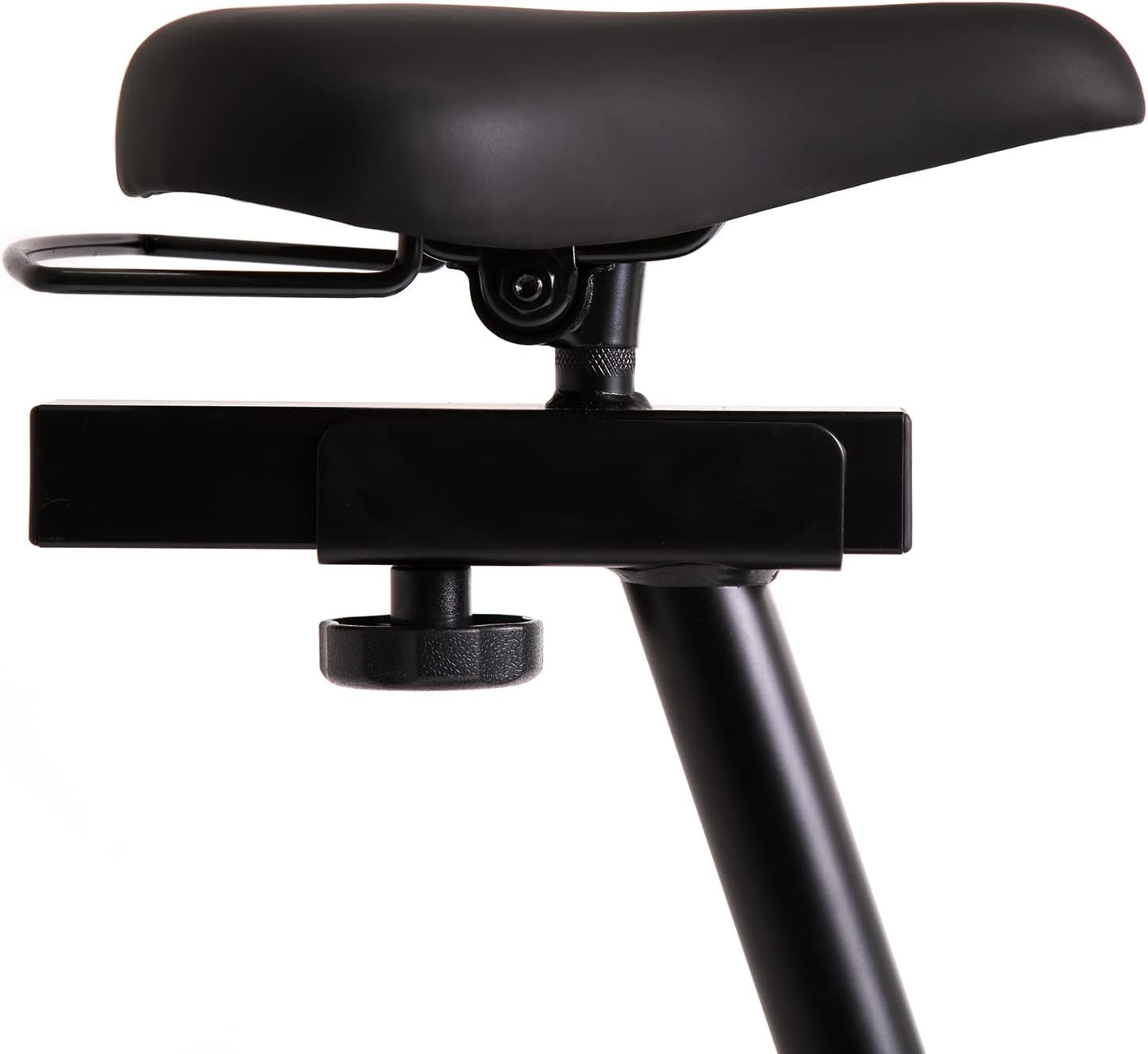
This image highlights the robust adjustment mechanism for the seat, allowing for precise positioning to optimize comfort and biomechanics during exercise.
5.3 Using the Computer Console
The modern computer console tracks your workout data. It typically displays:
- WAKTU: Durasi latihan Anda.
- KALORI: Perkiraan kalori yang terbakar.
- KECEPATAN: Kecepatan Anda saat ini.
- NADI: Your heart rate (measured via handlebar sensors).
Use the 'MODE' button to cycle through display functions, 'RESET' to clear data, and 'SET' for specific settings if available.

The modern computer display provides essential workout data, including elapsed time, calories burned, current speed, and pulse rate, to help track progress.
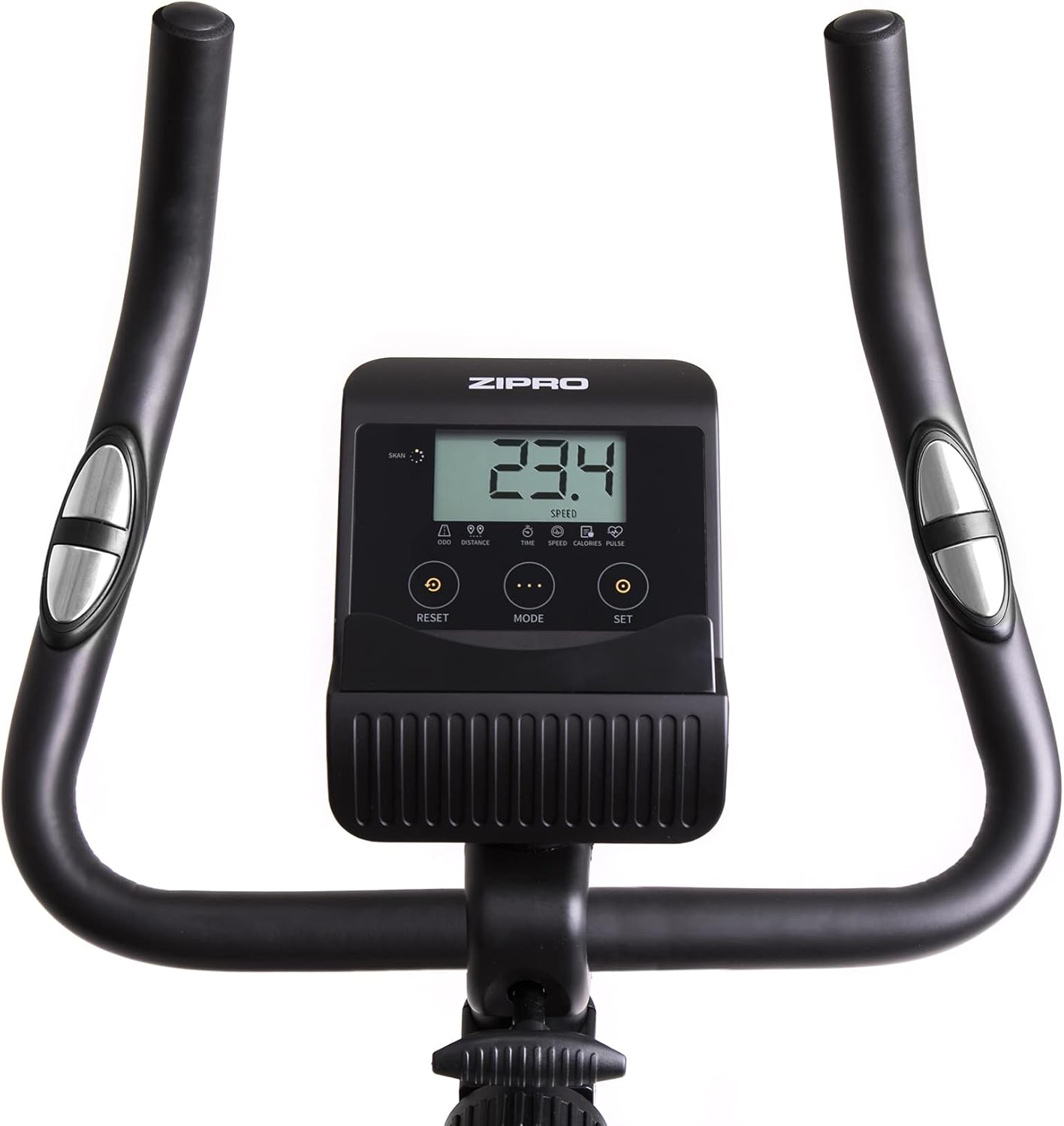
A closer look at the exercise bike's computer, displaying various metrics and featuring intuitive buttons for 'RESET', 'MODE', and 'SET' to navigate and control workout data.
5.4 Smartphone/Tablet Holder
The integrated holder allows you to place your smartphone or tablet for entertainment or to follow fitness apps during your workout.

A convenient stand for mobile devices is integrated into the handlebars, enabling users to enjoy their favorite digital content, such as music or videos, while exercising.
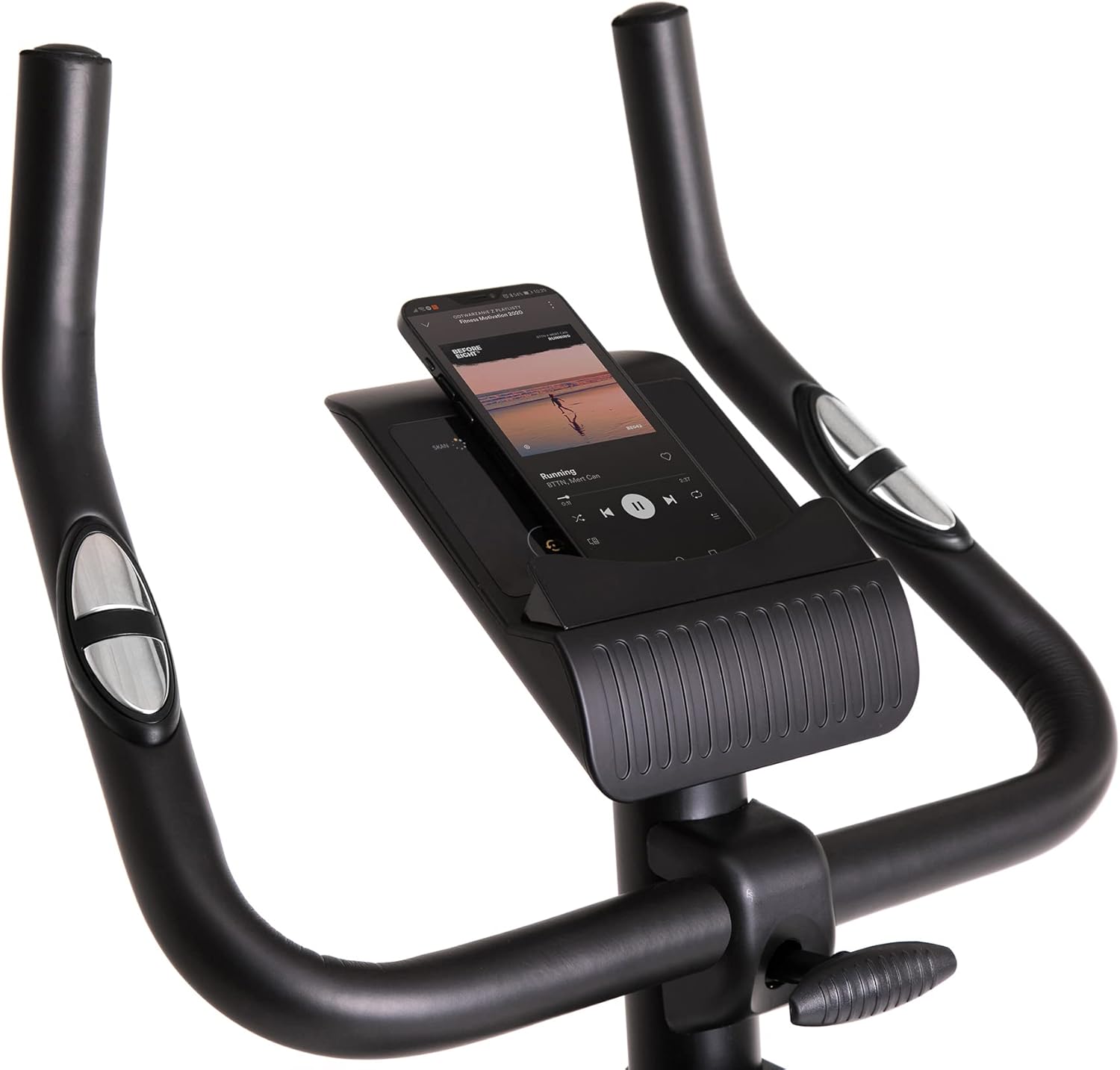
Demonstrates a smartphone securely placed in the integrated holder, ready for entertainment or fitness app use during a workout session.
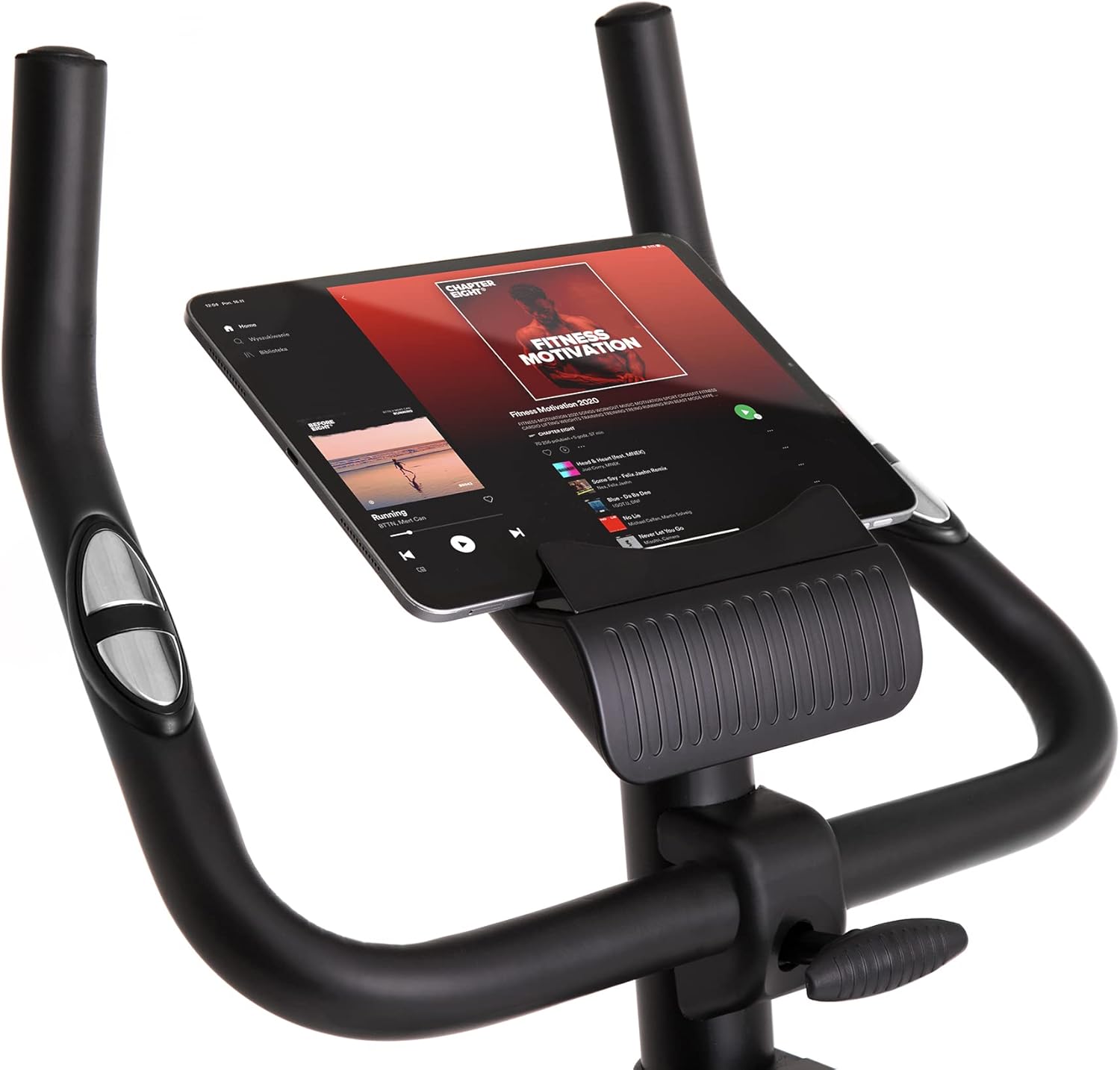
Shows a larger tablet device fitting comfortably in the holder, providing a wider screen for viewing media or following guided workouts.
6. Pemeliharaan
- Pembersihan: Bersihkan sepeda dengan iklanamp Lap dengan kain setelah setiap penggunaan untuk menghilangkan keringat dan debu. Jangan gunakan pembersih abrasif.
- Pelumasan: Periodically check and lubricate moving parts as recommended in the full manual (if applicable).
- Inspeksi: Periksa secara berkala semua baut, mur, dan bagian yang bergerak untuk memastikan kekencangan dan keausannya. Kencangkan pengencang yang longgar.
- Penyimpanan: Store the bike in a dry, cool place away from direct sunlight and extreme temperatures. Use the transport wheels for easy relocation.
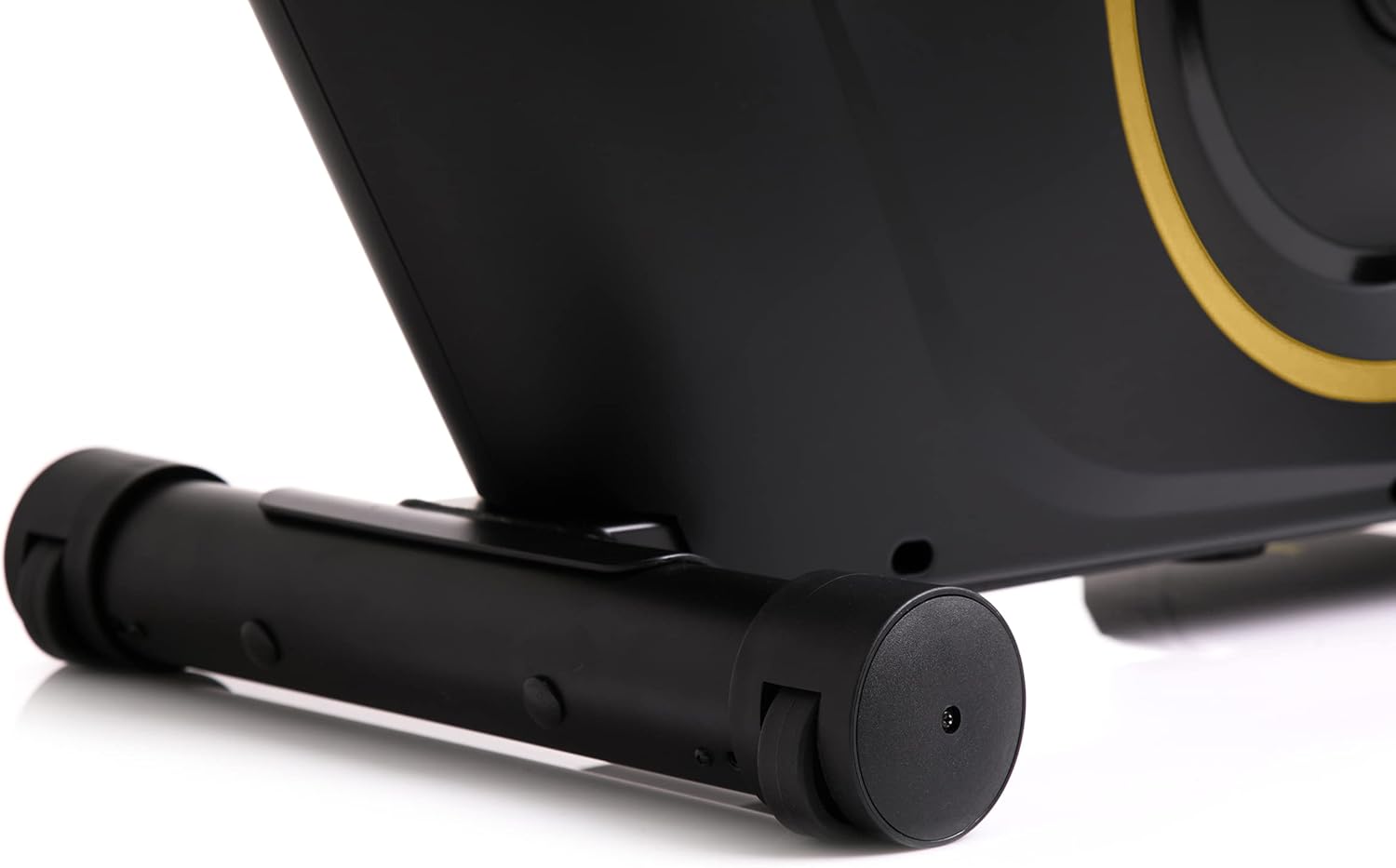
The front stabilizer features integrated transport wheels, making it easy to move the exercise bike around your home for convenient storage or placement.

A practical water bottle holder is positioned on the main frame, ensuring hydration is always within reach during your workout.
7. Penyelesaian masalah
| Masalah | Kemungkinan Penyebab | Larutan |
|---|---|---|
| Computer display not working | Sambungan kabel longgar, baterai mati | Check all cable connections. Replace batteries in the computer console. |
| Kebisingan yang tidak biasa selama pengoperasian | Loose parts, friction | Check all bolts and nuts for tightness. Ensure no parts are rubbing against each other. |
| Sepeda terasa tidak stabil | Uneven surface, loose stabilizers | Place the bike on a flat, level surface. Tighten bolts on front and rear stabilizers. |
| Resistensi tidak berubah | Masalah mekanisme resistensi | Ensure the resistance knob is turning freely. If the issue persists, contact customer support. |
8. Spesifikasi
| Fitur | Detil |
|---|---|
| Warna Model | Hitam/Emas |
| Gaya | Boost Gold |
| Sistem Penggerak | Sabuk |
| Bahan Utama | Plastic, Metal, Polyethylene |
| Sumber Daya | Bertenaga Baterai |
| Kapasitas Berat Maksimum | 120 Kilogram |
| Pabrikan | Morele.net Sp. z oo |
| Nomor Model Barang | 5944584 |
| Dimensi Produk (P x L x T) | Ukuran 107x47x141 cm |
| Berat Barang | 23 Kilogram |
| Mekanisme Perlawanan | Magnetik |
| Penggunaan yang Direkomendasikan | Home, Gym, Studio, Indoor |
9. Video Produk
This video provides a general presentation of the ZIPRO product range, showcasing various fitness equipment designed for home use. While not specific to the Boost Gold model, it highlights the brand's commitment to quality and home fitness solutions.
10. Garansi dan Dukungan
For warranty information and customer support, please refer to the documentation included with your purchase or visit the official ZIPRO websitus. Simpan bukti pembelian Anda untuk klaim garansi apa pun.


