Perkenalan
The Plantronics M25 Bluetooth headset is designed for convenient wireless communication and audio playback. It features an extended battery life with DeepSleep mode, ensuring readiness when needed. The headset provides whispered alerts for battery status and connection information, and allows for listening to music, internet radio, or navigation directions while managing calls.
Isi Paket
Verifikasi bahwa semua item ada dalam paket Anda:
- Plantronics M25 Headset Bluetooth
- AC Charger (100-240v)
- Clip-on Earloop
Pengaturan
1. Mengisi Daya Headset
Before first use, fully charge the headset. Connect the AC charger to the headset's charging port. The indicator light will change to show charging status and turn off or change color when fully charged. A full charge can provide up to 5 months of readiness in DeepSleep mode.
2. Memasangkan dengan Perangkat
To pair your Plantronics M25 headset with a Bluetooth-enabled device (e.g., smartphone, tablet):
- Pastikan headset terisi daya dan dimatikan.
- Press and hold the Call button on the headset until the indicator light flashes red and blue, indicating pairing mode.
- Pada perangkat Anda, aktifkan Bluetooth dan cari perangkat baru.
- Select "Plantronics M25" from the list of available devices.
- Jika diminta kode sandi, masukkan "0000" (empat angka nol).
- Once paired, the headset's indicator light will stop flashing and a voice prompt will confirm the connection.
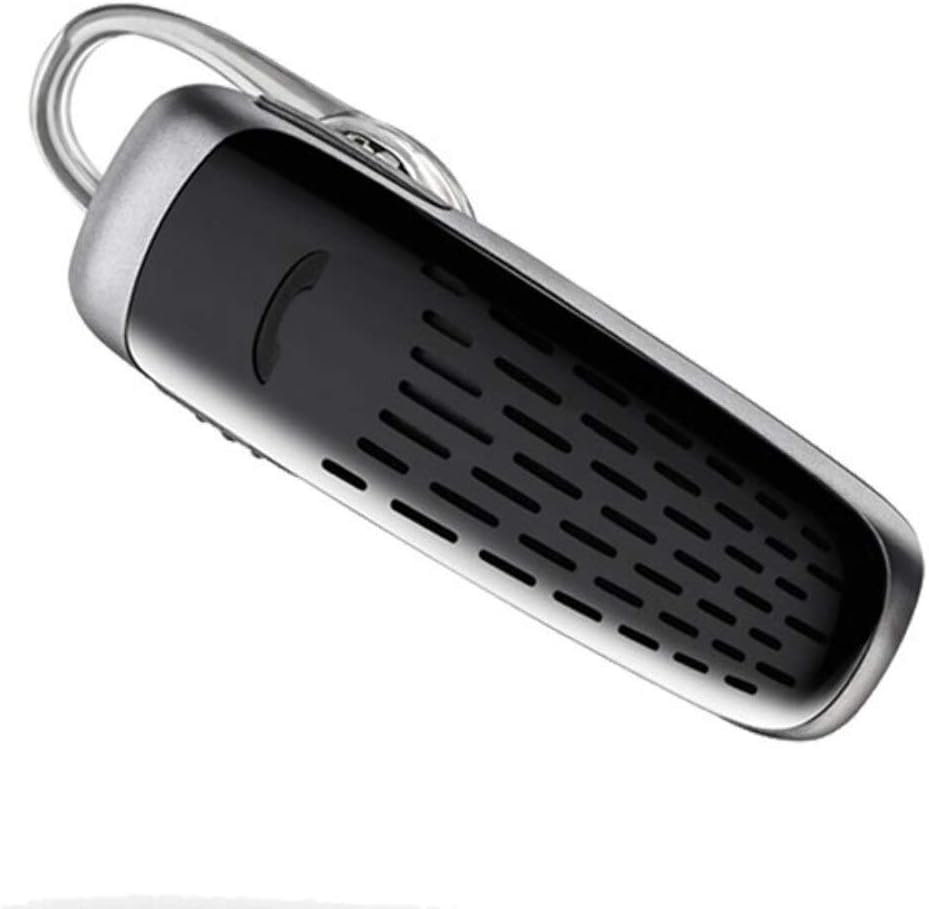
Image: The Plantronics M25 Bluetooth Headset, a compact black and silver device with an earloop, shown from an angled perspective. The call button is visible on the side.
Petunjuk Pengoperasian
Daya Hidup/Mati
- Nyalakan: Tekan dan tahan tombol Daya hingga lampu indikator berkedip biru.
- Matikan: Press and hold the Power button until the indicator light flashes red.
Membuat dan Menerima Panggilan
- Menjawab Panggilan: Tekan tombol Panggil.
- Akhiri Panggilan: Tekan tombol Panggil.
- Tolak Panggilan: Tekan dan tahan tombol Panggil selama 2 detik.
- Panggil Ulang Nomor Terakhir: Double-press the Call button.
Pemutaran Audio
The headset supports streaming audio from your device, including music, podcasts, and GPS directions.
- Putar/Jeda: Press the Call button during audio playback.
Mode Tidur Pulas
The headset enters DeepSleep power-saving mode if it is disconnected from your phone for over 90 minutes. To wake it up when it's back in range (within 33 feet), simply tap the Call button.
Pemeliharaan
- Pembersihan: Gunakan kain lembut dan kering untuk membersihkan headset. Jangan gunakan pembersih cair atau aerosol.
- Penyimpanan: Store the headset in a cool, dry place away from extreme temperatures.
- Perawatan Baterai: To preserve battery life, avoid fully discharging the battery frequently. Charge the headset regularly, even if not in use.
- Tahan Air: Perangkat ini adalah Tidak Tahan AirHindari paparan air atau kelembapan berlebihan.
Penyelesaian Masalah
| Masalah | Larutan |
|---|---|
| Headset tidak menyala. | Ensure the headset is charged. Connect it to the AC charger and allow it to charge for at least 30 minutes before attempting to power on. |
| Cannot pair the headset with my device. |
|
| No audio or low audio volume. |
|
| Headset frequently disconnects. |
|
Spesifikasi
| Fitur | Detil |
|---|---|
| Nama Model | Plantronik M25 |
| Teknologi Konektivitas | Bahasa Indonesia: Bluetooth |
| Teknologi Komunikasi Nirkabel | Bahasa Indonesia: Bluetooth |
| Perangkat yang Kompatibel | Smartphones, Laptops, Desktops, Tablets, Smart Speakers, Televisions |
| Jenis Kontrol | Kontrol Panggilan |
| Berat Barang | 0.3 ons (sekitar 8.5 gram) |
| Tingkat Tahan Air | Tidak Tahan Air |
| Rentang Frekuensi | 20Hz hingga 20,000Hz |
| Battery Life (DeepSleep) | Hingga 150 hari |
| Jangkauan Bluetooth | Hingga 10 Meter (33 kaki) |
| Penempatan Telinga | Di Telinga |
| Faktor Bentuk | One Ear |
| Kontrol Kebisingan | Peredam Kebisingan Aktif |
| Dimensi Produk | 1.85x0.59x0.35 inci |
| Warna | Hitam |
| Pabrikan | Plantronik |
Garansi dan Dukungan
Informasi Garansi: Please note that this product is sold with No Warranty or Return as per the provided information. Users are advised to verify product condition upon receipt.
For further assistance or inquiries, please refer to the official POLY support channels or visit their website. Contact information may be available on the product packaging or the manufacturer's official weblokasi.
Disclaimer: Product specifications and features are subject to change without notice. Always refer to the latest information provided by the manufacturer.


