1. Pendahuluan
Thank you for choosing the Hama 95236 8-inch LCD Digital Photo Frame. This manual provides important information regarding the safe operation, setup, and maintenance of your device. Please read it thoroughly before using the product and keep it for future reference.
2. Petunjuk Keselamatan
- Do not open the device. Incorrect assembly or repair can lead to electric shock.
- Jangan mengoperasikan produk jika terlihat rusak.
- Protect the product from dirt, moisture, and overheating. Use it only in dry environments.
- Jangan menjatuhkan produk atau memaparkannya pada getaran yang kuat.
- Gunakan produk hanya sesuai tujuan penggunaannya.
- Jauhkan produk ini, seperti semua produk listrik, dari jangkauan anak-anak.
- Buang segera bahan kemasan sesuai dengan peraturan setempat yang berlaku.
3. Isi Paket
Mohon periksa apakah paket berisi barang-barang berikut:
- Hama 95236 8-inch LCD Digital Photo Frame
- Adaptor Daya
- User Manual (dokumen ini)
4. Produk Lebihview
Pelajari komponen dan kontrol dari bingkai foto digital Anda.
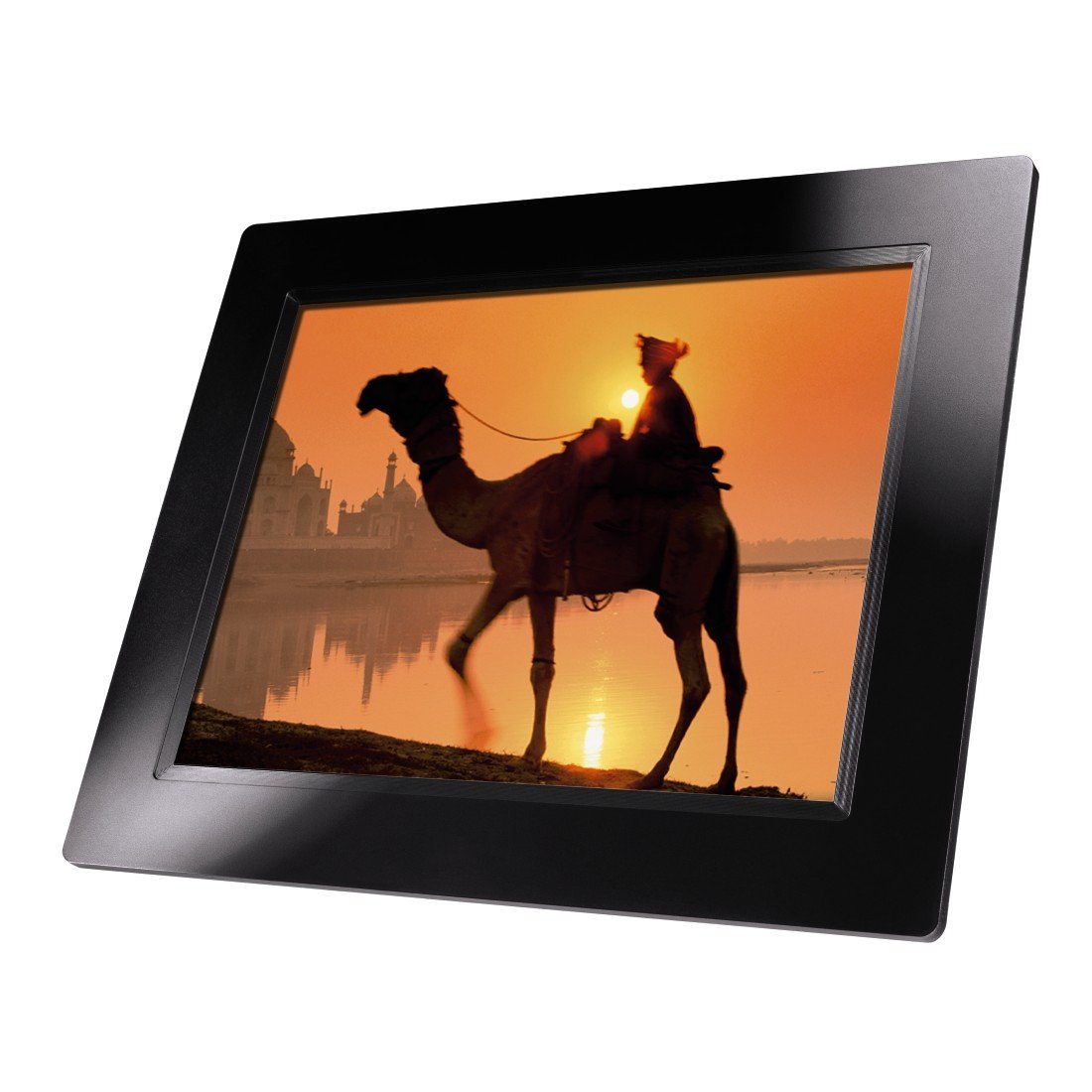
Gambar 4.1: Depan view of the Hama 95236 Digital Photo Frame, showing the 8-inch LCD screen.

Gambar 4.2: Samping view of the digital photo frame, highlighting the various input ports including the SD/MMC/MS card slot, USB port, and DC IN power port.

Gambar 4.3: Belakang view of the digital photo frame, showing the stand attachment point, ventilation grilles, and the control panel with power, navigation, and menu buttons.
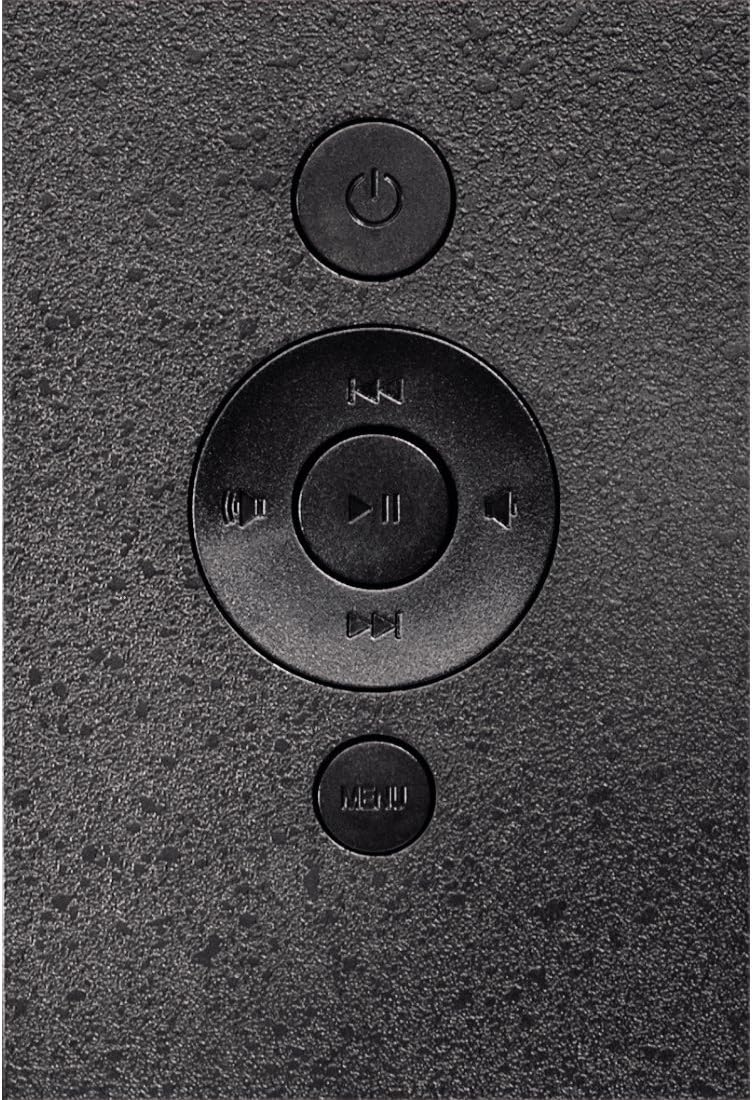
Gambar 4.4: Close-up of the control buttons located on the back of the frame. These include the power button, directional navigation buttons (up, down, left, right), play/pause/enter button, and the menu button.
4.1. Port dan Kontrol
- SD/MMC/MS Card Slot: For inserting memory cards to display photos and videos.
- Port USB: For connecting USB flash drives or other compatible USB storage devices.
- DC DI: Power input for connecting the provided power adapter.
- Tombol Daya: Menyalakan atau mematikan perangkat.
- Tombol Navigasi (Atas/Bawah/Kiri/Kanan): Digunakan untuk menavigasi menu dan memilih opsi.
- Play/Pause/Enter Button: Confirms selections or controls media playback.
- Tombol Menu: Mengakses menu utama untuk pengaturan dan opsi.
5. Pengaturan
5.1. Memasang Stand
Insert the metal stand into the designated slot on the back of the digital photo frame. Ensure it is securely fastened to provide stable support for the frame.
5.2. Koneksi Daya
- Connect the power adapter to the DC IN port on the back of the photo frame.
- Colokkan adaptor daya ke stopkontak yang sesuai.
- The frame will typically power on automatically or can be turned on using the power button.
5.3. Inserting a Memory Card or USB Drive
The Hama 95236 supports SD/MMC/MS memory cards and USB flash drives.
- Locate the SD/MMC/MS card slot or the USB port on the side of the frame (refer to Figure 4.2).
- Carefully insert your memory card or USB drive into the corresponding slot/port. Ensure it is inserted correctly to avoid damage.
- The frame should automatically detect the storage device and prompt you to view its contents or start a slideshow.
6. Petunjuk Pengoperasian
6.1. Navigasi Dasar
Use the navigation buttons on the back of the frame to move through menus and options. The Play/Pause/Enter button confirms your selection.
6.2. Menu Utama
Tekan tombol MENU button to access the main menu. From here, you can select different modes and settings:
- Foto: View photos in a slideshow or individually.
- Musik: Putar audio files.
- Rekaman video: Putar videonya files.
- Kalender/Jam: Display the calendar and time.
- Pengaturan: Adjust various device parameters.
6.3. Pemutaran Foto
- Dari menu utama, pilih Foto.
- Navigate to your desired folder or select all photos.
- Tekan tombol Putar/Jeda/Enter button to start the slideshow.
- During a slideshow, you can use the navigation buttons to skip photos or pause playback.
6.4. Pengaturan Sistem
Akses Pengaturan menu to customize your photo frame:
- Pengaturan tampilan: Adjust brightness, contrast, and display mode.
- Pengaturan Tayangan Slide: Configure transition effects, display time per photo, and repeat mode.
- Tanggal & Waktu: Tetapkan tanggal dan waktu saat ini. Note: Some users have reported that date and time settings may reset after power loss.
- Bahasa: Pilih bahasa pilihan Anda untuk antarmuka menu.
- Informasi Penyimpanan: View details about connected storage devices.
7. Pemeliharaan
7.1. Membersihkan Perangkat
- Selalu putuskan sambungan perangkat dari catu daya sebelum membersihkan.
- Clean the screen and exterior surfaces with a soft, dry, lint-free cloth.
- Do not use aggressive cleaning agents, solvents, or abrasive materials.
7.2. Penyimpanan
Jika menyimpan perangkat untuk jangka waktu yang lama, cabut perangkat dari sumber listrik dan simpan di tempat yang sejuk dan kering, terhindar dari sinar matahari langsung dan suhu ekstrem.
8. Penyelesaian masalah
| Masalah | Kemungkinan Penyebab | Larutan |
|---|---|---|
| Perangkat tidak menyala. | Adaptor daya tidak tersambung atau rusak. | Ensure the power adapter is securely connected to both the frame and the power outlet. Test the outlet with another device. |
| Tidak ada gambar yang ditampilkan. | No memory card/USB drive inserted or files not supported. | Insert a compatible memory card or USB drive with supported image formats (e.g., JPEG). Check if the storage device is properly inserted. |
| Tanggal dan waktu akan diatur ulang setelah dimatikan. | No internal battery backup for clock. | This model may not retain date/time settings without continuous power. Re-enter settings if necessary after power interruption. |
| Video playback is choppy or distorted. | Unsupported video format or high bitrate. | Pastikan video files are in a supported format and resolution. Convert videos to a lower resolution or bitrate if issues persist. |
| Tombol tidak responsif. | Gangguan perangkat lunak sementara. | Disconnect the power adapter, wait a few seconds, then reconnect it to restart the device. |
9. Spesifikasi
| Fitur | Detil |
|---|---|
| Nomor Model | 00095236 |
| Ukuran Layar | 8 inci |
| Resolusi Tampilan | 800 x 600 piksel |
| Rasio Aspek | 4:3 |
| Penyimpanan Internal | 2 GB (2048 MB) |
| Konektivitas | USB, SD/MMC/MS Card Slot |
| Dimensi (P x L x T) | Ukuran 2.6x22.2x17.8 cm |
| Berat | 550 gram |
| Pabrikan | Hama |
10. Informasi Garansi
Hama GmbH & Co KG provides a manufacturer's warranty for this product. The specific terms and conditions of the warranty period and coverage are subject to the purchase date and the region of purchase. Please retain your proof of purchase (receipt) for any warranty claims.
For detailed warranty information, please refer to the official Hama websitus atau menghubungi dukungan pelanggan mereka secara langsung.
11. Dukungan Pelanggan
Should you have any questions regarding this product, please contact Hama Customer Support:
- Weblokasi: Visit the official Hama website for FAQs, drivers, and further product information. www.hama.com
- Kontak: Refer to the contact section on the Hama webKunjungi situs ini untuk mencari nomor telepon atau alamat email dukungan di wilayah Anda.
Harap siapkan nomor model Anda (00095236) dan bukti pembelian saat menghubungi dukungan pelanggan.


