Perkenalan
This user manual provides comprehensive instructions for the VTECH Communications CS6729-2 2 Handset Answering System. It covers setup, operation, maintenance, and troubleshooting to ensure optimal performance of your new telephone system. Please read this manual thoroughly before using your phone.
Pengaturan dan Instalasi
Isi Paket
Pastikan semua item ada dalam paket Anda:
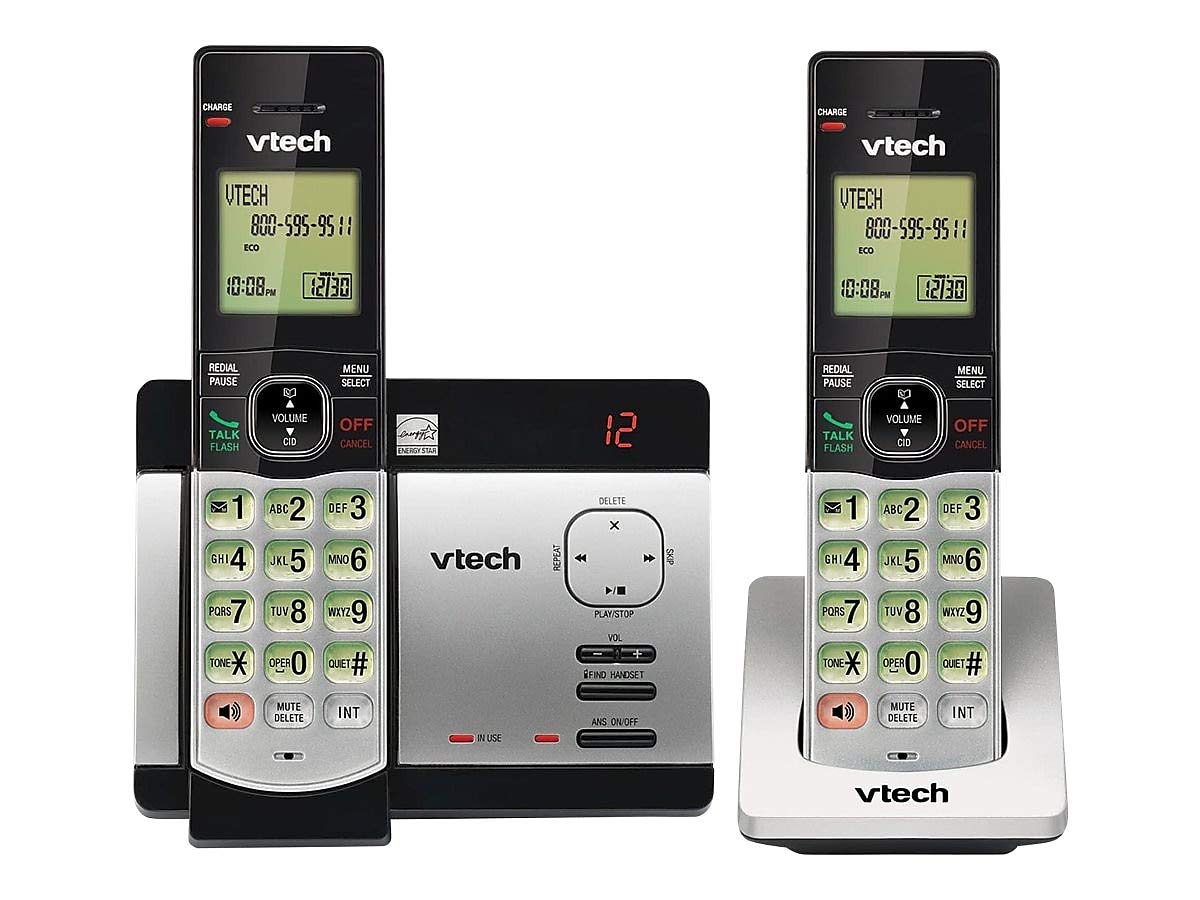
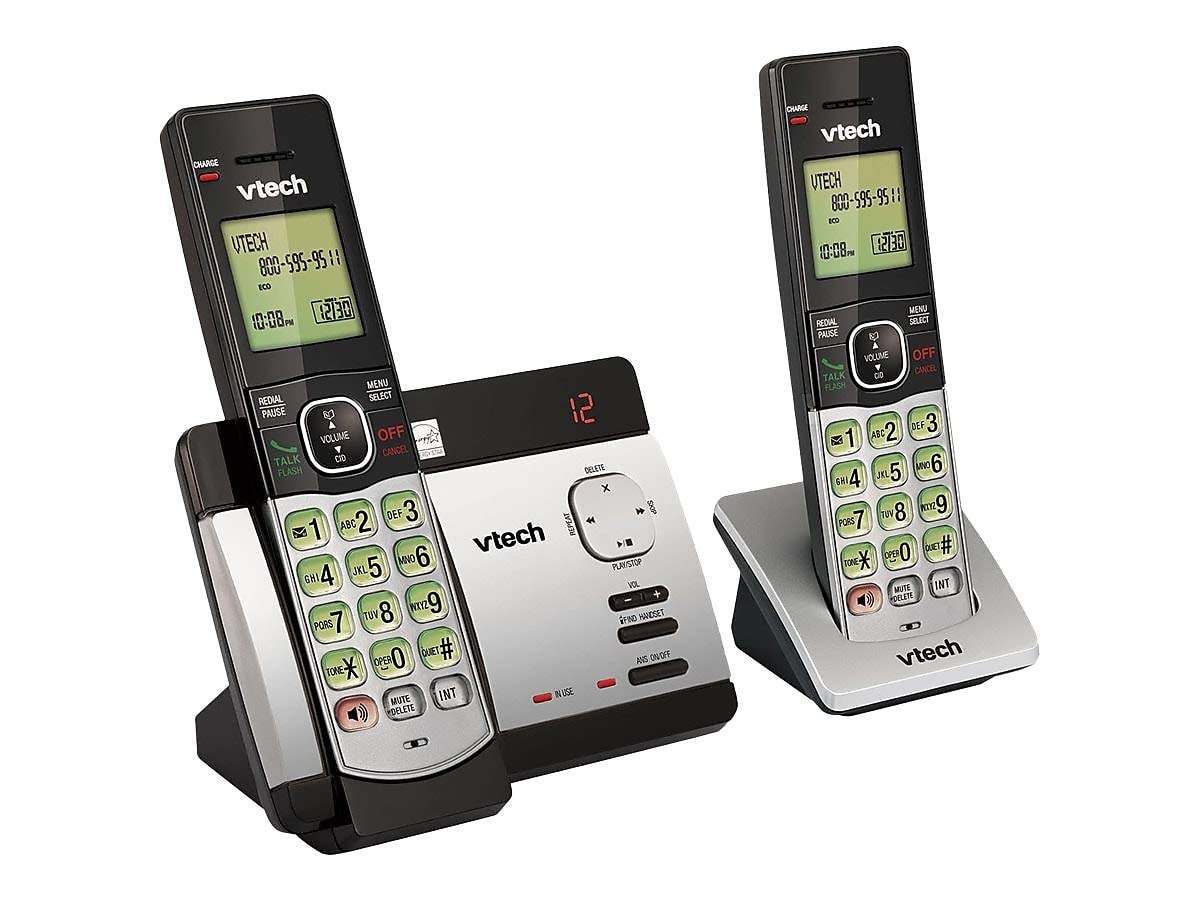
- Handset Tanpa Kabel (2)
- Unit Dasar dengan Sistem Penjawab Digital
- Adaptor Daya AC untuk Unit Dasar
- Kabel Saluran Telepon
- Rechargeable Batteries (4 AAA batteries required, included)
- Braket Pemasangan di Dinding
Instalasi Baterai
Before initial use, install the included AAA batteries into each cordless handset. Open the battery compartment cover on the back of the handset, insert the batteries according to the polarity markings, and close the cover. Place the handset on the base unit or charger to charge for at least 16 hours before first use.
Menghubungkan Unit Dasar
Connect the small end of the AC power adapter to the power jack on the back of the telephone base. Plug the large end of the AC power adapter into a wall outlet not controlled by a wall switch. Connect one end of the telephone line cord to the telephone jack on the back of the telephone base. Plug the other end of the telephone line cord into a telephone wall jack.
Petunjuk Pengoperasian
Membuat dan Menerima Panggilan
Untuk melakukan panggilan, tekan BICARA/FLASH or any dial pad key, then dial the number. To receive a call, press BICARA/FLASH when the phone rings. To end a call, press MATI/BATAL atau letakkan kembali telepon genggam pada unit dasar/pengisi daya.
Answering System Features
The integrated digital answering system can record up to 14 minutes of messages. You can retrieve messages from any handset or remotely. The voicemail waiting indicator will notify you of new messages. Messages are time and date stamped untuk referensi mudah.
ID Penelepon/Panggilan Tunggu
The phone displays the caller's name and number (if available) before you answer. If you have Call Waiting service, the phone will alert you to an incoming call while you are on another call.
Direktori Buku Telepon
Store up to 50 names and numbers in the phonebook directory for quick dialing. Refer to the handset menu for instructions on adding, editing, and deleting entries.
Interkom
Use the intercom feature to communicate between handsets. This system supports up to 5 handsets (additional handsets sold separately).
Panggil ulang
Telepon menyimpan 10 nomor terakhir yang dihubungi. Tekan PANGGILAN ULANG/JEDA to access and redial these numbers.
Kontrol Volume
Adjust the earpiece and speakerphone volume during a call using the VOLUME buttons on the side of the handset.
Bisu
Tekan tombol BISU/HAPUS button during a call to mute your microphone. The other party will not hear you, but you can still hear them. Press again to unmute.
Panggilan Konferensi
You can set up a 3-way conference call between an outside line and up to two cordless handsets.
Trilingual Prompts
The system offers trilingual prompts, allowing you to choose between English, Spanish, or French for voice announcements and menu options.
Pemeliharaan
Pembersihan
Bersihkan telepon dan unit dasarnya dengan kain lembut.amp cloth. Do not use cleaning sprays or harsh chemicals. Avoid getting moisture in any openings.
Perawatan Baterai
To maintain optimal battery life, fully charge the handsets regularly. If the phone will not be used for an extended period, remove the batteries to prevent leakage.
Penyelesaian Masalah
Jika Anda mengalami masalah dengan sistem telepon Anda, coba solusi berikut:
| Masalah | Larutan |
|---|---|
| Tidak ada nada sambung | Ensure the power adapter and telephone line cord are securely plugged into the base unit and wall outlets. Check if the phone line is active. |
| Tidak dapat membuat/menerima panggilan | Check battery charge level. Ensure the handset is within range of the base unit. Verify the telephone line connection. |
| Sistem penjawab telepon tidak merekam pesan. | Pastikan sistem penjawab telepon menyala. Periksa apakah memori penuh; hapus pesan lama jika perlu. |
| Kualitas suara buruk | Mendekatlah ke unit dasar. Periksa gangguan dari perangkat elektronik lain. |
| Ponsel tidak mengisi daya | Ensure the handset is properly seated in the charging cradle. Clean the charging contacts on both the handset and cradle. |
Spesifikasi
- Model: CS6729-2
- Teknologi: DECT 6.0 Digital
- Telepon Genggam: 2 (dapat diperluas hingga 5)
- Sistem Penjawab: Digital, 14 minutes recording time
- Kapasitas Buku Telepon: 50 nama dan nomor
- Memori Panggilan Ulang: 10 angka terakhir
- Baterai: 4 baterai isi ulang AAA (termasuk)
- Dimensi Produk: 1 x 3.2 x 6.9 inches (handset)
- Berat Barang: 1.3 pon
- Warna: Abu-abu
- Sumber Daya: Listrik Kabel
Garansi dan Dukungan
Untuk informasi garansi dan dukungan teknis, silakan lihat kartu garansi yang disertakan dengan produk Anda atau kunjungi situs resmi VTech. websitus. Simpan struk pembelian Anda sebagai bukti pembelian untuk klaim garansi.


