1. Pendahuluan
This manual provides essential instructions for the proper setup, operation, and maintenance of your AmazonBasics 10-Port USB 3.0 Hub. Please read this manual thoroughly before using the product to ensure optimal performance and safety. Keep this manual for future reference.
2. Petunjuk Keselamatan
- Jangan biarkan perangkat terkena kelembapan, suhu ekstrem, atau sinar matahari langsung.
- Jangan mencoba membongkar atau memodifikasi perangkat. Hal ini dapat membatalkan garansi dan menimbulkan risiko keselamatan.
- Use only the provided power adapter. Using an incompatible power adapter may damage the device or connected peripherals.
- Jauhkan perangkat dari jangkauan anak-anak.
- Pastikan ventilasi yang baik di sekitar hub selama pengoperasian.
3. Isi Paket
Verifikasi bahwa semua item yang tercantum di bawah ini ada dalam paket Anda:
- AmazonBasics 10-Port USB 3.0 Hub
- Adaptor Daya (DC 15V)
- Kabel Data USB 3.0
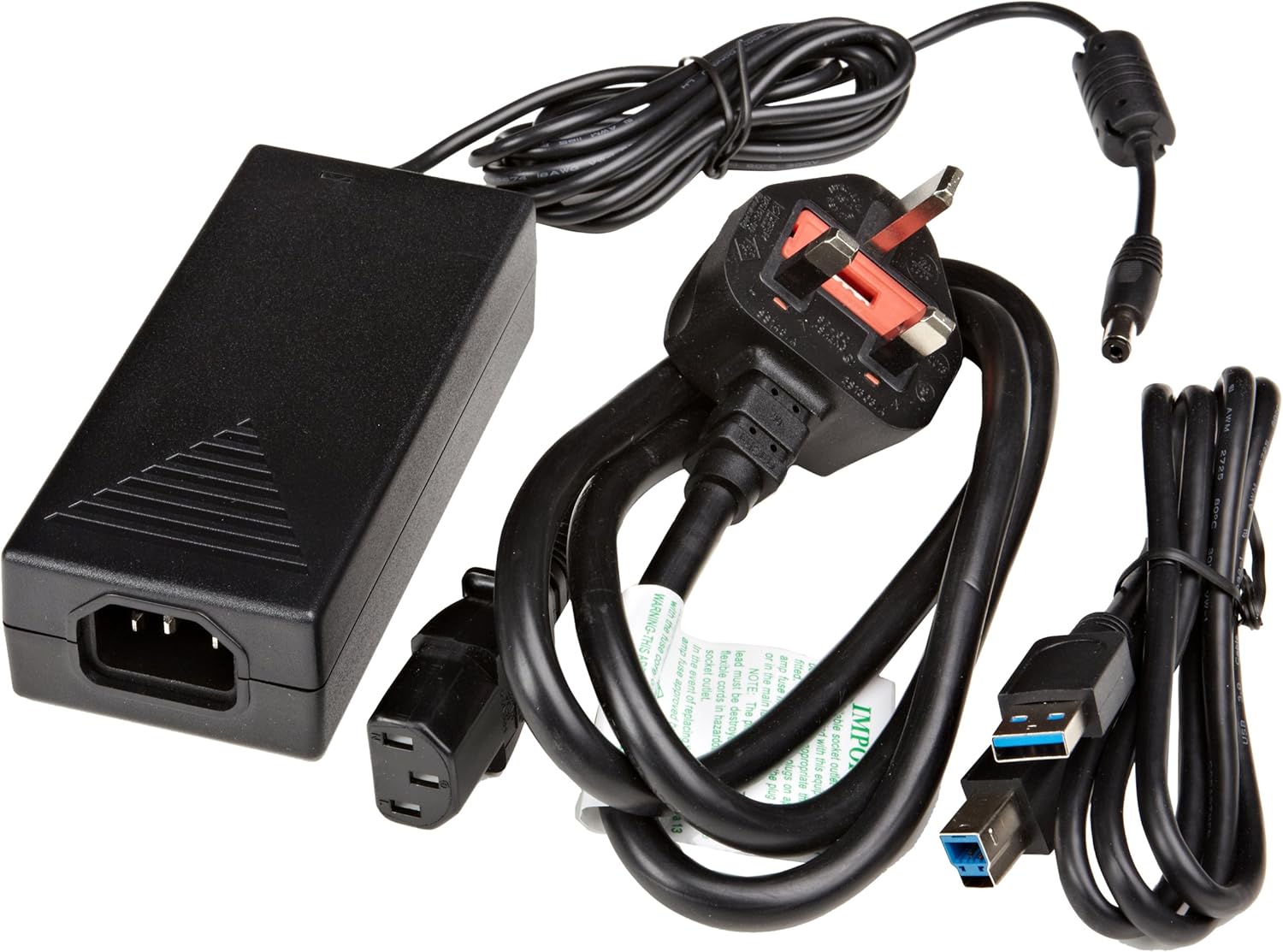
Gambar 3.1: The image displays the AmazonBasics 10-Port USB 3.0 Hub, its power adapter, and a USB 3.0 data cable, which are the typical contents found in the product packaging.
4. Produk Lebihview
The AmazonBasics 10-Port USB 3.0 Hub expands your computer's connectivity, offering ten USB 3.0 ports for various peripherals. It supports high-speed data transfer and is backward compatible with USB 2.0 devices.
4.1 Tampak Depan dan Samping View

Gambar 4.1: This image shows the front and left side of the USB hub. On the front, three USB 3.0 ports are visible, two of which are labeled 'Fast'. The left side features the upstream USB 3.0 port for connecting to a computer and the DC 15V power input.
4.2 Top and Rear View

Gambar 4.2: Gambar ini memberikan gambaran dari atas ke bawah view of the USB hub, highlighting five additional USB 3.0 ports located on the rear panel. An 'ON/OFF' switch is also visible on the side, allowing users to power the hub on or off.
4.3 Bawah View

Gambar 4.3: Bagian bawah view of the hub shows four rubber feet for stability and a product label containing regulatory information and the model number.
5. Panduan Pengaturan
Follow these steps to set up your USB 3.0 hub:
- Hubungkan Adaptor Daya: Plug the provided power adapter into the DC 15V input port on the side of the USB hub. Then, plug the power adapter into a standard electrical outlet.
- Hubungkan ke Komputer: Use the supplied USB 3.0 data cable to connect the upstream USB 3.0 port on the hub (located on the side) to an available USB 3.0 port on your computer.
- Nyalakan: If the hub has an ON/OFF switch (refer to Figure 4.2), ensure it is in the 'ON' position.
- Hubungkan Periferal: You can now connect your USB devices (e.g., external hard drives, keyboards, mice, flash drives) to any of the ten available USB 3.0 ports on the hub.
The hub supports automatic switching between self-power and bus-power mode. For optimal performance with multiple high-power devices, ensure the power adapter is connected.
6. Operasi
Once connected, the AmazonBasics 10-Port USB 3.0 Hub operates automatically. Your computer should recognize connected devices without requiring additional drivers for most operating systems.
- Kecepatan USB 3.0: The hub supports SuperSpeed (5 Gbps), High Speed (480 Mbps), Full Speed (12 Mbps), and Low Speed (1.5 Mbps) data transfer rates, depending on the connected device and your computer's USB port capabilities.
- Kompatibilitas Perangkat: The hub is compatible with both USB 3.0 and USB 2.0 specifications, allowing you to connect a wide range of USB devices.
- Manajemen daya: The hub intelligently manages power distribution to connected devices. For devices requiring more power, ensure the external power adapter is connected.
7. Penyelesaian masalah
If you encounter issues with your USB hub, refer to the following common problems and solutions:
| Masalah | Solusi yang mungkin |
|---|---|
| Devices are not recognized. |
|
| Kecepatan transfer data lambat. |
|
| Hub is not powering on. |
|
| Intermittent device connection. |
|
8. Spesifikasi
- Nomor Model: HU37A0V1-UK
- Pelabuhan: 10 buah kabel USB 3.0
- Kecepatan Transfer Data: Hingga 5 Gbps (USB 3.0 SuperSpeed)
- Kompatibilitas Mundur: Kabel USB2.0 dan USB1.1
- Masukan Daya: DC 15V (melalui adaptor daya yang disertakan)
- Dimensi (P x L x T): Sekitar 5.71 x 2.96 x 1.06 inci (14.5 x 7.5 x 2.7 cm)
- Berat: Sekitar 1.29 pon (0.58 kg)
- Kompatibilitas Sistem Operasi: Windows, macOS, Linux (driver-free for most systems)
9. Perawatan dan Pemeliharaan
- Clean the hub with a soft, dry cloth. Do not use liquid cleaners or aerosols.
- Hindari menghalangi bukaan ventilasi.
- Simpan hub di tempat sejuk dan kering bila tidak digunakan.
10. Informasi Daur Ulang
Dispose of this product according to local regulations. Do not dispose of it with general household waste. For more information on recycling electronic waste, contact your local authorities or the retailer where you purchased the product.
11. Garansi dan Dukungan
For warranty information or technical support, please refer to the AmazonBasics support page or contact Amazon customer service directly. Details can typically be found on the Amazon webCari di situs web pada bagian 'Bantuan' atau 'Layanan Pelanggan'.


