1. Pendahuluan
The Divoom Voombox Outdoor Speaker is a rugged, water-resistant portable audio device designed for outdoor use. It offers advanced audio performance and a long-lasting rechargeable battery, providing a full-range listening experience. This manual provides detailed instructions for setting up, operating, maintaining, and troubleshooting your Voombox Outdoor Speaker.

Figure 1: Divoom Voombox Outdoor Speaker, showcasing desainnya yang kokoh.
2. Apa yang ada di dalam kotak
Harap periksa isi paket untuk memastikan semua item ada:
- (1) Divoom Voombox Outdoor Speaker
- (1) Tali Pergelangan Tangan
- (1) Auxiliary Connection Cable
- (1) Micro-USB Charging Cable
3. Fitur Produk
The Divoom Voombox Outdoor Speaker is equipped with several features for an enhanced audio experience:
- Booming Dual Speakers: Menghasilkan output audio yang kuat dan jernih.
- Pemutaran Nirkabel: Connects wirelessly via Bluetooth 4.0 from up to 10 meters away.
- Mikrofon internal: Enables hands-free calls and conference calls.
- Baterai Tahan Lama: Features a 3200 mAh rechargeable battery providing up to 12 hours of playback.
- Sturdy and Weather-Resistant Design: Built to withstand outdoor conditions with an IP44 rating.

Gambar 2: Atas view of the Voombox Outdoor Speaker, highlighting its control panel.

Figure 3: The Voombox Outdoor Speaker demonstrating its IP44 weather resistance against splashes.
4. Pengaturan
4.1 Mengisi Daya Speaker
- Locate the Micro-USB charging port on the speaker.
- Connect the Micro-USB charging cable to the speaker and the other end to a USB power source (e.g., computer USB port, USB wall adapter).
- The charging indicator light will illuminate. A full charge typically takes 3 to 4 hours.
- Setelah terisi penuh, lampu indikator akan berubah atau mati, tergantung pada modelnya.

Figure 4: Visual representation of the Voombox Outdoor Speaker's 12-hour battery life.
5. Petunjuk Pengoperasian
5.1 Menghidupkan/Mematikan
- To power on, press and hold the Power button until you hear an audible cue or see the indicator light.
- To power off, press and hold the Power button again until the device shuts down.
5.2 Pemasangan Bluetooth
- Pastikan speaker dalam keadaan menyala dan berada dalam jarak 10 meter dari perangkat Bluetooth Anda.
- Speaker akan secara otomatis memasuki mode pemasangan (ditunjukkan oleh LED yang berkedip).
- Pada ponsel pintar, tablet, atau perangkat Bluetooth lainnya, aktifkan Bluetooth dan cari perangkat yang tersedia.
- Select "Voombox Outdoor" from the list of devices.
- Once paired, the speaker will provide an audible confirmation, and the LED indicator will become solid.
- Speaker akan secara otomatis terhubung kembali ke perangkat yang terakhir dipasangkan saat dihidupkan, jika perangkat tersebut berada dalam jangkauan.
5.3 Pemutaran Audio
- Putar/Jeda: Tekan tombol Putar/Jeda.
- Volume Naik: Tekan tombol "+".
- Volume Turun: Tekan tombol "-".
- Lagu Berikutnya: Tekan dan tahan tombol "+".
- Lagu Sebelumnya: Tekan dan tahan tombol "-".
5.4 Panggilan Bebas Genggam
- Menjawab Panggilan: Press the Call button (often the Play/Pause button) when a call comes in.
- Akhiri Panggilan: Tekan tombol Panggil sekali lagi untuk mengakhiri panggilan.
- Tolak Panggilan: Press and hold the Call button to reject an incoming call.
- Panggil Ulang Nomor Terakhir: Double-press the Call button.
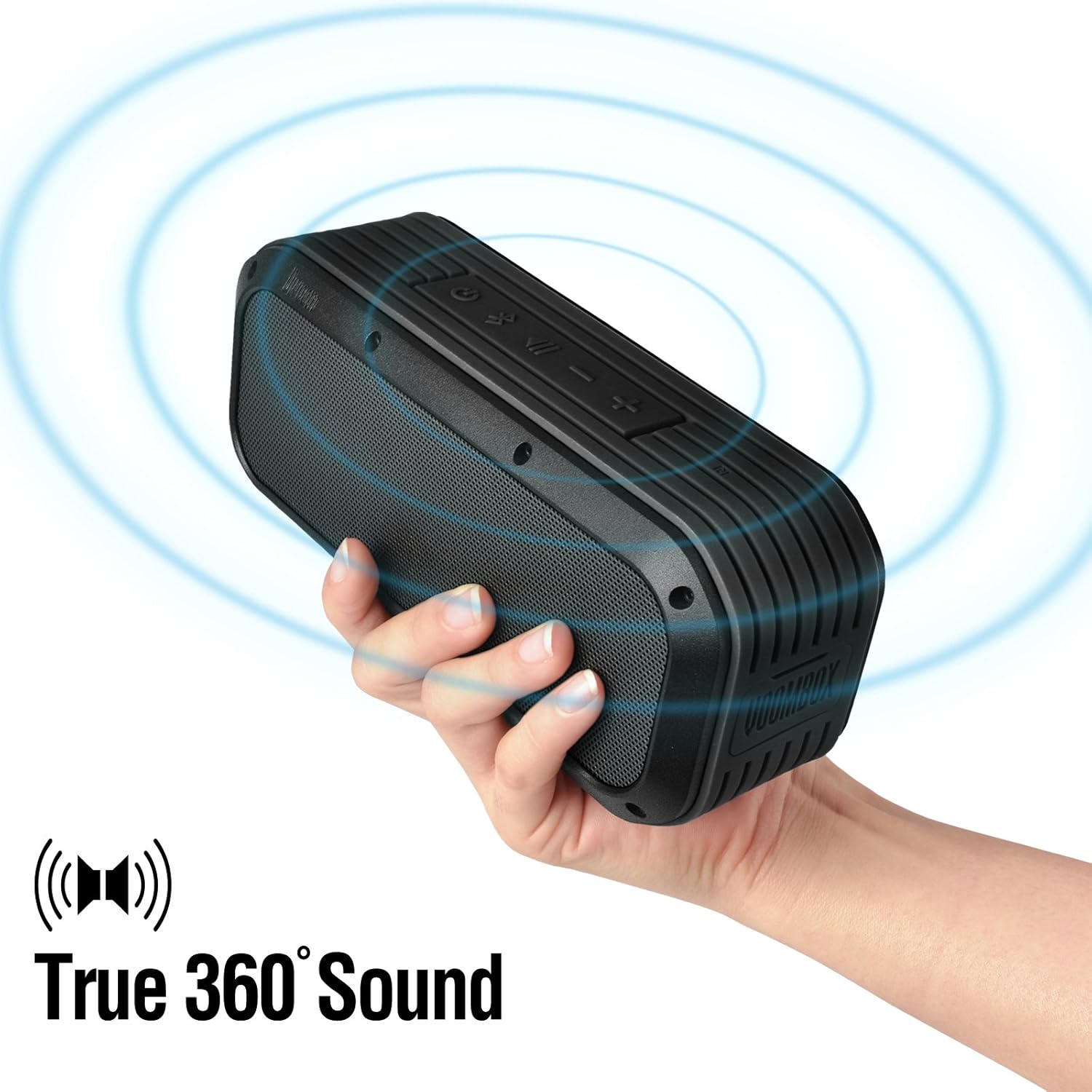
Figure 5: The Voombox Outdoor Speaker's ability to project 360-degree sound.
6. Pemeliharaan
Proper care will extend the life of your Divoom Voombox Outdoor Speaker:
- Pembersihan: Gunakan yang lembut, damp Gunakan kain untuk membersihkan permukaan speaker. Jangan gunakan bahan kimia keras atau pembersih abrasif.
- Tahan Air: While the speaker is weather-resistant (IP44), it is not designed for submersion. Ensure all port covers are securely closed before exposure to water splashes.
- Penyimpanan: Simpan speaker di tempat yang sejuk dan kering, jauhkan dari sinar matahari langsung dan suhu ekstrem.
- Perawatan Baterai: Untuk menjaga kesehatan baterai, hindari sering-sering mengosongkan baterai sepenuhnya. Isi daya speaker secara teratur, meskipun tidak digunakan dalam waktu lama.
7. Penyelesaian masalah
| Masalah | Kemungkinan Penyebab | Larutan |
|---|---|---|
| Speaker tidak menyala. | Baterai habis. | Isi daya speaker selama 3-4 jam. |
| Tidak dapat memasangkan dengan perangkat Bluetooth. | Speaker is not in pairing mode or too far. | Ensure speaker is on and within 10m. Turn Bluetooth off/on on your device. Forget previous pairings. |
| Tidak ada suara atau volume rendah. | Volume too low on speaker or source device. | Naikkan volume pada speaker dan perangkat Anda yang terhubung. |
| Distorsi suara. | Volume too high or weak Bluetooth signal. | Kecilkan volume. Dekatkan speaker ke perangkat sumber suara. |
8. Spesifikasi
| Fitur | Detil |
|---|---|
| Ukuran Pengemudi | 2-inches x 2-inches |
| Daya Keluaran | 7.5 W x 2 (Total 15 Watts) |
| Dimensi Speaker | 165L x 52D x 70 H (mm) |
| Rasio Sinyal terhadap Kebisingan | ≥75dB |
| Kapasitas Baterai | 3200 mAh |
| Vol bateraitage | 3.7 tahun |
| Waktu Pengisian Baterai | 3 hingga 4 jam |
| Range Nirkabel | Hingga 10 meter |
| Kepatuhan Bluetooth | Bluetooth 4.0 |
| Bluetooth Profile Mendukung | A2DP stereo |
| Waktu Bicara | Hingga 12 jam |
| Sensitivitas Mikrofon | -40 dB |
| Dimensi Produk | Ukuran 18.49x5.99x7.8 cm |
| Berat Barang | 698.53 gram |
| Nomor Model | 17620 |

Figure 6: Internal components of the Voombox Outdoor Speaker, illustrating its robust construction.
9. Garansi dan Dukungan
Divoom products are designed for durability and performance. For warranty information and technical support, please refer to the official Divoom websitus atau hubungi layanan pelanggan mereka secara langsung. Simpan tanda terima pembelian Anda sebagai bukti pembelian untuk klaim garansi.
Untuk dukungan atau pertanyaan tambahan, silakan kunjungi Divoom Official Weblokasi.


