Informasi Keselamatan Penting
Please read these instructions carefully before using the shredder. Keep this manual for future reference.
- Jauhkan anak-anak dan hewan peliharaan dari mesin penghancur.
- Jauhkan pakaian longgar, perhiasan, rambut, dan benda asing lainnya dari lubang mesin penghancur kertas.
- Do not insert fingers or hands into the shredder opening.
- Cabut steker mesin penghancur kertas saat tidak digunakan atau sebelum dibersihkan.
- Do not shred metal objects, large paper clips, or hard plastic (except credit cards as specified).
- Jangan gunakan produk aerosol, pelumas berbahan dasar minyak bumi, atau produk mudah terbakar lainnya pada atau di dekat mesin penghancur.
- Jangan operasikan mesin penghancur kertas jika kabel daya rusak.
- The shredder is equipped with overheat protection. If it overheats, it will automatically shut off. Allow it to cool down before resuming operation.
Isi Paket
Pastikan semua barang tersedia:
- Amazon Basics AS665C Paper Shredder Unit
- Tempat Sampah
- Instruksi Manual (dokumen ini)
Pengaturan
- Membuka Kemasan Mesin Penghancur Kertas: Keluarkan semua komponen dari kemasannya dengan hati-hati.
-
Position the Waste Bin: Place the shredder head securely on top of the provided waste bin. Ensure it is properly seated.
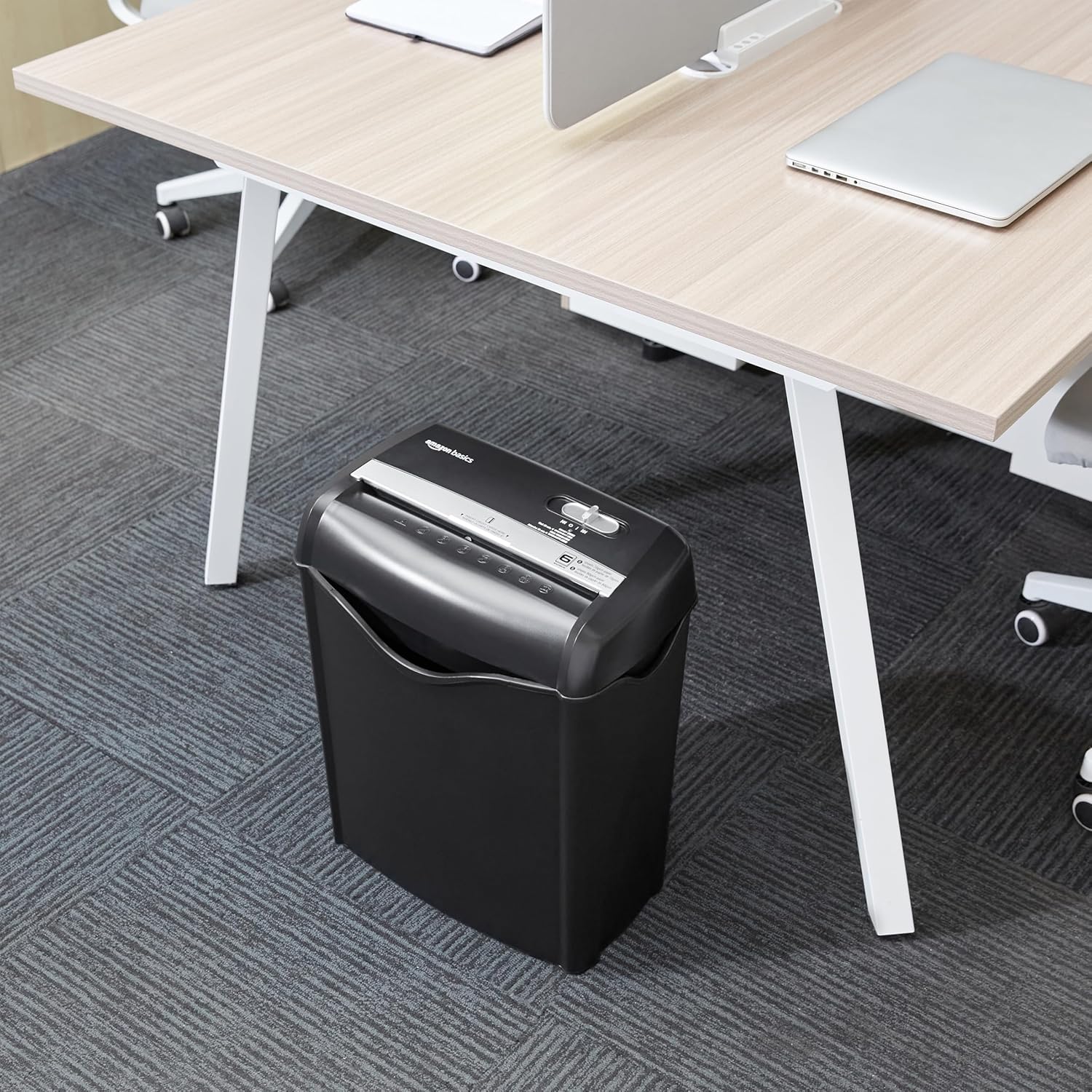
Image: The Amazon Basics AS665C Paper Shredder positioned under a desk, demonstrating its compact size and ease of placement in an office or home environment.
- Hubungkan Daya: Sambungkan kabel daya ke stopkontak listrik standar.
Petunjuk Pengoperasian
Sakelar Kontrol
The shredder features a slide switch with three positions:
- AUTO (I): Mesin penghancur kertas akan otomatis menyala saat kertas dimasukkan dan berhenti saat proses penghancuran selesai.
- MATI (O): Mesin penghancur dimatikan.
- REV (<<): Mengaktifkan fungsi sebaliknya untuk mengatasi kertas macet.

Gambar: Detail view of the shredder's control switch, showing the "AUTO", "OFF", and "REV" settings, along with the "READY" (green) and "OVERHEAT" (red) indicator lights.
Menghancurkan Dokumen
- Pilih Modus: Setel sakelar kontrol ke AUTO (I) position. The "READY" indicator light (green) will illuminate.
-
Sisipkan Kertas: Insert up to 6 sheets of 70gsm paper (or 5 sheets of 80gsm paper) straight into the paper entry slot. The shredder will automatically start and stop.
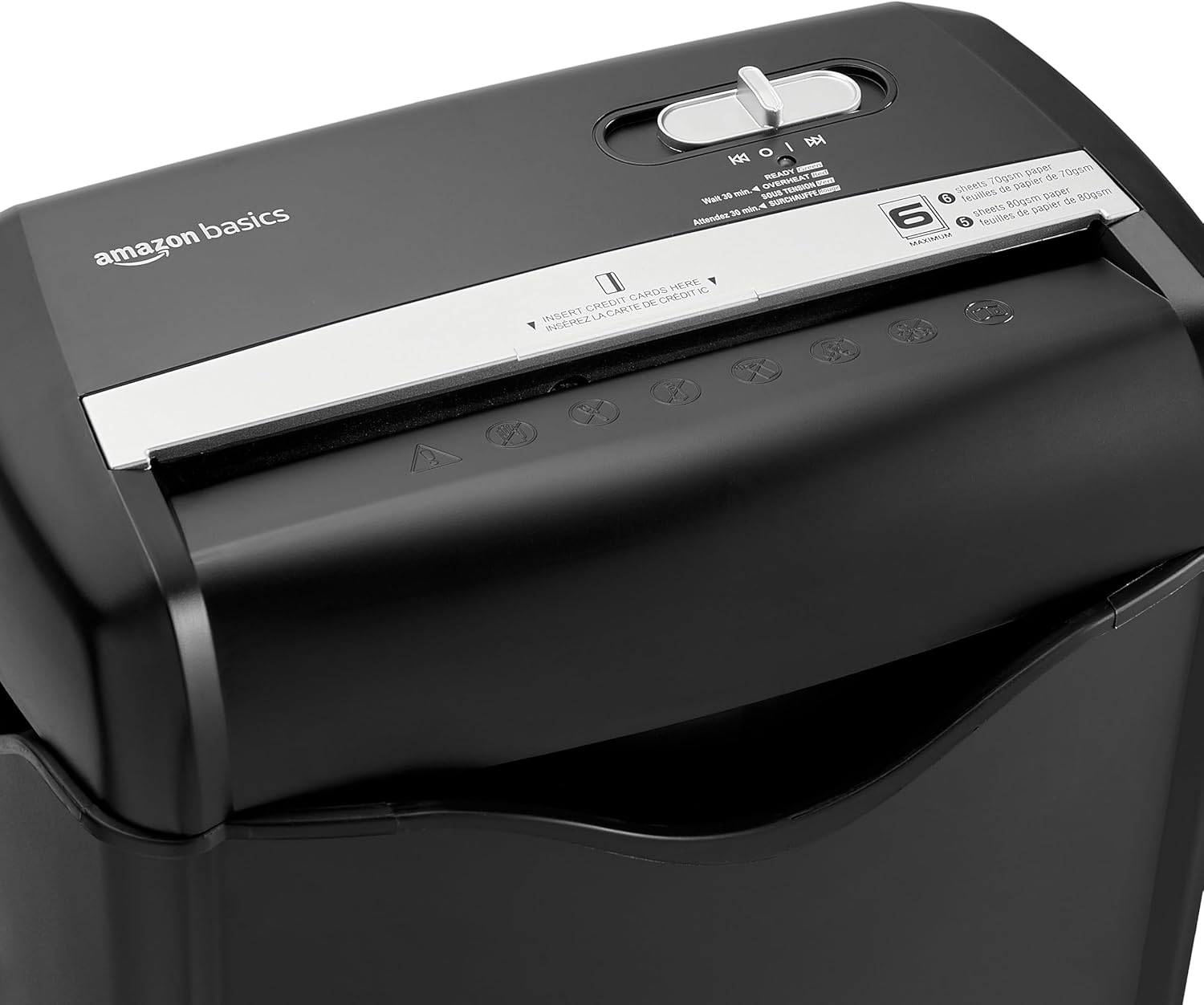
Gambar: Atas view of the shredder, highlighting the paper entry slot, the control switch, and the "MAXIMUM" sheet capacity label.

Image: A close-up of the shredder's label indicating the maximum sheet capacity: 6 sheets of 70gsm paper or 5 sheets of 80gsm paper.
-
Menghancurkan Kartu Kredit: Masukkan satu kartu kredit ke dalam slot kartu kredit yang tersedia.

Gambar: Close-up view of the shredder's dedicated slot for inserting credit cards, clearly labeled "INSERT CREDIT CARDS HERE".
- Perlindungan dari Panas Berlebih: The shredder will automatically shut off if it runs continuously for too long or if the motor overheats. The "OVERHEAT" indicator light (red) will illuminate. Allow the shredder to cool down for approximately 30 minutes before resuming operation.

Image: A pile of cross-cut shredded paper, demonstrating the small particle size for enhanced security. A quarter coin is placed next to it for scale.
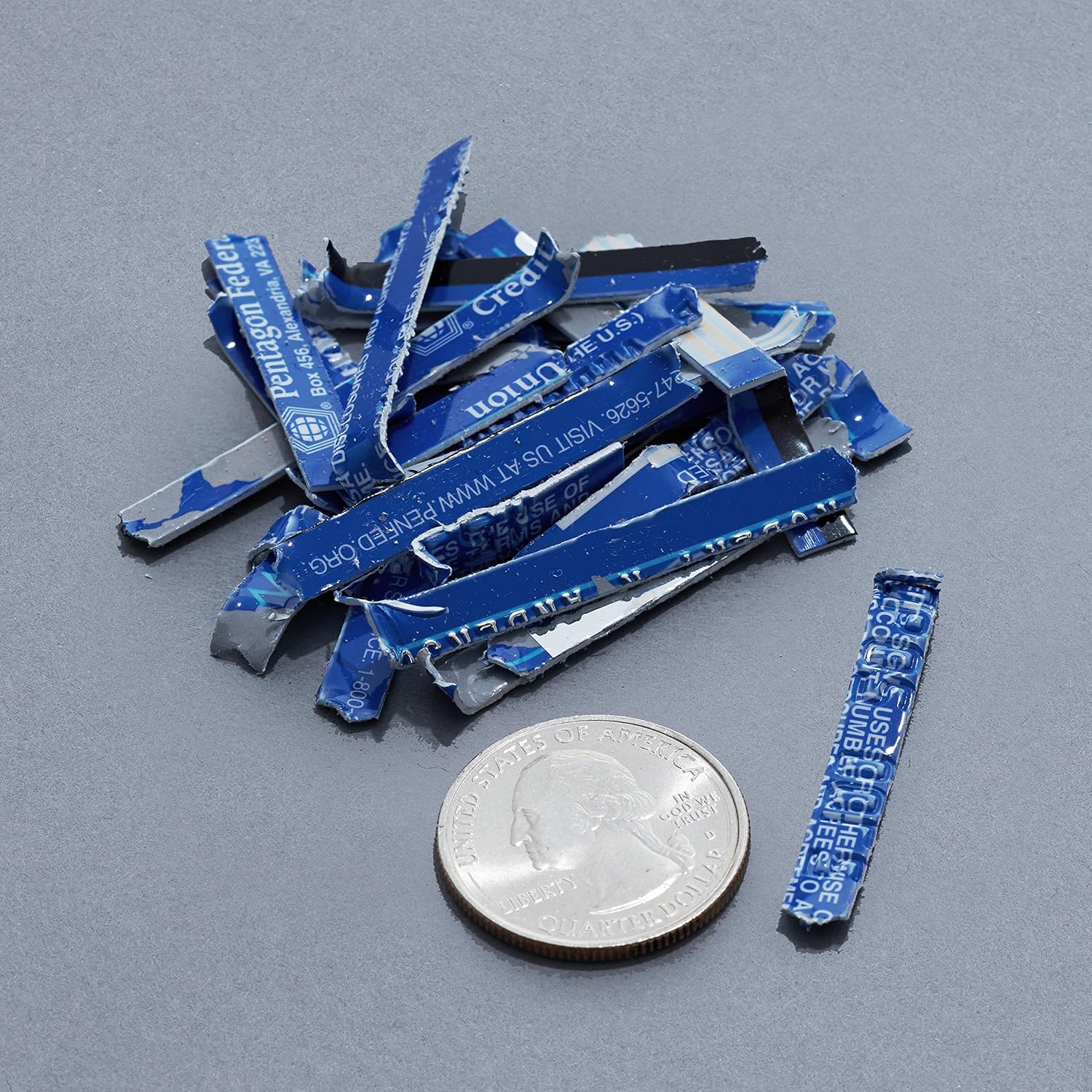
Image: A collection of shredded credit card pieces, illustrating the secure destruction of plastic cards. A quarter coin is included for size reference.
Pemeliharaan
Mengosongkan Tempat Sampah
Regularly empty the waste bin to prevent paper jams and ensure optimal performance. Unplug the shredder before removing the head to empty the bin.
Pembersihan
- Cabut steker mesin penghancur kertas sebelum membersihkannya.
- Wipe the exterior of the shredder with a soft, dry cloth.
- Jangan gunakan pembersih atau pelarut yang bersifat abrasif.
- For optimal performance, periodically oil the shredder blades with shredder oil sheets or liquid shredder oil. Follow the oil product's instructions.
Penyelesaian Masalah
| Masalah | Kemungkinan Penyebab | Larutan |
|---|---|---|
| Mesin penghancur kertas tidak menyala. |
|
|
| Kertas macet. |
|
|
| Mesin penghancur kertas berhenti selama pengoperasian. |
|
|
Spesifikasi
| Fitur | Detil |
|---|---|
| Merek | Dasar-Dasar Amazon |
| Nomor Model | AS665C (Manufacturer Model: AS662C-EU) |
| Jenis Rusak | potong silang |
| Kapasitas Lembar | 6 sheets (70gsm paper) / 5 sheets (80gsm paper) |
| Rusak | Kertas, Kartu Kredit |
| Sumber Daya | Listrik Kabel |
| Fitur Khusus | Portable, Overheat Protection, Manual Reverse |
| Dimensi Produk (P x L x T) | 30.7 x 19.6 x 38.1 cm (12.1 x 7.7 x 15 inci) |
| Berat Produk | 3.72 kg (8.2 pon) |
| Bahan | Plastik dan Logam |
Garansi dan Dukungan
For warranty information and customer support, please refer to the Amazon Basics websitus web atau hubungi layanan pelanggan Amazon secara langsung. Simpan struk pembelian Anda untuk klaim garansi.


