1. Pendahuluan
This manual provides detailed instructions for the proper use and maintenance of your Baseus H08 Immersive Virtual 3D Gaming Headset. Please read this manual thoroughly before using the product to ensure optimal performance and safety. Keep this manual for future reference.
2. Informasi Keselamatan
- Perlindungan Pendengaran: Avoid using the headset at high volume levels for extended periods to prevent hearing damage.
- Kondisi Lingkungan: Jangan biarkan headset terkena suhu ekstrem, kelembapan, atau sinar matahari langsung.
- Pembersihan: Use a soft, dry cloth for cleaning. Avoid liquid cleaners or abrasive materials.
- Membongkar: Do not attempt to disassemble or modify the headset. This may void the warranty and cause damage.
- Anak-anak: Keep the headset and its accessories out of reach of small children to prevent choking hazards.
3. Isi Paket
Verifikasi bahwa semua item ada dalam paket:
- Baseus H08 Immersive Virtual 3D Gaming Headset
- Kabel Audio 3.5mm
- Kotak Pembawa
- User Manual (dokumen ini)
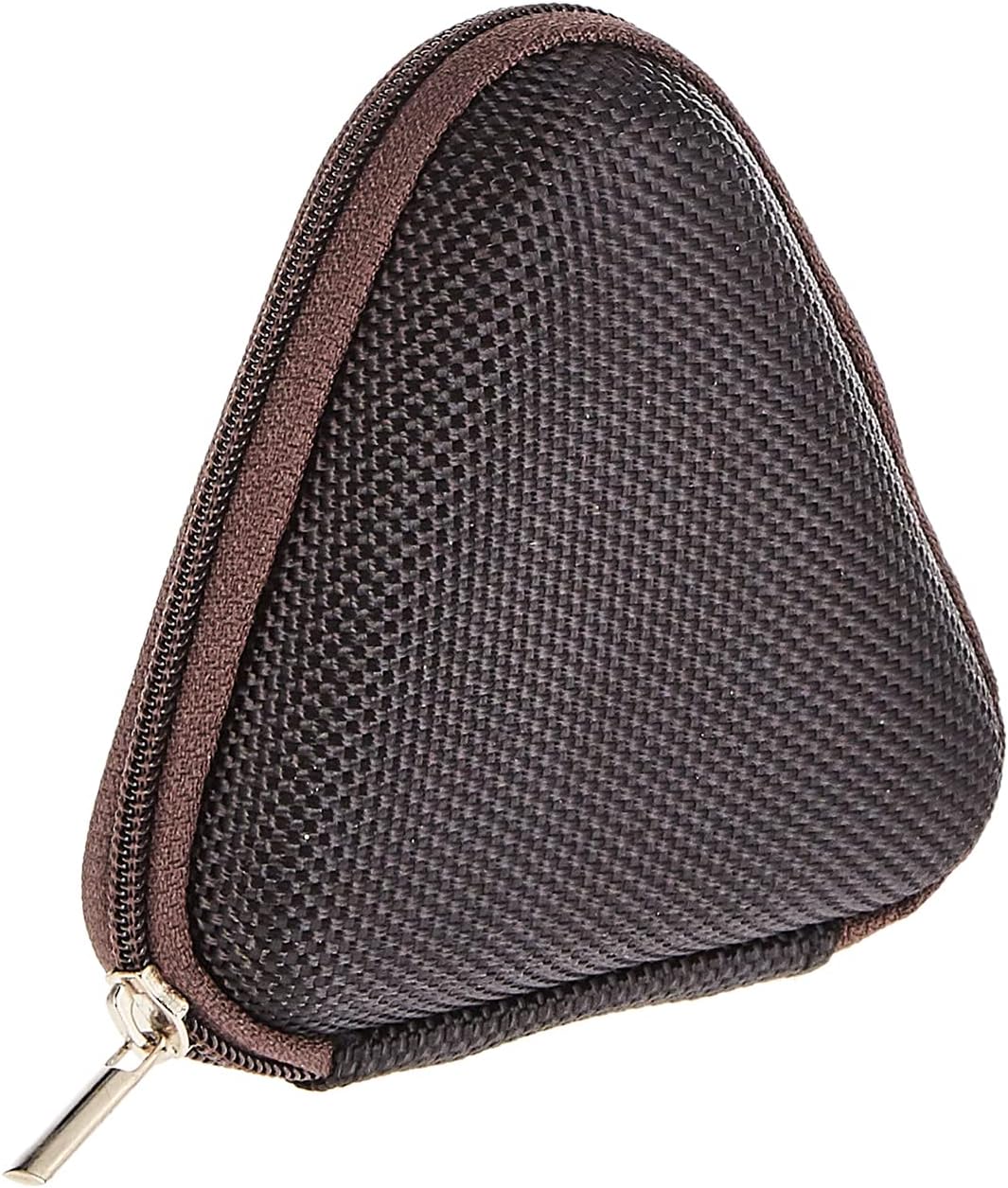
Image: The included triangular carrying case, designed for protecting and transporting the headset.
4. Produk Lebihview
The Baseus H08 headset is designed for an immersive gaming audio experience. It features a comfortable over-ear design and integrated controls.

Image: The Baseus H08 Immersive Virtual 3D Gaming Headset, showcasing desain dan komponennya.
Komponen:
- Earcup: Padded earcups for comfort and sound isolation.
- Ikat kepala: Bando yang dapat disesuaikan untuk kenyamanan dan keamanan saat dikenakan.
- Mikropon: Integrated microphone for communication.
- Kabel Audio: Detachable 3.5mm audio cable for connection to devices.
- Kontrol Volume: In-line or earcup-mounted volume adjustment.
5. Pengaturan
- Membongkar: Carefully remove the headset and all accessories from the packaging.
- Hubungkan Kabel Audio: Insert the 3.5mm audio jack into the corresponding port on your gaming device (PC, console controller, smartphone, etc.). Ensure the connection is secure.
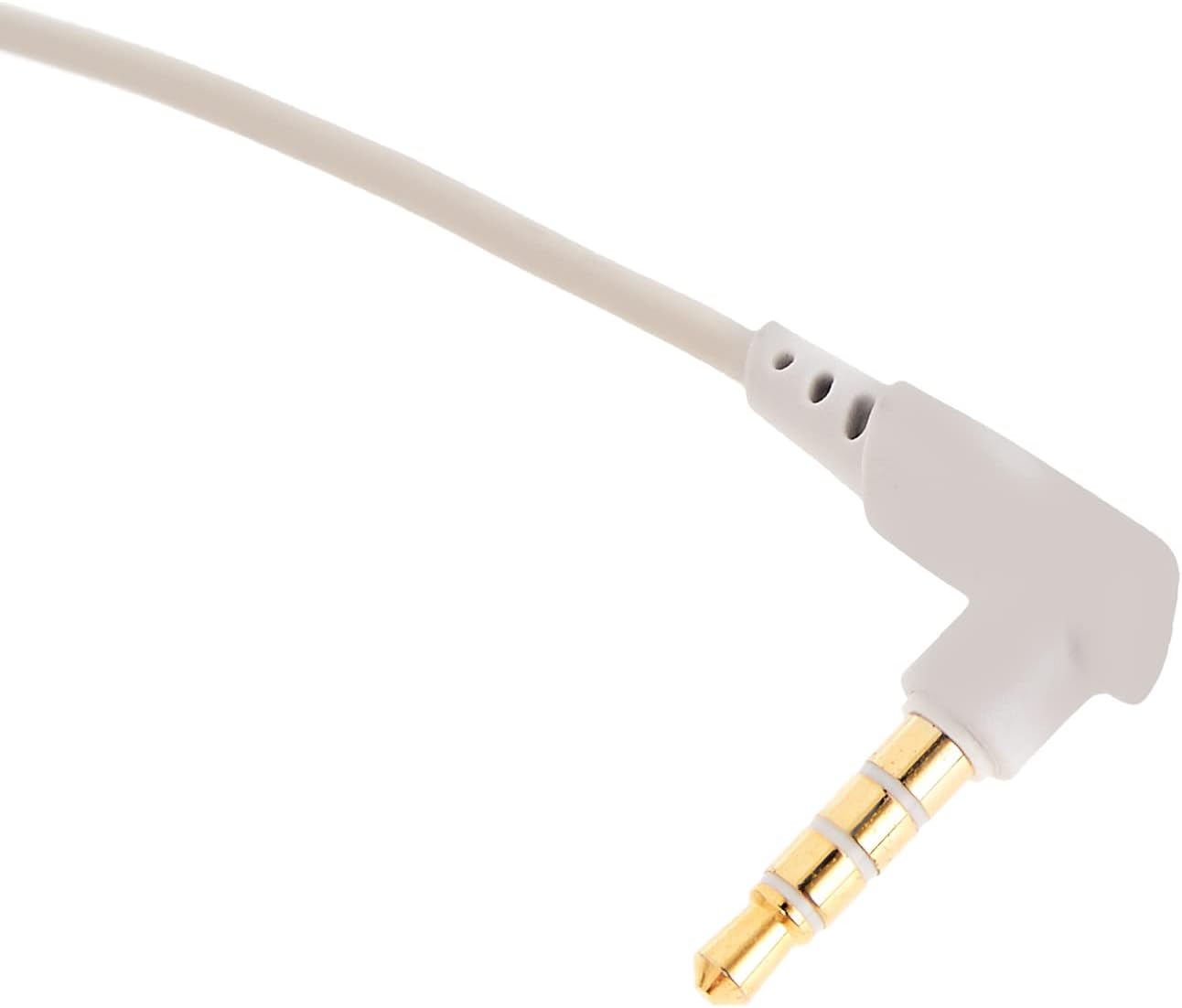
Gambar: Close-up view of the 3.5mm audio jack, used for connecting the headset to compatible devices.
- Sesuaikan Headset: Place the headset on your head and adjust the headband for a comfortable and secure fit. Position the earcups over your ears.
- Penempatan Mikrofon: If the microphone is adjustable, position it appropriately for clear voice capture, typically near the corner of your mouth.
6. Petunjuk Pengoperasian
- Kontrol Volume: Use the integrated volume control (if present on the cable or earcup) to adjust the audio output level. Rotate or slide the control to increase or decrease volume.
- Mikrofon Bisu: If your headset features a microphone mute switch, use it to toggle the microphone on or off as needed during gameplay or calls.
- Virtual 3D Sound: The headset provides an immersive virtual 3D sound experience. This feature is typically active upon connection and enhances spatial audio cues in compatible games. No specific activation is usually required unless indicated by your device's audio settings.
7. Pemeliharaan
- Pembersihan: Wipe the headset with a soft, dry, lint-free cloth. Do not use harsh chemicals, cleaning solvents, or strong detergents.
- Penyimpanan: When not in use, store the headset in its carrying case to protect it from dust, scratches, and physical damage. Keep it in a cool, dry place.
- Perawatan Kabel: Hindari tekukan tajam atau tarikan berlebihan pada kabel audio untuk mencegah kerusakan internal.
8. Penyelesaian masalah
Masalah Umum dan Solusinya:
- Tidak ada suara:
- Pastikan kabel audio 3.5 mm terpasang sepenuhnya ke headset dan perangkat Anda.
- Check the volume control on the headset and your device to ensure it is not muted or set too low.
- Pastikan perangkat output audio yang benar telah dipilih di pengaturan suara perangkat Anda.
- Kualitas Suara Buruk:
- Periksa sambungan yang longgar.
- Uji coba headset dengan perangkat lain untuk mengesampingkan masalah yang spesifik pada perangkat tersebut.
- Pastikan sumber audio berkualitas baik.
- Mikrofon Tidak Berfungsi:
- Pastikan mikrofon tidak dimatikan (jika berlaku).
- Periksa pengaturan suara perangkat Anda untuk memastikan mikrofon headset dipilih sebagai perangkat input.
- Uji mikrofon dengan aplikasi atau perangkat lain.
- Ketidaknyamanan Saat Penggunaan:
- Sesuaikan posisi ikat kepala dan bantalan telinga agar lebih pas.
- Take breaks during long gaming sessions.
9. Spesifikasi
| Fitur | Detil |
|---|---|
| Merek | Dasar |
| Nama Model | NGH08-2G |
| Nomor Model Barang | B012LZLE1U |
| Dimensi Produk | Ukuran 5x3x10 cm |
| Berat Barang | 200 gram |
| Warna | Putih + Abu-abu |
| Jenis Kontrol | Kontrol Volume |
| Jumlah Barang | 1 |
| Penggunaan Produk Spesifik | Tidak tersedia |
| Faktor Bentuk Headphone | Tidak tersedia |
| Soket Headphone | Tidak tersedia |
| Teknologi Konektivitas | Tidak tersedia |
| Teknologi Komunikasi Nirkabel | Tidak tersedia |
| Komponen yang Termasuk | Tidak tersedia |
| Rentang Usia (Deskripsi) | Tidak tersedia |
| Bahan | Tidak tersedia |
10. Garansi dan Dukungan
For warranty information and technical support, please refer to the warranty card included with your product or visit the official Baseus website. You may also contact the retailer from whom you purchased the product for assistance.
Baseus Resmi Weblokasi: www.baseus.com