1. Produk Lebihview
The JETBeam MS-R28 is a robust military-grade flashlight designed for reliability and performance. It features advanced LED technology, durable construction, and user-friendly functionalities suitable for various demanding environments.
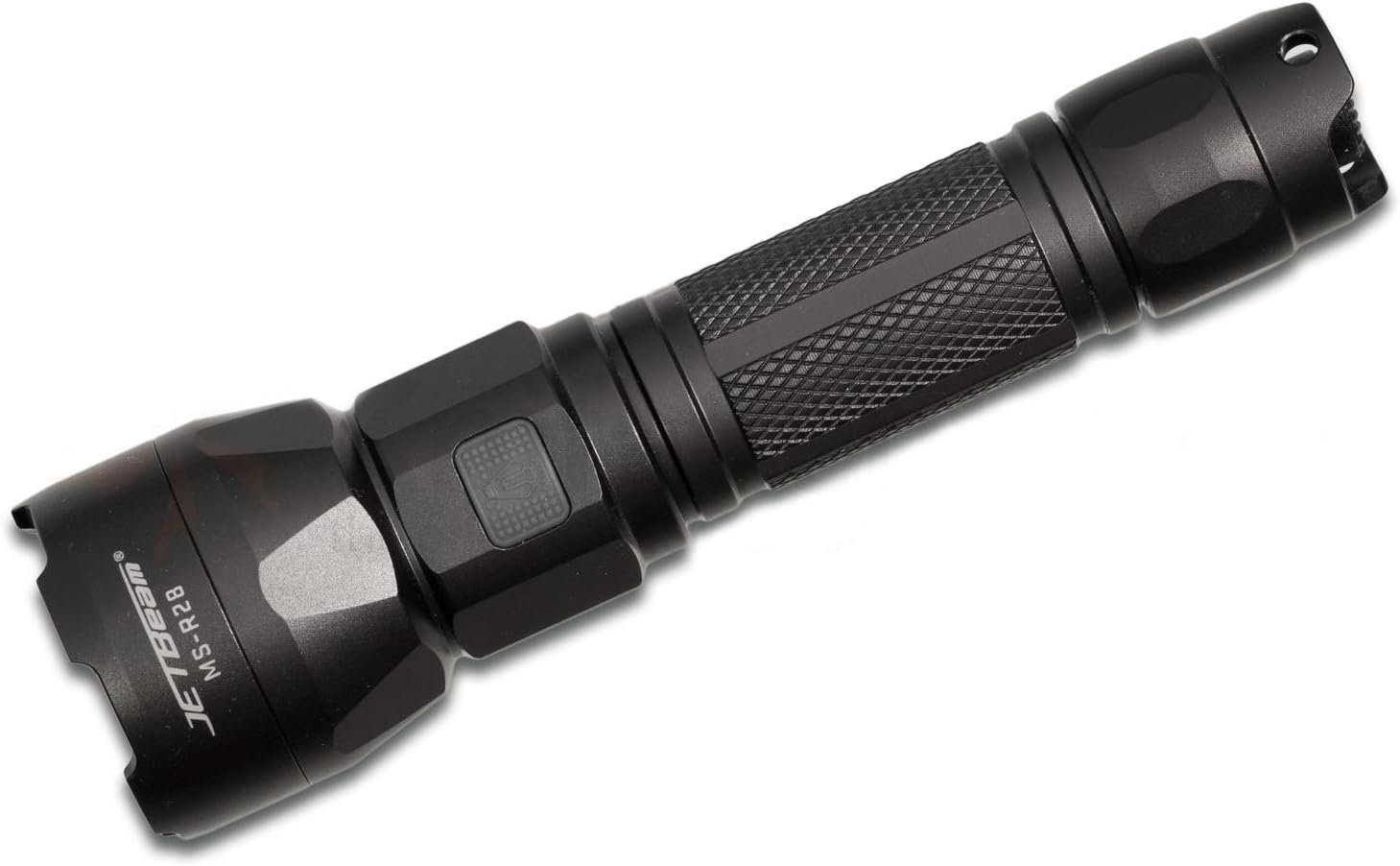
Figure 1: JETBeam MS-R28 Military Flashlight. This image displays the flashlight's full body, highlighting its black finish and textured grip. The JETBeam brand logo and MS-R28 model number are clearly visible on the side of the head.
2. Informasi Keselamatan
- Do not look directly into the light beam. The high intensity light can cause temporary vision impairment or permanent eye damage.
- Jauhkan dari jangkauan anak-anak.
- Jangan membongkar bagian kepala senter yang tersegel. Melakukan hal tersebut dapat merusak senter dan membatalkan garansi.
- Use only recommended batteries. Incorrect battery types may cause damage or explosion.
- Ensure proper battery polarity during installation.
- Avoid dropping the flashlight or subjecting it to severe impacts.
- Do not expose the flashlight to extreme temperatures or open flames.
3. Isi Paket
Please check the package contents upon opening to ensure all items are present and in good condition.
- JETBeam MS-R28 Military Flashlight (1 unit)
- Panduan Pengguna (Dokumen ini)
- Lanyard (if included in specific package variant)
- Spare O-rings (if included)
- Kabel Pengisian USB (jika disertakan)
4. Pengaturan
4.1 Pemasangan Baterai
The JETBeam MS-R28 requires a compatible rechargeable battery (not included). Ensure the battery is fully charged before first use.
- Buka tutup ekor senter dengan memutarnya berlawanan arah jarum jam.
- Insert the battery with the positive (+) terminal facing towards the head of the flashlight.
- Screw the tail cap back on clockwise until it is securely tightened. Ensure the O-ring is properly seated to maintain waterproofing.
4.2 Biaya Awal
If your MS-R28 model supports USB charging, it is recommended to fully charge the battery before initial use to ensure optimal performance and battery longevity.
- Locate the USB charging port, typically covered by a rubber seal near the head of the flashlight.
- Open the rubber seal and connect the provided USB charging cable to the port.
- Hubungkan ujung kabel USB lainnya ke sumber daya USB yang kompatibel (misalnya, port USB komputer, adaptor dinding USB).
- The indicator light will show charging status (refer to Section 6 for details).
- Once charging is complete, disconnect the cable and securely close the rubber seal to maintain waterproofing.
5. Petunjuk Pengoperasian
5.1 Daya Hidup/Mati
- Untuk menyalakan senter ON: Press the power button located on the side or tail cap (depending on model variant) until the light illuminates.
- Untuk menyalakan senter MATI: Press the power button again.
5.2 Pemilihan Mode
The MS-R28 typically features multiple brightness levels and special modes. The method for cycling through modes may vary slightly by specific production batch, but generally involves the following:
- Dengan senter ON, press and hold the power button to cycle through brightness levels (e.g., Low, Medium, High, Turbo). Release the button to select the desired brightness.
- For special modes (e.g., Strobe, SOS): Double-press the power button rapidly to activate Strobe mode. Double-press again for SOS mode. Press once to return to the last used brightness level.
5.3 Indikator Daya Baterai
The power button on the MS-R28 features a built-in flash indicator to denote battery life. The specific color or flash pattern will indicate the remaining power level:
- Solid Green/Blue: Sufficient power remaining.
- Flashing Yellow/Orange: Medium power, consider recharging soon.
- Merah Berkedip: Low power, immediate recharge required.
Note: Specific indicator colors may vary slightly. Refer to the quick start guide included with your specific product for exact details if different.
6. Pengisian daya
The JETBeam MS-R28 features USB-charger capabilities for convenient recharging of its internal battery.
- Ensure the flashlight is turned OFF before charging.
- Locate the USB charging port, typically protected by a rubber cover to maintain waterproofing.
- Carefully lift the rubber cover to expose the USB port.
- Insert the micro-USB end of the charging cable into the flashlight's port.
- Connect the standard USB-A end of the cable to a 5V USB power adapter or a computer's USB port.
- The power button indicator light will typically illuminate red or orange during charging and turn green or blue when charging is complete.
- Once fully charged, disconnect the USB cable and firmly press the rubber cover back into place to ensure the waterproofing seal is intact.
7. Pemeliharaan
7.1 Pembersihan
- Wipe the flashlight body with a clean, damp kain. Jangan gunakan pembersih atau pelarut yang bersifat abrasif.
- Clean the threads of the tail cap and head regularly. Apply a thin layer of silicone grease to the O-rings to maintain waterproofing and smooth operation.
- Keep the lens clean. Use a lens cleaning cloth or cotton swab with a small amount of rubbing alcohol if necessary.
7.2 Penyimpanan
- Simpan senter di tempat sejuk dan kering, jauh dari sinar matahari langsung dan suhu ekstrem.
- If storing for an extended period, remove the battery to prevent leakage and damage to the flashlight.
8. Penyelesaian masalah
| Masalah | Kemungkinan Penyebab | Larutan |
|---|---|---|
| Senter tidak menyala. |
|
|
| Lampu berkedip atau redup. |
|
|
| Masuknya air setelah terpapar. |
|
|
9. Spesifikasi
| Nomor Model | MS-R28 |
| Merek | JETBeam |
| Dimensi Produk | Ukuran 19x5x5 cm |
| Berat Barang | 1 kg (2.2 pon) |
| Warna | Hitam |
| Jenis Bohlam | DIPIMPIN |
| Pelapis kedap air | IPX-6 (Resistant to high-pressure, heavy sprays of water) |
| Kemampuan Pengisian Daya | USB-charger capabilities |
| Indikator Baterai | Flash indicator on power button denotes battery life |
| Manajemen Termal | Optimized thermal heat fins |
| Komponen yang Termasuk | Jetbeam MS-R28 Military Flashlight Black (and potentially USB cable, lanyard, spare O-rings depending on package) |
10. Garansi dan Dukungan
JETBeam products are manufactured to high quality standards. For specific warranty terms and conditions, please refer to the warranty card included with your purchase or visit the official JETBeam weblokasi.
For technical support, service, or inquiries regarding your JETBeam MS-R28 Military Flashlight, please contact your authorized dealer or the manufacturer's customer service department. Contact information can typically be found on the product packaging or the official brand weblokasi.
- Pabrikan: Sportsman Supply Inc.
- Merek Weblokasi: www.jetbeam.com (Note: This is a general placeholder for a brand websitus, sebenarnya URL may vary or not exist.)


