Perkenalan
The Tupperware Click Series Peeler System is designed for efficient and versatile peeling of various fruits and vegetables. This system includes a universal handle, three interchangeable peeler heads, and a convenient storage holder. Please read this manual carefully before first use to ensure proper operation and maintenance.
Komponen Produk
- Pegangan Universal: Didesain secara ergonomis untuk pegangan yang nyaman.
- Standard Peeler Head: Ideal for firm-skinned fruits and vegetables like potatoes, carrots, and apples.
- Julienne Peeler Head: Creates thin strips of vegetables for salads or garnishes.
- Soft Skin Peeler Head: Designed for delicate items such as tomatoes, peaches, and bell peppers.
- Storage Holder: Keeps all components organized and protected.
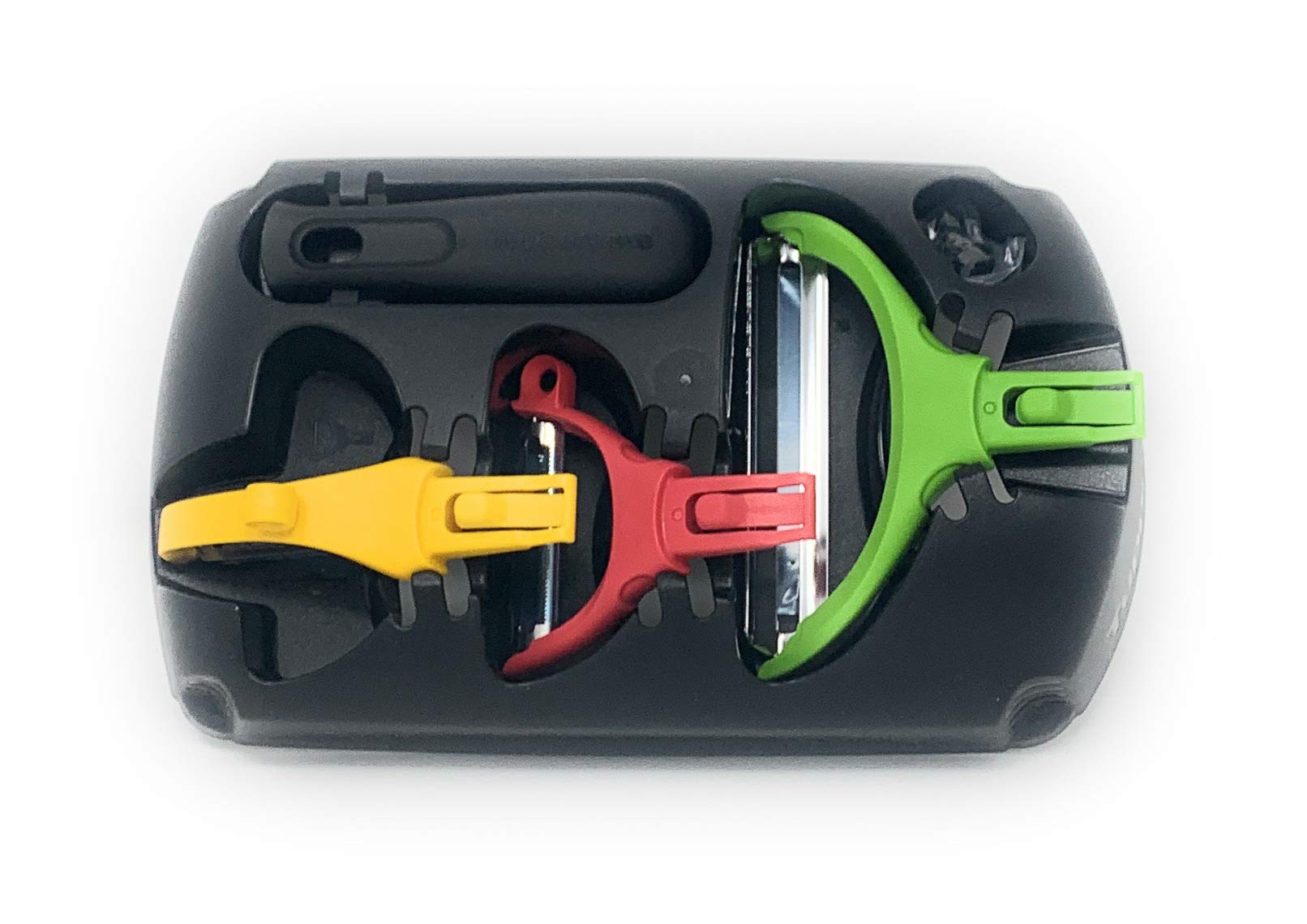
Image: The Tupperware Click Series Peeler System, showing the black storage holder, the universal handle, and the three colorful peeler heads (green, red, yellow) detached from the handle.
Pengaturan dan Perakitan
- Membongkar: Keluarkan semua komponen dari kemasan dengan hati-hati. Periksa apakah ada kerusakan.
- Attaching a Peeler Head:
- Select the desired peeler head.
- Align the peeler head with the universal handle. There is a 'click' mechanism for secure attachment.
- Press the peeler head firmly onto the handle until you hear and feel a click, indicating it is locked into place.
- Detaching a Peeler Head:
- Locate the release button or mechanism on the handle or peeler head.
- Press the release button while gently pulling the peeler head away from the handle.
Petunjuk Pengoperasian
Always ensure the peeler head is securely attached to the handle before use.
Using the Standard Peeler Head
- Hold the fruit or vegetable firmly in one hand.
- With the other hand, hold the peeler handle.
- Apply gentle, even pressure and glide the blade along the surface of the item, peeling away from your body.
Using the Julienne Peeler Head
- Prepare the fruit or vegetable by trimming ends if necessary.
- Hold the item securely.
- Draw the julienne blade across the surface with steady pressure to create uniform strips.
Using the Soft Skin Peeler Head
- This blade is designed to minimize damage to soft produce.
- Use a light touch and a smooth motion to remove the skin without bruising the fruit or vegetable.
Perawatan dan Pemeliharaan
- Pembersihan: Wash all components by hand with warm, soapy water immediately after each use. Rinse thoroughly and dry completely before storing. The blades are sharp; handle with care.
- Keamanan Mesin Pencuci Piring: Refer to product packaging or Tupperware's official website for specific dishwasher safety instructions. Generally, hand washing is recommended to prolong blade sharpness.
- Penyimpanan: Store the peeler heads and handle in the provided holder to protect the blades and keep the set organized. Keep out of reach of children.
- Perawatan Pisau: Avoid dropping the peelers, as this can damage the blades. Do not use abrasive cleaners or scouring pads, which can dull the blades.
Penyelesaian Masalah
- Peeler not cutting effectively:
- Ensure the peeler head is correctly and securely attached to the handle.
- Check if the blade is clean and free of debris.
- Confirm you are using the appropriate peeler head for the type of fruit or vegetable.
- Difficulty detaching peeler head:
- Ensure the release button is fully depressed.
- Apply gentle, steady pressure when pulling the head off. Do not force it.
Spesifikasi
| Dimensi Produk | 6.3x4.72x2.76 inci |
| Berat Barang | 8.5 ons |
| Pabrikan | Tupperware |
| Nomor Model | B01AI0V6L8 |
| Penggunaan Khusus | Buah, Sayur |
| Baterai Diperlukan | TIDAK |
Garansi dan Dukungan
For information regarding product warranty, please refer to the original product packaging or visit the official Tupperware website. For customer support, contact Tupperware directly through their official channels.