Perkenalan
Terima kasih sudah membeliasing the OttLite CY4009-FFP LED Desk Lamp. This manual provides important information regarding the setup, operation, maintenance, and troubleshooting of your new desk lampHarap baca petunjuk ini dengan saksama sebelum digunakan dan simpan untuk referensi di masa mendatang.
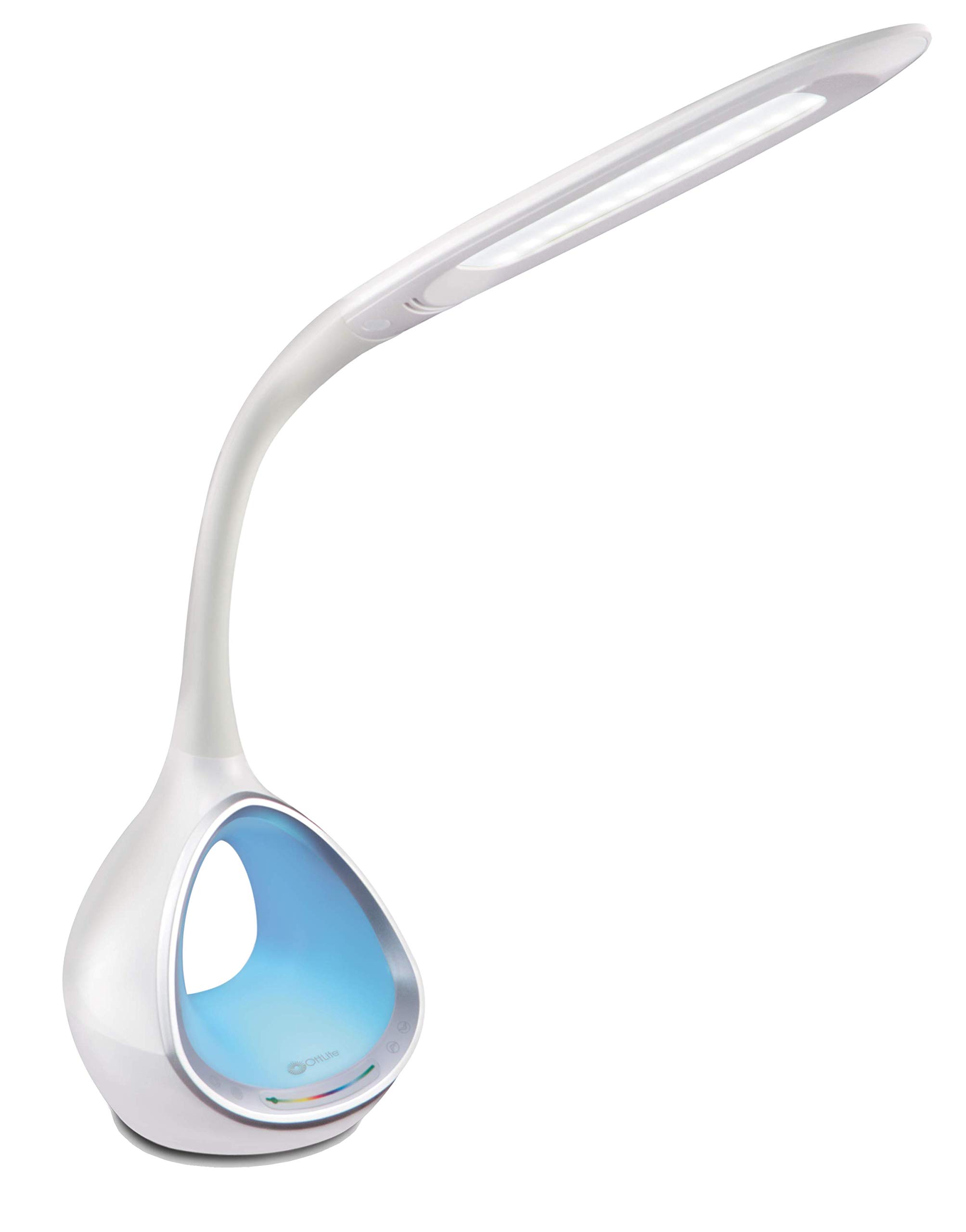
Image: The OttLite CY4009-FFP LED Desk Lamp, menunjukkanasing its sleek white design and flexible neck.
Petunjuk Keselamatan
Untuk memastikan pengoperasian yang aman, harap perhatikan tindakan pencegahan berikut:
- Jangan operasikan lamp dengan kabel atau steker yang rusak.
- Jangan memodifikasi lamp atau komponen-komponennya.
- Pertahankan lamp away from water or other liquids. This product is not water resistant.
- Pastikan lamp ditempatkan pada permukaan yang stabil dan rata.
- Cabut lamp sebelum membersihkan atau melakukan perawatan apa pun.
- Ini lamp adalah untuk penggunaan dalam ruangan saja.
Isi Paket
Verifikasi bahwa semua item ada dalam paket:
- OttLite CY4009-FFP LED Desk Lamp
- Adaptor Daya AC/DC
Produk Selesaiview
Familiarize yourself with the main components of your desk lamp:
- Leher Fleksibel: Allows adjustment of the light head position.
- Kepala Lampu LED: Provides natural daylight illumination with adjustable brightness and color temperature.
- Panel Kontrol: Touch-sensitive buttons for power, brightness, color temperature, and color-changing base.
- Color Changing Tunnel Base: Illuminates with a choice of colors or cycles through the spectrum.
- Port Pengisian USB: Located on the side of the base for charging devices.

Image: The OttLite CY4009-FFP LED Desk Lamp illustrating its adjustable height (11.75 to 16 inches) and base diameter (4.375 inches).
Pengaturan
- Lepaskan l dengan hati-hatiamp dan semua komponen dari kemasannya.
- Tempatkan lamp pada permukaan yang stabil dan rata.
- Connect the AC/DC power adapter to the power input port located at the back of the lamp basis.
- Colokkan adaptor daya ke stopkontak standar.
- Lamp sekarang siap untuk dioperasikan.
Petunjuk Pengoperasian
Operasi Cahaya Utama

Image: Close-up of the lamp base showing touch-activated controls for brightness and color settings.
- Daya Hidup/Mati: Sentuh Tombol daya on the control panel to turn the main light on or off.
- Sesuaikan Kecerahan: Lamp features 4 brightness settings. Repeatedly touch the tombol kecerahan untuk menelusuri tingkat kecerahan.
- Ubah Suhu Warna: Lamp offers 3 color temperature modes. Repeatedly touch the Tombol mode to switch between different light temperatures (e.g., warm white, bright white, cool white).

Image: Three different light outputs from the lamp head, demonstrating the warm, neutral, and cool color temperature settings.
Color Changing Tunnel Base Operation

Gambar: Empat mantanamples of the lamp's base glowing in different colors: blue, red, purple, and green.
- Activate Color Base: Sentuh tombol warna on the control panel to turn on the color-changing base.
- Pilih Warna: Once activated, touch the color spectrum bar on the base to select a specific color.
- Warna Siklus: To have the base continuously cycle through the entire color spectrum, touch and hold the tombol warna until the colors begin to transition automatically.
- Turn Off Color Base: Sentuh tombol warna again to turn off the color-changing base.
Port Pengisian Daya USB
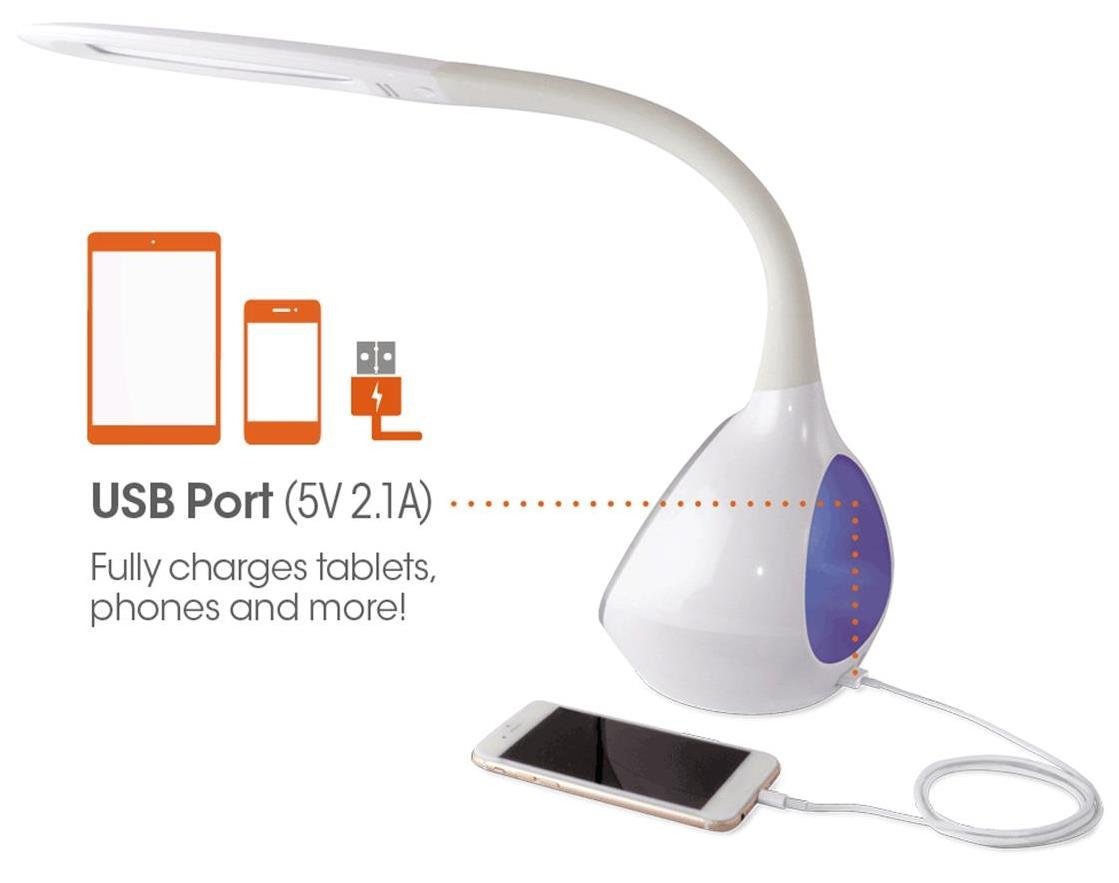
Gambar: The lamp's base with a smartphone connected to the 5V 2.1A USB charging port, illustrating its charging capability for phones and tablets.
Lamp includes a 5V, 2.1A USB charging port located on the side of the base. This port can be used to charge smartphones, tablets, and other USB-powered devices. Simply connect your device's USB charging cable to the port.
Pemeliharaan
- Pembersihan: Pastikan lamp Cabut steker listrik sebelum dibersihkan. Gunakan kain lembut dan kering untuk menyeka bagian dalam stopkontak.amp. Jangan gunakan pembersih atau pelarut yang bersifat abrasif.
- LED: The integrated LEDs are designed to last up to 40,000 hours and are not replaceable.
- Penyimpanan: Jika menyimpan lamp jika digunakan dalam jangka waktu lama, cabut kabelnya dan simpan di tempat sejuk dan kering.
Penyelesaian Masalah
| Masalah | Kemungkinan Penyebab | Larutan |
|---|---|---|
| Lamp tidak menyala. | Adaptor daya tidak terhubung dengan benar atau tidak ada daya dari stopkontak. | Periksa apakah adaptor daya terpasang dengan aman ke kedua stopkontak.amp dan stopkontak dinding. Uji stopkontak dengan perangkat lain. |
| Main light works, but color-changing base does not. | Color button not activated. | Ensure the Color button on the control panel has been touched to activate the base light. |
| Port pengisian daya USB tidak berfungsi. | Perangkat tidak kompatibel atau kabel rusak. | Ensure your device is compatible with 5V, 2.1A charging. Try a different USB cable. |
| Kontrol sentuh tidak responsif. | Temporary electrical interference or power issue. | Cabut lamp from the power outlet for 30 seconds, then plug it back in. |
Spesifikasi
| Nomor Model: | CY4009-FFP |
| Merek: | OttLite |
| Jenis Sumber Cahaya: | DIPIMPIN |
| Apatage: | 10 Watt |
| Pengaturan Kecerahan: | 4 (up to 500 lumens) |
| Suhu Warna: | 3 |
| Keluaran Port USB: | Tegangan 5V, 2.1A |
| Umur LED: | Hingga 40,000 jam |
| Dimensi Produk (PxLxT): | 24.1D x 7L x 29.8T Sentimeter |
| Berat Barang: | 1.32 kg (2.91 pon) |
| Sumber Daya: | Listrik Kabel |
| Jenis saklar: | Menyentuh |
| Warna: | Putih |
| Tahan Air: | Tidak Tahan Air |
| UPC-nya: | 761712012346 |
Garansi dan Dukungan
For warranty information or technical support, please refer to the documentation provided with your purchase or visit the official OttLite websitus. Simpan bukti pembelian Anda untuk klaim garansi.
Pabrikan: Environmental Lighting Concepts


