1. Pendahuluan
The OBI 135W 3200 RPM Rotary Tool is a versatile power tool designed for a wide range of precision applications. Its compact size and variable speed control make it ideal for tasks such as drilling, grinding, polishing, sanding, cutting, and carving on various materials. This manual provides essential information for the safe and effective operation, maintenance, and troubleshooting of your rotary tool.
2. Petunjuk Keselamatan
Always adhere to basic safety precautions when using electrical tools to reduce the risk of fire, electric shock, and personal injury.
- Alat Pelindung Diri (APD): Always wear safety glasses, hearing protection, and appropriate gloves. A dust mask is recommended for dusty operations.
- Area Kerja: Keep your work area clean, well-lit, and free from clutter. Do not operate the tool in explosive atmospheres, such as in the presence of flammable liquids, gases, or dust.
- Keamanan Listrik: Ensure the power cord is in good condition and avoid using the tool in wet or damp conditions. Never pull the cord to disconnect from the outlet.
- Penanganan Alat: Always unplug the tool from the power source before changing accessories, making adjustments, or performing maintenance. Secure the workpiece firmly.
- Anak-anak dan Orang yang Melihat: Jauhkan anak-anak dan orang sekitar saat mengoperasikan alat.
- Ventilasi: Do not block the ventilation openings on the tool.
3. Isi Paket
Carefully unpack your OBI Rotary Tool and verify that all items are present and undamaged. If any items are missing or damaged, contact your retailer.
- OBI 135W 3200 RPM Rotary Tool
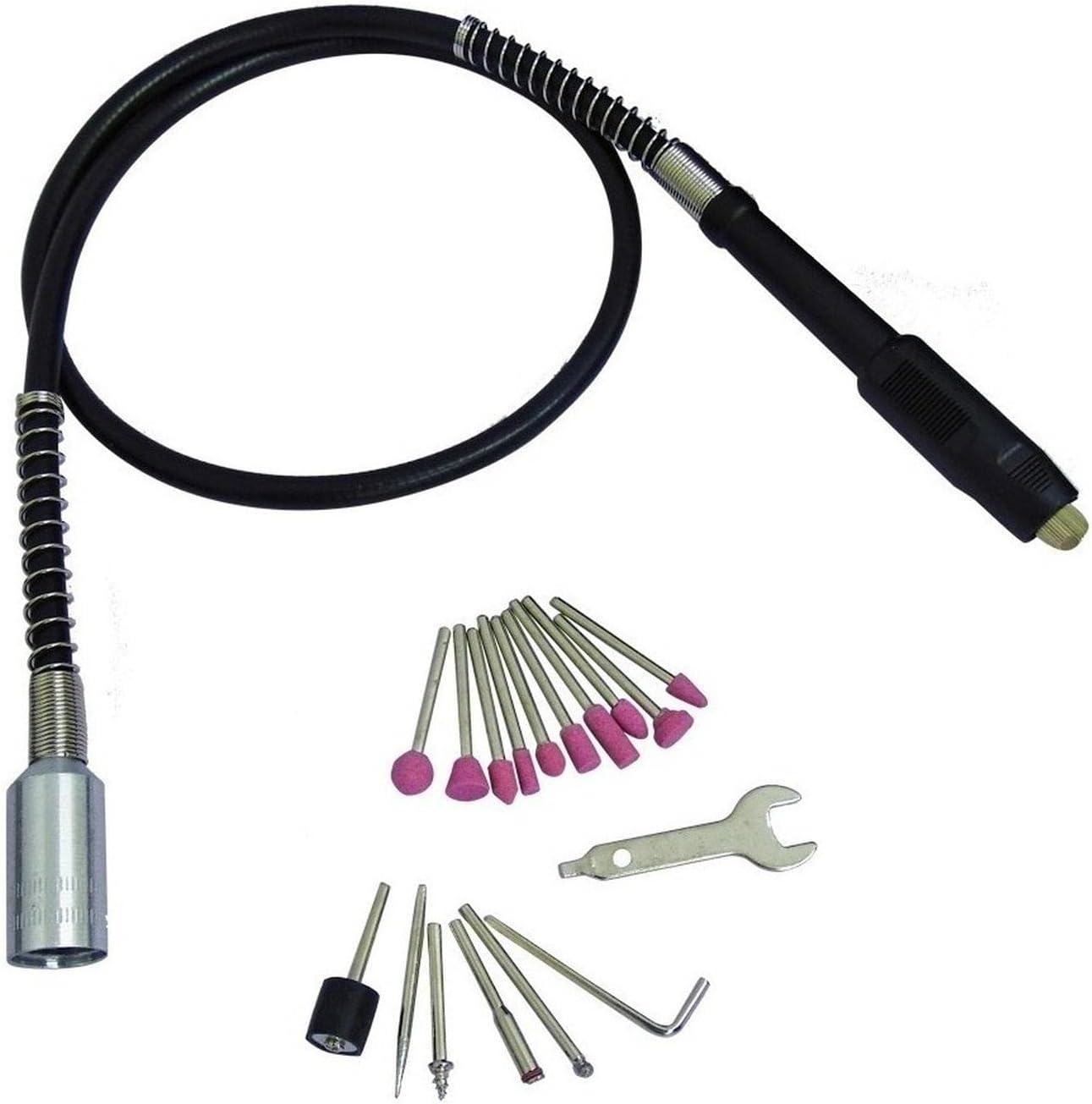
- Flexible Shaft Attachment
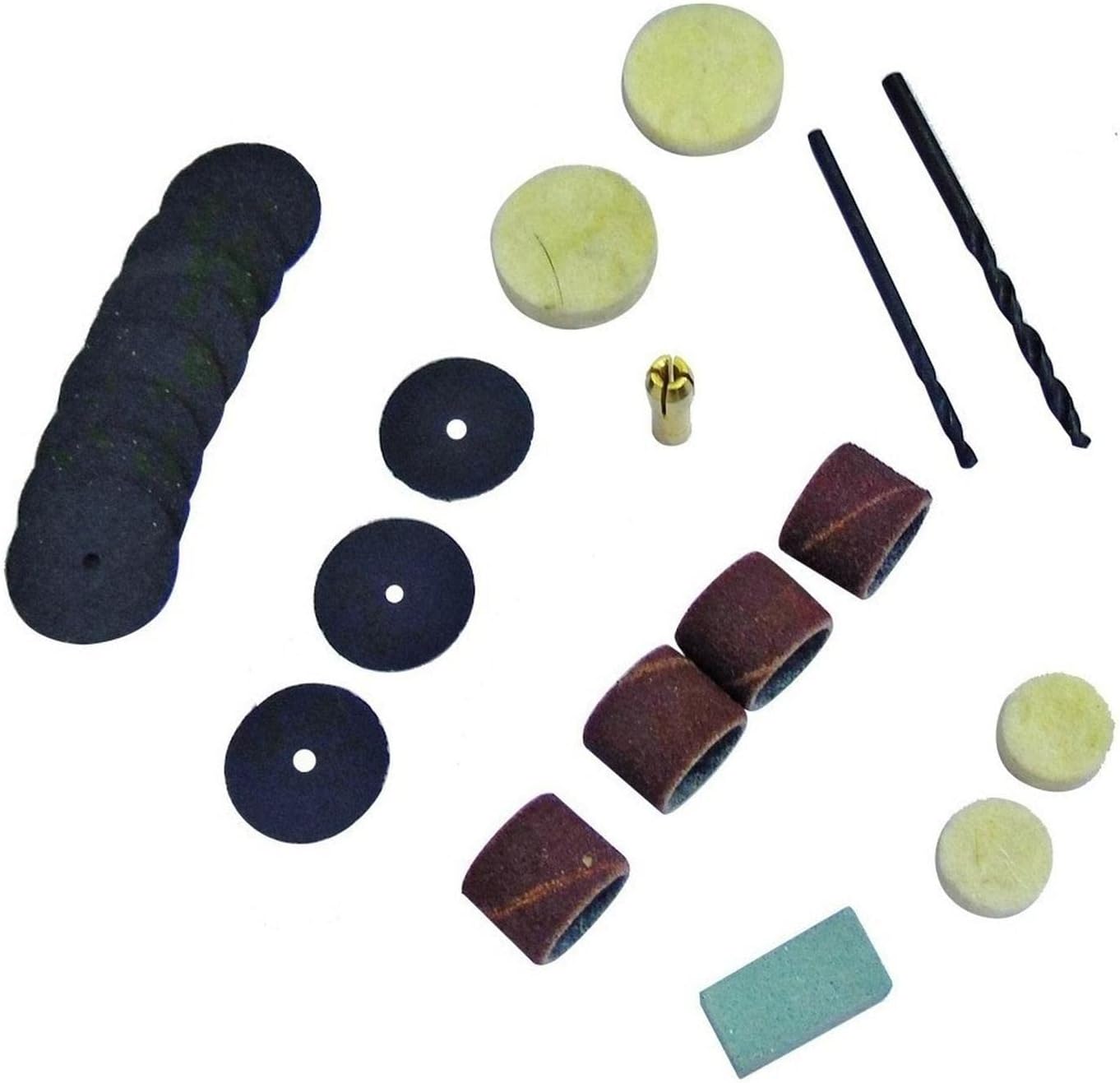
- Accessory Kit (approx. 40 pieces, including various grinding stones, sanding bands, cutting discs, drills, collets, and a wrench)
- Kotak Penyimpanan
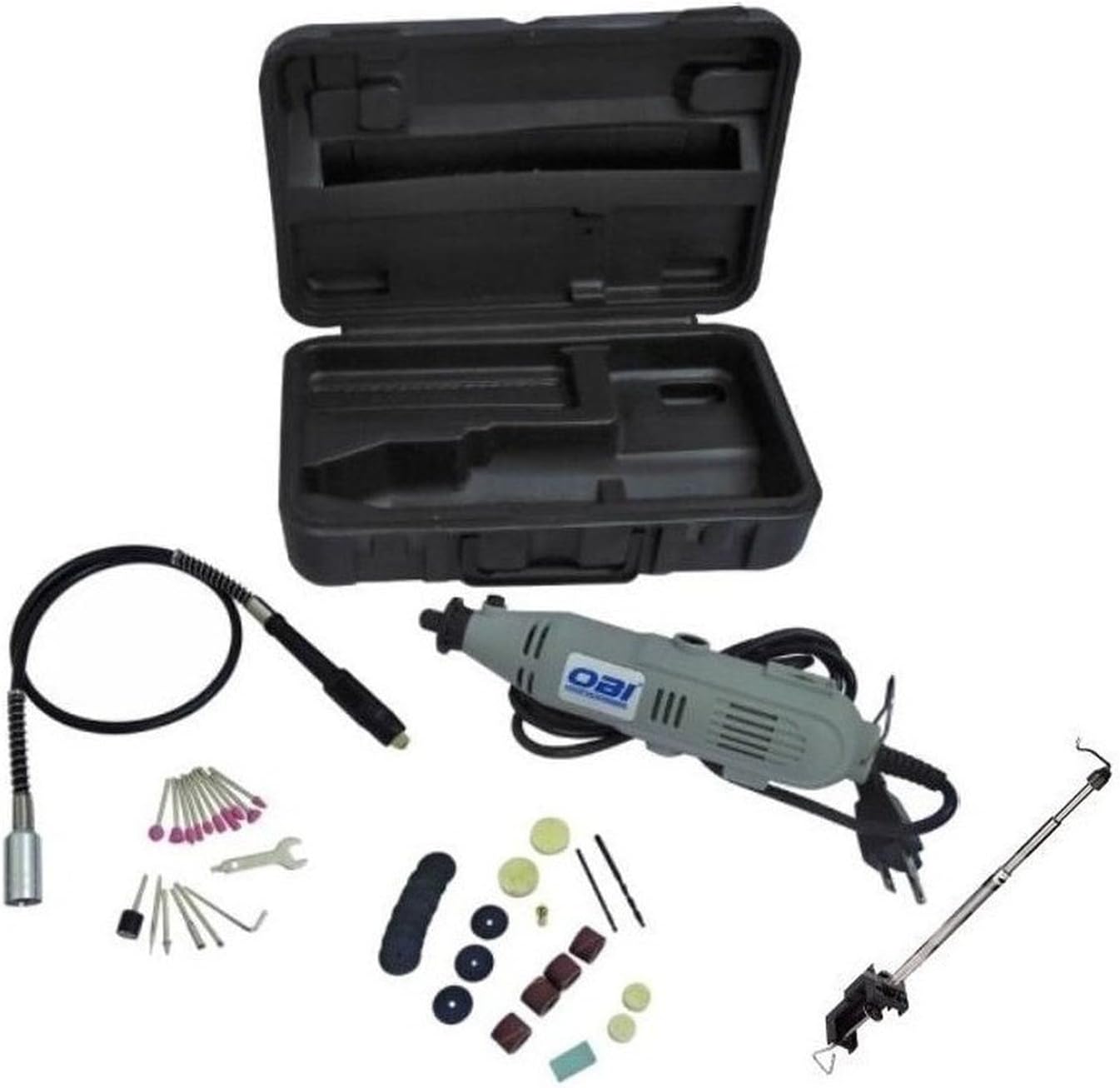

4. Produk Lebihview
Familiarize yourself with the components of your rotary tool before operation.

Komponen Utama:
- Saklar daya: On/Off control for the tool.
- Panggilan Cepat Variabel: Adjusts the rotational speed of the tool.
- Collet Nut: Secures accessories in place.
- Tombol Kunci Spindel: Digunakan untuk mengunci poros agar penggantian aksesori mudah dilakukan.
- Slot Ventilasi: Pastikan aliran udara yang baik untuk mencegah panas berlebih.
- Flexible Shaft Connection Point: Where the flexible shaft is attached for precision work.
5. Pengaturan
Proper setup ensures safe and efficient operation.
5.1 Memasang Aksesori
- Cabut alat dari sumber listrik.
- Tekan dan tahan tombol kunci spindel.
- Lepaskan mur penjepitnya.
- Masukkan tangkai aksesori yang diinginkan sepenuhnya ke dalam collet.
- Kencangkan mur penjepit dengan aman menggunakan kunci yang disediakan. Jangan terlalu kencang.
5.2 Memasang Poros Fleksibel
- Cabut alat dari sumber listrik.
- Unscrew and remove the collet nut and collet from the main tool.
- Insert the inner drive shaft of the flexible shaft into the tool's spindle.
- Thread the flexible shaft's coupling nut onto the tool's housing until secure.
- Insert the desired accessory into the collet at the end of the flexible shaft and tighten with the flexible shaft's wrench.
6. Operasi
Follow these steps for safe and effective use of your rotary tool.
- Pilih Aksesori: Choose the appropriate accessory for your task and install it securely.
- Sesuaikan Kecepatan: Plug the tool into a power outlet. Turn the variable speed dial to the desired RPM. Start with a lower speed for delicate work or when learning, and increase as needed. The maximum speed is 3200 RPM.
- Nyalakan: Nyalakan sakelar daya ke posisi 'ON'.
- Mulai Bekerja: Apply light, consistent pressure. Let the tool do the work. Avoid excessive force, which can cause the tool to stall or damage the accessory/workpiece.
- Matikan: When finished, flip the power switch to the 'OFF' position and unplug the tool.
Tips for Specific Applications:
- Pengeboran: Use appropriate drill bits. Start with a pilot hole if necessary.
- Penggilingan/Pengamplasan: Move the tool continuously to avoid creating grooves or burning the material.
- Poles: Use polishing accessories with appropriate polishing compound.
- Pemotongan: Use cutting discs for thin materials. Ensure the workpiece is stable.
7. Pemeliharaan
Regular maintenance will prolong the life of your tool and ensure optimal performance.
- Pembersihan: Setelah setiap penggunaan, cabut steker alat dan bersihkan bagian luarnya dengan kain lembut.amp cloth. Use a brush or compressed air to clear dust from the ventilation slots.
- Inspeksi Aksesori: Regularly inspect accessories for wear or damage. Replace worn or damaged accessories immediately.
- Inspeksi Kabel: Periksa kabel daya apakah ada yang terpotong, terkelupas, atau rusak. Jangan gunakan alat ini jika kabelnya rusak.
- Penyimpanan: Store the tool and its accessories in the provided case, in a dry, secure location out of reach of children.
8. Penyelesaian masalah
If you encounter issues with your rotary tool, refer to the following common problems and solutions.
| Masalah | Kemungkinan Penyebab | Larutan |
|---|---|---|
| Alat tidak mulai. | No power supply; Power switch off; Damaged cord. | Check power outlet; Ensure switch is ON; Inspect and replace damaged cord. |
| Getaran yang berlebihan. | Accessory not properly seated or bent; Worn accessory. | Re-seat accessory; Replace accessory. |
| Alat terlalu panas. | Lubang ventilasi tersumbat; Beban berlebih. | Bersihkan lubang ventilasi; Kurangi tekanan pada alat; Biarkan alat mendingin. |
| Aksesori dimasukkan ke dalam penjepit. | Collet nut not tight enough; Incorrect collet size. | Tighten collet nut securely; Ensure correct collet size for accessory shank. |
Jika masalah berlanjut setelah mencoba solusi ini, silakan hubungi dukungan pelanggan.
9. Spesifikasi
| Fitur | Spesifikasi |
|---|---|
| Merek | OBI |
| Model | 135W 3200 RPM Rotary Tool |
| Masukan Daya | 135 Watt |
| Kecepatan Rotasi Maksimum | 3200 putaran/menit |
| Ukuran Chuck Maksimum | 3.2 Milimeter |
| Fitur Khusus | Kecepatan Variabel |
| Berat Produk | 1.39 Kilogram |
| Dimensi Paket | Ukuran 30x17.6x8.8 cm |
| Sumber Daya | Listrik Kabel |
| Komponen yang Termasuk | Drill Accessory (referring to the accessory kit) |
10. Garansi dan Dukungan
For specific warranty details and customer support, please refer to the documentation included with your purchase or contact OBI customer service directly. Warranty terms may vary based on region and retailer. Keep your purchase receipt as proof of purchase.


