Perkenalan
Thank you for choosing the Divoom Onbeat 500 Portable Wireless Bluetooth Speaker. This device is designed to deliver powerful sound with convenient wireless connectivity. This manual will guide you through the setup, operation, and maintenance of your speaker to ensure optimal performance and longevity.
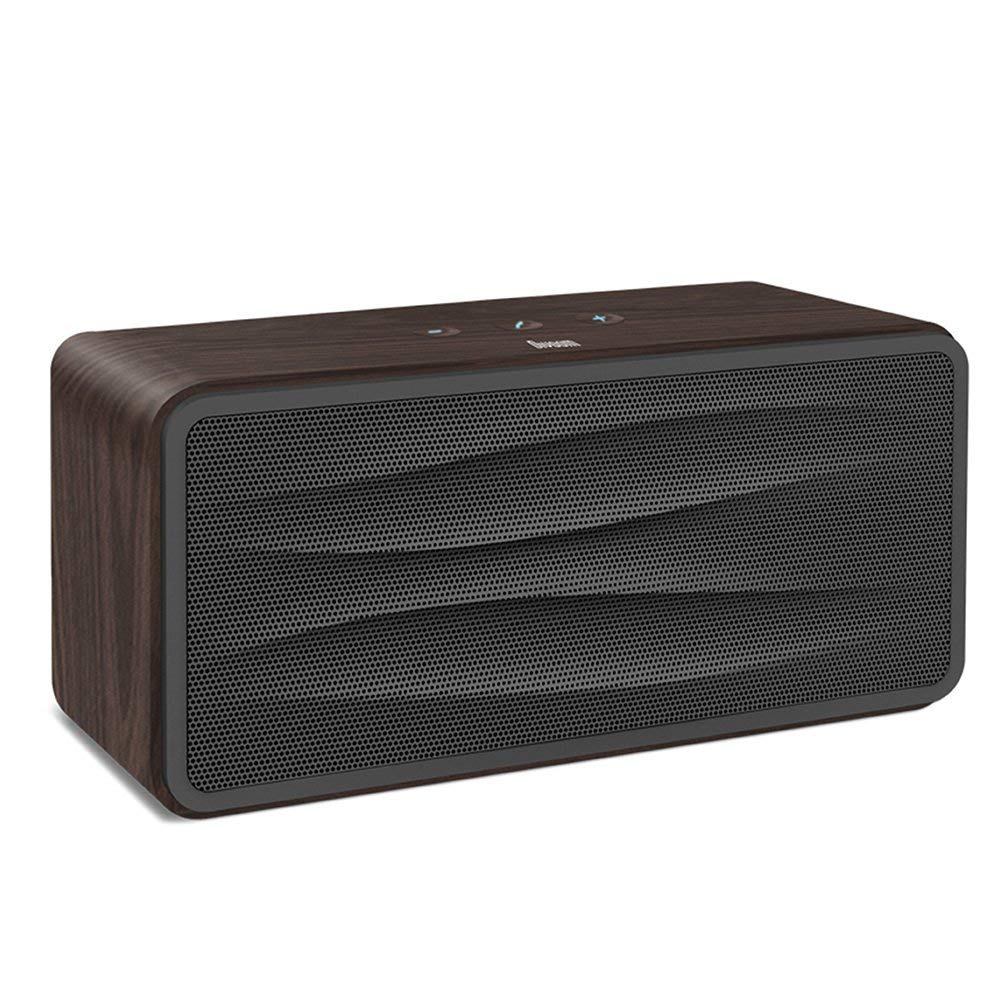
Gambar 1: Depan view of the Divoom Onbeat 500 speaker. This image displays the speaker's main grille and overall design.
Isi Paket
Silakan periksa paket untuk item berikut:
- Divoom Onbeat 500 Speaker
- Kabel Pengisian Daya Mikro USB
- Kabel Tambahan
- User Manual (dokumen ini)
- Kartu Garansi
Fitur Produk
The Divoom Onbeat 500 speaker offers a range of features for an enhanced audio experience:
- Suara Kuat: 2.1 channel design with a proprietary passive bass radiator for rich audio.
- Teknologi NFC: Tap-to-pair functionality for quick and easy Bluetooth connection.
- Konektivitas Bluetooth: Wirelessly play and control music from up to 33 feet (10 meters) away.
- Speaker ponsel bawaan: Allows you to make and take calls directly from the speaker.
- Baterai Tahan Lama: Integrated 5000mAh battery provides extended playback time.
- Masukan Tambahan: Untuk koneksi kabel ke perangkat non-Bluetooth.
Pengaturan
1. Mengisi Speaker
Before initial use, fully charge your Divoom Onbeat 500 speaker. Use the provided Micro USB charging cable to connect the speaker to a USB power source (e.g., computer USB port, USB wall adapter). The charging indicator light will illuminate during charging and turn off or change color when fully charged. A full charge typically provides 8-10 hours of playback.
2. Menghidupkan/Mematikan
- Untuk menghidupkan: Press and hold the Power button for a few seconds until you hear an audible prompt or see the indicator light illuminate.
- Untuk mematikan: Tekan dan tahan tombol daya lagi selama beberapa detik hingga speaker mati.
3. Pemasangan Bluetooth
The Onbeat 500 offers two methods for wireless connection:
NFC (Near Field Communication) Pairing:
If your device supports NFC, you can pair quickly:
- Ensure NFC is enabled on your smartphone or tablet.
- With the Onbeat 500 powered on, gently tap your NFC-enabled device against the NFC area on the speaker.
- Confirm the pairing request on your device. The speaker will indicate a successful connection.
Pemasangan Bluetooth Standar:
For devices without NFC or for manual pairing:
- Power on the Divoom Onbeat 500 speaker. It will automatically enter Bluetooth pairing mode if no device is connected, or you may need to press a dedicated Bluetooth button (refer to speaker controls).
- On your audio device (smartphone, tablet, computer), go to the Bluetooth settings and enable Bluetooth.
- Pencarian untuk available devices. You should see "Divoom Onbeat 500" in the list.
- Select "Divoom Onbeat 500" to connect. The speaker will confirm the connection with an audible prompt.
4. Koneksi AUX
To connect a device using the auxiliary cable:
- Connect one end of the provided auxiliary cable to the AUX-in port on the Divoom Onbeat 500.
- Connect the other end of the auxiliary cable to the headphone jack or audio output of your device.
- The speaker will automatically switch to AUX mode, or you may need to select it manually (refer to speaker controls).

Gambar 2: Samping view of the Divoom Onbeat 500, illustrating the location of the charging port, AUX input, and control buttons.
Mengoperasikan Speaker
1. Pemutaran Musik
Once connected via Bluetooth or AUX, you can control music playback from your connected device. The speaker may also have integrated controls for volume adjustment, play/pause, and track skipping. Refer to the speaker's physical buttons for these functions.
2. Fungsionalitas Speakerphone
When connected to a smartphone via Bluetooth, the Divoom Onbeat 500 can be used as a speakerphone:
- Menjawab Panggilan: Press the Call button (often indicated by a phone icon) on the speaker.
- Mengakhiri Panggilan: Tekan tombol Panggil lagi.
- Menolak Panggilan: Tekan dan tahan tombol Panggil.

Gambar 3: Belakang view of the Divoom Onbeat 500, highlighting the passive bass radiator for enhanced low-frequency sound.
Pemeliharaan
1. Pembersihan
Untuk menjaga tampilan dan fungsi speaker Anda:
- Bersihkan bagian luar dengan kain yang lembut, kering, dan tidak berbulu.
- Jangan gunakan pembersih abrasif, alkohol, benzena, atau pelarut kimia lainnya, karena dapat merusak lapisan permukaan.
- Hindari masuknya uap air ke dalam celah mana pun.
2. Perawatan Baterai
Untuk memperpanjang masa pakai baterai lithium-ion bawaan:
- Hindari mengosongkan baterai sepenuhnya secara sering.
- Simpan speaker di tempat yang sejuk dan kering bila tidak digunakan dalam jangka waktu lama.
- Charge the speaker at least once every three months if stored for a long time to prevent deep discharge.
Penyelesaian Masalah
If you encounter issues with your Divoom Onbeat 500, please refer to the following common solutions:
| Masalah | Solusi yang mungkin |
|---|---|
| Speaker tidak menyala | Ensure the battery is charged. Connect the speaker to a power source using the Micro USB cable and try again. |
| Tidak ada suara dari speaker | Check the volume level on both the speaker and your connected device. Ensure the speaker is correctly paired via Bluetooth or connected via AUX. Try re-pairing the Bluetooth device. |
| Pemasangan Bluetooth gagal | Ensure the speaker is in pairing mode. Turn off and on Bluetooth on your device. Move your device closer to the speaker. Clear previous Bluetooth connections on your device and try again. |
| Kualitas suara buruk | Ensure the speaker and connected device are within range (for Bluetooth). Check for interference from other wireless devices. Try a different audio source or cable. |
Spesifikasi
Detailed technical specifications for the Divoom Onbeat 500 speaker:
- Nama Model: Divoom Onbeat 500
- Tipe Pembicara: Speaker Komputer
- Teknologi Konektivitas: Bahasa Indonesia: Bluetooth
- Teknologi Komunikasi Nirkabel: Bahasa Indonesia: Bluetooth
- Metode Kontrol: Menyentuh
- Sumber Daya: Bertenaga Baterai
- Baterai: 1 baterai Lithium Ion (5000mAh)
- Wat Audiotage: 20 Watt
- Daya Keluaran Maksimum Pembicara: 100 Watt
- Konfigurasi Saluran Suara Surround: 2.1
- Perangkat yang Kompatibel: Android, Windows, iPhone (iOS)
- Tipe Konektor: USB (untuk mengisi daya)
- Dimensi Produk: 22.5 x 7.49 x 10.49 cm (PxLxT)
- Berat Barang: 1.55 kg
- Warna: Arang
- Fitur Khusus: NFC, Built-in Speakerphone, Passive Bass Radiator
Garansi dan Dukungan
Your Divoom Onbeat 500 speaker comes with a limited warranty. Please refer to the included Warranty Card for detailed terms and conditions, including warranty period and coverage.
For technical support, service inquiries, or further assistance, please visit the official Divoom website or contact their customer service department using the information provided on your Warranty Card or product packaging. Please have your model number (Onbeat 500) and purchase details ready when contacting support.


